Unlocking 1Password’s Full Potential: Beyond Password Management for Enhanced Security and Convenience

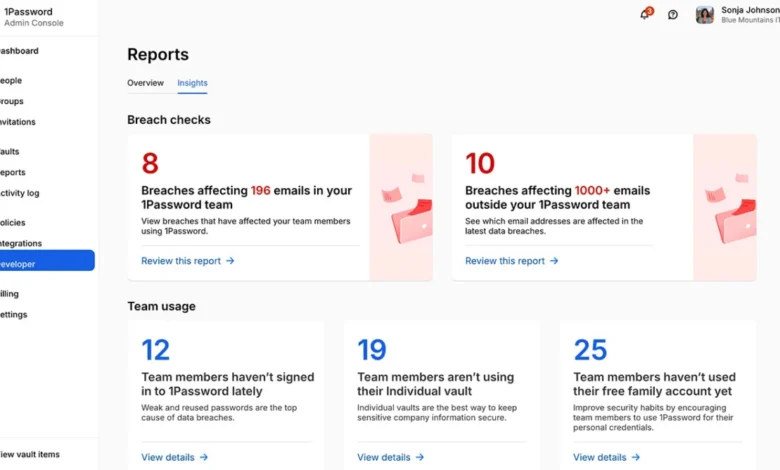
While the primary function of 1Password, a leading password manager, is to securely store and automatically fill login credentials, its utility extends far beyond this fundamental task. Many users, though benefiting from the core password management features, may be overlooking a suite of advanced functionalities designed to bolster security, streamline daily tasks, and provide crucial safeguards for personal and digital assets. This comprehensive guide delves into these underutilized features, offering practical strategies for maximizing the value of a 1Password subscription, transforming it from a mere digital vault into a dynamic security and organizational hub.
The inherent value of any password manager lies in its ability to mitigate the risks associated with weak or reused passwords. In an era where data breaches are increasingly common and sophisticated cyber threats are a constant concern, robust password management is no longer a luxury but a necessity. A recent report by Statista indicated that the number of data breaches worldwide reached an all-time high in 2023, exposing billions of records. This underscores the critical importance of employing tools like 1Password not just for convenience, but as a vital layer of defense. For individuals still evaluating their options, a curated list of the best password managers can serve as a valuable starting point. However, for those already invested in 1Password, understanding and implementing its advanced features can significantly amplify its protective and functional capabilities. These features often lie dormant, waiting for specific scenarios to reveal their importance, such as international travel, sharing Wi-Fi access, managing critical personal documents, or establishing a robust emergency preparedness plan.
Strategic Security for International Travel: Leveraging Travel Mode
One of 1Password’s most distinctive and underappreciated features is Travel Mode, an essential tool for individuals who frequently cross international borders. This functionality allows users to selectively remove specific vaults from their devices, ensuring that only pre-designated "travel-safe" vaults remain accessible. This is particularly pertinent when navigating customs and immigration, where border officials may have the authority to inspect electronic devices. By enabling Travel Mode, users can proactively safeguard highly sensitive information, such as financial account details, private documents, or proprietary business information, from inadvertent disclosure.
The process for activating Travel Mode is straightforward. Users must first log in to their 1Password account via the 1Password.com website. Within the account management section, the Travel Mode option can be toggled on. Prior to enabling this feature, it is imperative to create a dedicated vault for all information deemed necessary and safe for travel. This vault should then be explicitly marked as "safe for travel." Once Travel Mode is active, any vaults not designated as such will be automatically removed from all synced 1Password applications on connected devices. Upon returning from travel, the feature can be deactivated, seamlessly restoring all vaults to their previous accessibility. This setup, requiring only a few minutes, can significantly alleviate travel-related anxieties and mitigate potential security risks. The implementation of such proactive measures aligns with broader trends in digital security, where travelers are increasingly advised to secure their devices and data before embarking on international journeys.
Enhancing Online Transaction Security with Virtual Cards
In the realm of e-commerce, where the exposure of real credit card details to numerous merchants poses a persistent risk, 1Password offers a powerful solution through its integration with Privacy.com. This partnership enables users to generate and manage virtual payment cards, effectively acting as intermediaries between their actual financial accounts and online retailers. Instead of furnishing merchants with primary card numbers, users can employ these unique, dynamically generated card numbers. A key advantage of this system is the ability to create distinct virtual cards for specific merchants or to set predetermined spending limits for each card.
The seamless integration within the 1Password browser extension means that when a user is at a merchant’s checkout page, 1Password can intelligently suggest the appropriate virtual card to use. This feature significantly bolsters secure online transactions, especially when interacting with unfamiliar websites or platforms where trust may be a concern. While this functionality is currently limited to eligible users in the United States and requires a separate Privacy.com account, its adoption represents a significant step towards greater control over financial data. The application of virtual cards is particularly beneficial for managing recurring subscriptions, patronizing lesser-known online stores, or for any checkout process that evokes a sense of caution before entering sensitive payment information. The growing prevalence of online fraud necessitates such advanced protective measures, moving beyond basic password security to encompass the broader spectrum of financial data protection.
Proactive Management of Expiry Dates for Critical Documents and Licenses
1Password’s capabilities extend well beyond the management of website login credentials. The platform can securely store a wide array of sensitive personal and professional information, including passport details, driver’s licenses, software licenses, credit card information, membership details, and any other record that has an associated expiration date. The crucial aspect of this feature is its ability to trigger timely alerts, transforming 1Password into an indispensable renewal tracker.
By inputting the expiry date of a passport into 1Password, for instance, the Watchtower feature can proactively flag it well in advance of its expiration. This same principle applies to driver’s licenses, credit cards, professional memberships, critical API credentials, software licenses, and any other item whose expiry could lead to inconvenience or disruption. This transforms 1Password from a simple repository into a proactive management tool, preventing the often frustrating discovery of an expired document just prior to a critical event, such as an international trip. The proactive identification of expiring credentials can avert significant logistical challenges and financial penalties, demonstrating a pragmatic application of digital asset management.
Streamlining Shared Account Access with Stored One-Time Passwords
Multi-factor authentication (MFA) is a cornerstone of modern cybersecurity, significantly enhancing account security. However, managing MFA for shared accounts can present logistical challenges. Traditionally, when multiple individuals require access to a shared service that utilizes MFA, the process often devolves into an inefficient exchange of one-time passcodes (OTPs) via text messages, creating a race against time before the codes expire.
1Password offers an elegant solution by allowing users to store one-time passwords directly within the login item. This means that after entering the username and password, 1Password can automatically populate the OTP field, streamlining the login process for shared accounts. By storing the login credentials and their associated OTP within a shared vault, all authorized users can gain access without needing to rely on a single individual with the authenticator app. This is particularly useful for family streaming accounts, shared utility portals, collaborative administrative tools, or household services. While prudent management of shared access is paramount, this feature significantly simplifies the user experience for legitimate shared resources, moving away from cumbersome manual code sharing. The broader context of secure password sharing, which emphasizes clear communication and limited access, is crucial for the effective implementation of this feature.
Granting Temporary Access with Guest Vaults
For users of 1Password Families, the Guest Vaults feature provides a sophisticated method for granting limited, temporary access to specific information without exposing the entirety of a user’s digital vault. These guest vaults can be populated with essential details such as Wi-Fi network credentials, smart lock access codes, household instructions, or login information for streaming services, making them ideal for babysitters, visiting relatives, or temporary service providers.
The guest gains access only to the designated vault, and this access can be revoked at any time by the primary account holder. This approach is significantly more secure and organized than sharing sensitive information through unsecured chat applications, where it can be difficult to track or recall where such details were disseminated. The granular control offered by guest vaults aligns with principles of least privilege, ensuring that individuals only have access to the information they absolutely need, thereby enhancing overall security and operational efficiency.
Simplifying Wi-Fi Sharing with Router QR Codes
A seemingly minor, yet remarkably practical, feature of 1Password is its ability to generate a QR code for wireless router credentials. By creating a new "Wireless Router" item within 1Password and inputting the network name (SSID) and password, users can then display a QR code that guests can simply scan with their devices to connect to the Wi-Fi network.
This feature elegantly resolves the common scenario of needing to verbally relay a complex Wi-Fi password, which can be prone to errors and security risks if overheard. For those who prefer to keep their QR codes discreet, 1Password’s security settings offer options for concealed fields. This small but impactful utility transforms a mundane task into a seamless and secure interaction, embodying the principle of making everyday digital tasks more convenient and less prone to error.
Contextual Information Retrieval with Item Locations
1Password enhances information retrieval by allowing users to associate specific items with geographical locations. On mobile devices, this feature enables a "Nearby" section that surfaces relevant information based on the user’s current proximity. For example, a gym membership detail can be linked to the gym’s location, a store loyalty card to that particular retail outlet, health insurance information to a clinic, or travel documents to an airport-related note.
When a user is physically near a designated location and opens 1Password on their phone, the relevant item can automatically appear without the need for manual searching. This organizational trick ingeniously mirrors how individuals naturally access and utilize information—certain details are only relevant in specific contexts or places. This contextual awareness significantly streamlines access to critical information when it is most needed, demonstrating a sophisticated approach to personal data management.
Enhancing Vault Organization Through Item Linking
The organization of a digital vault can become complex, with numerous items requiring logical connections. 1Password addresses this by allowing users to link related items. For instance, a bank login can be associated with its corresponding debit card, credit card, secure notes, and scanned supporting documents. Similarly, a domain registrar login might be linked to DNS notes, recovery codes, and billing records.
By establishing these explicit links within 1Password, related records remain consolidated. When a user accesses one linked item, all associated records are immediately visible. This method of linking transcends reliance on naming conventions alone, providing a more intuitive and efficient way to navigate and manage interconnected digital assets. This feature ensures that critical information remains together, significantly improving the overall browseability and usability of the vault.
Preserving Data with Archiving Functionality
Not all old logins or documents warrant outright deletion. Inactive accounts may still hold valuable historical data, outdated documents might be needed for future reference, and credentials for services no longer used might need to be retained for record-keeping purposes. 1Password’s archiving feature provides an elegant solution for managing such items without cluttering active searches.
Archived items remain securely stored within 1Password but are removed from regular search results and autofill suggestions. This keeps the active vault clean and functional while ensuring that historical data is still accessible if needed. Users can easily restore archived items should the need arise. This approach is akin to organizing a filing cabinet: instead of discarding potentially important folders, they are moved to an archive, ensuring that they are available without impeding daily workflow. This preserves data integrity and offers a safety net for critical historical information.
Building a Comprehensive Emergency Access Plan
1Password’s capacity to store not only passwords but also crucial documents, scans, secure notes, licenses, certificates, recovery codes, and asset details positions it as a vital component of a digital estate plan. However, a critical consideration is ensuring that a trusted individual can access this information if the primary user becomes incapacitated or passes away.
It is important to note that 1Password does not operate as an automated dead-man switch. The process of granting access requires deliberate planning. Users should begin by generating an "Emergency Kit," which contains essential recovery information. This kit should be printed and stored securely, with the account password accessible through a trusted and secure channel. Furthermore, recovery codes can be generated, and a clear protocol established for how a designated trusted person should access these codes if necessary. While this is an uncomfortable but necessary task, establishing such a plan ensures that critical digital assets are accessible when they are most needed, providing peace of mind and practical preparedness.
The Evolution of Digital Security: From Passwords to Comprehensive Asset Management
The true power of 1Password lies in its evolution beyond a simple password manager into a comprehensive platform for managing sensitive digital information. Features such as Travel Mode, virtual cards, expiry alerts, shared vaults, guest access, contextual location tagging, item linking, archiving, and emergency access planning collectively transform the user experience. These functionalities empower individuals to exercise greater control over their digital lives, enhance security postures, and streamline daily operations. By fully leveraging these advanced capabilities, users can transform their 1Password vault into a dynamic, secure repository that adapts to the multifaceted demands of modern life, offering not just convenience, but robust protection and strategic organization for the entirety of their private digital details. The ongoing advancements in digital security necessitate a holistic approach, where tools like 1Password are utilized to their fullest extent to address the evolving landscape of cyber threats and personal data management.