File compression and format conversion on macOS have long existed in a state of architectural polarization. Users typically find themselves forced to choose between two unsatisfactory extremes: highly specialized, single-purpose image optimization utilities that remain entirely indifferent to bloated PDF documents or sprawling video files, and over-engineered, resource-heavy conversion suites that feel entirely disproportionate for quick, daily tasks. This operational friction has historically required digital workers, content creators, and developers to maintain a fragmented toolkit of disparate applications just to manage routine asset preparation. Addressing this persistent workflow bottleneck, a free, locally executed utility named Dinky has emerged on the macOS ecosystem, offering a streamlined approach to shrinking images, videos, audio tracks, and PDF documents without routing sensitive user data through external cloud servers.
The application arrives at a time when data privacy and local processing are paramount concerns for professionals handling proprietary assets, client documents, and personal media. Unlike web-based conversion portals that necessitate uploading potentially confidential files to remote third-party servers—introducing both security vulnerabilities and bandwidth latency—Dinky executes all optimization processes entirely on-device. This local-first architectural philosophy ensures that data security is maintained by default, aligning with modern enterprise compliance standards and individual privacy expectations alike.
Evolution of the Utility: From Single-Purpose to Comprehensive Media Suite
The development of Dinky represents a calculated response to the limitations observed in earlier generations of macOS utility software. Initially conceived as a lightweight, image-centric compression tool designed to strip unnecessary metadata and downscale heavy PNG or JPEG files, the application has since evolved into a versatile, multi-format media processor. Recognizing that modern digital workflows rarely involve just one file type, the software’s creators expanded its underlying framework to accommodate complex, heterogeneous asset pipelines.
Chronologically, the software’s maturation mirrors the shifting demands of digital publishing and content distribution. As web standards aggressively favored next-generation, highly efficient graphical containers such as WebP, AVIF, and HEIC, graphic designers and web developers required tools capable of batch-converting legacy assets without degrading visual fidelity. Simultaneously, the proliferation of remote work, high-resolution screen recordings, and digital documentation exponentially increased the volume of bulky video and PDF files passing through personal workstations. Dinky’s expansion into audio and document processing directly addresses this convergence of media types within everyday professional workflows.
Technical Architecture: Specialized Compression Over Blind Squeezing
At its core, Dinky rejects the primitive approach of applying uniform compression algorithms across entirely different data structures. Instead, the application treats each file format according to its intrinsic mathematical and visual properties, deploying tailored compression routines designed to maximize size reduction while preserving perceptual quality.
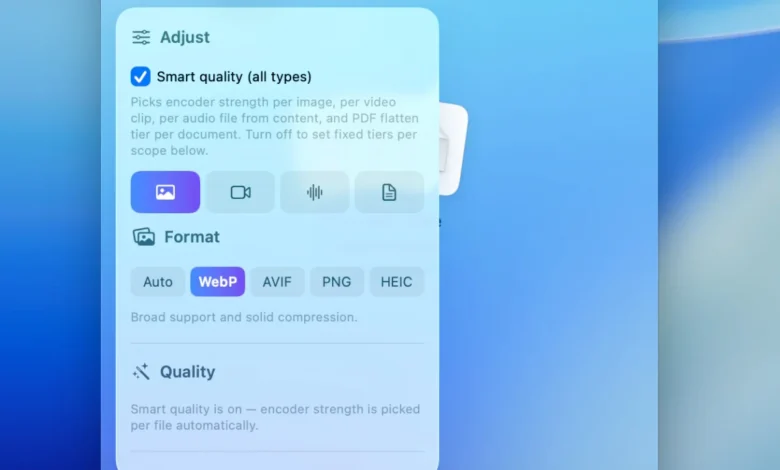
For image processing, the application supports output routing to highly efficient modern formats, including WebP, AVIF, HEIC, and optimized lossless PNG. A standout feature within this module is "Smart Quality" detection—an analytical routine that automatically determines whether an input graphic resembles a photographic raster image or a vector-like digital illustration, dynamically adjusting the compression matrix accordingly. For users requiring absolute precision, Dinky allows manual constraint configurations, such as enforcing maximum pixel dimensions or targeting a specific, predetermined file size threshold.
In the domain of digital video, the utility bridges the gap between massive source footage and lightweight web deliverables. Dinky exports files exclusively into the widely compatible MP4 container, leveraging advanced hardware-accelerated codecs such as H.264 and HEVC. Furthermore, the inclusion of an optional frame-rate (FPS) cap proves particularly advantageous for technical writers, software demonstrators, and educators capturing screen recordings that do not necessitate standard cinematic frame rates. By capping unnecessary frame duplication, file sizes drop precipitously without compromising the clarity of user interfaces or instructional walkthroughs.
Audio processing capabilities further broaden the utility’s professional scope. The software handles seamless re-encoding and compression across a comprehensive spectrum of common audio codecs, including AAC, MP3, FLAC, WAV, ALAC, and AIFF. This allows audio engineers, podcasters, and multimedia producers to quickly convert archival formats into delivery-ready files without resorting to cumbersome audio workstations.
Perhaps the most sophisticated component of the application lies in its document compression pipeline. Managing portable document format (PDF) files has traditionally been a notorious chore on desktop operating systems, frequently resulting in either unreadably degraded text or negligible size reductions. Dinky offers users a bifurcated strategic choice: a flattening routine that converts scanned or image-heavy documents into heavily compressed visual layers, and a conservative preservation mode designed to maintain the structural integrity of embedded text, selectable fonts, and active hyperlinks. Additionally, the inclusion of optional, on-device optical character recognition (OCR) ensures that image-based PDF scans remain fully searchable even after undergoing aggressive file reduction.
Workflow Integration: Automation, Watch Folders, and Batch Processing
Beyond its foundational conversion engines, Dinky’s utility is heavily defined by its attention to operational efficiency and reduction of manual friction. Designed for repetitive, high-frequency tasks, the software integrates deeply into the macOS environment through multiple input channels.
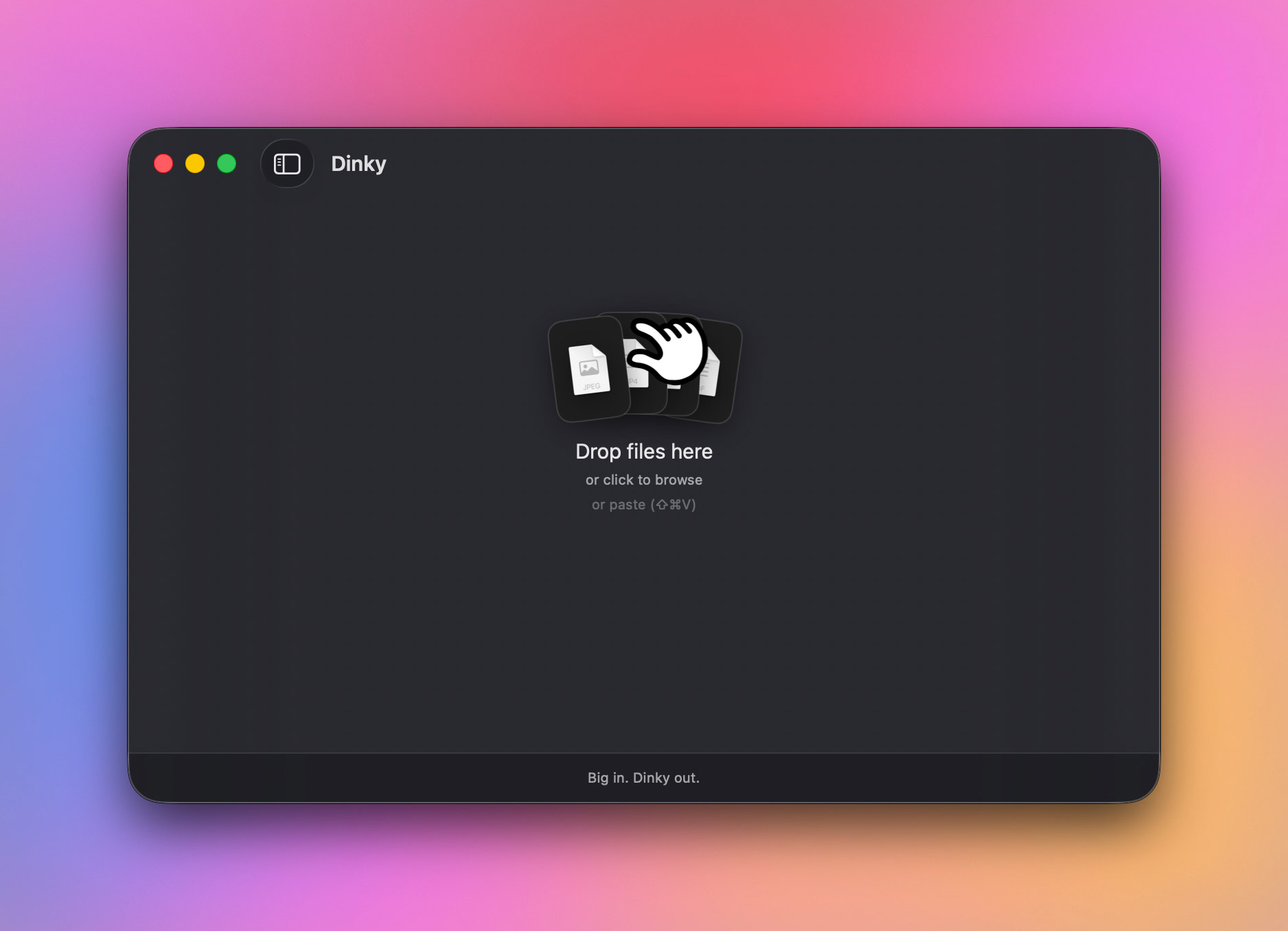
Users can ingest files via standard drag-and-drop mechanics onto the primary application window, the system Dock icon, or through a traditional file picker dialog. More importantly, the application implements a system-wide clipboard shortcut (Command + Shift + V) that allows users to capture, copy, and instantly compress images without even bringing the application window to the foreground. Additionally, the software supports direct URL ingestion; users can drop or paste a direct web link of up to 500 MB, prompting Dinky to download the asset locally before initiating the compression sequence.
For power users managing thousands of assets weekly, manual interactions are supplanted by customizable presets and automated watch folders. The preset system enables users to bundle specific format choices, quality ceilings, dimension limits, destination directories, and renaming conventions into unified profiles. A digital creator might maintain distinct presets—one configured for high-efficiency blog imagery, another tailored for strict client PDF deliverables, and a third optimized for lightweight video exports.
The watch folder feature extends this automation by continuously monitoring designated local directories. When new files are dropped into a watched path, Dinky processes them in the background according to the associated preset parameters without requiring user intervention. Coupled with configurable multi-threaded batch processing speeds—which allow users to dictate the number of parallel jobs executed simultaneously—the application scales efficiently from casual desktop cleanups to enterprise-level asset preparation.
Safeguards and Original File Management
A recurring anxiety associated with automated compression utilities is the risk of catastrophic data loss or accidental overwrites of pristine source material. Dinky addresses this operational risk by incorporating granular file management controls governing original assets post-compression.
Users are provided with clear policy options regarding the fate of source files: they can be left untouched in their original directories, automatically routed to the system Trash, or securely archived into a designated backup folder. This intentional design choice mitigates user hesitation, fostering trust in automated workflows where large batches of media are processed concurrently.
Industry Implications and Market Position
The release and refinement of Dinky arrive within a broader industry trend emphasizing lightweight, native macOS applications over resource-heavy Electron-based alternatives. As operating system architectures continue to optimize unified memory and specialized hardware blocks like the Apple Neural Engine and media engines, utilities written specifically for native macOS execution demonstrate superior performance profiles and minimal battery consumption.
While established commercial suites and subscription-based cloud converters continue to dominate enterprise markets, tools like Dinky occupy a critical niche for independent professionals, researchers, students, and developers. By combining zero-cost accessibility with robust open-source foundations—available via GitHub alongside official distribution channels—the project exemplifies a modern shift toward transparent, privacy-respecting software development.
Ultimately, Dinky succeeds not by attempting to replace comprehensive digital asset editors, but by aggressively eliminating the friction inherent in everyday file optimization. For any macOS user regularly navigating the administrative overhead of resizing screenshots, compressing portfolio videos, sanitizing client PDFs, or re-encoding audio tracks, the application presents a cohesive, secure, and highly efficient remedy to an enduring desktop annoyance.