Mastering Rapid Page Audits: A Three-Minute Workflow Using SEOquake

In the high-stakes world of digital marketing, the performance of a single web page can determine the trajectory of a brand’s organic growth. When a product page experiences a sudden dip in search rankings, a competitor’s content surpasses your own, or a critical landing page fails to meet conversion targets, the pressure to identify the root cause is immediate. While comprehensive site-wide crawls provide long-term strategic value, they are often too time-consuming for the immediate triage required during a performance crisis. To bridge this gap, marketers are increasingly turning to streamlined, in-browser diagnostic tools that allow for instant, data-driven assessments without the need for complex software configurations.

The SEOquake Chrome extension, developed by Semrush, has emerged as a cornerstone tool for this rapid diagnostic approach. By providing an immediate audit of technical signals, on-page SEO factors, linking strategies, and core metrics directly within the browser interface, it allows professionals to move from identifying a problem to formulating a solution in a matter of minutes.

The Mechanics of a Three-Minute Audit

Effective SEO troubleshooting relies on a systematic approach that separates surface-level symptoms from deep-seated technical issues. A structured three-minute workflow allows auditors to maintain focus while gathering the necessary data to make informed decisions.

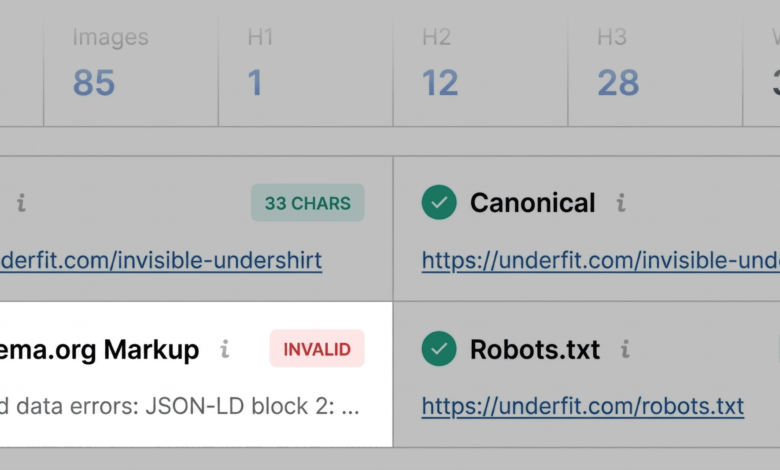
The first minute is dedicated to triage. By utilizing the Quick View pop-up, auditors can perform a rapid assessment of five core areas: Page Info, Diagnosis, Internal Links, External Links, and Density. The goal during this phase is to answer one fundamental question: Is there an obvious, high-impact error hindering this page’s potential? By prioritizing the Page Info tab, users can quickly verify critical SEO elements such as title tags, meta descriptions, and canonical URLs. Discrepancies here often explain sudden ranking fluctuations.

The second and third minutes are reserved for deeper diagnosis. If the initial triage identifies red flags—such as broken schema markup or incorrect canonicalization—the auditor transitions to the Full Report. This deeper analysis provides granular insights into the technical architecture of the page. By clicking through to the "Audit" panel, a user can examine specific technical hurdles, including mobile responsiveness, HTTPS status, and structured data validity.

Technical Integrity and Content Optimization

The importance of technical hygiene cannot be overstated in modern search algorithms. For instance, invalid Schema.org markup is a frequent culprit when product pages fail to secure rich results in search engine result pages (SERPs). When a page is missing critical schema elements, it loses the opportunity to display pricing, availability, and user ratings directly in the search results, which significantly impacts click-through rates.

Furthermore, content structure plays a pivotal role in how both search crawlers and AI-driven systems interpret a page. A logical hierarchy of heading tags (H1 through H6) is not merely an aesthetic choice; it provides the semantic framework required for search engines to index content effectively. When an H1 tag is buried midway down a page, or when there are illogical jumps in the heading structure—such as transitioning directly from an H1 to an H4—it creates friction that can impede a page’s ability to rank for competitive keywords.

The diagnostic process also highlights the necessity of image optimization. While often overlooked, images are critical components of a page’s topical relevance. Missing alt text across dozens of images on a product page reduces the information available to search bots, effectively creating a "black hole" of unindexed visual content. Addressing these gaps is a high-leverage activity that can improve both accessibility and search visibility.

Linking Strategy and Site Architecture

Beyond on-page content, the architecture of links—both internal and external—serves as the nervous system of a website. Broken internal links disrupt the flow of authority throughout a site, while broken external links can signal to search engines that a page is unmaintained or unreliable.

The SEOquake Full Report provides a comprehensive breakdown of link health, identifying the status codes (such as 200 OK or 404 Not Found) for every link on the page. In many cases, these links are generated by JavaScript, which can be notoriously difficult to audit without specialized tools. By isolating these broken links in a CSV format, auditors can systematically clean up the page, ensuring that both users and crawlers have a seamless experience.

Broader Implications: When to Scale the Audit

A crucial aspect of any audit is determining the scope of the fix. Some issues are isolated, such as a missing meta description or a single broken image link. These can be addressed at the page level. However, other issues, such as a malformed XML sitemap or recurring JSON-LD errors across a template, indicate systemic failures that require a site-wide intervention.

The integration of domain-level metrics provides the necessary context to make this determination. If a page is underperforming despite a high-authority domain and strong backlink profile, the issue is almost certainly internal. Conversely, if a domain shows signs of low traffic and declining engagement, the audit must shift from a page-level focus to a broader site-wide strategy.

In such cases, the transition from an in-browser audit to a full site crawl becomes inevitable. Utilizing tools like the Semrush Site Audit allows for a deeper dive, scanning hundreds or thousands of URLs to identify patterns that a single-page analysis might miss.

Professional Best Practices for SEO Auditing

To maximize the efficacy of these tools, professional SEOs follow a set of established best practices:

- Maintain Objectivity: Use color-coded reports as a guide, but always apply professional judgment. A warning (orange) does not always necessitate a fix; it requires an evaluation of whether that specific issue is contributing to the page’s poor performance.
- Prioritize by Impact: Not all SEO issues are created equal. Focus on technical "blockers" that prevent indexing or severely hinder user experience before addressing minor content nuances.
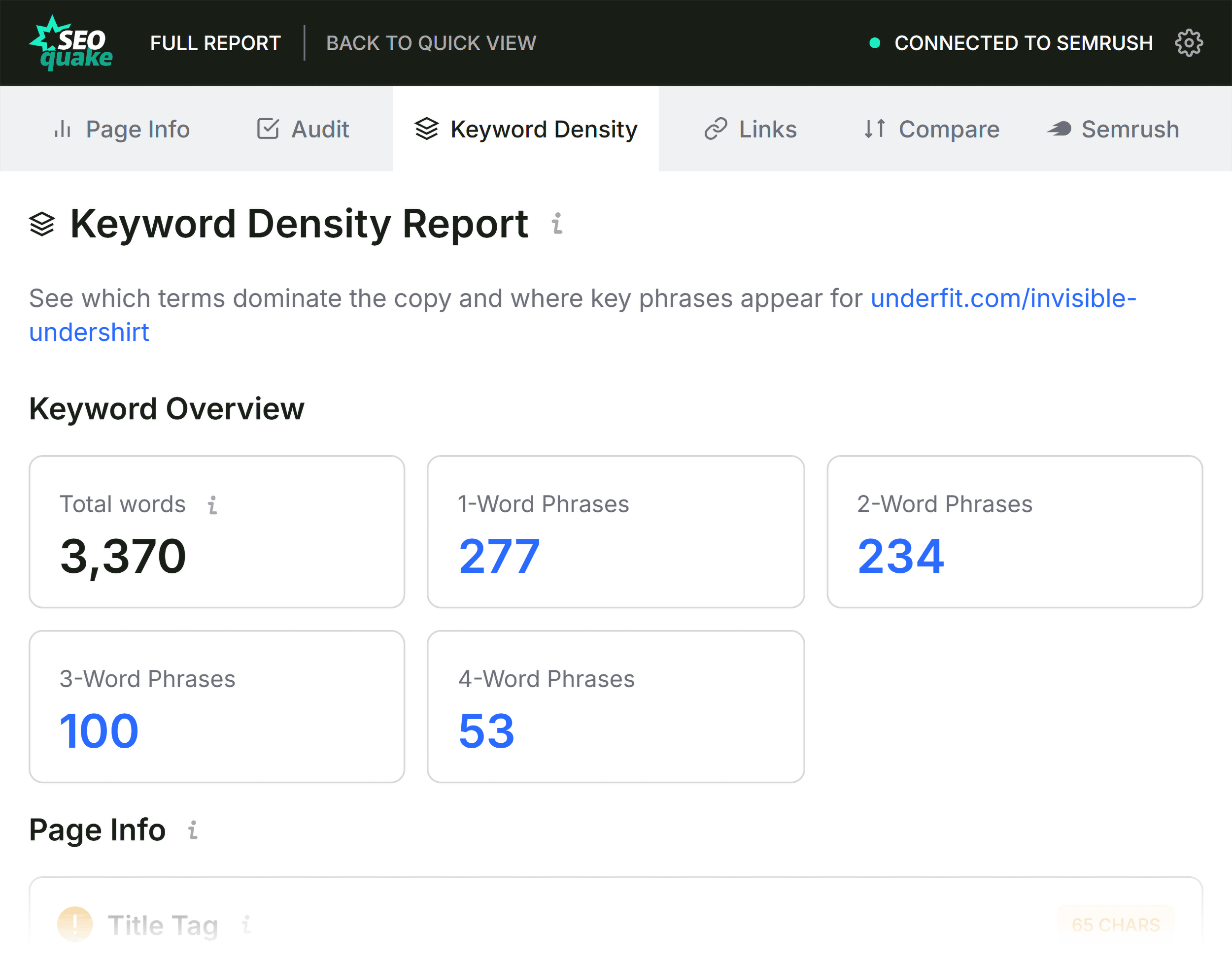
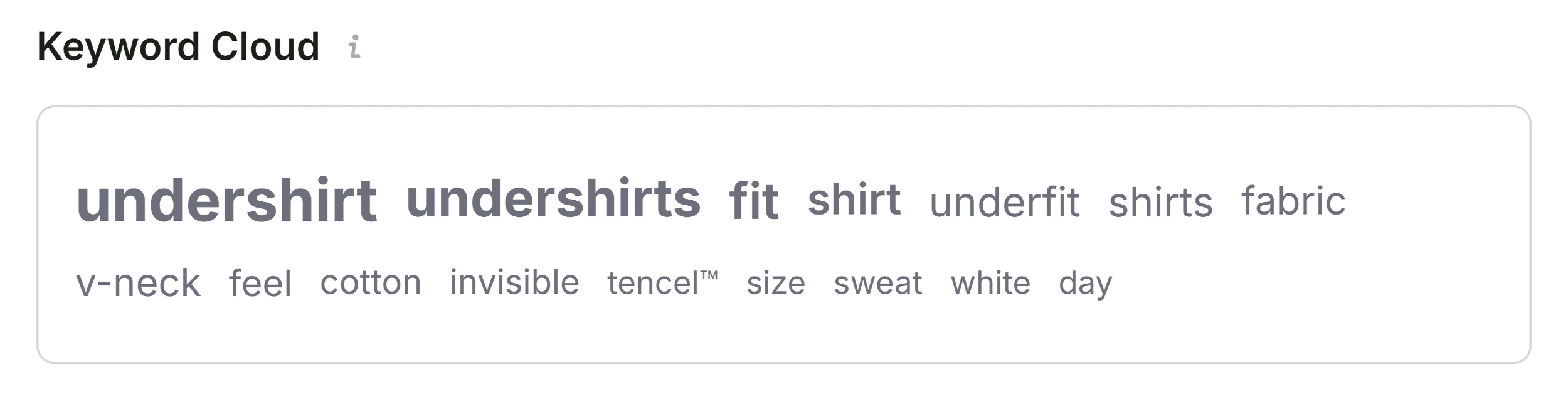
- Use Data to Inform Decisions: When using the Keyword Density panel, view the data in the context of the page’s intent. A product page will naturally have a different keyword distribution than a long-form informational guide.
- Continuous Monitoring: SEO is not a one-time event. Even after a successful audit and fix, pages should be monitored periodically to ensure that new technical debts have not been introduced through site updates or content changes.
The Future of Rapid Diagnostics
As search engines continue to prioritize user experience and technical reliability, the ability to perform rapid, accurate audits will remain a vital skill for digital marketers. Tools like SEOquake serve as an essential bridge, allowing professionals to maintain agility in an increasingly complex digital landscape.
While the future of SEO may involve more sophisticated AI-driven analysis, the foundational principles of technical health and content structure remain constant. By mastering the art of the three-minute audit, marketers can ensure their digital assets remain performant, visible, and competitive in an ever-evolving search ecosystem. Through consistent application of these diagnostic techniques, teams can move from reactive troubleshooting to proactive optimization, securing long-term success in the digital marketplace.