When a high-priority product page experiences a sudden dip in search rankings, or a competitor’s content begins to outperform a long-standing asset, the urgency to diagnose the issue is immediate. In the fast-paced world of digital marketing, waiting for a comprehensive site-wide crawl to complete can feel like an eternity when a client is demanding answers or revenue is being lost. Modern SEO professionals require tools that offer rapid, granular, and actionable insights without the friction of complex software deployments.

The SEOquake Chrome extension, a cornerstone of the Semrush ecosystem, provides exactly this capability. By transforming the browser into a powerful diagnostic console, the extension allows marketers to audit technical signals, on-page SEO factors, and linking strategies directly from the page being analyzed. This article outlines a precise, three-minute workflow that transitions from initial triage to detailed diagnosis, ensuring that SEO professionals can maintain visibility and performance across their digital portfolios.

Understanding the SEOquake Ecosystem

SEOquake is a free, comprehensive browser-based diagnostic tool designed to provide real-time data on a webpage’s performance. Its primary function is to surface technical and structural data that search engines process when indexing a page. By clicking the extension icon while visiting any URL, users gain access to a color-coded interface that categorizes findings based on their severity.

The interface utilizes a standardized color-coding system: green indicators represent healthy elements that align with current SEO best practices; orange indicators signify warnings or areas where judgment calls are required; and red indicators highlight critical errors that may be actively hindering a page’s ability to rank or convert. This hierarchy allows auditors to focus their limited time on the most impactful issues rather than getting lost in a sea of irrelevant metadata.

Minute One: Triage via the Quick View Pop-Up

The first 60 seconds of the audit process are dedicated to triage. The goal is not to fix problems, but to identify the most glaring impediments to performance. Upon clicking the SEOquake icon, users are presented with a five-tab pop-up menu: Page Info, Audit, Content, Links, and Social.

For a rapid assessment, the auditor should prioritize the Page Info, Audit, and Content tabs, allocating roughly 20 seconds to each. The Page Info tab serves as the foundational layer of the investigation, providing an immediate snapshot of core SEO metrics such as the page title, meta description, canonical tags, and robots directives. A quick scan of these elements often reveals the "low-hanging fruit"—missing meta descriptions, duplicate title tags, or incorrect canonical links that are inadvertently signaling to search engines that the page is not the primary version.

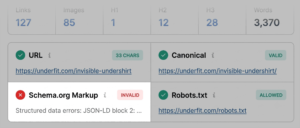
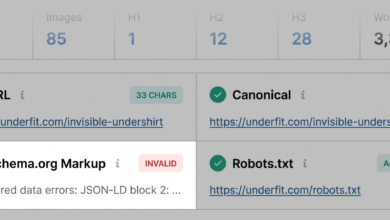
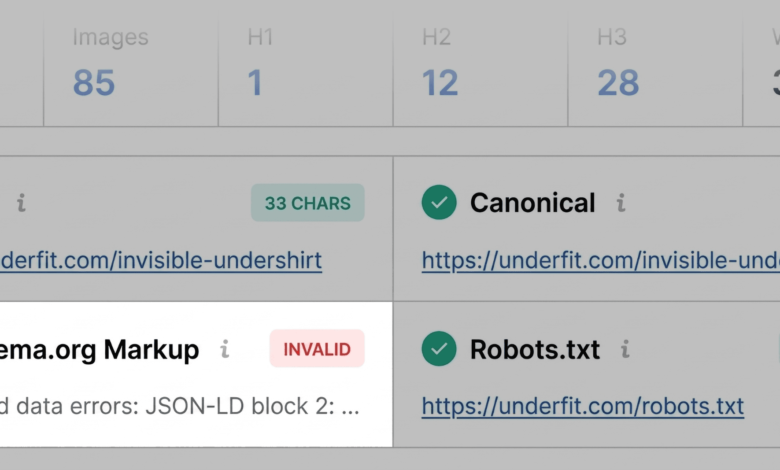
During this triage phase, the auditor must also pay close attention to Schema markup. If the extension highlights the Schema.org data in red, it serves as a red flag for the technical team. Invalid JSON-LD or microdata can render a page ineligible for rich results, meaning the product might lose its price, availability, and rating display in search engine results pages (SERPs). For e-commerce sites, this is a critical loss of click-through rate (CTR) potential.

Minute Two: Technical Deep-Dive

Once the initial triage is complete, the auditor moves to the Audit tab for a more granular view of technical health. This section evaluates the page against established industry standards for indexability and crawlability. Key factors analyzed here include mobile-friendliness, the presence of a valid XML sitemap, and the status of HTTP response codes.

While "orange" warnings in the audit section may not trigger an immediate site-wide outage, they often require professional judgment. For instance, a missing hreflang tag might be a non-issue for a single-language site, but it is a critical oversight for a brand operating in international markets. Similarly, identifying a site where the XML sitemap is present but not properly linked can explain why certain sub-pages are failing to index. By isolating these technical variables, the auditor can determine whether the problem is localized to the page or stems from a misconfiguration of the site’s global templates.

Minute Three: Content Structure and Keyword Integrity

The final minute of this focused workflow is spent in the Content tab, which evaluates how the page is structured for both human readers and search engine crawlers. Modern search algorithms, which are increasingly influenced by AI, place a high premium on logical content hierarchy.

Auditors should look for two specific red flags: non-sequential heading tags and missing image alt text. A page that jumps from an H1 to an H4 header without intermediate H2 or H3 tags is often difficult for search engines to parse effectively. This structural fragmentation can undermine the topical authority of the content. Furthermore, missing alt text is a dual-threat issue; it reduces accessibility for visually impaired users and limits the ability of search engines to index images for visual search.

Diagnosing the Root Cause: The Full Report

If the three-minute triage reveals issues that require deeper investigation, the "View Full Report" button provides access to more sophisticated diagnostic panels. This feature is essential when the problem is systemic rather than symptomatic.

The Full Report includes six detailed panels: Summary, Diagnosis, Page Info, Internal/External Links, Density, and Semrush. By navigating to the panel that matches the specific flag found during the triage, the auditor can move from observation to analysis. For example, if the triage highlighted broken external links, the Links panel allows the auditor to export a CSV of every link on the page, categorizing them by HTTP response code. This allows for a swift cleanup process, ensuring that the link profile remains healthy and that "link rot" does not negatively impact the site’s credibility.

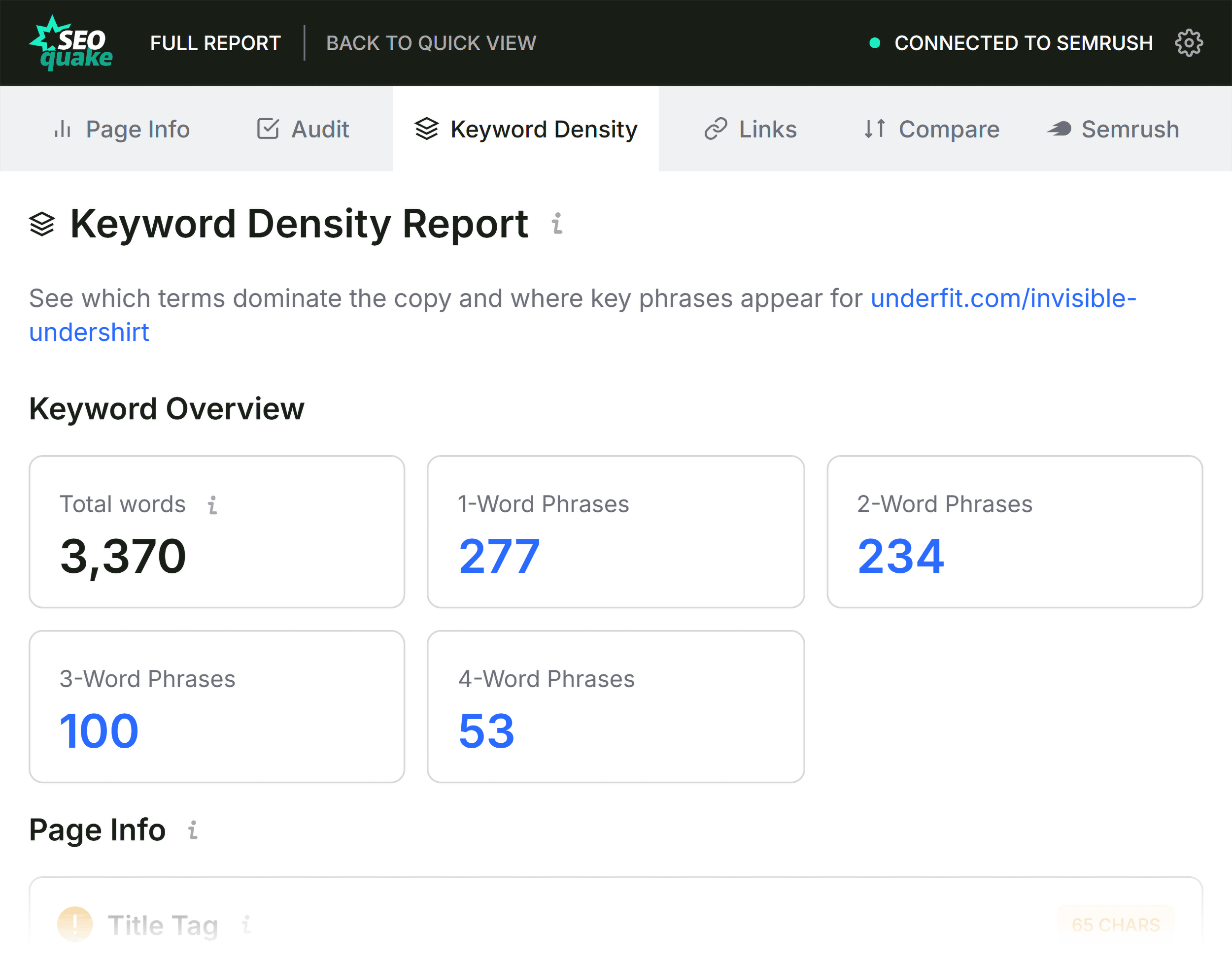
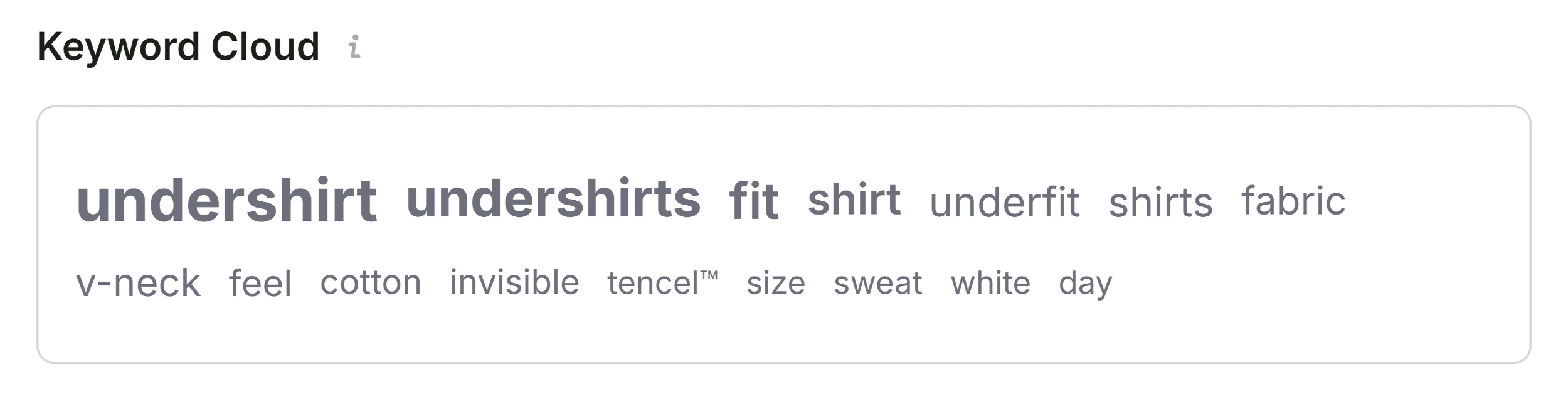
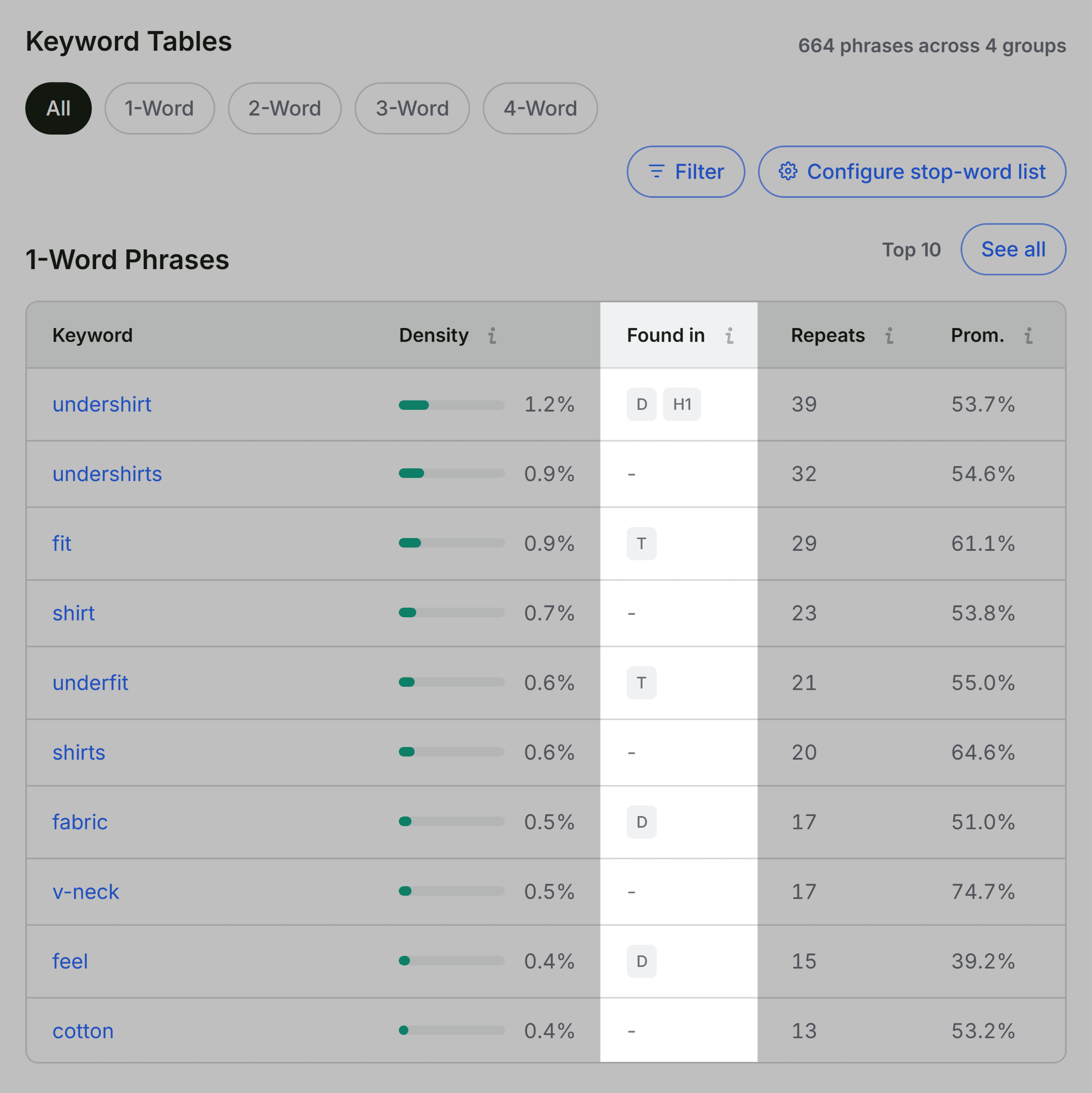
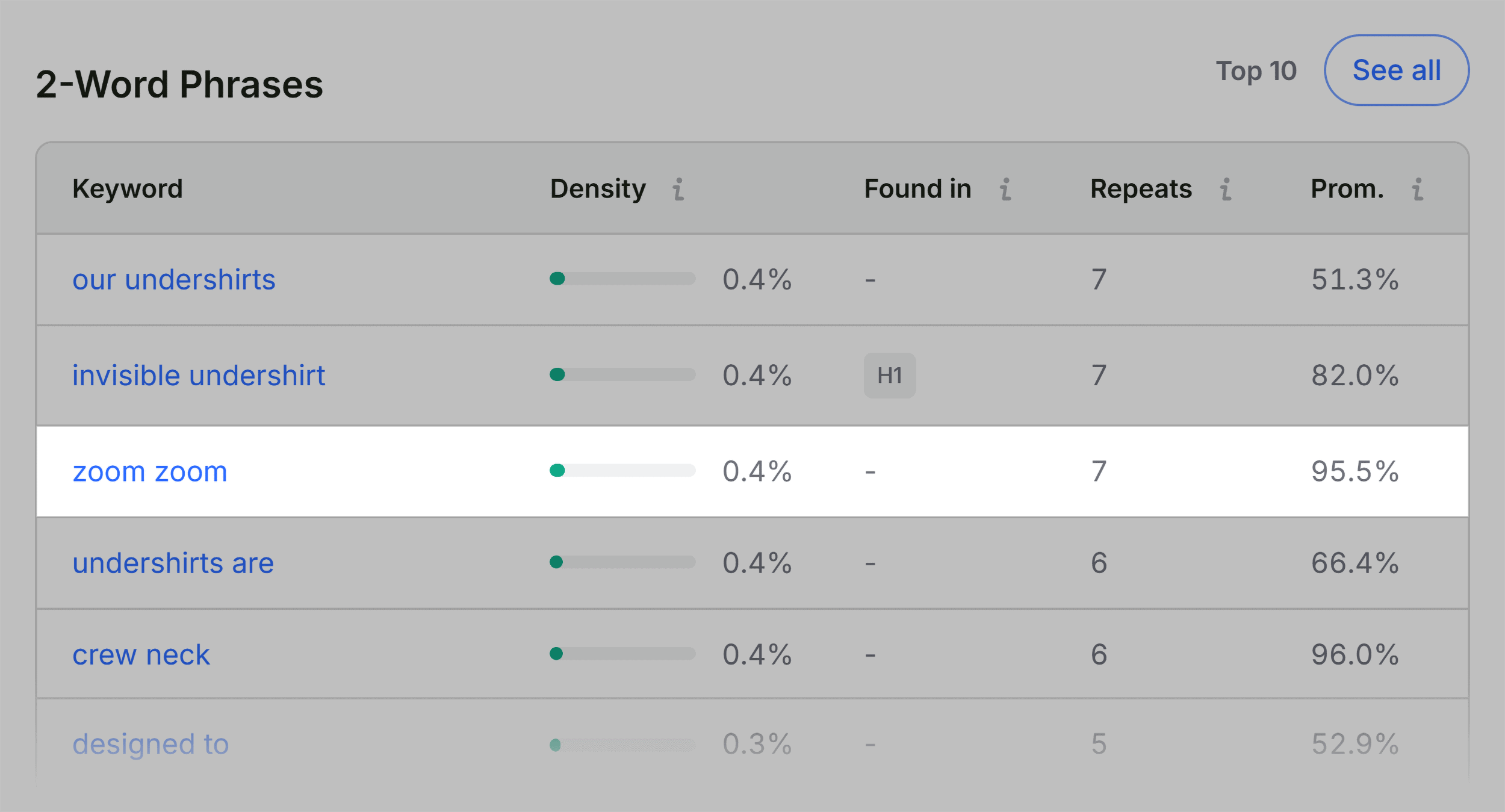
The Keyword Density panel is equally vital for content-focused diagnostics. While keyword stuffing is no longer a viable strategy, a healthy keyword profile is necessary for relevance. By examining the "Keyword Cloud," auditors can ensure that the most important terms—the ones that match user intent—are the most prominent in the page’s visible content. If the density of these terms is too low, the page may lack the topical depth required to rank for competitive queries.

Broader Implications and Strategic Decision Making
The final step in this workflow involves using the Semrush panel to contextualize the findings. By analyzing domain-level metrics—such as total site traffic and backlink volume—auditors can discern whether a performance issue is a localized failure or a symptom of broader domain-wide degradation.
If a page shows poor performance despite being part of a site with a high domain authority, the solution is likely localized to the page’s code or content. Conversely, if the page’s issues are accompanied by a drop in site-wide traffic or indexation, the auditor must shift their strategy toward a full-site audit. The ability to distinguish between these two scenarios is what separates a reactive SEO approach from a proactive, strategic one.
For most organizations, the transition from page-level fixes to site-wide optimization is the natural evolution of an SEO audit. Tools like Semrush’s Site Audit are designed to bridge this gap, offering deep crawling capabilities that can identify issues spanning thousands of URLs. However, the strength of the SEOquake workflow lies in its speed and accessibility. By empowering marketing teams to conduct high-level diagnostics in minutes, the extension ensures that minor technical issues are caught and rectified before they evolve into significant traffic losses.
As search engines continue to refine their indexing and ranking mechanisms, the importance of technical hygiene has never been greater. By adopting a disciplined, three-minute diagnostic routine, SEO professionals can ensure that every page in their ecosystem remains in peak condition, ready to meet the demands of both users and search algorithms alike. This commitment to routine maintenance is not merely a task of technical upkeep; it is a fundamental pillar of sustainable digital growth.