The Complete Guide to Building and Optimizing a High-Performing Facebook Business Page in the Digital Marketplace

With nearly two billion daily active users frequenting the platform, Facebook remains an indispensable cornerstone of modern digital strategy for organizations seeking global reach and direct consumer engagement. Recent financial disclosures indicate that over 200 million commercial entities globally leverage Facebook’s suite of complimentary tools, chief among them being the Facebook Business Page. Far from a mere digital placeholder, a meticulously optimized Business Page functions as a dynamic storefront, a public relations channel, and a primary engine for brand awareness in an increasingly crowded online marketplace.
In an era where consumer loyalty is hard-won and easily lost, establishing a credible digital footprint is paramount for enterprises of all sizes, ranging from local retail boutiques to multinational corporations. Navigating the initial setup and subsequent optimization of a corporate profile requires a strategic approach that balances aesthetic appeal with technical precision.
Understanding the Foundation: What Is a Facebook Business Page?
A Facebook Business Page is a distinct public profile designed specifically for commercial entities, non-profit organizations, public figures, and independent artists. Unlike personal profiles, which are intended for individual social networking and strictly limited in their commercial utility, business pages offer advanced analytics, advertising capabilities, and seamless integration with e-commerce ecosystems such as Facebook Shops and integrated messaging applications like WhatsApp.
Every commercial page operates under the administrative control of one or more personal Facebook accounts. This architectural design ensures security and accountability, allowing authorized team members, marketing agencies, and external consultants to manage operations without exposing their private personal information to the general public. The personal profile simply serves as the secure digital gateway to the administrative dashboard of the business asset.
Step-by-Step Chronology: Establishing Your Enterprise Profile
Launching a professional presence on the platform involves a structured, sequential workflow designed to ensure that all critical brand markers and operational details are accurately captured from the outset.
- Account Initialization and Categorization
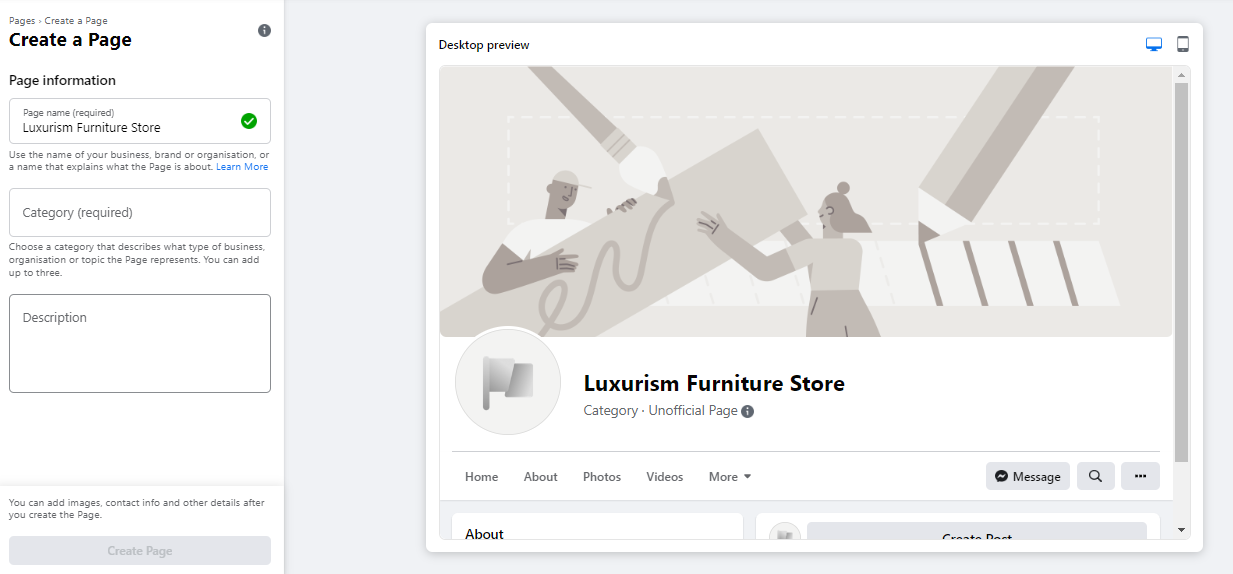
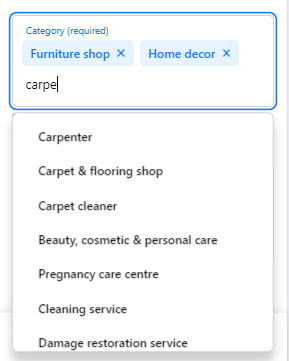
The process begins by accessing the dedicated page creation portal at facebook.com/pages/create. Administrators are prompted to input foundational business data into a user-friendly interface that features a real-time visual preview, updating dynamically across desktop and mobile viewing formats.
Selecting an appropriate Page Name is critical; it should reflect the official legal or trading name of the enterprise, or alternatively, the exact phrasing consumers are most likely to enter into search engines. Following this, administrators must assign up to three operational categories. These categorization markers dictate how Facebook’s internal search algorithms index the entity, directly influencing discoverability.
Finally, a concise enterprise description—capped at 255 characters—must be drafted. This brief summary appears prominently in search results, making clarity and brevity essential.

- Visual Branding and Identity Integration
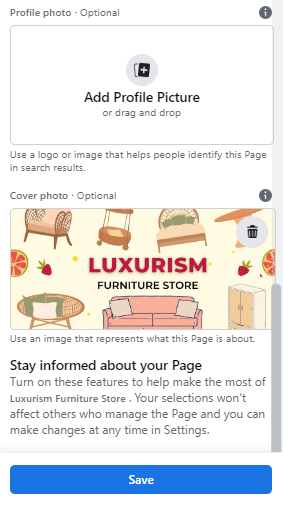
First impressions in the digital realm are overwhelmingly visual. Consequently, selecting and uploading high-resolution profile and cover images is a vital milestone in the setup chronology.
The profile image acts as the persistent visual identifier of the brand, appearing alongside the company name in search queries, comment threads, and notification feeds. Corporations typically employ official brand logos, whereas public figures utilize professional portraits, and local service providers often feature a clear image of their signature product or storefront. Recommended dimensions dictate a square output of 180 by 180 pixels, with the platform automatically rendering the final asset in a circular frame—a factor that necessitates keeping critical graphical elements away from the corners.
Complementing the profile picture is the cover image, a prominent banner spanning the top of the profile. Recommended at 1640 by 856 pixels, this visual real estate should succinctly communicate the core value proposition, personality, or primary offerings of the organization.
-
Establishing Direct Communication Channels via WhatsApp
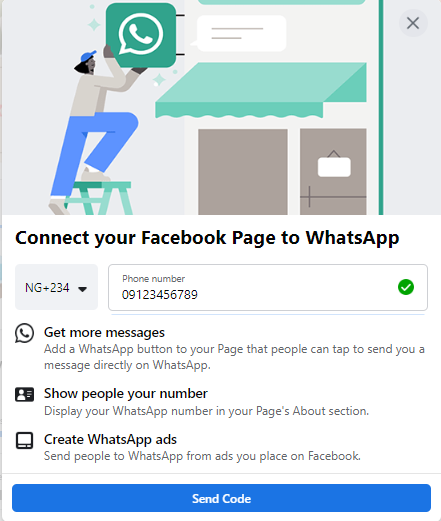
Modern consumers increasingly demand instant communication channels. To meet this expectation, Facebook prompts administrators to link their newly minted Business Page to an active WhatsApp account. While strictly optional, this integration yields substantial operational advantages, including the placement of a direct messaging call-to-action button on the profile and the ability to route prospective clients from paid advertisements directly into private chat threads. Integration is verified via a secure SMS verification code. -
Securing a Custom Vanity URL
To facilitate offline and cross-platform promotion, organizations must secure a unique username, commonly referred to as a vanity URL. This handle dictates the permanent web address of the page (e.g., facebook.com/YourBusinessName). Best practices dictate keeping the username concise, memorable, and closely aligned with the official brand identity, restricted to a maximum of 50 characters. Once availability is confirmed via the green verification indicator, the handle is locked into the platform’s directory.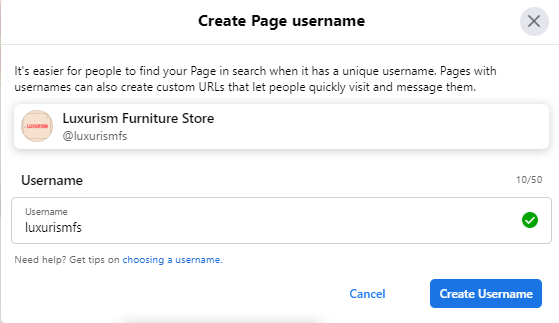
-
Populating Comprehensive Business Details
Leaving administrative fields blank can severely undermine consumer trust. Comprehensive data entry within the "About" section is critical, as potential patrons frequently scrutinize these sections to verify physical addresses, operating hours, telephone numbers, and official website URLs.
Furthermore, this phase involves configuring the primary Call-to-Action (CTA) button. Strategically positioned below the cover image, this interactive element encourages visitors to take immediate, measurable actions—such as visiting an online store, downloading informational whitepapers, booking service appointments, or initiating direct phone inquiries.
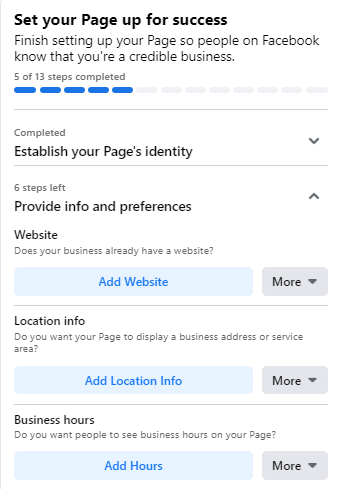
For organizations requiring time to curate their content and finalize operational details before public disclosure, the platform offers an unpublishing feature. By navigating to the General settings under the page management dashboard, administrators can temporarily toggle the page visibility status to "Page unpublished," shielding the profile from public view until the launch is officially sanctioned.
-
Publishing Inaugural Content and Seeding the Feed
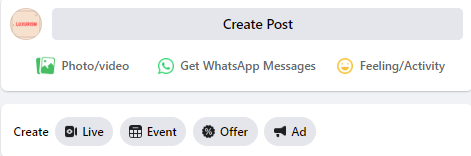
A freshly created profile devoid of content offers little incentive for prospective followers to linger. Before initiating promotional outreach, administrators must populate the newsfeed with relevant, high-value material. This initial content library can comprise original thought leadership articles, industry insights, curated expert commentary, or structured announcements regarding upcoming events and employment opportunities. Each post should be engineered to deliver immediate educational or entertaining value to the target audience.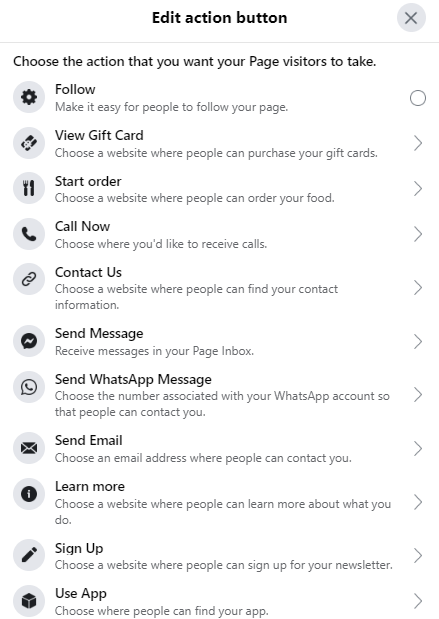
-
Initiating Audience Growth Strategies
With the foundational architecture complete, the focus shifts to organic audience acquisition. Initial outreach typically begins with the "Invite Friends" feature, allowing administrators to leverage their personal networks to secure early page likes and establish foundational social proof.
Beyond the platform itself, organizations should cross-pollinate their digital presence by embedding follow links and badges into corporate email signatures, official website footers, and supplementary social media channels such as LinkedIn or X (formerly Twitter). Encouraging early patrons to leave authentic reviews further bolsters institutional credibility.

Advanced Optimization and Strategic Refinement
Achieving long-term viability and maximizing return on investment (ROI) requires moving beyond basic setup into proactive optimization. Industry experts recommend implementing several advanced administrative practices:
Leveraging Page Insights for Data-Driven Strategy
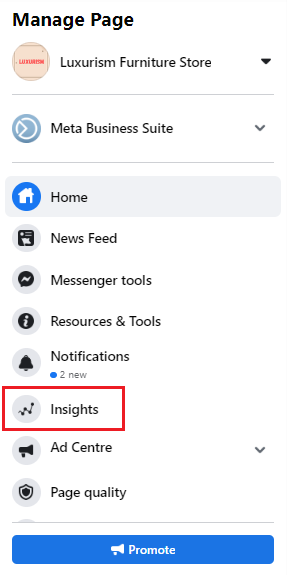
The Page Insights dashboard serves as a sophisticated analytics engine, supplying granular data concerning audience demographics, geographic distribution, content reach, and user engagement metrics. By analyzing which specific posts generate the highest volume of reactions, comments, and shares, marketing teams can refine their content calendars to focus exclusively on high-performing formats. Additionally, tracking user interactions with specific site elements—such as website clicks, phone number taps, and CTA button activations—provides actionable intelligence that informs broader corporate strategies.
Deploying Pinned Posts for Priority Announcements
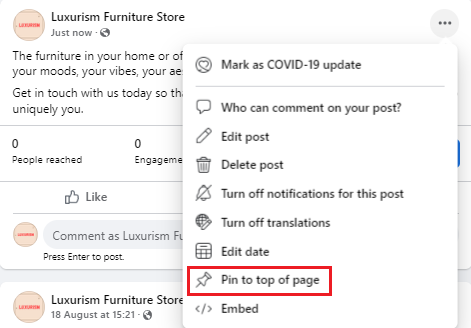
To ensure that critical announcements—such as major product launches, seasonal promotions, or high-profile corporate events—receive maximum visibility, administrators can utilize the pinning function. By anchoring a specific post to the top of the newsfeed, organizations guarantee that this designated piece of content remains the primary visual focus for every visitor entering the page, effectively bypassing chronological sorting algorithms.
Cultivating Industry Partnerships Through Page-to-Page Interraction
Operating effectively within a social ecosystem requires active community participation. By utilizing the "Like as Your Page" feature, enterprises can connect with non-competing, complementary businesses within their industry or geographic sector. Engaging thoughtfully with the content published by peer organizations fosters digital networking, raises brand awareness among shared audiences, and encourages reciprocal engagement.
Integrating Templates, Tabs, and Granular Permissions
Customization of page architecture is easily managed through the platform’s template and tab settings. Organizations can select pre-configured layouts tailored to specific industry verticals—such as retail, services, or public venues—which automatically optimize the display of tabs like Events, Groups, and Services.
As enterprises scale, managing administrative access becomes increasingly complex. Migrating page administration to Facebook Business Manager allows executive leadership to assign specific, segmented roles to internal team members, external contractors, and third-party marketing agencies without compromising overarching security controls. Through disciplined execution of these setup and optimization protocols, businesses can harness the immense scale of the Facebook ecosystem to drive sustainable growth and foster enduring consumer relationships.