How to Audit Any Webpage in Three Minutes Using the SEOquake Chrome Extension

In the fast-paced world of digital marketing, the ability to diagnose underperforming web pages without waiting for comprehensive site crawls is a critical skill for SEO professionals. When a high-priority product page experiences a sudden dip in search rankings or a competitor begins to outpace your content, the delay caused by waiting for a full site audit can translate into lost revenue and diminished organic traffic. To address these immediate needs, the SEOquake Chrome extension, developed by Semrush, offers a streamlined workflow that enables users to perform a rigorous page-level audit in under three minutes.

What Is SEOquake and Why Does It Matter for SEO Professionals?

SEOquake is a free, browser-based auditing tool designed to provide instant access to essential SEO metrics. By integrating directly into the Chrome browser, the tool allows practitioners to analyze technical signals, on-page optimization, backlink strategies, and core search metrics without needing to switch tabs or navigate to a separate dashboard.

The tool functions through a sophisticated color-coded reporting system, which allows users to instantly identify high-priority issues. Green indicators typically signal that a page element aligns with current best practices, while orange and red markers highlight potential friction points that may hinder search engine indexing or user engagement. This triage method allows for rapid prioritization: SEOs can ignore non-critical green markers and focus their limited time on the red-flagged issues that require immediate intervention.

Triage: The First Minute of the Audit

The most effective use of SEOquake involves a structured, three-minute workflow. The first 60 seconds are dedicated to triage using the "Quick View" pop-up. This interface is categorized into five distinct tabs: Page Info, Audit, Content, Links, and Social.

A seasoned SEO practitioner focuses primarily on three of these tabs—Page Info, Audit, and Content—allocating roughly 20 seconds to each. The Page Info tab serves as the primary diagnostic starting point. It provides a snapshot of the foundational elements of on-page SEO: title tags, meta descriptions, canonical URLs, and header structures. By scanning these elements, a user can identify obvious discrepancies, such as missing title tags or meta descriptions that exceed optimal length.

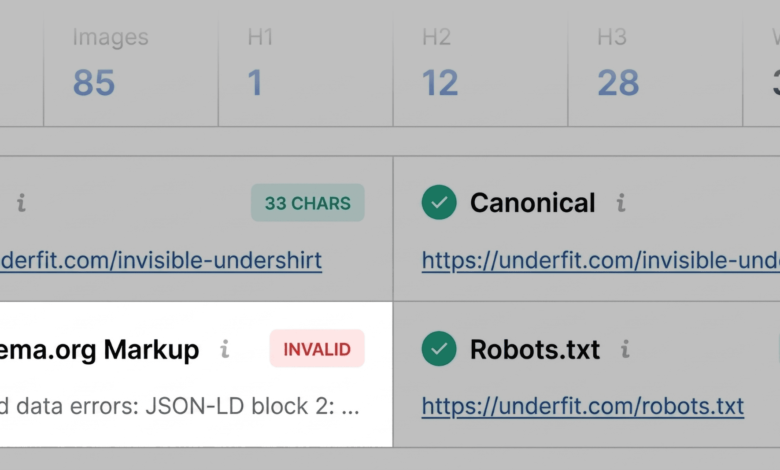
During this triage phase, the goal is not to fix problems, but to identify the most severe issues. For example, when analyzing a sample product page for a brand like UnderFit, a user might notice that the Schema.org markup is highlighted in red. This suggests a failure in JSON-LD parsing, which could prevent the page from displaying rich results—such as price, availability, or star ratings—directly in the search engine results pages (SERPs). Identifying such a critical error in the first minute of an audit allows for a much faster response time compared to waiting for a scheduled weekly or monthly technical crawl.

Technical Diagnosis: Analyzing the Audit Tab

Once the initial triage is complete, the second and third minutes are spent in the "Audit" and "Content" panels. The Audit tab specifically evaluates technical SEO essentials, such as crawlability, indexation status, meta robots tags, mobile-friendliness, and the presence of an XML sitemap.

A common finding during this stage is the presence of "orange" warnings. These are not necessarily site-breaking errors, but they demand professional judgment. For instance, if a site’s hreflang tags are improperly implemented, it might not immediately de-index the site, but it could severely impact the user experience for an international audience. Similarly, checking the "Content" tab reveals structural issues, such as a missing H1 tag or an illogical hierarchy where a page skips from an H1 header directly to an H4. Such structural gaps can confuse search engine algorithms and make the content less accessible to readers, particularly those relying on screen readers.

The Role of Data in Determining Fixes

The transition from the "Quick View" to the "Full Report" is where the most in-depth diagnosis occurs. By clicking "View Full Report," the user accesses a granular, six-panel dashboard that allows for deeper investigation. This includes the ability to test the page against Google’s Rich Results Test directly from the interface.

The importance of this, particularly for e-commerce, cannot be overstated. According to recent industry benchmarks, pages with rich results often experience higher click-through rates (CTR) than those without. If an audit reveals invalid product schema, the financial implication is direct: the site is effectively leaving potential customers on the table by failing to provide the metadata required for modern, visual search results.

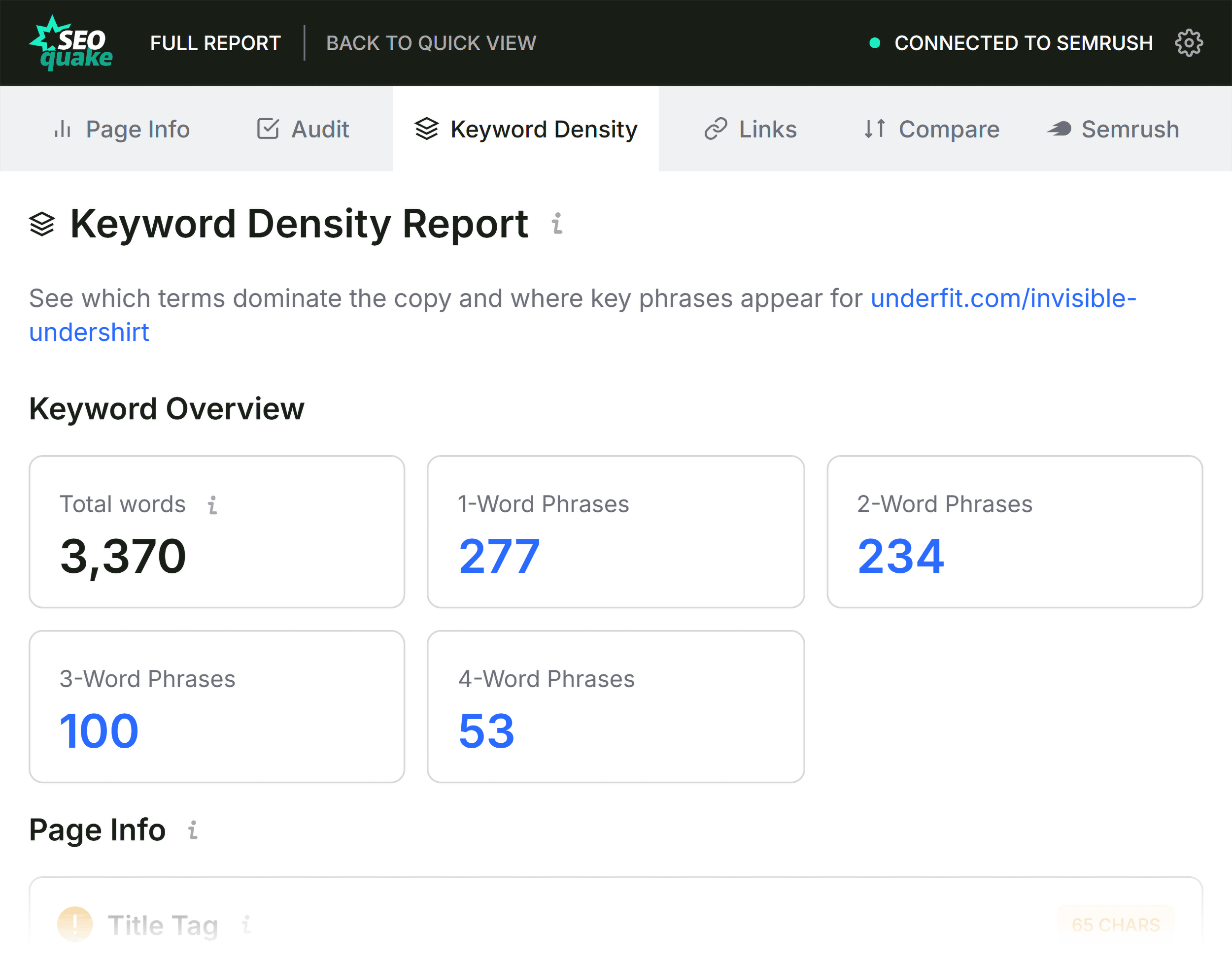
Furthermore, the Keyword Density panel offers a secondary layer of analysis. While keyword stuffing is a relic of the past, understanding the prominence of key terms remains essential for topic authority. The tool maps out the most frequent terms and their locations—such as whether they appear in the title tag, the meta description, or the body copy. If a page is intended to rank for "v-neck undershirt," but the keyword density analysis shows that "v-neck" is absent from the H1, it provides a clear, data-backed recommendation for optimization.

Broader Implications: Page-Level vs. Site-Wide Issues

A critical aspect of the three-minute audit is determining the scope of the problem. Some issues are localized to the page in question, such as missing alt text on a set of product images. Others are symptoms of systemic failures.

When SEOquake identifies that an XML sitemap is not correctly linked, this is rarely an issue with a single page; it is a structural failure of the entire website. Similarly, if an audit of one product page reveals consistent JSON-LD errors, it is likely that the entire site’s product template is broken. In these instances, the SEOquake audit serves as a catalyst for a more comprehensive technical site audit. For such cases, professionals typically pivot to more advanced tools like the Semrush Site Audit, which allows for the crawling of hundreds or thousands of URLs to determine the full extent of the technical debt.

Conclusion and Future Outlook

The methodology of a three-minute audit does not replace the necessity of deep-dive, long-form technical analysis. However, it significantly improves the efficiency of digital teams. By leveraging the SEOquake extension to perform rapid triage, SEO professionals can distinguish between "nuisance" issues and critical threats to visibility.
As search engines continue to evolve—incorporating more AI-driven interpretations of content and increasingly complex requirements for structured data—the ability to perform real-time, on-page diagnostic work will become even more valuable. Whether for a consultant managing multiple client sites or an in-house team maintaining a large-scale e-commerce platform, the combination of quick-triage tools and robust, data-backed analysis remains the gold standard for maintaining a competitive edge in organic search. With the right tools and a disciplined approach, the time between detecting a performance drop and implementing a corrective strategy can be reduced from days to mere minutes.