Unlocking 1Password: Beyond Basic Credential Management for Advanced Digital Security

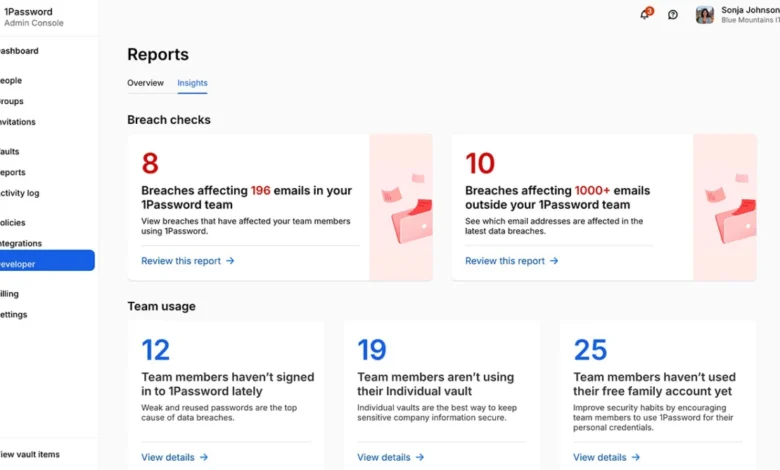
While the vast majority of digital consumers utilize password managers strictly for the fundamental task of generating, storing, and auto-filling login credentials, modern security suites have evolved into comprehensive personal data vaults. 1Password, an industry-leading credential management platform, offers an array of advanced features designed to secure physical travel, streamline online commerce, and manage digital estates. Despite these capabilities, user adoption of secondary tools remains remarkably low, leaving significant security and convenience benefits untouched. Cybersecurity analysts note that as digital threats evolve and personal data becomes increasingly decentralized, users must leverage multi-layered security ecosystems rather than relying on basic password retention alone. This comprehensive operational guide examines ten advanced features within 1Password that transform a standard credential drawer into an active, robust personal security hub.
The Evolution of Personal Security Vaults
To understand the necessity of advanced password manager features, one must examine the shifting landscape of digital threats over the past decade. According to recent data from identity theft resource centers and cybersecurity firms, credential stuffing attacks, phishing campaigns, and unauthorized data harvesting have risen exponentially, forcing individuals to manage dozens—if not hundreds—of sensitive digital assets. Traditional password management solved the immediate problem of weak, reused passwords. However, modern life demands the secure handling of temporary access, physical cross-border data protection, digital estate planning, and financial privacy. Platforms like 1Password have responded by integrating features that extend security far beyond the browser extension, bridging the gap between physical safety and digital organization.
- Activating Travel Mode for Cross-Border Data Protection
One of the most specialized tools in 1Password’s security arsenal is Travel Mode, a feature engineered to mitigate the risks associated with cross-border travel and device searches by authorities. When crossing international borders, travelers increasingly face scrutiny regarding the digital data stored on their smartphones, laptops, and tablets.
Travel Mode addresses this vulnerability by allowing users to temporarily strip non-essential, sensitive vaults from their physical devices while retaining only those vaults explicitly marked as safe for travel. To implement this protocol, a user must access their account via the primary web portal, navigate to the management console, and enable Travel Mode. Prior to activation, users should isolate essential travel documents, flight confirmations, and itineraries into a designated "Travel" vault and mark it as safe. Unmarked vaults instantly vanish from local applications upon activation and seamlessly reappear upon deactivation. Cybersecurity experts recommend this precaution for journalists, corporate executives, and private citizens traveling through jurisdictions with aggressive device inspection policies.
- Securing Online Transactions with Integrated Virtual Cards
Financial privacy in e-commerce has become a paramount concern as data breaches at online retailers continue to expose consumer credit card details. To combat this vector of financial fraud, 1Password integrates directly with financial privacy services such as Privacy.com, enabling users to generate virtual payment cards for online purchases.
Rather than exposing a primary debit or credit card number to an unfamiliar merchant, users can generate a randomized, single-use or merchant-locked virtual card number complete with custom spending limits. Once configured via the browser extension, the password manager intuitively suggests the appropriate virtual card during the checkout phase. Industry analysts point out that this integration significantly diminishes the impact of e-commerce data leaks, as compromised virtual cards can be instantly terminated without affecting the user’s actual bank accounts. This feature is particularly valuable for managing recurring subscription services, trial periods, and purchases from lesser-known digital storefronts where consumer trust has not yet been established.
- Mitigating Expiration Surprises with Proactive Alert Systems
Digital and physical credentials possess finite lifespans, yet consumers frequently fail to track expiration dates for passports, driver licenses, software licenses, professional certifications, and credit cards. When left unmanaged, these expirations often result in severe logistical friction at critical moments.
1Password incorporates proactive notification mechanisms through its built-in security auditing tool, Watchtower. By appending specific expiration dates to non-login items—such as identification documents, digital certificates, and membership cards—users transform their password manager into an automated renewal tracker. Watchtower scans these metadata fields and issues early warnings well in advance of expiration dates. This systemic oversight prevents last-minute crises, such as discovering an invalid passport weeks before an international departure or experiencing unexpected software downtime due to expired enterprise licenses.
- Streamlining Multi-Factor Authentication for Shared Accounts
Multi-factor authentication (MFA) remains a gold standard for account security, yet it introduces operational friction when multiple individuals require access to a single shared account. Historically, shared MFA workflows forced users to text or message temporary six-digit verification codes back and forth, creating security bottlenecks and communication delays.
1Password resolves this friction by securely storing Time-based One-Time Passwords (TOTP) directly alongside shared login credentials. When a user accesses a shared account within a collaborative vault, the application automatically generates and fills the required MFA code immediately following the primary username and password entry. While security architects advise caution—restricting shared vaults strictly to authorized individuals—this feature streamlines collaborative workflows for family streaming portals, household utility management, and shared administrative tools without compromising cryptographic integrity.
- Managing Temporary Access via Dedicated Guest Vaults
In domestic and professional environments, granting temporary access to sensitive information often requires cumbersome manual sharing methods that leave a permanent security footprint. Within 1Password Families and Teams architectures, guest vaults offer a precise, revocable solution for temporary credential sharing.
A guest vault can be populated with specific, non-critical assets—such as guest Wi-Fi credentials, smart lock access codes, property instructions, or temporary entertainment subscriptions—and assigned to a visiting relative, contractor, or service provider. Once the designated period concludes, the administrator can revoke access instantly, ensuring the guest retains no residual visibility into the primary family or corporate vaults. This eliminates the insecure practice of transmitting plaintext passwords via messaging applications or emails that remain archived indefinitely.
- Generating Wi-Fi Access QR Codes for Seamless Connectivity
Physical network sharing frequently devolves into frustrating exchanges involving complex alphanumeric passwords. 1Password addresses this domestic annoyance by treating wireless routers as distinct storable items.
Users can create a dedicated "Wireless Router" entry, inputting the network SSID and security key. The application automatically generates an encrypted QR code representing the network credentials. When guests request internet access, the host can display the QR code directly from the application for immediate scanning, bypassing the need to recite complex passwords. For privacy-conscious users, security settings allow these QR codes to be concealed behind biometric authentication or master password prompts until explicitly required.
- Contextualizing Information with Location-Aware Item Tagging
Information retrieval is heavily dependent on context and geography. Recognizing that specific credentials and documents are only relevant in precise physical locations, 1Password enables users to attach geographic coordinates to individual vault items.
Through this feature, a gym membership card surfaces automatically in the application’s "Nearby" section when the user arrives at the fitness center; similarly, health insurance details populate when approaching a medical clinic, and loyalty cards appear upon entering a participating retail establishment. By integrating spatial metadata with credential management, the platform reduces the cognitive load of searching through extensive vaults, presenting relevant data precisely when and where it is needed.
- Establishing Logical Connections Through Linked Items
Standard folder hierarchies and naming conventions often fail to capture the complex relationships between disparate digital assets. A single corporate domain registrar account, for instance, may be intrinsically linked to specific DNS configuration notes, cryptographic recovery codes, billing profiles, and administrative credentials.
1Password allows users to establish direct digital links between related items within the vault. When a primary record is opened, all associated secondary records are displayed contextually alongside it. This relational architecture ensures that related administrative data remains grouped logically, significantly accelerating troubleshooting and asset management workflows for technical professionals and meticulous record-keepers alike.
- Preserving Historical Records Through Strategic Archiving
A common operational hazard in digital hygiene is the premature deletion of inactive accounts and outdated records out of a desire for minimalism. Deleting accounts tied to old financial institutions, defunct software licenses, or historical tax documents can create severe compliance and personal auditing gaps.
Rather than deleting stale data, 1Password provides an archiving protocol. Archived items are removed from active search results and autofill suggestions, keeping the primary interface clean and uncluttered, yet the data remains safely preserved within the database. Users retain the ability to restore archived records at any moment, achieving an optimal balance between daily operational efficiency and long-term historical preservation.
- Constructing a Comprehensive Digital Estate and Emergency Access Plan
Because modern password managers accumulate a vast repository of sensitive documents, financial records, recovery keys, and legal identifiers, they function effectively as digital estate planning tools. However, unlike physical safety deposit boxes, digital vaults present a paradox: robust encryption protects data from unauthorized access, but it can also permanently lock out surviving family members in the event of an emergency or incapacitation.
1Password does not feature an automated "dead-man switch," requiring users to construct deliberate, manual emergency access plans. Administrators must generate and securely store their Emergency Kit—a physical document containing the account key, master password guidance, and recovery instructions—in a secure physical location such as a home safe or with a trusted legal executor. Establishing this protocol ensures that critical personal and financial assets remain recoverable during a crisis without compromising day-to-day cryptographic security.
Implications and Future Outlook for Personal Vault Management
The transition of password managers from basic credential drawers to multifaceted security ecosystems reflects the growing complexity of modern digital existence. As cyber threats become more sophisticated and personal data spreads across an ever-increasing array of online services, the reliance on rudimentary password storage is no longer sufficient.
Security analysts emphasize that maximizing platform utility through features such as Travel Mode, virtual payment cards, and contextual metadata significantly hardens an individual’s personal digital perimeter. Ultimately, the true value of a modern security vault lies not merely in concealing secrets, but in organizing, protecting, and contextualizing the critical data that defines modern life—delivering the right information securely, precisely when it is required.