How to Secure Your Astro Web Application Using Built-In HTTP Basic Authentication and Middleware


Securing modern web applications during their development, staging, or internal deployment phases remains a fundamental requirement for software engineering teams. As web frameworks evolve toward hybrid rendering models that blend static generation with dynamic server execution, developers frequently seek lightweight, dependency-free mechanisms to restrict unauthorized access. Historically, restricting access to a pre-production environment required configuring cumbersome reverse proxy rules through Nginx or Apache, purchasing or setting up a corporate Virtual Private Network (VPN), or integrating third-party authentication packages that introduce potential software supply chain vulnerabilities and unnecessary configuration overhead.
The Astro web framework, which has gained significant traction for its performance-focused architecture and island-based rendering model, offers a streamlined native solution to this common operational challenge. By leveraging Astro’s built-in middleware system alongside the universally supported HTTP Basic Authentication protocol, developers can implement robust perimeter security using standard browser capabilities and environment variables. This approach requires no external software libraries, minimizes configuration complexity, and ensures that sensitive work-in-progress projects, client staging builds, and proprietary internal tools remain hidden from public search engine indexers and unauthorized visitors.
Technical Foundations of Astro Middleware and HTTP Basic Authentication
To understand how this security pattern functions, it is necessary to examine the underlying request lifecycle within modern JavaScript web frameworks. Astro’s middleware architecture allows developers to intercept incoming HTTP requests before they reach page components or server endpoints. When configured correctly, the middleware inspects the request headers, evaluates user credentials, and either permits the request pipeline to proceed via the next() function or terminates it immediately by returning a customized HTTP response.
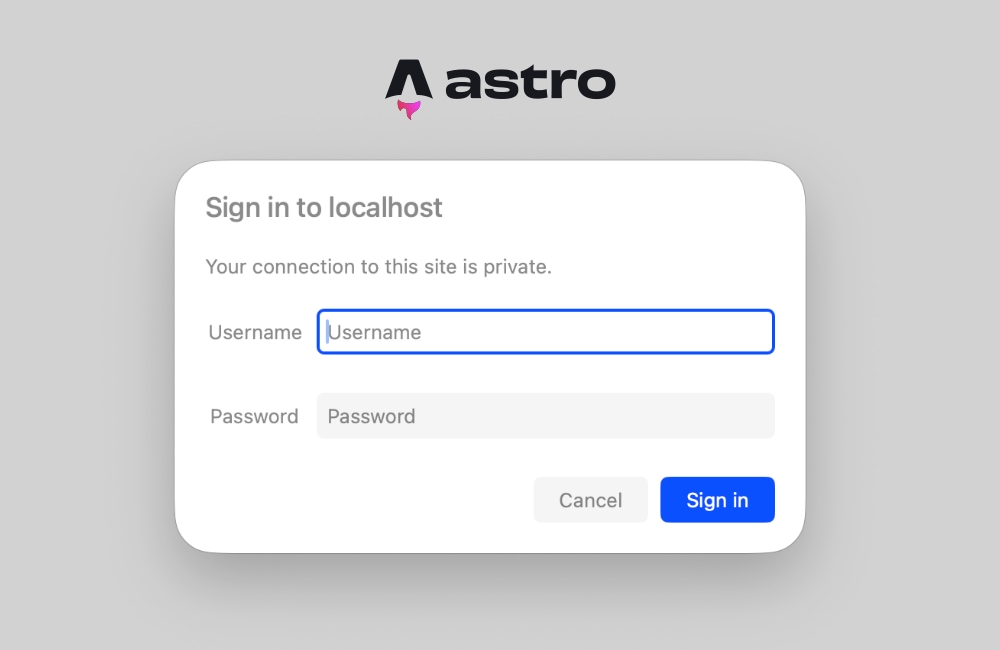
HTTP Basic Authentication is a credential-management scheme built directly into the HTTP specification. When a server determines that a request lacks valid authorization credentials, it responds with a 401 Unauthorized status code accompanied by a WWW-Authenticate header. Upon receiving this response, web browsers automatically intercept the payload and render a native, secure login dialog box prompting the user for a username and password. Once the user submits these credentials, the browser securely encodes them using the Base64 scheme, appends them to subsequent requests within the Authorization header, and handles session persistence transparently without requiring custom user interface forms or complex client-side JavaScript state management.
Implementing this pattern within an Astro application requires an adapter or runtime environment capable of supporting on-demand, server-side rendering. Because static site generation (SSG) builds HTML files at compile time without an active web server listening for live requests, dynamic header evaluation must occur within a server-rendered context. Consequently, deploying HTTP Basic Authentication via Astro middleware necessitates a compatible deployment target—such as Node.js, Vercel, Netlify, Cloudflare Pages, or Deno—configured to process requests dynamically.
Step-by-Step Implementation Guide
Implementing native HTTP Basic Authentication within an Astro project involves creating a single middleware script, establishing environmental variables for credential management, and adjusting project configuration settings to ensure proper server-side execution.
First, developers must establish the middleware file within the project directory structure. Astro automatically detects middleware located at src/middleware.ts for TypeScript projects or src/middleware.js for JavaScript environments. Within this file, the core request handler is defined using the defineMiddleware utility exported by the astro:middleware module.
import  defineMiddleware  from 'astro:middleware';

export const onRequest = defineMiddleware(async (context, next) =>
  // Core authentication and request interception logic
  return next();
);
The next phase involves writing the authentication verification function. This function retrieves the expected username and password from runtime environment variables (BASIC_AUTH_USER and BASIC_AUTH_PASS) and cross-references them against the incoming Authorization header. If the environment variables are absent from the runtime configuration, the middleware defaults to an open state to prevent accidental lockouts during local builds. When credentials are provided, the middleware extracts the Base64-encoded string, decodes it into plain text, separates the username and password using the standard colon separator, and performs a secure comparison.
function isAuthenticated(request: Request): boolean If the validation check fails, the middleware constructs a formal Response object with a 401 status code and includes the WWW-Authenticate header. The realm directive within this header defines the text displayed inside the browser’s native login dialog, providing context to users regarding which environment or staging server they are attempting to access.
export const onRequest = defineMiddleware(async (context, next) =>
  if (!isAuthenticated(context.request))
    return new Response('Unauthorized',
      status: 401,
      headers:
        'WWW-Authenticate': 'Basic realm="Staging Environment", charset="UTF-8"',
      ,
    );


  return next();
);
Environment Configuration and Local Testing
Credential security relies on separating sensitive strings from the application source code. Astro manages runtime environment variables through configuration files during local development and platform-specific dashboard settings during production deployment.
For local development environments, developers create a .env file in the root directory of the Astro project. This file stores the designated staging credentials:
BASIC_AUTH_USER=staging-administrator
BASIC_AUTH_PASS=secure-staging-password-2026
When deploying the application to production or staging hosting platforms—such as Cloudflare Pages, Vercel, or AWS Amplify—these identical key-value pairs must be injected into the platform’s environment variable configuration settings. This ensures that sensitive credentials are never committed to version control systems like Git.
Once configured, launching the local development server via the standard command line interface (npm run dev) and navigating to the local URL triggers the browser’s native authentication prompt. Entering the correct credentials grants immediate access to the application, while canceling or entering incorrect details results in a standard unauthorized status page.
Troubleshooting Prerendering and Server-Side Rendering Conflicts
A frequent challenge developers encounter when implementing authentication middleware in Astro involves static page prerendering conflicts. By default, Astro prioritizes static generation, building HTML pages at compile time to maximize performance. However, attempting to evaluate request headers or execute middleware logic on a statically prerendered route triggers build-time or runtime errors, as static pages lack an active HTTP request context.
Developers typically identify this issue when encountering error logs indicating that request headers are unavailable on prerendered routes. Resolving this conflict requires adjusting the rendering strategy of the application.
The first approach involves explicitly opting individual pages out of static generation by defining a prerender constant directly within the page frontmatter:
---
export const prerender = false;
---
This configuration instructs the Astro compiler to render the specific page on demand for every incoming request, ensuring that request headers and middleware authentication checks execute correctly.
The second, more comprehensive approach involves converting the entire application to server-side rendering (SSR) by updating the project configuration file (astro.config.mjs):
import  defineConfig  from 'astro/config';
import node from '@astrojs/node';

export default defineConfig(
  output: 'server',
  adapter: node(
    mode: 'standalone'
  )
);
Enabling server-side rendering by default ensures that all routes, pages, and API endpoints are processed dynamically at runtime. For applications designed exclusively as private staging servers, internal dashboards, or client preview portals, configuring the entire application for server-side rendering guarantees that no sensitive pages are accidentally exposed through static file generation.
Broader Industry Implications and Best Practices
The adoption of native middleware authentication reflects a broader industry movement toward minimalist architecture and reduced dependency trees within modern web development. As software supply chain security becomes a paramount concern for enterprise engineering teams, minimizing the number of third-party npm packages directly reduces vulnerability exposure and lowers long-term maintenance overhead.
While HTTP Basic Authentication provides an effective perimeter defense for non-public environments, software architects must evaluate its limitations. Because Base64 encoding is easily reversible, Basic Authentication should always be deployed in conjunction with Transport Layer Security (TLS/HTTPS) to encrypt traffic in transit and prevent credential interception. Furthermore, hardcoding credentials via environment variables is well-suited for staging environments, temporary client reviews, and internal tools, but production-grade applications with multiple user roles generally require advanced identity providers, database-backed authentication, session management, and JSON Web Token (JWT) verification.
Ultimately, integrating HTTP Basic Authentication directly into Astro middleware demonstrates how modern web frameworks empower developers to solve complex security requirements using native platform standards. By leveraging built-in request interception and standard HTTP headers, engineering teams can secure their applications efficiently, maintaining high performance and clean codebases without sacrificing operational security.