The landscape of artificial intelligence development has shifted dramatically away from static, single-turn prompts toward dynamic, autonomous workflows capable of executing multi-step tasks. For developers working in Python, building an AI agent historically required writing complex boilerplate code to manage tool-calling loops, parse JSON schemas, and maintain conversation states. However, the introduction of streamlined development frameworks—most notably the OpenAI Agents SDK—has lowered the barrier to entry, allowing engineers to construct intelligent, multi-capable agents in a fraction of the time.
This comprehensive guide explores the structural shift from standard large language model (LLM) applications to autonomous agents, provides a technical walkthrough for setting up a production-ready environment, demonstrates how to integrate native web search and custom Python functions, and examines the broader implications of these developer tools for the software engineering industry.
The Evolution from Static Prompts to Autonomous Agents
To understand the significance of modern agent frameworks, one must first examine the architectural differences between traditional LLM integrations and contemporary AI agents.
A standard LLM application operates on a linear, single-pass pipeline:
Prompt — Model — Response
In this traditional paradigm, the user submits a prompt, the underlying neural network generates a text response based on its pre-trained parametric memory, and the execution terminates immediately. While effective for summarization, translation, and basic text generation, this approach fails when tasks require real-time information, computational precision, or sequential reasoning.
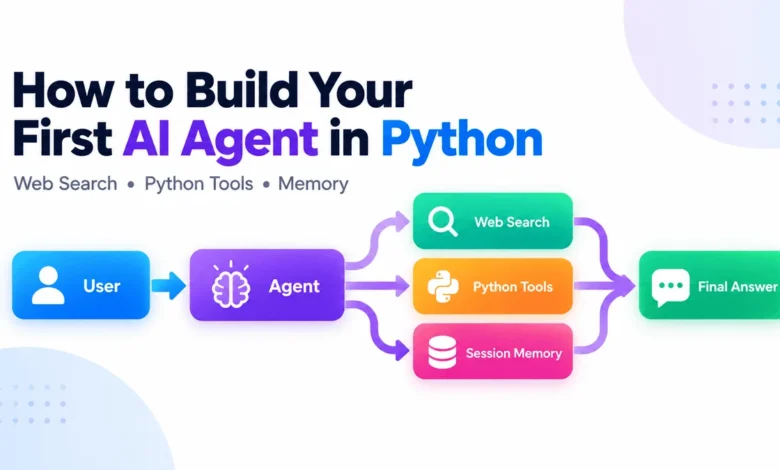
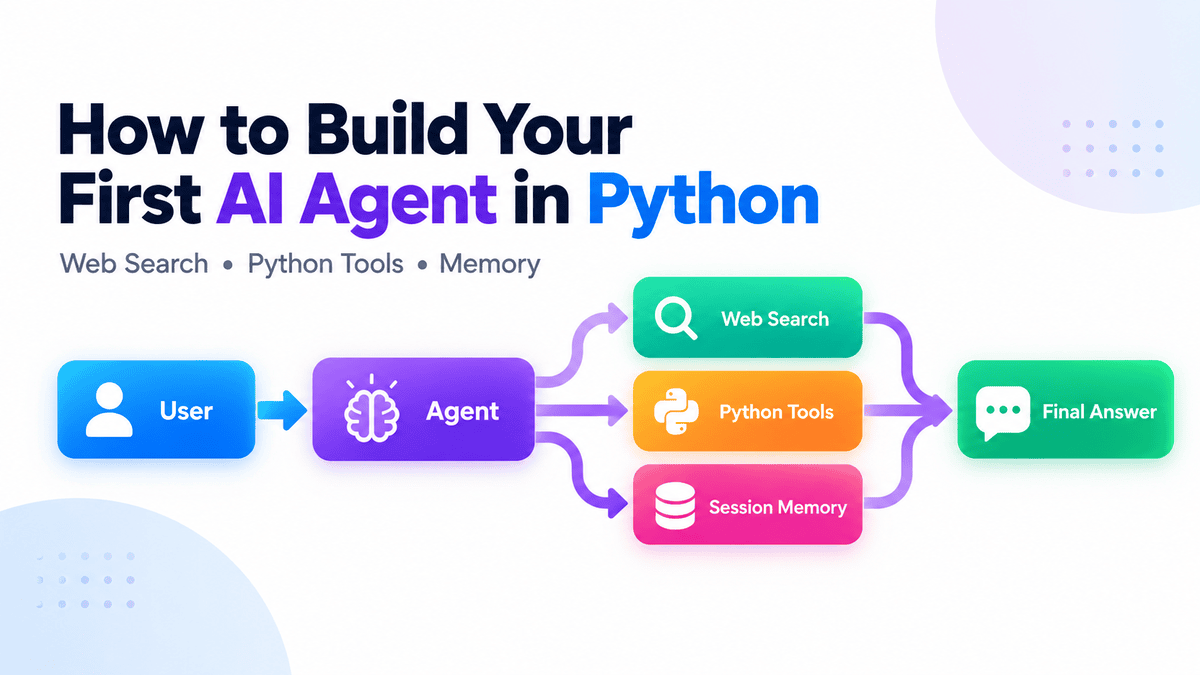
Conversely, an AI agent introduces a dynamic execution loop, commonly structured as:
User — Agent — Tool (if needed) — Agent — Final Response
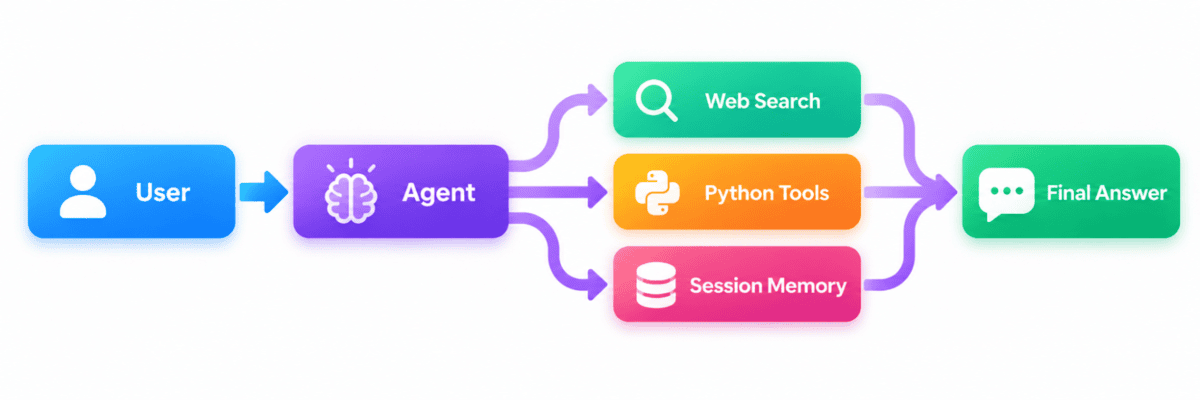
Rather than guessing an answer or suffering from knowledge cutoffs, an agent analyzes the user’s intent, evaluates whether external data or computational tools are necessary, executes those tools autonomously, processes the resulting data, and formulates a comprehensive final response. The framework managing this loop—such as the Runner component in the OpenAI Agents SDK—orchestrates the entire cycle behind the scenes. It handles model queries, executes requested functions, passes outputs back to the agentic reasoning engine, and maintains continuity until the objective is achieved.
This capability to reason, select appropriate tools, and execute workflows across multiple sequential steps is what officially separates a basic chatbot from an intelligent agent.
Technical Setup and Environment Configuration
Developing modern Python-based AI agents requires a clean, dependency-managed environment. Modern packaging tools like uv or traditional pip configurations can be employed to establish a stable workspace.
Developers can initialize a dedicated project environment via the command line:
mkdir first-ai-agent
cd first-ai-agent

uv init
uv add openai-agents
Alternatively, standard pip installations remain fully supported:
pip install openai-agentsOnce the SDK is installed, authentication is established by supplying the necessary API credentials. For Unix-based systems and Git Bash on Windows, the OpenAI API key is exported to the environment variables:
export OPENAI_API_KEY="your-api-key"For Windows Command Prompt or PowerShell environments, persistent environment variables are configured via:
setx OPENAI_API_KEY "your-api-key"With the foundational environment secured, developers can transition from abstract concepts to writing functional code that leverages real-time data retrieval.
Integrating Hosted Tools: Real-Time Web Search
One of the primary limitations of large language models is their reliance on static training data, making them inherently blind to recent developments, software updates, or current events. Modern agent frameworks resolve this by integrating hosted tools directly into the agent’s decision-making apparatus.
Consider the implementation of a basic research assistant designed to query live web data when standard parametric knowledge is insufficient:
from agents import Agent, Runner, WebSearchTool

agent = Agent(
    name="Research Assistant",
    instructions=(
        "You are a concise research assistant. "
        "Use web search when current information is required."
    ),
    tools=[WebSearchTool()],
)

result = Runner.run_sync(
    agent,
    "What are the latest developments in Python?"
)

print(result.final_output)
Executing this script invokes the WebSearchTool(), allowing the model to autonomously determine whether a query demands live data retrieval. When tested against current software release cycles, the agent successfully queries the web, bypasses static knowledge constraints, and accurately identifies current stable versions and release roadmaps.
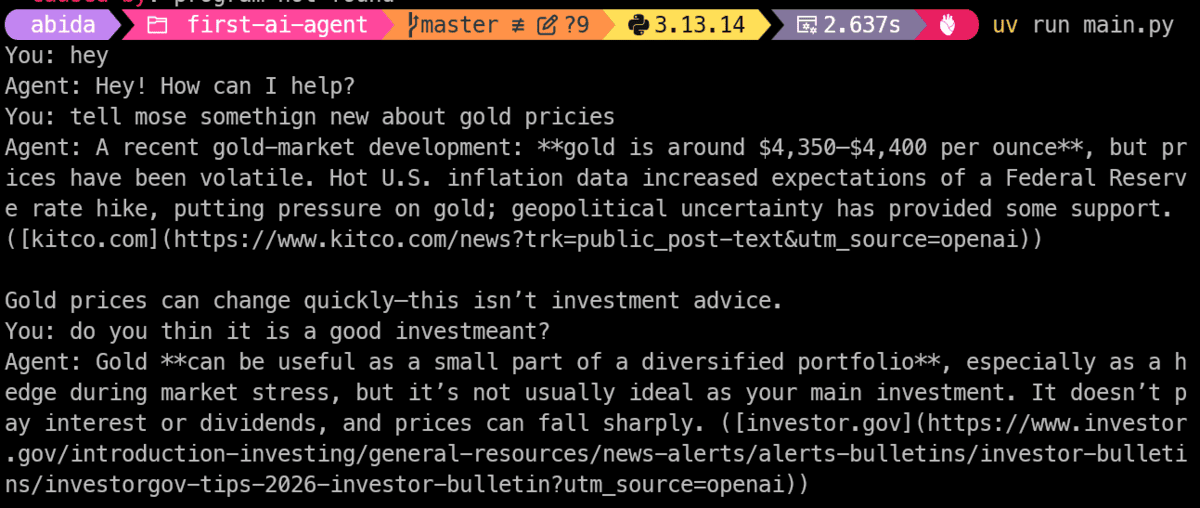
Crucially, the developer is not required to manually parse search APIs, format JSON payloads, or construct manual tool-calling loops; the SDK abstracts these operations entirely.
Extending Agent Capabilities with Custom Python Functions
While hosted tools like web searches expand an agent’s informational reach, the true power of an AI agent lies in its ability to interface directly with proprietary codebases, internal databases, and custom business logic.
The OpenAI Agents SDK simplifies this integration through native decorators that automatically translate standard Python functions into executable tool schemas. By leveraging type hints and descriptive docstrings, the model learns the exact parameters and operational purpose of custom functions without requiring explicit JSON schema definitions.
Below is an implementation of a custom calculation tool paired with a research tool:
from agents.decorators import tool
from agents import Agent, Runner, WebSearchTool

@tool
def calculate_total(
    price: float,
    quantity: int
) -> float:
    """Calculate the total cost of an order."""
    return price * quantity

agent = Agent(
    name="Assistant",
    instructions="Help with research and calculations.",
    tools=[
        WebSearchTool(),
        calculate_total,
    ],
)

result = Runner.run_sync(
    agent,
    "I need 14 GPUs costing $2.49 each per hour. What will they cost per hour?"
)

print(result.final_output)
In this architecture, the agent evaluates the user’s prompt, recognizes that a mathematical operation is required, extracts the relevant parameters (price=2.49, quantity=14), executes the local calculate_total function, and embeds the resulting output directly into its final response.
Industry best practices emphasize writing clear, comprehensive docstrings for custom tools. Because the underlying LLM relies on these descriptions to determine tool selection, precise documentation directly correlates with execution accuracy.
Implementing Persistent Conversation Memory
Stateless interactions severely limit the usability of conversational applications. For an agent to function effectively in real-world scenarios, it must retain context across multiple turns of dialogue.
Modern agent architectures address this through session management layers that persist conversation history across requests. By integrating a file-backed SQLite database, developers can ensure that user sessions survive application restarts and maintain contextual continuity.
from agents import SQLiteSession

session = SQLiteSession(
    "user_1",
    "conversations.db"
)

while True:
    message = input("You: ")

    if message.lower() in "exit", "quit":
        break

    result = Runner.run_sync(
        agent,
        message,
        session=session,
    )

    print("Agent:", result.final_output)
With session tracking enabled, follow-up queries referencing previous statements—such as asking about "the latest version" immediately after discussing a specific software package—are resolved correctly. For enterprise-grade scalability, advanced production environments can substitute SQLite with distributed backends such as Redis, PostgreSQL via SQLAlchemy, or MongoDB.
Productionizing and Debugging Agentic Workflows
As agentic systems transition from local prototypes to production environments, observability and error handling become critical operational requirements. Complex workflows involving multiple tool calls, conditional branches, and agent-to-agent handoffs can occasionally produce unexpected outputs or infinite execution loops.
To combat this, modern agent SDKs feature built-in tracing mechanisms enabled by default. These tracing tools capture granular telemetry data regarding every model invocation, tool selection, argument passed, and execution error encountered during a run.
Developers can inspect these traces via enterprise dashboards to diagnose execution failures, refine system instructions, and optimize tool-calling behavior. Incorporating robust error handling—such as catching interruptions, validating API keys, and managing runtime exceptions—ensures that continuous chat interfaces remain stable under adverse conditions.
Broader Industry Implications and Outlook
The simplification of AI agent development marks a profound transition in software engineering. By abstracting the complex plumbing of tool orchestration and state management, frameworks like the OpenAI Agents SDK allow developers to focus on application logic rather than low-level API mechanics.
The implications for enterprise software are substantial. Routine administrative tasks, customer support pipelines, automated financial analysis, and dynamic code generation can now be augmented with autonomous agents built on standard Python codebases. Rather than developing rigid automation scripts, organizations can deploy reasoning agents capable of adapting to unstructured inputs and utilizing specialized enterprise tools on demand.
However, industry analysts emphasize that as agent autonomy increases, rigorous governance, security guardrails, and human-in-the-loop validation remain essential. Unrestricted tool execution—particularly regarding database modifications, financial transactions, or system administration—demands strict permissioning and robust validation layers to prevent unintended side effects.
Ultimately, the foundational pattern of agentic design remains consistent: provide the model with precise tools, establish clear operational boundaries, let the agent determine the execution path, and rely on robust SDK frameworks to manage the underlying loop. By starting with simple, well-defined workflows and expanding complexity incrementally, developers can harness the full potential of autonomous AI agents in modern Python applications.