The landscape of artificial intelligence in software development is rapidly evolving, with AI coding agents demonstrating an increasing capacity to generate functional code. However, a persistent challenge has been their ability to produce aesthetically pleasing and well-designed user interfaces. Historically, AI-generated code has often resulted in designs characterized by a predictable set of visual elements: pervasive purple gradients, universally rounded corners, a monotonous application of the Inter font, and layouts that, while technically correct, lack a cohesive and convincing design sensibility. This deficiency stems not from a flaw in the AI’s coding prowess, but from a fundamental lack of inherent taste or aesthetic judgment within the agents themselves.
The emergence of "AI skills" is poised to bridge this gap. These are essentially markdown files that can be integrated into various AI coding environments, including Claude Code, Codex, and Cursor, among others that support this functionality. By installing these skills, developers can imbue their AI agents with specific design languages, ranging from the rigorous principles of Swiss grid systems to the nuanced science of OKLCH color spaces. This article explores a curated selection of these design-focused AI skills and directories, highlighting their potential to significantly enhance the design vocabulary and output quality of AI coding assistants.
The Evolution of AI in Design: From Functionality to Form
For years, the focus of AI in coding has been on automating repetitive tasks and accelerating the development cycle by generating boilerplate code or implementing complex algorithms. While successful in these domains, the visual aspect of user experience remained largely a human-centric domain. The output of AI agents, while syntactically sound, often lacked the polish and intentionality that defines professional design. This resulted in a dichotomy where AI could build the engine of a car but struggled to design its attractive chassis.
The introduction of AI skills represents a paradigm shift, moving beyond mere code generation to incorporating design principles directly into the AI’s operational framework. These skills act as specialized modules, each trained on a specific design philosophy or technique. When integrated, they allow AI agents to interpret and apply design rules, much like a human designer would, leading to more sophisticated and visually appealing outcomes.
Key AI Skills Enhancing Design Aesthetics
The following AI skills and directories are instrumental in equipping AI agents with a refined sense of design, transforming their output from functional to aesthetically compelling.
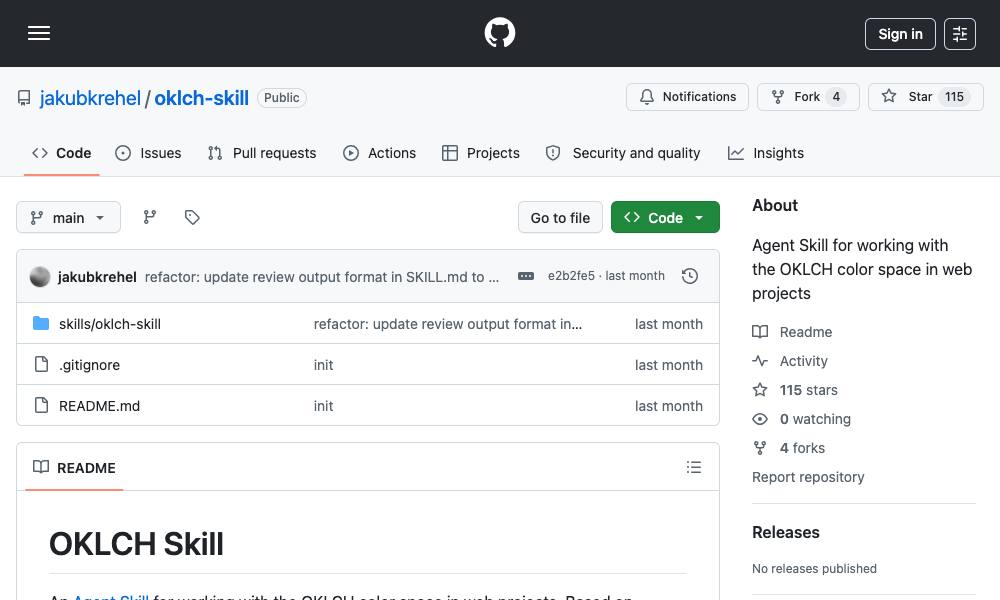
1. The OKLCH Color Skill: Mastering Perceptual Color Science
The OKLCH Color Skill is designed to elevate an AI agent’s understanding and application of color. It introduces the agent to the OKLCH color space, a perceptually uniform alternative to traditional HSL (Hue, Saturation, Lightness). Unlike HSL, which can exhibit hue drift when lightness or saturation is adjusted, OKLCH offers greater predictability and consistency, making palette generation significantly more reliable.
Key Capabilities and Benefits:
- Perceptual Uniformity: By working with OKLCH, the AI can generate color palettes that appear more harmonious and consistent to the human eye, regardless of the specific hue. This eliminates jarring transitions and ensures that color relationships remain stable across different shades and tints.
- Predictable Palette Generation: The skill enables the agent to create uniform color scales, typically ranging from 50 to 950 (a common convention in design systems for defining shades), ensuring a smooth progression of color values.
- Dark Mode Optimization: A significant challenge in web design is ensuring color palettes perform well in both light and dark modes. The OKLCH skill allows the AI to derive appropriate dark mode colors by intelligently manipulating lightness values, preventing the common issue of colors appearing dull or inverted.
- Accessibility Compliance: The skill facilitates adherence to critical accessibility standards such as WCAG 2 (Web Content Accessibility Guidelines) and APCA (Accessible Perceptual Contrast Algorithm). This ensures that generated color combinations meet minimum contrast ratios, making digital products usable for individuals with visual impairments.
- Tailwind CSS Integration: For projects utilizing the Tailwind CSS framework, the skill enables the creation of themes with proper OKLCH color tokens, streamlining the development process and ensuring design consistency.
Installation and Usage:
The OKLCH Color Skill can be installed using the command: npx skills add jakubkrehel/oklch-skill. Once installed, it can be invoked using /oklch-skill or by simply describing a color-related task. The skill is designed to activate automatically when the AI encounters color-centric work, demonstrating an intelligent integration into the agent’s workflow.
Impact:
This skill addresses a common pain point for developers: the difficulty in generating coherent and accessible color palettes, especially when dealing with custom design tokens or the complexities of dark mode. It provides a robust solution for ensuring color harmony and compliance.
2. The Swiss Design System Skill: Embracing International Style Principles
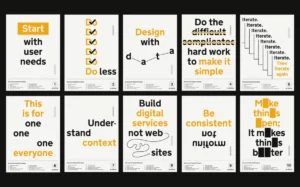
The Swiss Design System Skill introduces the iconic Swiss International Style to AI agents. This design philosophy, deeply rooted in clarity, order, and objectivity, emphasizes principles that have shaped graphic design for decades.
Core Tenets of the Skill:
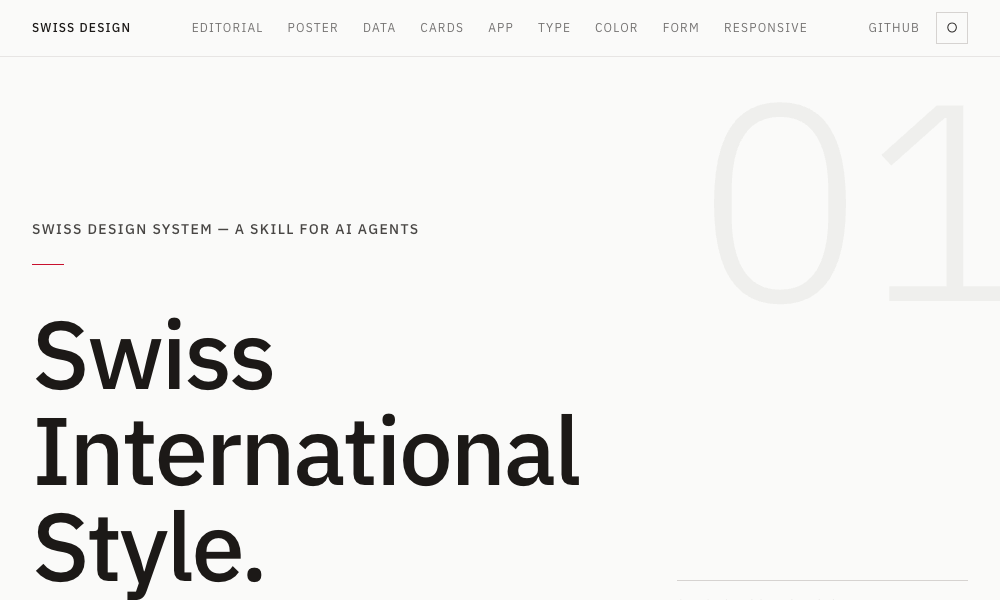
- Typography: The skill promotes the use of grotesque sans-serif typefaces, such as Helvetica, Univers, and Neue Haas Grotesk. These fonts are known for their clean lines, legibility, and neutral appearance.
- Grid Systems: A cornerstone of Swiss design is the strict adherence to grid systems. This skill teaches agents to employ precise grid structures for layout, ensuring alignment, balance, and visual hierarchy.
- Whitespace: Generous use of whitespace (or "breathing room") is crucial for readability and a clean aesthetic. The skill guides the AI to incorporate ample negative space around elements.
- Restrained Color Palettes: Swiss design typically favors a limited and deliberate use of color, avoiding overly decorative or vibrant schemes.
Implementation and Application:
The skill translates these principles into practical application through Tailwind CSS utility classes. This allows the AI to apply the rules of Swiss design using standard, efficient code. The skill includes comprehensive resources, such as a font specimen ranking based on fidelity to the original styles, and references to grid systems popularized by figures like Josef Müller-Brockmann. It also incorporates insights from the Zurich and Basel schools of design thought.
Installation and Usage:
Installation is straightforward via the command: npx skills add zeke/swiss-design-skill. To utilize it, users can instruct their AI agent to "build a layout in Swiss International Style." The agent will then automatically apply grid discipline, select appropriate grotesque typefaces, and ensure adequate spacing.
Ideal Use Cases:
This skill is particularly well-suited for landing pages, editorial layouts, and any project where clarity, information hierarchy, and a sophisticated, understated aesthetic are paramount, prioritizing content delivery over gratuitous ornamentation.
3. Transitions.dev: Adding Dynamic UI Interactions
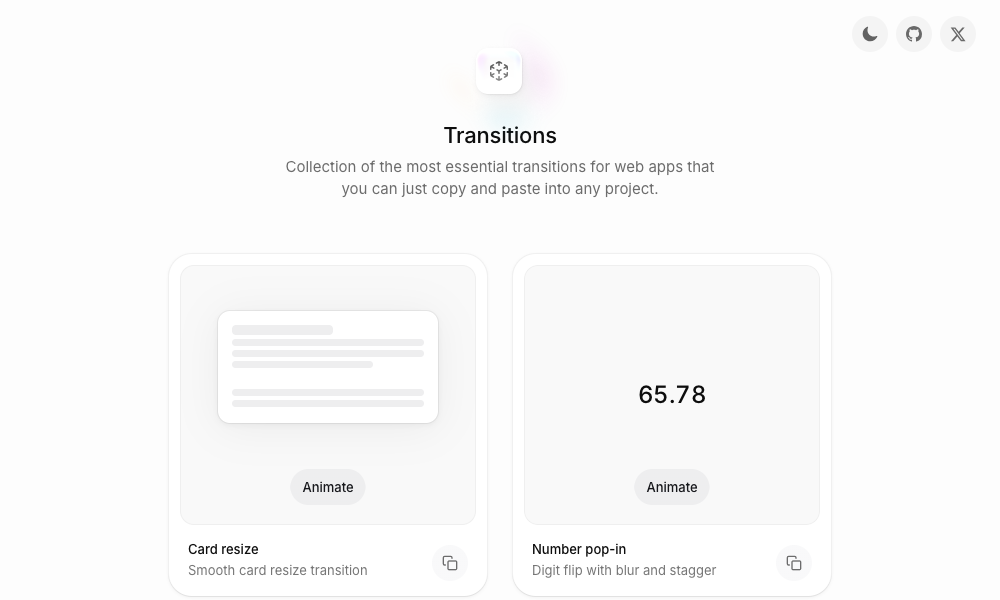
Transitions.dev offers a collection of nine essential UI transitions, provided in a format that is both a readily accessible showcase and an installable AI agent skill. These transitions are designed to inject dynamism and polish into user interfaces, addressing the common issue of abrupt or non-existent animations in AI-generated code.
Included Transitions:
The skill covers a range of common and impactful transitions, such as:
- Card resizing animations.
- Number pop-ins with digit flipping and blurring effects.
- Diagonal slide animations for notification badges.
- And numerous other pre-optimized UI animations.
Code Integration:
The transitions are provided as ready-to-use CSS, which AI agents can directly integrate into a project. The skill is generated from the index.html file of the Transitions.dev showcase site, ensuring that the code produced by the AI precisely matches the demonstrated effects.
Addressing a Common AI Limitation:
A frequent critique of AI-generated interfaces is the absence of smooth transitions, leading to a jarring user experience. This skill directly tackles this by providing agents with a library of pre-built, high-quality animations.
Installation and Usage:
Developers can clone the repository from github.com/Jakubantalik/transitions.dev or reference the skill directly. Usage involves simply mentioning a desired transition pattern, and the AI agent will apply the corresponding pre-optimized CSS.
4. DESIGN.md Directory: A Centralized Hub for Design Systems
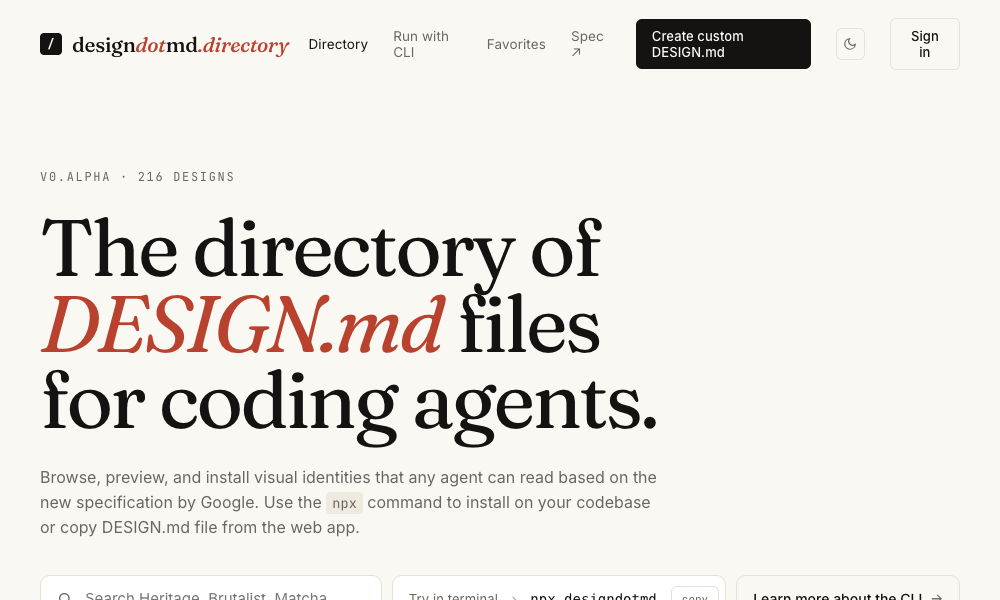
The DESIGN.md Directory is a curated repository of DESIGN.md files specifically crafted for AI coding agents. Each file within this directory encapsulates a comprehensive design system, detailing elements such as color palettes, typography rules, spacing methodologies, component specifications, and layout principles.
Operational Mechanism:
The user selects a design system from the directory that aligns with their project’s aesthetic. They then copy the corresponding markdown file and place it within their project’s root directory as DESIGN.md. The AI agent automatically recognizes and reads this file, subsequently applying the defined design language across all generated elements, from individual buttons to entire page layouts.
Low-Friction Integration:
A key advantage of this approach is its simplicity. It bypasses the need for command-line installations, npm packages, or complex setup procedures. The integration is as straightforward as placing a markdown file in the project.
Use Case:
This directory serves as an accessible entry point for developers seeking to standardize AI-generated designs with established aesthetic frameworks. It democratizes the application of design systems, making them readily usable by AI agents.
5. Agents with Taste: A Design Engineering Skillset
Agents with Taste, developed by Emil Kowalski, is a comprehensive design engineering skill that goes beyond visual elements to encompass the nuances of user experience and animation.
Comprehensive Design Principles Covered:
- Animation Principles: Guidance on creating engaging and effective animations.
- Component Design: Best practices for designing reusable UI components.
- Easing Curves: A flowchart to help agents select the most appropriate easing curve based on context, ensuring natural-feeling motion.
- Duration Guidelines: Recommendations for animation durations, from micro-interactions (100-150ms) to modal pop-ups (200-300ms).
- Typography Rules: Strict guidelines, such as capping body text line lengths at approximately 65 characters for optimal readability.
- Practical Tips: Actionable advice drawn from extensive experience in open-source projects.
Customization and Extensibility:
The skill includes a table of practical tips and a sophisticated easing decision flowchart. Furthermore, it empowers users to package their own design philosophies into skill files using Anthropic’s skill-creator tool, adhering to the same methodology.
Installation and Usage:
Installation is achieved via: npx skills add emilkowalski/skill. Users can then prompt their agent to "improve an animation" or "design a component," and the skill will automatically apply Emil Kowalski’s established design principles.
6. Hue: Brand-Centric Design System Generation
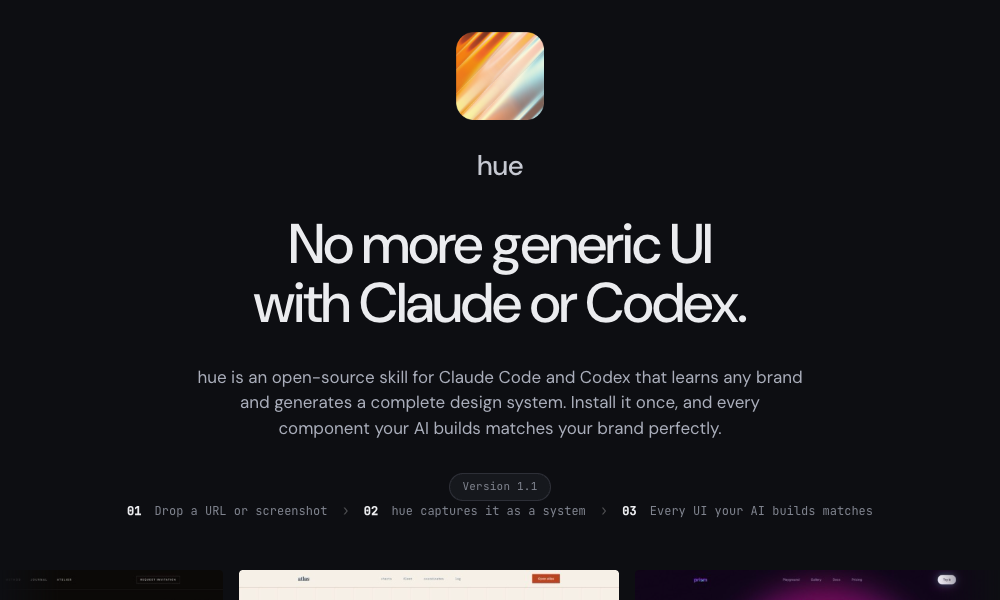
The Hue app is an open-source skill by Dominik Martin that revolutionizes the creation of design systems by learning from existing brands. It can ingest brand identity information from a URL, company name, or even a screenshot.
Brand System Generation:
Hue analyzes the provided brand input and generates a complete design system, including:
- Color tokens.
- Typography hierarchies.
- Spacing scales.
- Component guidelines.
- Dark mode variants.
- Iconography recommendations.
Pre-built Examples:
The skill comes with 17 example brand systems, showcasing diverse aesthetics from "Atlas" (evoking classical maritime themes) to "Velvet" (representing a noir editorial fragrance house). Each example includes a design-model.yaml file and a landing-page.html demonstrating the rendered system.
Installation and Usage:
Installation involves cloning the GitHub repository: git clone https://github.com/dominikmartn/hue ~/.claude/skills/hue. Usage is intuitive, such as requesting, "Make a design skill from cursor.com" or "Create a design language inspired by Raycast." The AI then guides the user through the analysis and generation process.
Practical Application:
Hue is exceptionally practical for projects that need to adhere to a specific existing brand identity rather than creating one from scratch. It ensures brand consistency across AI-generated outputs.
7. Refero Styles: Visual Search for Design Inspiration
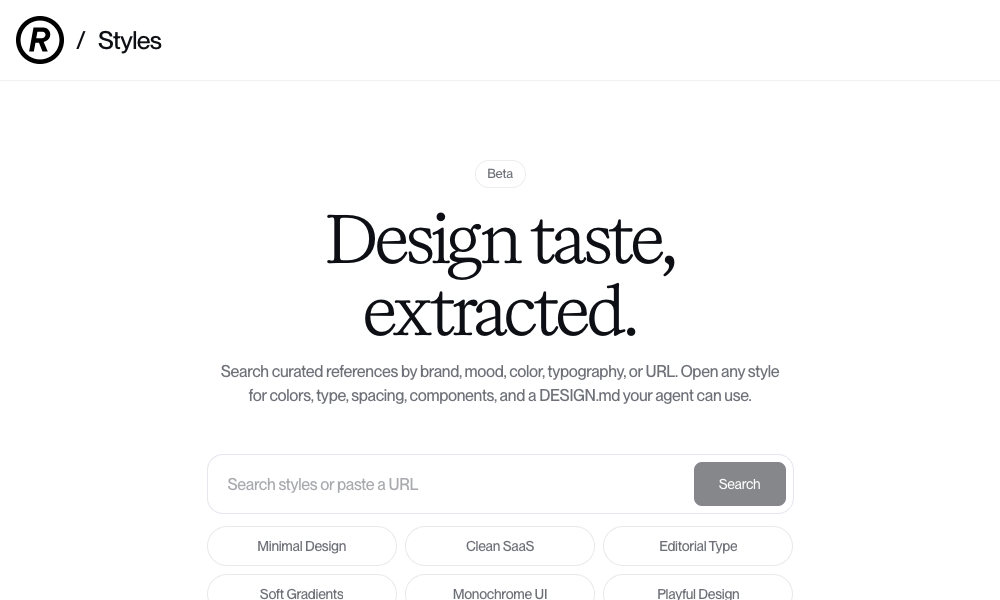
Refero Styles functions as a visual search engine for design references and also serves as an installable AI agent skill. It enables users to search for design inspiration by brand, mood, color, typography, or by pasting a URL.
Comprehensive Style Breakdown:
For each search result, Refero provides a detailed breakdown of the design elements, including:
- Colors.
- Typography.
- Spacing.
- Component styles.
- A
DESIGN.mdfile that the AI agent can utilize directly.
Vast Reference Library:
The skill grants the AI agent access to an extensive library of over 150,000 real app screens and 6,000+ user flows from prominent products like Stripe, Linear, Notion, and Figma.
Integration and Usage:
Users search for a style that matches their project requirements. Opening any result allows them to copy its DESIGN.md file and place it in their project, instantly imbuing the AI agent with that specific design language.
Advanced Feature:
Refero also offers an MCP (Machine Communication Protocol) server that directly connects the AI agent to its reference library. This allows the agent to dynamically pull real product interface patterns on demand during the development process, facilitating rapid iteration and informed design decisions.
8. TypeUI Design Skills: A Gallery of Stylistic Options
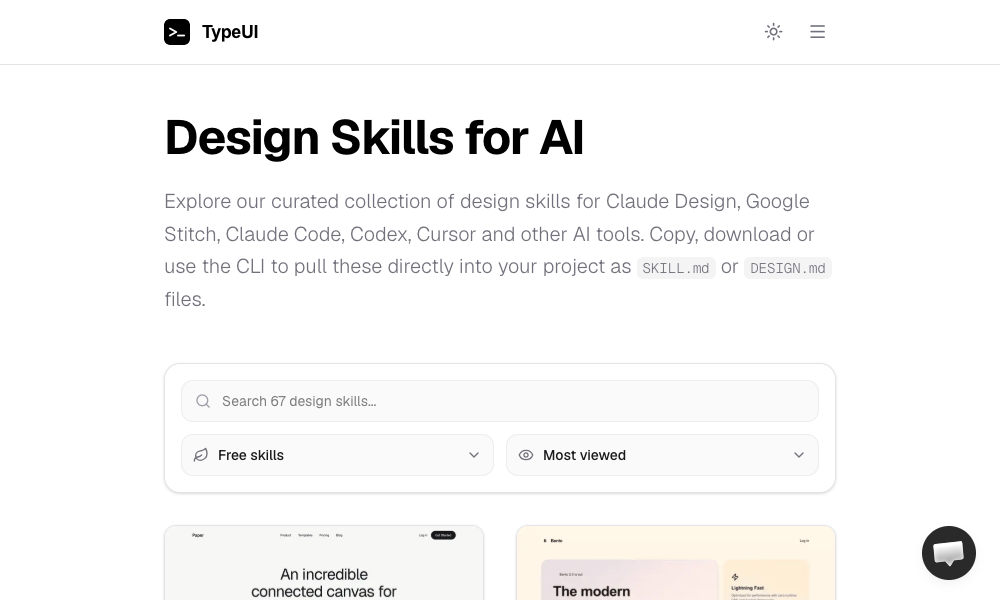
TypeUI Design Skills presents a diverse collection of design skills tailored for various AI coding platforms, including Claude Design, Google Stitch, Claude Code, Codex, and Cursor. Each skill is an optimized SKILL.md or DESIGN.md file that imparts a specific design style to the AI agent.
User-Friendly Access:
Users can browse the TypeUI gallery, identify a desired aesthetic, and then either copy-paste the relevant file, download it, or utilize their command-line interface (CLI) tool.
Installation and Usage:
The TypeUI CLI offers a convenient installation method: npx typeui.sh pull [name]. Once a design skill is acquired, the AI agent will build all subsequent elements according to the chosen aesthetic.
Cross-Platform Compatibility:
Notably, TypeUI also supports OpenClaw agents, ensuring that these design skills function seamlessly with locally run AI agents.
9. UI/UX Pro Max Skill: The All-Encompassing Design System Generator
The UI/UX Pro Max Skill is a robust design skill boasting an extensive set of 161 reasoning rules and 67 distinct UI styles. Its flagship feature is the Design System Generator.
Design System Generation Workflow:
Users describe their project, and the generator constructs a comprehensive design system that includes:
- Layout patterns.
- Color schemes.
- Typography guidelines.
- Effect treatments.
- Design elements to avoid.
Framework and Stack Support:
The skill is versatile, supporting multiple frameworks and stacks such as HTML with Tailwind CSS, React, and Next.js. It integrates seamlessly with VS Code agents like Claude Code, Cursor, Windsurf, Copilot, and Codex.
Installation and Usage:
Installation can be done locally within a project using npx ui-pro init, or globally via npm install -g uipro-cli for broader access. To use the generator, users provide a project description, for instance, "a premium tour booking app." The AI then recommends a complete design system encompassing patterns, styles, colors, typography, and UX rules. The skill also includes a search script for finding design references by query and domain.
Comprehensive Solution:
While the most feature-rich and potentially the "heaviest" option, UI/UX Pro Max offers a complete end-to-end solution for design system development, from initial requirements analysis to the output of well-defined components.
10. AI UX Playground: Specializing in AI Product UX
AI UX Playground focuses on a niche yet critical area: AI-specific User Experience (UX) design patterns. It documents patterns for products like ChatGPT, Claude, Perplexity, and Cursor, providing detailed examples and platform-specific implementation instructions.
Pattern Documentation:
Each pattern includes:
- Clear examples of its application in real AI products.
- Use cases and scenarios where it is most effective.
- Platform-specific guidance for implementation across various AI tools like ChatGPT, Claude, Google Gemini, and Cursor.
Focus on AI-Native Experiences:
This skill distinguishes itself by prioritizing UX patterns that are inherent to AI-powered products. While not primarily focused on visual polish, it addresses the unique interaction models and user expectations within AI interfaces, ensuring that AI products are not only functional but also intuitive and user-friendly.
Usage:
Users browse the pattern library, identify the required UX pattern, and follow the provided platform-specific instructions for implementation.
The Future of Design Knowledge: Executable Rules
The advent of AI skills marks a profound shift in how design knowledge is conceptualized and applied. Traditionally, design principles were documented in static guides, manuals, and style guides that required human interpretation. Now, this knowledge is being transformed into executable rules that AI agents can directly process and implement. This transition suggests that the future of design will increasingly involve designers who can articulate their aesthetic and functional requirements in a format that AI can understand and act upon.
The AI skills discussed represent a significant step forward in this evolution. They are not merely tools for generating code but are powerful enablers of sophisticated design thinking within AI workflows. As these technologies mature, the line between human and AI design contributions will likely blur further, leading to more efficient, consistent, and aesthetically superior digital products. Designers who embrace this shift and learn to craft these executable design rules will be at the forefront of shaping the future of AI-driven product development. The journey is still in its early stages, with potential for further innovation and refinement, but the direction is clear: AI is not just coding, it’s learning to design.