The Evolving Landscape of Professional Engagement: New Data Reveals Best Times to Post on LinkedIn in 2026

A comprehensive analysis of over 4.8 million LinkedIn posts by social media management platform Buffer has unveiled significant shifts in optimal posting times for 2026, indicating a departure from traditional workday engagement patterns. The research, spearheaded by Buffer’s resident data scientist Julian Winternheimer, highlights a pronounced move towards late afternoon and evening hours for peak content visibility and interaction, a trend previously observed on more leisure-oriented platforms like Instagram and TikTok. This evolving user behavior necessitates a re-evaluation of content strategies for businesses, marketers, and individual professionals aiming to maximize their reach on the world’s leading professional networking site.
Shifting Tides: A Chronology of LinkedIn Engagement
For years, the conventional wisdom surrounding LinkedIn engagement centered on the professional workday. Data from 2025, for instance, showed peak activity almost exclusively confined to business hours, with a sharp decline in engagement after 5 p.m. This pattern aligned with the platform’s initial perception as a digital extension of the office, where professionals engaged with industry news, company updates, and networking opportunities primarily during their 9-to-5.
However, the 2026 findings from Buffer’s two-year ongoing study reveal a notable divergence from this established norm. Julian Winternheimer notes, "The 2026 LinkedIn findings surprised us a little. We’re seeing peak engagement windows shift later into the day, mirroring broader trends across the social media landscape." This observation suggests that the lines between professional and personal digital consumption are increasingly blurring, influenced perhaps by global shifts towards remote work, flexible schedules, and the ubiquitous integration of mobile devices into daily life. Professionals are no longer solely interacting with LinkedIn content from their office desktops; they are engaging during commutes, in the evenings, and during personal downtime, often via mobile devices. This evolution underscores a broader transformation in how individuals consume professional content, moving from a strictly "work-mode" mindset to one that incorporates professional development and networking into their leisure hours.
Key Data Insights: The New Peak Engagement Windows
Buffer’s extensive dataset points to a clear concentration of high engagement during late afternoon and evening hours, specifically between 3 p.m. and 8 p.m. on weekdays. Posts shared within this window consistently garnered higher interactions than those published during traditional morning or early afternoon slots.
Breaking down the weekly performance, the data pinpoints several optimal moments:
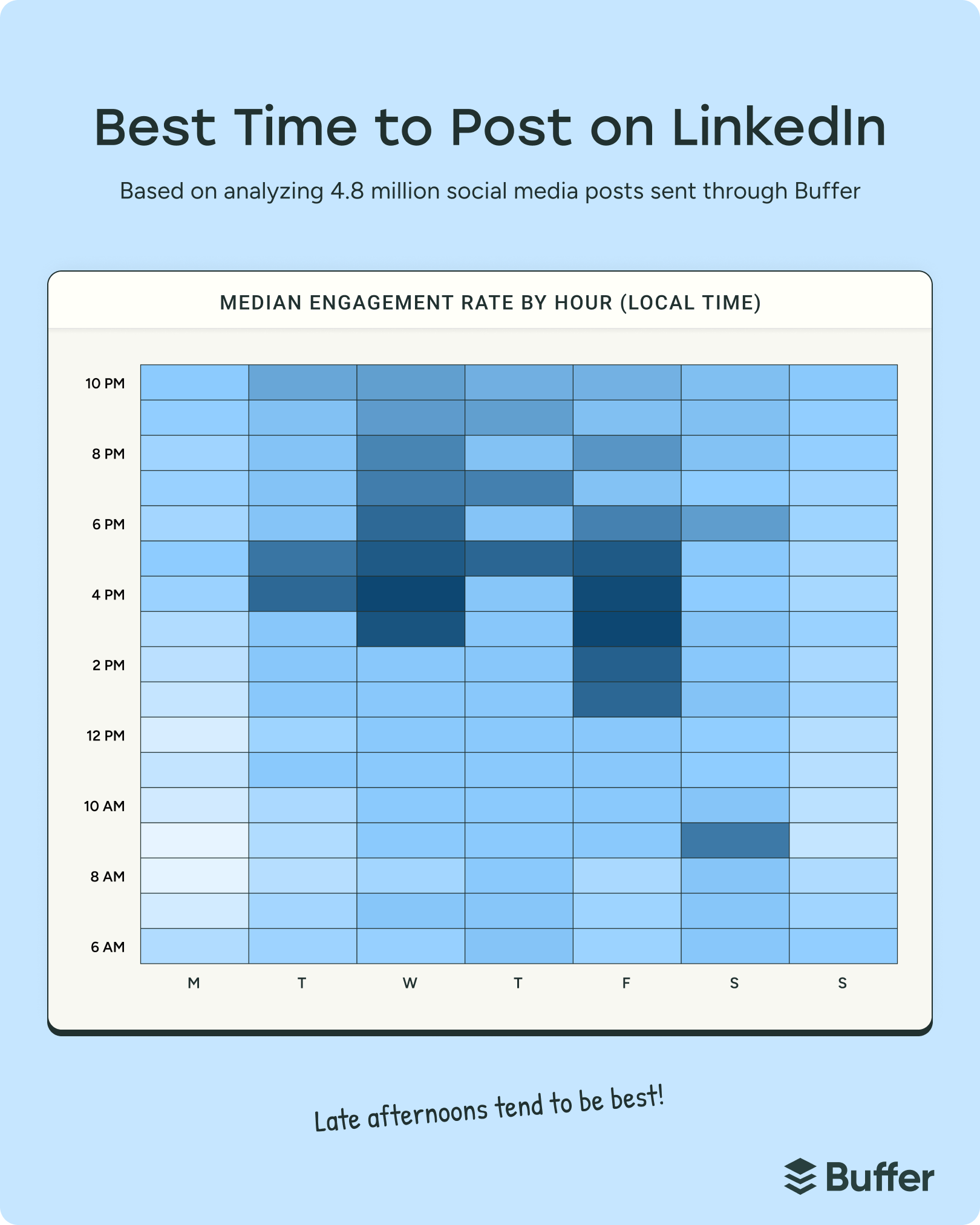
- Wednesday: 4 p.m. emerged as one of the strongest engagement slots of the entire week. Other high-performing times include 3 p.m. and 5 p.m., forming a robust afternoon-to-early-evening window.
- Friday: 3 p.m. leads the charge, with 4 p.m. and 5 p.m. also showing significant engagement, suggesting that professionals are actively winding down their week by consuming content.
- Thursday: 5 p.m. stands out, supported by strong performance at 7 p.m. and 9 p.m.
- Monday: The best times are surprisingly late: 10 p.m., 5 p.m., and 9 p.m., indicating a catch-up behavior after the start of the work week.
- Tuesday: 4 p.m., 5 p.m., and 10 p.m. are the strongest, though Tuesday generally still exhibits lower overall engagement compared to midweek.
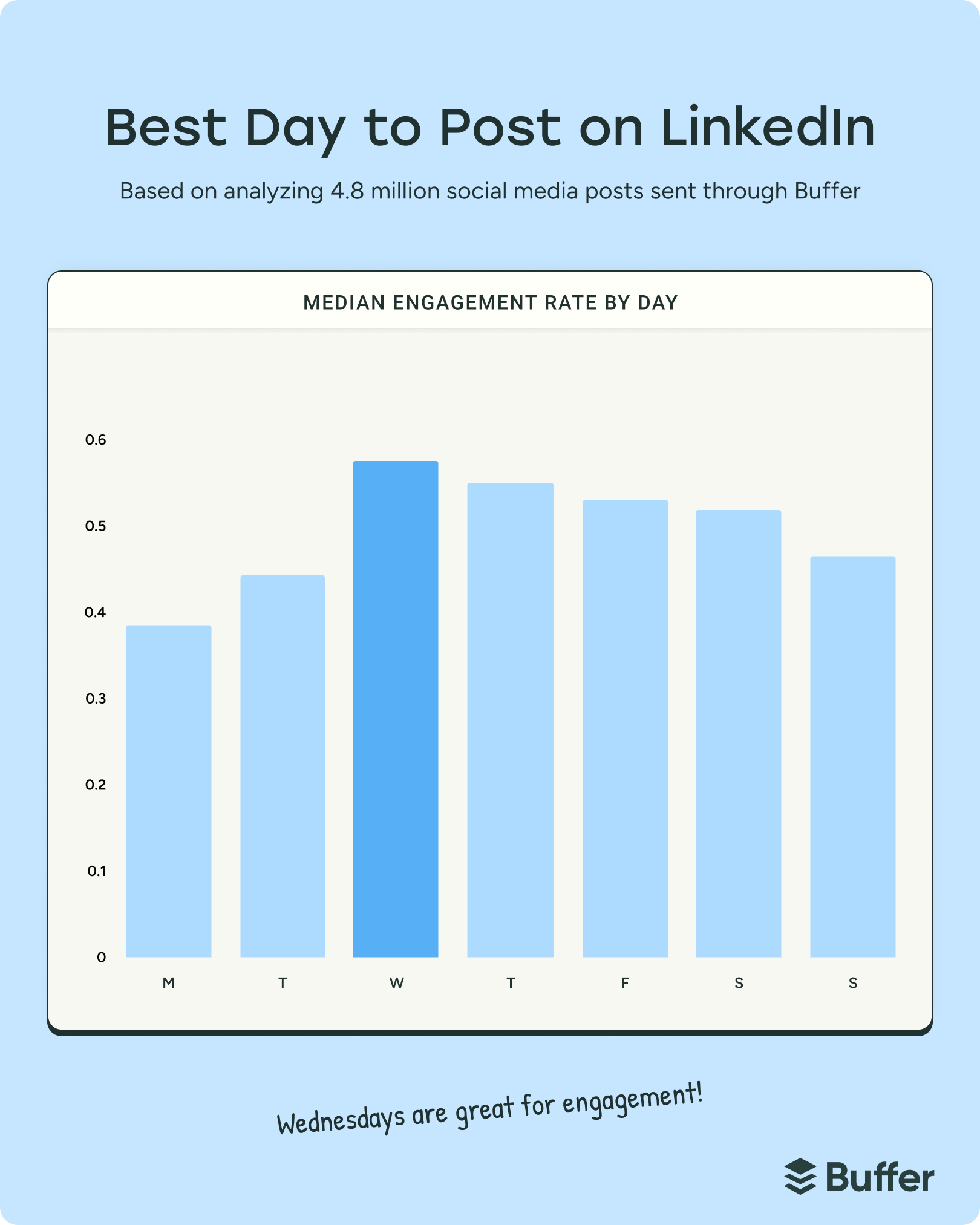
Conversely, Monday and Tuesday generally registered lower engagement levels, with Monday being the weakest day overall. Morning hours (6 a.m. – 11 a.m.) also saw a dip in engagement compared to the newly dominant afternoon and evening slots. Weekends, while generally quieter, still present niche opportunities, with Saturday at 9 a.m. and Sunday at 10 p.m. showing some activity.
"This shift towards evening engagement on LinkedIn is a critical finding for anyone managing a professional presence," states Julian Winternheimer. "It suggests that professionals are integrating their learning and networking into their personal time more than ever before. While traditional workday pockets like lunch breaks still see some activity, the clear peaks have migrated." The data is normalized by local time zone, ensuring that a 4 p.m. recommendation applies universally, irrespective of geographic location.
The Power of Engagement: Driving Algorithm Visibility
The core metric guiding Buffer’s analysis is engagement, encompassing reactions, comments, and reposts. The LinkedIn algorithm, like many other social media platforms, leverages these interactions as signals to gauge a post’s value and relevance. A post with higher engagement is more likely to be deemed valuable and subsequently shown to a wider audience. While engagement doesn’t solely determine reach, it is a significant factor, forming a crucial feedback loop that amplifies visibility. Therefore, publishing content when an audience is most active and inclined to interact provides a strategic advantage.
Beyond timing, the type of content also plays a pivotal role. Buffer’s separate research indicates that carousel (document) posts generate up to 596% more engagement than text-only posts, positioning them as a highly effective format for capturing audience attention on the platform. Content that provides genuine insight, professional value, or a unique perspective consistently performs well, irrespective of format.
Implications for Stakeholders: Adapting to the New Normal
The implications of these findings are far-reaching for various LinkedIn users:
For Businesses and Brands:
Marketing and communications teams must re-evaluate their content calendars. Shifting high-priority content to late afternoon and evening slots, particularly on Wednesdays and Fridays, could significantly boost campaign performance. This is crucial for B2B marketers seeking to engage decision-makers who might be reviewing industry insights after their core work responsibilities are handled. Employer branding initiatives can also benefit by targeting these hours to reach potential candidates who are browsing job opportunities or company cultures outside of their current employment’s watchful eye. Furthermore, the emphasis on engagement means brands should prioritize interactive content formats, like carousels, and actively encourage comments and discussions rather than merely broadcasting information.
For Individual Professionals and Thought Leaders:
Job seekers, personal brand builders, and industry experts can strategically schedule their thought leadership pieces, career updates, and networking outreach to align with these peak engagement windows. Publishing a valuable article or a personal reflection during a Wednesday afternoon peak could significantly increase its visibility within their professional network, leading to more meaningful connections, job opportunities, or speaking engagements. The data empowers individuals to be more intentional about when they share their expertise, turning passive content consumption into active engagement.
For the Broader Social Media Landscape:
This shift on LinkedIn mirrors a broader trend observed across the digital sphere: the blurring of lines between work and personal life, and the increasing integration of professional development into personal time. As digital natives become the dominant workforce, their consumption habits influence platform design and algorithmic priorities. LinkedIn’s evolution reflects a platform adapting to a workforce that is perpetually connected, consuming content on demand, and seeking value that transcends the traditional 9-to-5. This data suggests that platforms that can seamlessly integrate professional and personal development into a user’s broader digital lifestyle will continue to thrive.
Expert Commentary and LinkedIn’s Perspective
"These findings underscore the dynamic nature of online professional communities," comments Dr. Eleanor Vance, a leading social media strategist and author of ‘Digital Professionalism.’ "What we’re seeing is not just a time shift, but a behavioral shift. Professionals are increasingly using LinkedIn as a learning and networking hub during their personal time, whether it’s on their commute, while unwinding in the evening, or even planning their week ahead late at night. Brands and individuals who fail to adapt their posting schedules risk missing out on significant engagement opportunities."
It’s important to acknowledge that while Buffer’s data provides robust general guidelines, LinkedIn’s own marketing blog has sometimes highlighted different patterns, such as Tuesday being a highly active day. This discrepancy reinforces the article’s consistent advice: while general data is an excellent starting point, individual audience analysis remains paramount. Every niche, industry, and geographic segment may have unique behavioral nuances. As a LinkedIn spokesperson once noted in a blog post, "Timing research isn’t a black-and-white science, and every audience is a little different." This highlights the complexity and the ongoing need for content creators to use data-driven insights as a guide rather than an absolute rule.
Optimizing Your LinkedIn Strategy: Beyond General Data
While Buffer’s aggregated data offers invaluable benchmarks, the ultimate success of a LinkedIn content strategy lies in personalized optimization. Users are encouraged to:
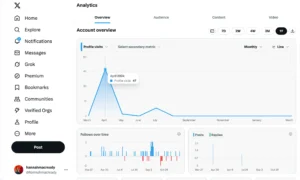
- Leverage Analytics Tools: Utilize platforms like Buffer Insights or LinkedIn’s native analytics to track the performance of their own posts. By cross-referencing posting times with engagement metrics (reactions, comments, shares), individuals and brands can identify their unique peak performance windows. LinkedIn Analytics can show top-performing posts, but external tools are often necessary for precise timestamp correlation.
- Experiment with Posting Frequencies: Beyond timing, frequency plays a role. Buffer’s research on frequency suggests that posting 2 to 5 times per week is a healthy starting point, yielding significantly more impressions and engagement than posting only once a week. For those who can sustain it, 6 to 10 posts per week further boosts gains, and 11+ posts per week can lead to dramatic increases in impressions and engagement. This holds true regardless of audience size.
- Prioritize Quality Content: Even the best timing cannot salvage irrelevant or low-quality content. Focus on creating posts that offer genuine value, spark conversation, and resonate with your target audience.
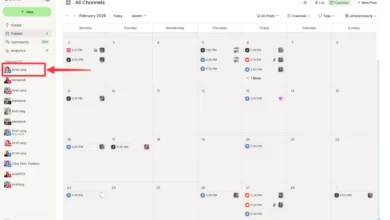
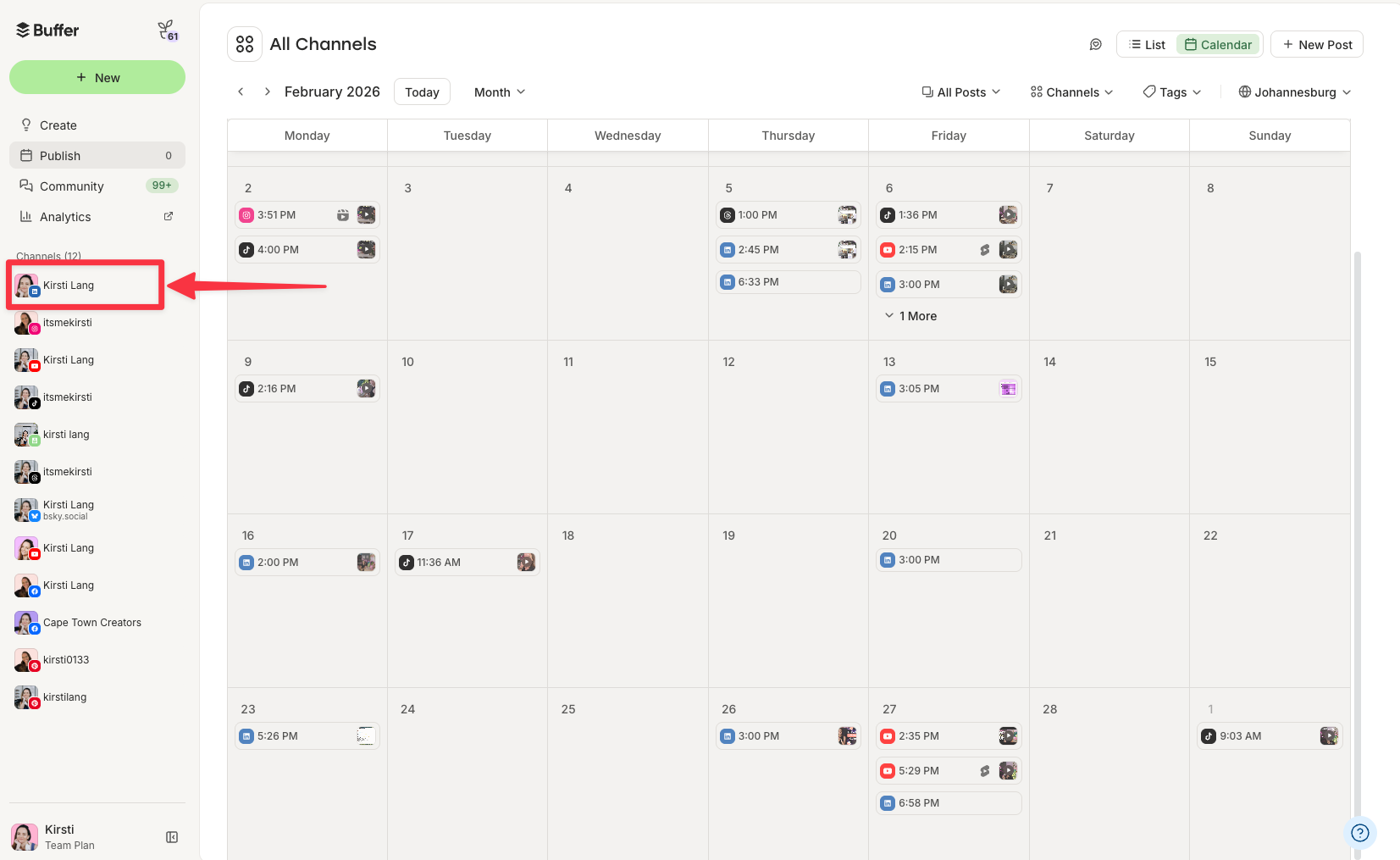
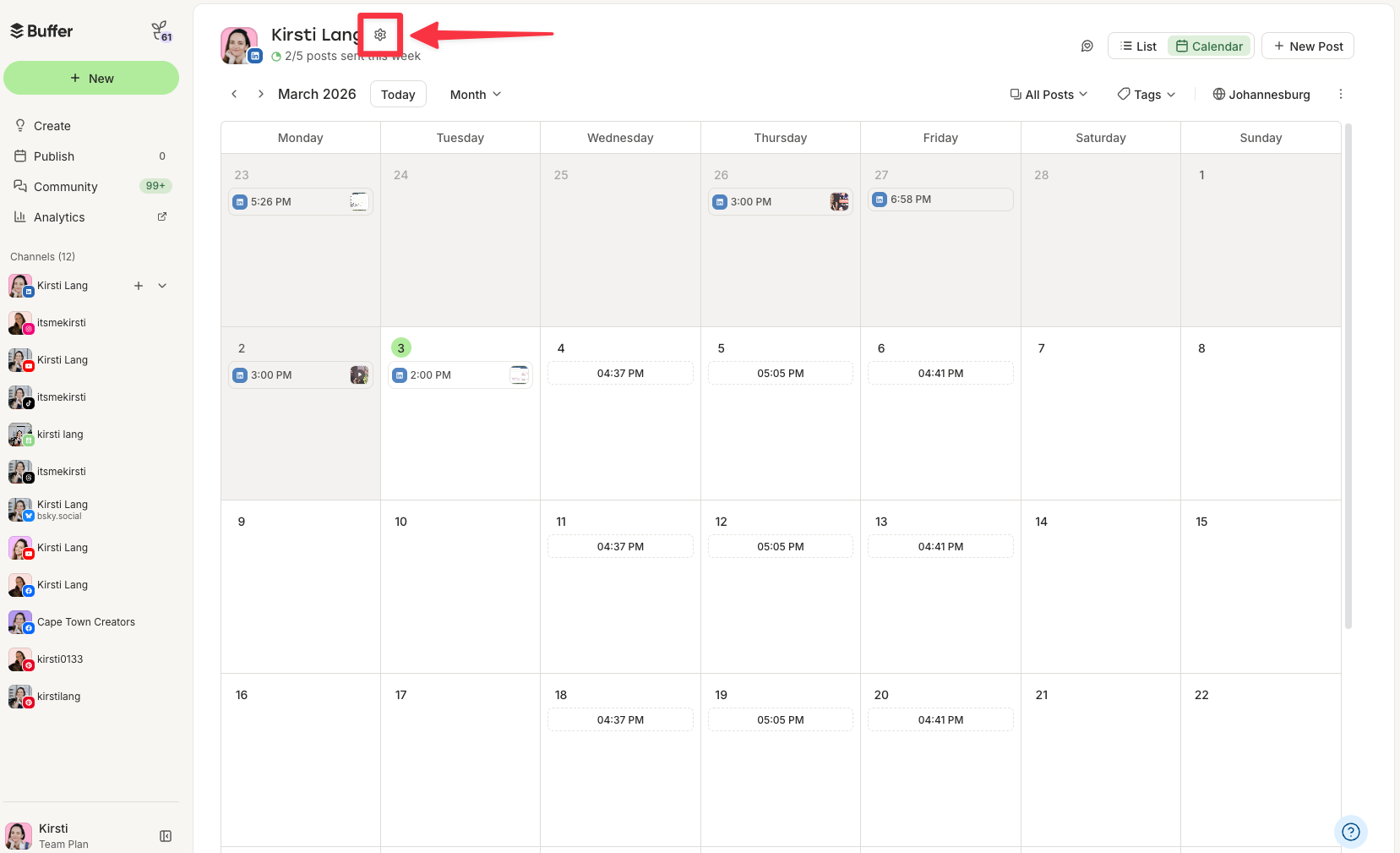
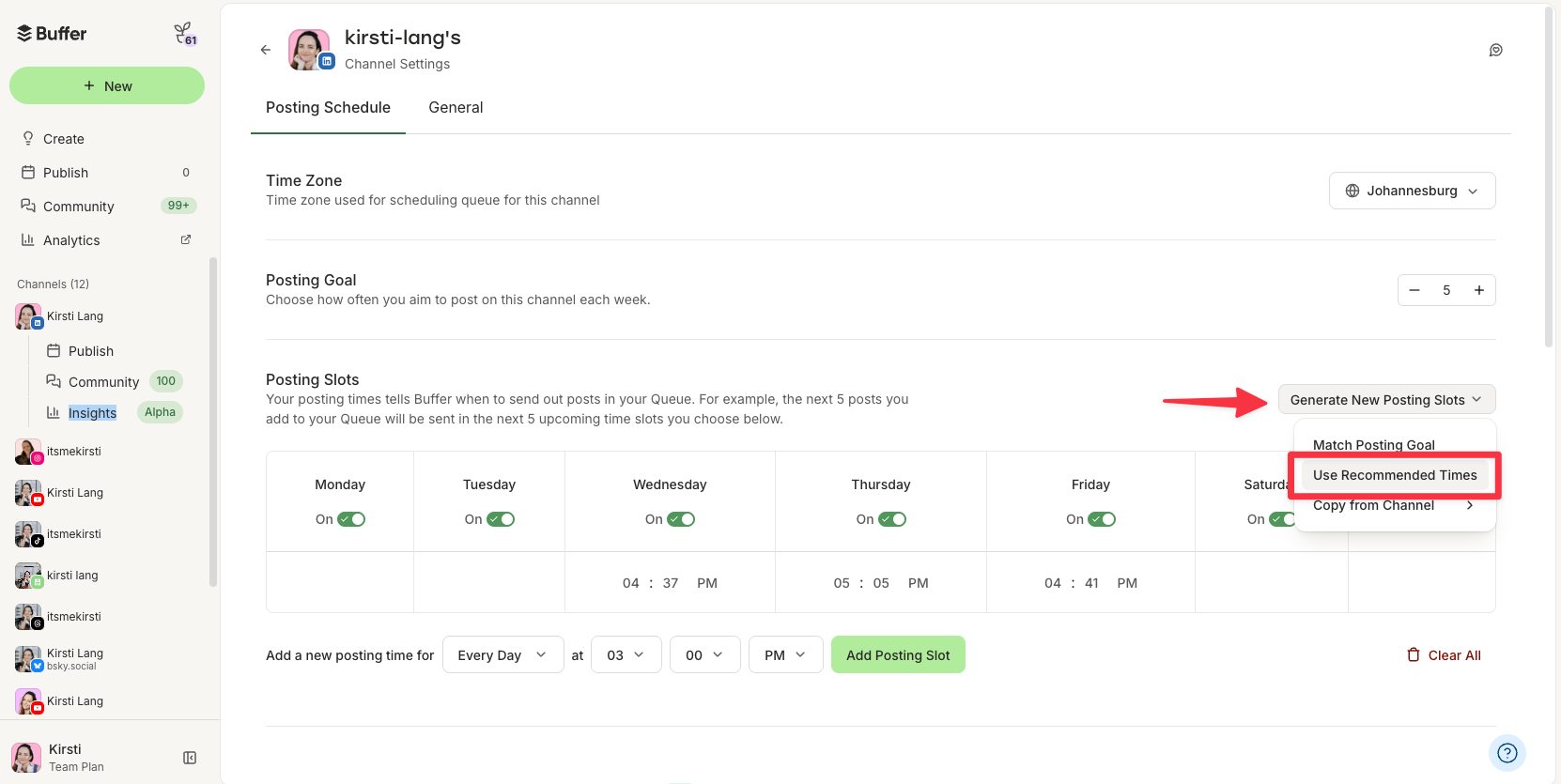
- Utilize Scheduling Tools: Tools like Buffer automate the process, allowing users to pre-schedule content into recommended high-engagement slots, freeing up time and ensuring consistency. This ensures that content is published at optimal times without requiring manual intervention, allowing creators to focus on content creation and engagement.
Conclusion
The landscape of professional social media engagement is not static; it is a dynamic ecosystem constantly shaped by user behavior, technological advancements, and societal shifts. Buffer’s 2026 data on LinkedIn posting times serves as a crucial compass for navigating this evolving environment. The clear shift towards late afternoon and evening engagement underscores a fundamental change in how professionals interact with their digital networks. By understanding and adapting to these new patterns, businesses, marketers, and individual professionals can strategically optimize their content delivery, enhance their visibility, and foster more meaningful connections in the increasingly interconnected professional world. The key takeaway remains: stay informed, stay agile, and always prioritize understanding your unique audience.
Related posts: