Dinky Brings Local, Privacy-First File Compression and Multi-Format Optimization to macOS

The ecosystem of file compression software on macOS has long suffered from a frustrating dichotomy. Users typically find themselves forced to choose between highly specialized, single-use utilities that handle only raster images while leaving massive video files and dense documents untouched, or bloated, enterprise-grade conversion suites that introduce an unnecessary level of complexity to straightforward, everyday tasks. This fragmentation often forces professionals, content creators, and casual users alike to juggle multiple applications just to prepare a batch of assets for an email attachment, a web publication, or cloud storage archive.
Enter Dinky, a free, locally executed utility application designed specifically for Apple’s macOS environment. Developed to bridge the persistent gap between convenience and comprehensive capability, Dinky addresses the inherent friction of digital asset management by handling images, videos, audio files, and Portable Document Format (PDF) documents within a unified interface. Crucially, the application operates entirely offline, processing all tasks on-device without routing sensitive personal or professional data through external cloud servers—a design choice that responds directly to rising enterprise and consumer concerns regarding data privacy and intellectual property security in modern software ecosystems.
Evolution and Background of On-Device Compression Utilities
The demand for efficient, locally processed file compression has accelerated significantly over the past decade. As consumer-grade cameras, smartphones, and professional digital cinema equipment capture content at increasingly high resolutions—often outputting massive ProRAW photos, 4K and 8K video streams, and uncompressed audio formats—local storage capacity and bandwidth limitations have become critical bottlenecks for digital workflows. Historically, desktop users relied on web-based conversion portals that required uploading confidential or proprietary files to remote servers, introducing potential security vulnerabilities, bandwidth consumption, and latency issues.
While native macOS tools offer rudimentary image conversion capabilities via Preview and the Quick Actions menu in Finder, they frequently lack granular controls for codec selection, target file sizing, batch processing, and cross-media optimization. Third-party alternatives have traditionally addressed these shortcomings, but many suffer from outdated user interfaces, subscription paywalls, or privacy policies that harvest user metadata. Dinky emerged as a modern response to these industry pain points, evolving from a basic, single-purpose image compressor into a multi-format utility capable of handling complex media workflows while maintaining a lightweight resource footprint native to Apple Silicon and Intel-based Mac architectures.
Comprehensive Multi-Format Architecture and Optimization Capabilities
Rather than applying a generalized, one-size-fits-all compression algorithm to every digital asset, Dinky employs distinct, format-specific optimization pipelines designed to preserve fidelity while drastically reducing file footprints. This granular approach ensures that raster graphics, motion video, multi-track audio, and text-heavy documents each receive targeted processing tailored to their unique structural requirements.
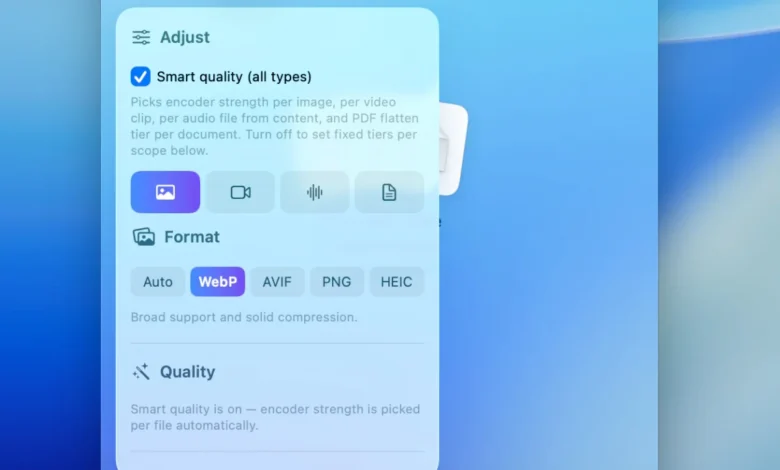
For still images, the application supports modern, highly efficient next-generation graphic standards, including WebP, AVIF, HEIC, and optimized lossless PNG formats. A standout feature within this category is the application’s "Smart Quality" engine, which automatically analyzes the visual composition of an incoming graphic to determine whether it resembles a photograph containing continuous tones or a sharp-edged graphic composed of solid colors and text. Based on this automated classification, the algorithm adjusts compression parameters dynamically. For users requiring absolute precision, Dinky permits manual constraints, such as defining maximum pixel widths or targeting exact file-size thresholds down to the kilobyte.
In the realm of video processing, Dinky serves as a streamlined exporter capable of transcoding footage into universally compatible MP4 containers utilizing H.264 or HEIC codecs. Users can select from a curated array of quality presets designed to balance visual fidelity against storage constraints. Furthermore, the application includes an optional frame-rate (FPS) limiter. This specific capability is particularly valuable for professionals handling screen recordings, software tutorials, or product demonstrations where full 60 frames-per-second capture is unnecessary, allowing file sizes to plummet without sacrificing the comprehensibility of the visual motion.
Audio asset management receives similar attention through support for common codecs and container formats, including AAC, MP3, FLAC, WAV, ALAC, and AIFF. This broad compatibility enables podcasters, musicians, and multimedia producers to transcode audio elements quickly without invoking heavy digital audio workstations (DAWs) or complex command-line scripts like FFmpeg.
PDF document optimization represents one of the most technically challenging aspects of file compression, as developers must balance visual reduction against the preservation of textual searchability and hyperlink integrity. Dinky approaches this challenge by offering a dual-path workflow. Users can choose to flatten documents—a process that converts vector elements and pages into rasterized images, yielding massive reductions in file size for scanned or graphic-heavy reports. Alternatively, users can select a structural preservation mode that retains selectable text layers, annotations, and hyperlinks. Additionally, the software integrates optional on-device optical character recognition (OCR) capabilities, ensuring that unindexed, scan-based PDFs remain fully searchable following the compression process.
Workflow Integration, Automation, and User Experience Design
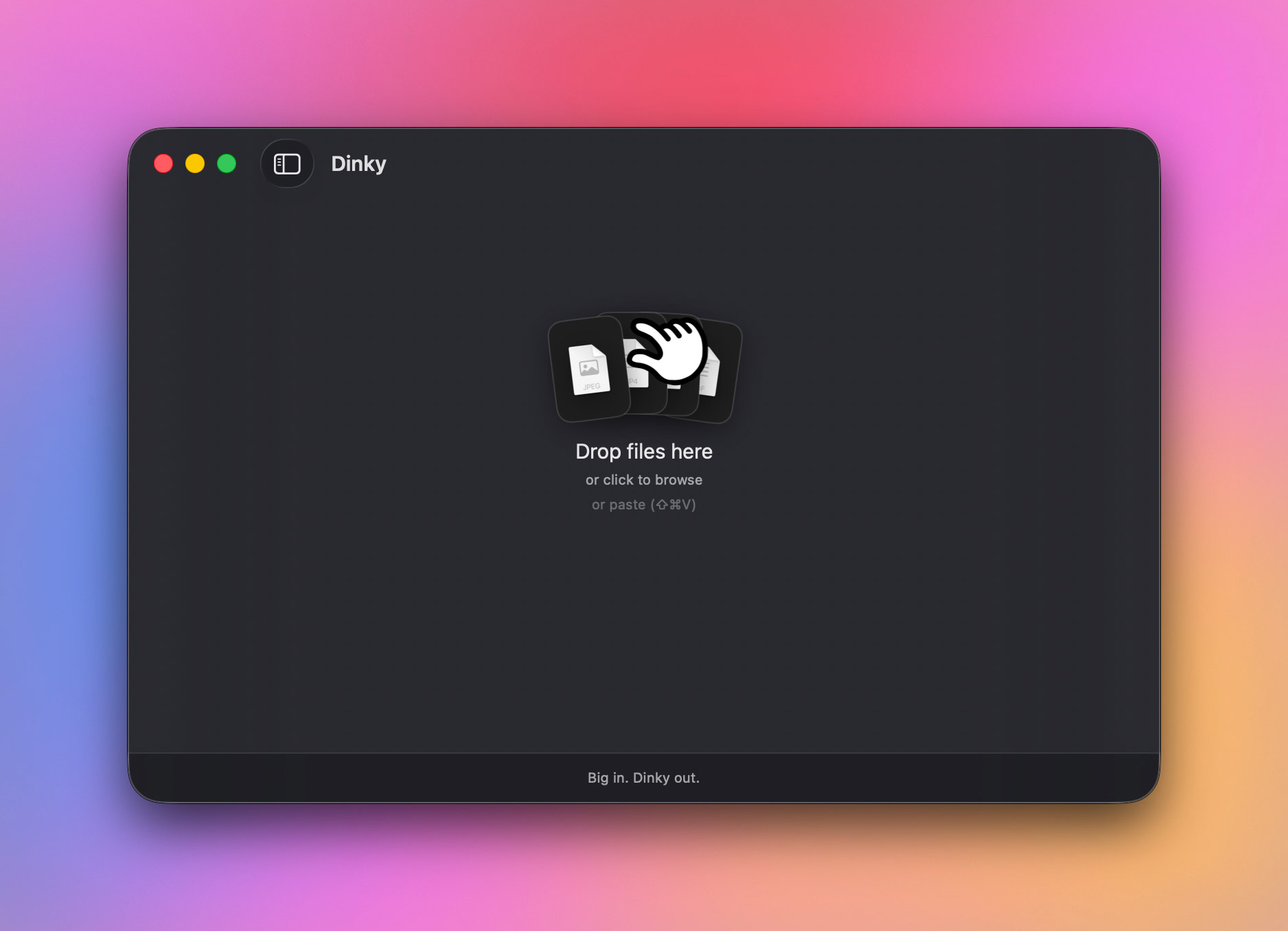
Beyond its core conversion engines, Dinky distinguishes itself through deep integration with the broader macOS desktop environment, minimizing operational friction for users who perform repetitive file-prep tasks throughout their workday. The primary graphical user interface relies on standard drag-and-drop mechanics, accommodating files dropped directly onto the application window, the system Dock icon, or via a traditional Finder file picker.
To accelerate workflows further, the application incorporates a system-wide clipboard shortcut for static imagery. By copying any image to the macOS clipboard and executing a designated keystroke combination—Command + Shift + V—users can trigger immediate compression without even bringing the Dinky application window to the foreground. Moreover, the software extends its ingestion capabilities to uniform resource locators (URLs); users can drag or paste a direct web link into the interface, prompting Dinky to securely download the remote asset locally before executing the requested compression protocol for links up to 500 megabytes in size.
For power users managing high-volume media pipelines, Dinky introduces robust automation features centered around customizable presets and directory monitoring. Users can construct bespoke configuration profiles that bundle preferred output formats, quality settings, size constraints, destination file paths, and naming conventions into a single, reusable preset. For example, a content creator might maintain distinct presets for optimizing blog imagery, delivering client-facing proofing PDFs, and rendering lightweight video previews.
These presets can be paired with "Watch Folders"—designated directories monitored continuously by the application in the background. When a user drops a raw asset into a watched folder, Dinky automatically processes the file according to the assigned preset parameters without requiring manual interaction. Combined with adjustable batch processing controls that regulate parallel thread execution, these automation tools enable the application to scale efficiently from casual, one-off file reductions to heavy-duty, repetitive enterprise workflows.
Security, Data Governance, and Original File Management
In an era where software utilities frequently integrate cloud-based analytics or telemetric tracking, Dinky’s strict adherence to local execution represents a major pillar of its appeal. By performing all encoding, transcoding, and optimization routines directly on the local machine’s central processing unit (CPU) and graphics hardware, the application eliminates third-party data exposure risks. Confidential corporate documents, sensitive legal PDFs, unreleased video rough-cuts, and personal photographic archives never leave the user’s local disk drive.
Recognizing the potential risks associated with automated file manipulation, the developers have also implemented granular controls governing the handling of original source files post-compression. Users can configure the application to retain originals in their original directory, automatically dispatch them to the system Trash, or route them safely to a designated backup archive folder. This safeguard prevents accidental data loss, ensuring that users retain a safety net when experimenting with aggressive compression ratios or unfamiliar quality presets.
Industry Implications and Market Positioning
Dinky enters a mature software category populated by both veteran desktop utilities and modern web-based alternatives. However, its specific combination of zero-cloud telemetry, open-source code availability via GitHub, and multi-format versatility positions it uniquely within the macOS ecosystem. While professional developers and technical power users have historically relied on command-line utilities like ImageMagick, HandBrake, and Ghostscript to achieve similar results, these tools often present steep learning curves that alienate non-technical knowledge workers and creative professionals.
By wrapping advanced transcoding libraries and machine-learning-adjacent features—such as smart image classification and on-device OCR—in a minimalist, native graphical interface, Dinky successfully democratizes advanced media optimization. Its design philosophy underscores a broader industry shift toward local-first software architecture, prioritizing user privacy, operational speed, and hardware efficiency over cloud-dependent SaaS (Software-as-a-Service) subscription models.
Availability and Accessibility
Dinky is distributed as a free utility for macOS users operating compatible Apple hardware. The application is available for direct download through the official Dinky web portal, while its underlying source code remains accessible for public audit and community contribution via its official GitHub repository. As digital assets continue to grow in physical size and operational complexity, tools like Dinky illustrate the ongoing value of lightweight, highly focused desktop applications engineered to solve specific friction points in modern digital workflows.