Demystifying the 2026 Social Media Landscape: A Comprehensive Guide to Platform Algorithms and Digital Reach


In the modern digital ecosystem, social media algorithms function as the silent arbiters of information, determining which content surfaces in a user’s feed and which remains buried in the digital abyss. These complex architectures—built upon sophisticated machine learning models—have evolved beyond simple chronological sorting to become highly personalized recommendation engines. As of 2026, navigating these systems is no longer optional for businesses or content creators; it is a fundamental requirement for maintaining organic visibility. Understanding these ranking signals is the primary challenge for marketing professionals operating in an environment where global users spend an average of 141 minutes per day scrolling through curated feeds.

The Evolution of Algorithmic Logic
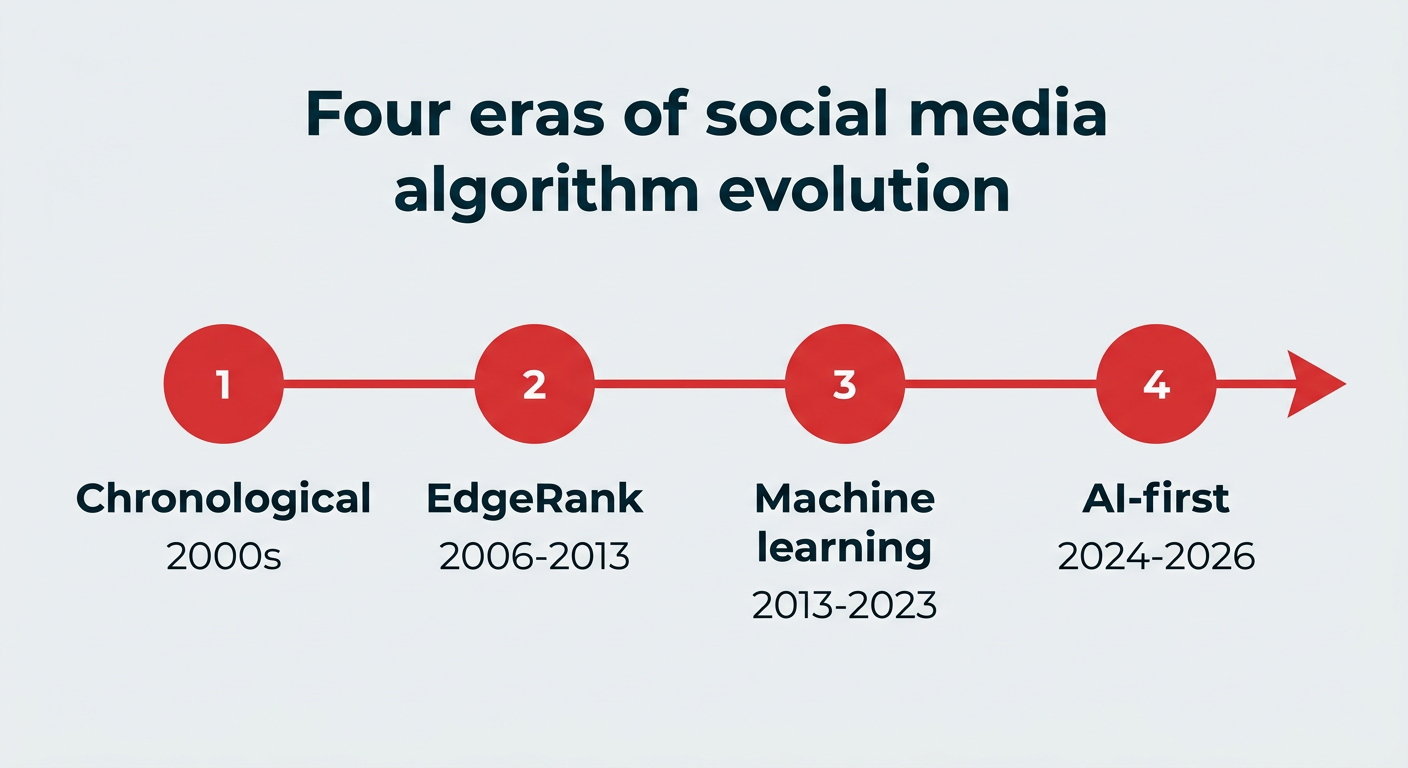
The trajectory of social media algorithms has been marked by four distinct eras. The first era, dominated by simple chronological feeds, prioritized immediacy over relevance. The second era introduced basic relevance signals, shifting the focus to user-to-user connections. The third era, often termed the "Discovery Era," leveraged advanced AI to prioritize content from accounts a user did not yet follow, effectively turning feeds into entertainment hubs. We are now firmly in the fourth era: the Hyper-Personalized Predictive Era. In this stage, platforms do not merely react to past behavior; they deploy predictive analytics to determine what a user is likely to value before they even interact with a post.
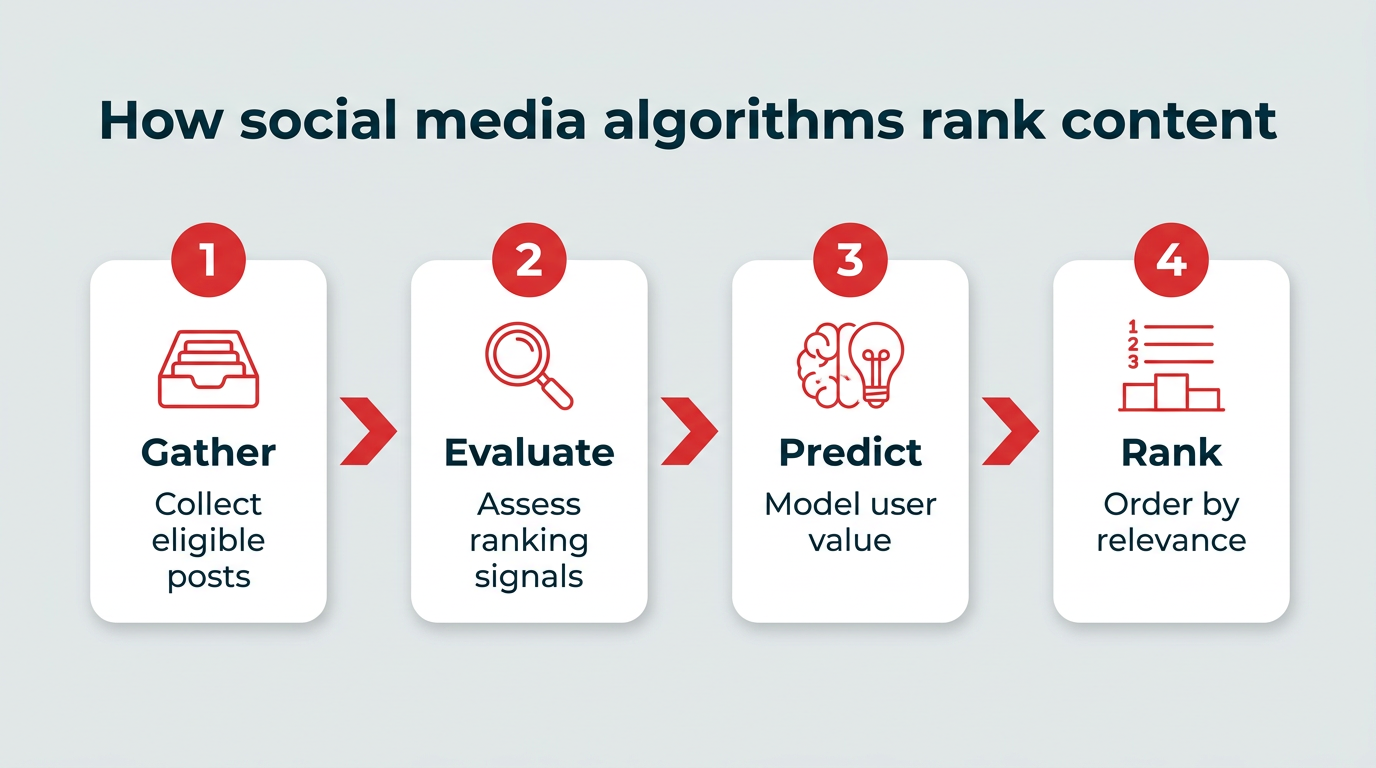
The core objective of these algorithms remains consistent across platforms: to maximize time spent on the app. By curating content that triggers engagement, platforms ensure that their advertising inventory remains valuable. For an enterprise brand, this means that content is not competing solely with industry rivals, but with the entire spectrum of a user’s interests, ranging from viral entertainment to niche personal hobbies.
The Mechanics of Content Ranking
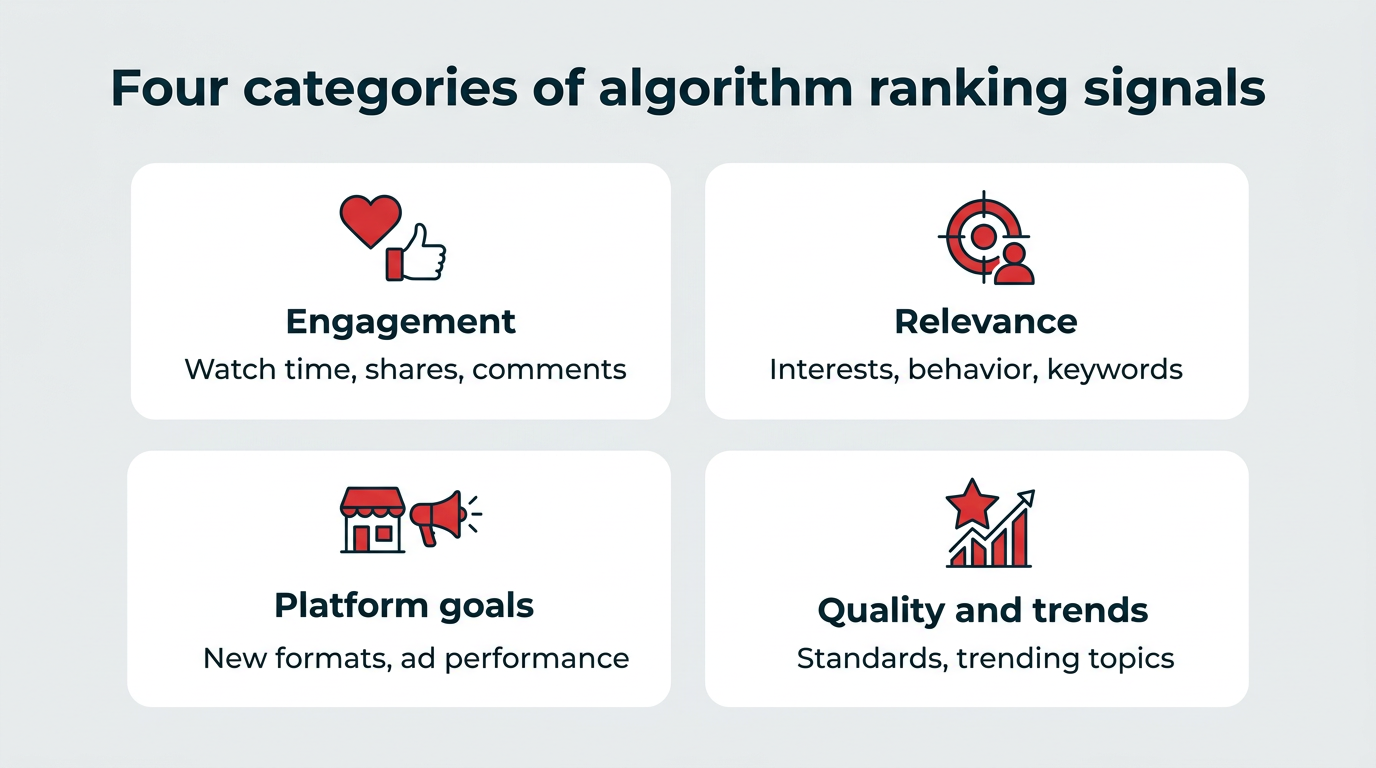
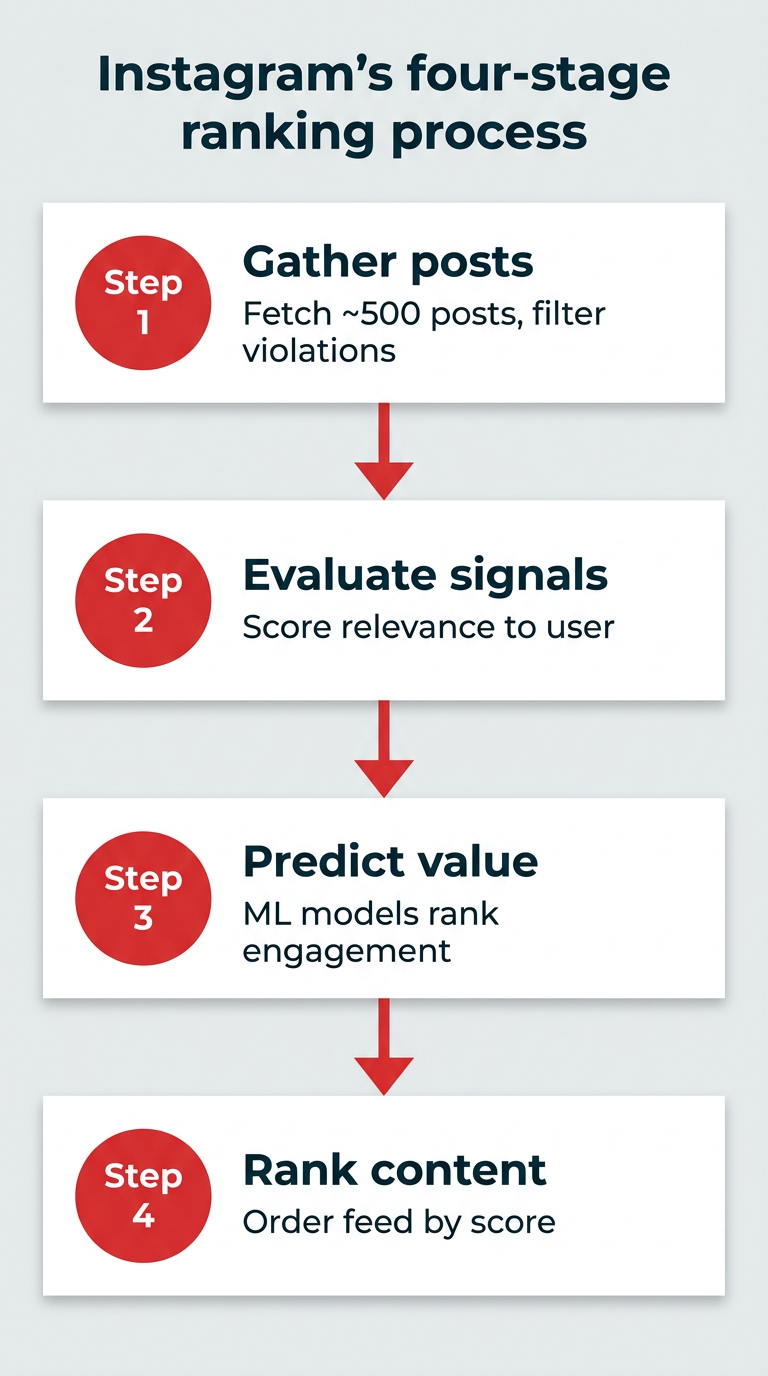
While each platform maintains proprietary ranking criteria, the underlying workflow is remarkably uniform. The process begins with the "Candidate Generation" phase, where the algorithm aggregates a pool of potentially relevant content from both followed accounts and the wider network. This is followed by a "Scoring" phase, where machine learning models assign a numerical value to each piece of content based on thousands of individual ranking signals. Finally, the "Ranking" phase orders these items, displaying them in a sequence designed to optimize for specific outcomes, such as watch time, click-through rates, or social shares.
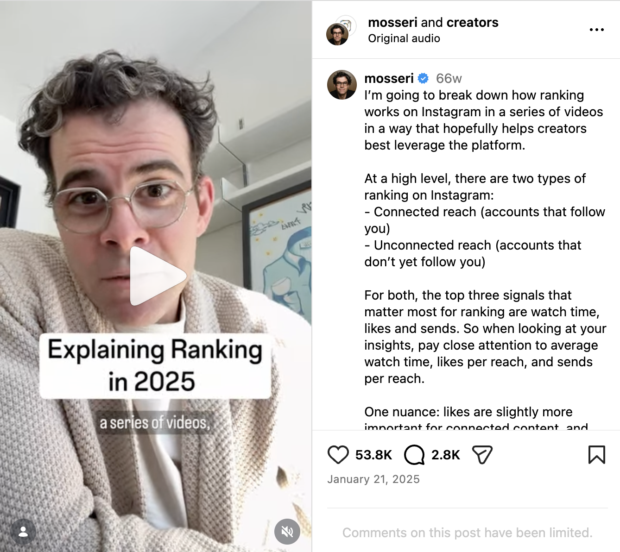
For instance, on a platform like Instagram, the system evaluates the probability of a user performing a specific action—such as liking, commenting, or sending a Reel to a friend—within milliseconds of the user opening the application. Signals such as the historical relationship between the author and viewer, the specific format of the content, and the velocity of engagement in the first few minutes of publication are all weighted heavily.
Platform-Specific Strategic Priorities
To effectively leverage these algorithms, marketers must move away from "one-size-fits-all" content strategies. As of 2026, the divergence in platform requirements is stark:
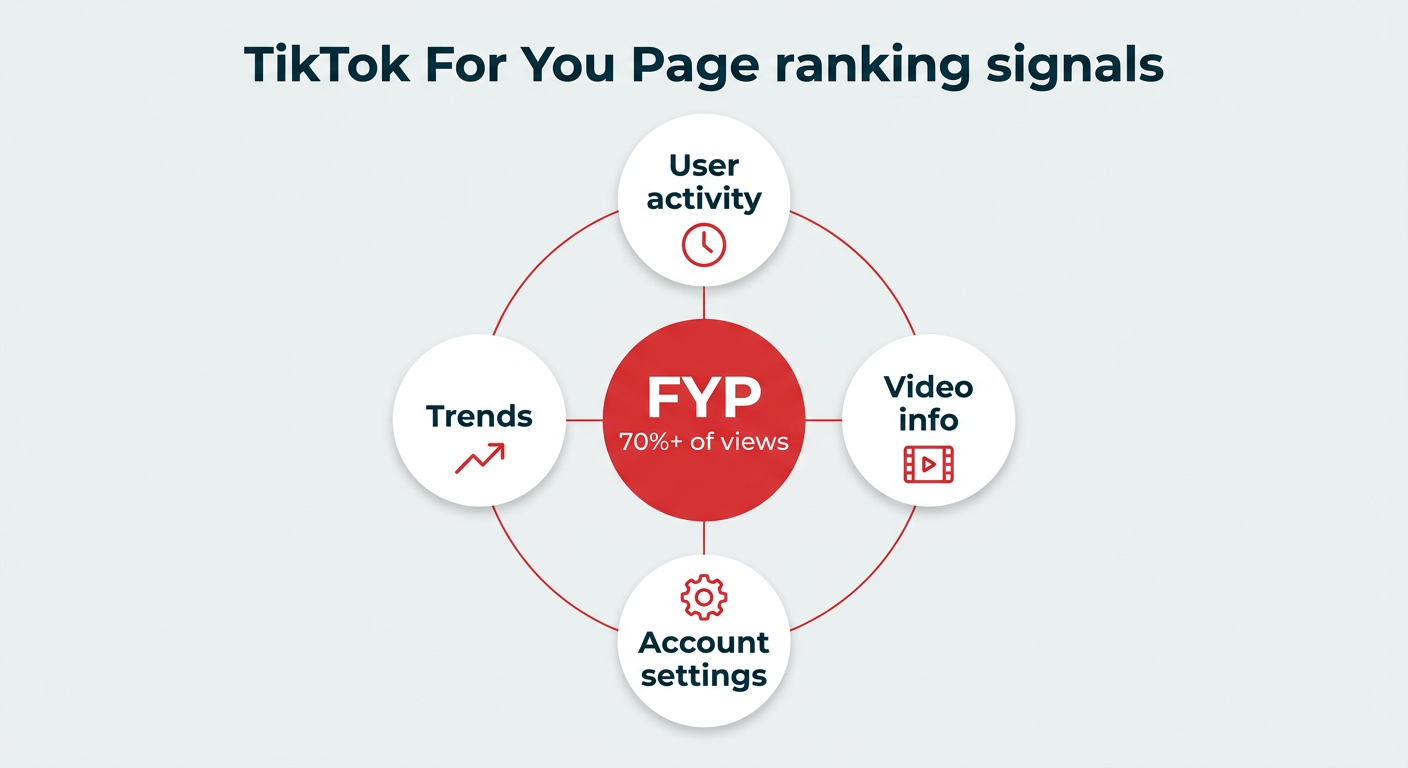
- TikTok: The leader in discovery, TikTok’s algorithm prioritizes watch time and completion rates above all else. Success here is predicated on the "hook"—the ability to capture attention within the first three seconds of a video.
- Instagram: Now heavily focused on the creator economy, Instagram prioritizes "Sends" (shares) as a primary indicator of high-value content, suggesting that content which encourages direct communication is favored over passive consumption.
- LinkedIn: The professional network has pivoted toward expertise and long-form engagement. The algorithm now favors text-based posts and PDF documents that trigger meaningful professional discourse, with a significant penalty for external links that drive traffic away from the platform.
- YouTube: As the premier video-hosting engine, YouTube remains focused on long-term retention. Its algorithm is uniquely tied to search intent and session duration, rewarding creators who keep viewers engaged for extended periods.
- X (formerly Twitter) and Threads: These platforms emphasize real-time interaction and "conversational health." Algorithms here prioritize posts that generate active replies and threaded discussions, often favoring verified accounts that participate in trending topics.
Data-Driven Implications for Enterprise Marketing
The shift in algorithmic priority toward "unconnected reach"—content shown to users who do not follow the brand—has profound implications for business growth. In previous years, success was measured by follower counts. Today, follower counts are secondary to the ability of a post to perform well within the "For You" or "Explore" environments.
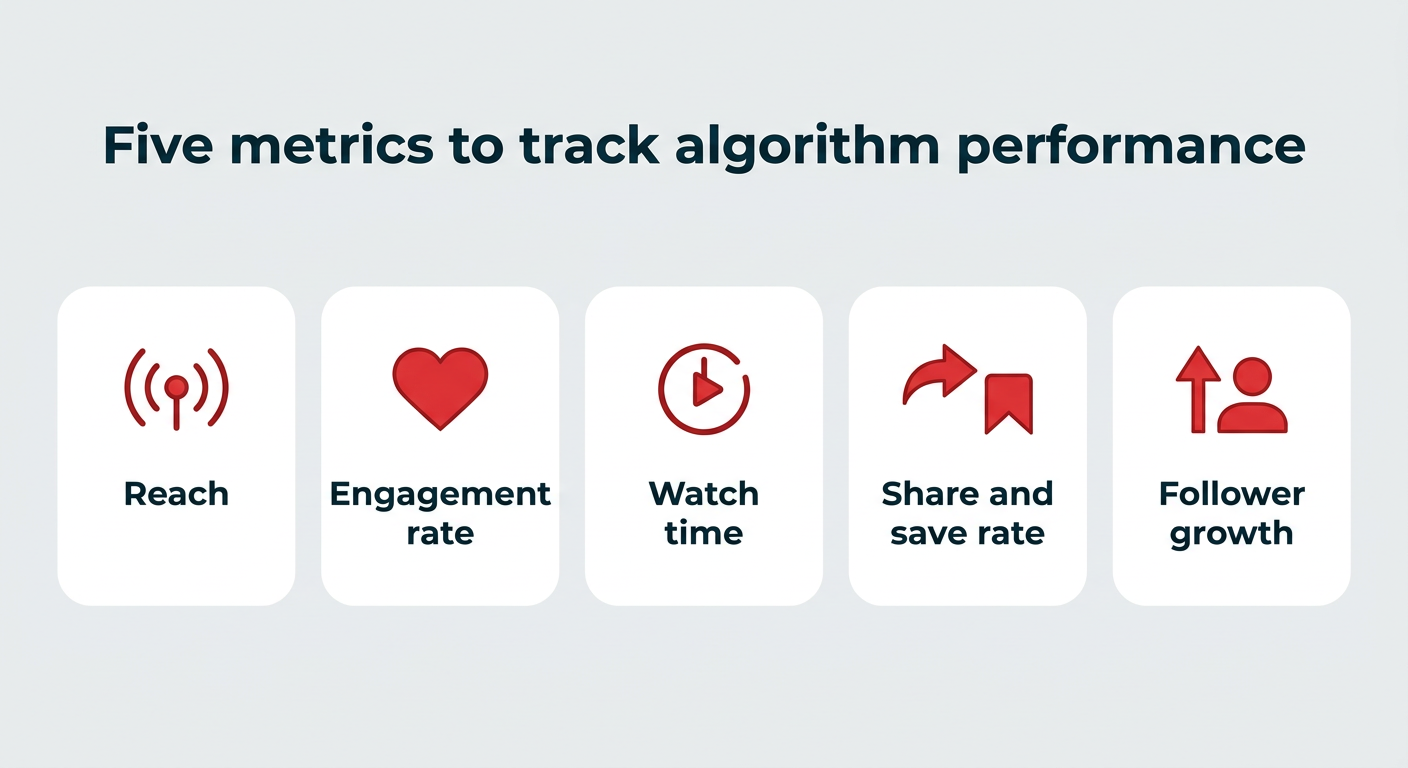
This change requires a fundamental pivot in performance metrics. Marketing teams must now track:
- Unconnected Reach: The percentage of impressions coming from non-followers, indicating algorithm favorability.
- Engagement Velocity: The speed at which a post receives interactions immediately after publishing.
- Share/Save Rate: These metrics are now considered "high-intent" signals, signaling to the algorithm that the content provides lasting value.
- Average Watch Time: A critical indicator of content quality in video-first environments.
- Conversion Pathing: Measuring how social interactions correlate with website traffic and sales, ensuring that social performance translates to tangible business outcomes.
The Role of AI in Algorithmic Governance
Artificial Intelligence is the engine driving these complex systems. Large Language Models (LLMs) and computer vision technology are now capable of "watching" and "reading" the content being uploaded to analyze its sentiment, topic, and quality. This means that brands can no longer rely on hashtag-stuffing or keyword gaming to reach their audience. Instead, the AI evaluates the actual substance of the media. If a video is deemed low-quality, blurry, or clickbait-heavy, the algorithm will restrict its distribution, regardless of the brand’s previous reach.
Navigating Future Shifts
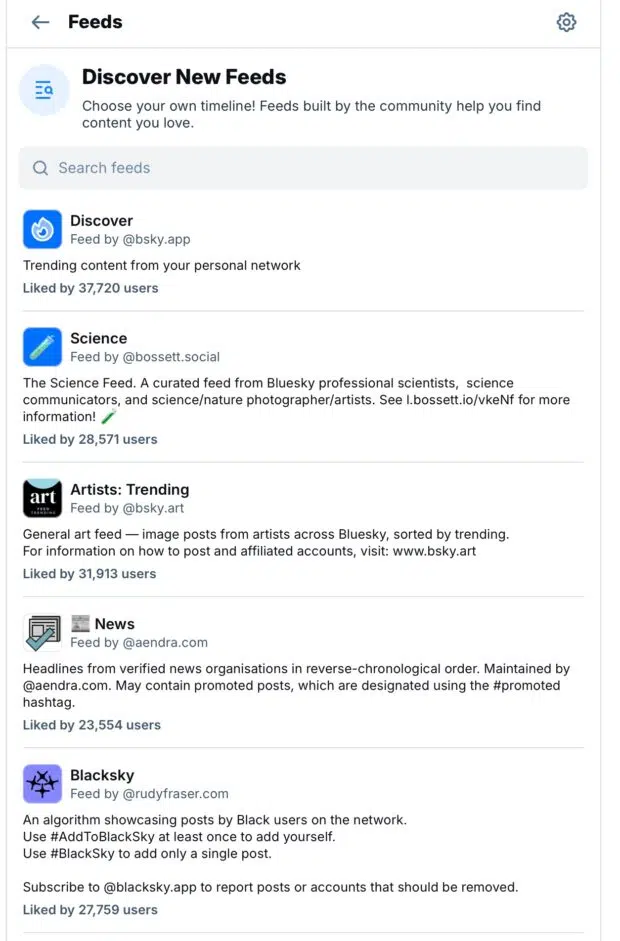
The inherent instability of these algorithms is a known constant in the industry. Platform leaders often adjust weighting factors in response to user feedback or changing competitive landscapes. For instance, the recent emergence of decentralized platforms like Bluesky has forced legacy social networks to re-evaluate their reliance on purely engagement-based feeds, leading to a modest return of user-controlled, chronological, or interest-based filtering.
To mitigate the risks associated with algorithmic volatility, organizations should adopt a "platform-agnostic" core strategy. This involves building a robust owned-media foundation—such as email lists and proprietary websites—that is not subject to the whims of third-party algorithms. Social media should be treated as a top-of-funnel discovery tool, while the conversion and retention stages of the customer journey should ideally take place on platforms owned by the brand.
Conclusion
Success in 2026 requires a transition from "broadcasting" to "serving." Algorithms are no longer hurdles to be jumped; they are recommendation engines that reward brands for delivering genuine value to the user. By aligning content strategy with the specific ranking signals of each platform—prioritizing watch time on video-heavy sites and meaningful conversation on text-based platforms—marketers can ensure that their message is not only delivered but received. In an era of infinite content, the brands that win are those that treat the algorithm as a partner in the discovery process, consistently providing the high-quality, relevant information that users are seeking.