The Best Time to Post on LinkedIn in 2026: New Data From 4.8 Million Posts Reveals a Major Shift in Professional Engagement

The landscape of professional social media engagement is undergoing a measurable transformation, according to comprehensive new data released by social media management platform Buffer. After analyzing a massive dataset of 4.8 million posts sent through its network, Buffer’s data science team has uncovered a significant shift in when professionals choose to interact with content on LinkedIn. Moving away from the rigid confines of the traditional 9-to-5 workday that dominated user behavior in previous years, peak engagement windows have shifted decidedly into the late afternoon and evening hours.
The findings challenge long-held assumptions regarding corporate digital consumption. While 2025 engagement metrics showed that user activity on LinkedIn plummeted sharply after 5:00 p.m., the latest 2026 metrics indicate that professionals are increasingly engaging with thought leadership, industry news, and network updates after they have closed their laptops for the primary workday. This behavioral pattern now closely mirrors the evening peak trends historically observed on consumer-focused platforms like Instagram and TikTok.
Background Context and Methodological Evolution
Understanding the timing of digital publishing requires examining how platform algorithms process user interactions. Social media algorithms, including LinkedIn’s proprietary distribution systems, rely heavily on early engagement signals—such as comments, reactions, and reposts—to determine whether a piece of content warrants broader visibility. When a post receives rapid interaction shortly after publication, the algorithm interprets this as a marker of high value, pushing it into the feeds of a wider secondary audience.
Buffer’s ongoing longitudinal studies, spearheaded by resident data scientist Julian Winternheimer, have tracked these behavioral fluctuations across successive years. The latest iteration of the study normalizes posting times by local time zones, removing the complexity of international time conversions and providing marketers with actionable windows based on the target audience’s physical clock.
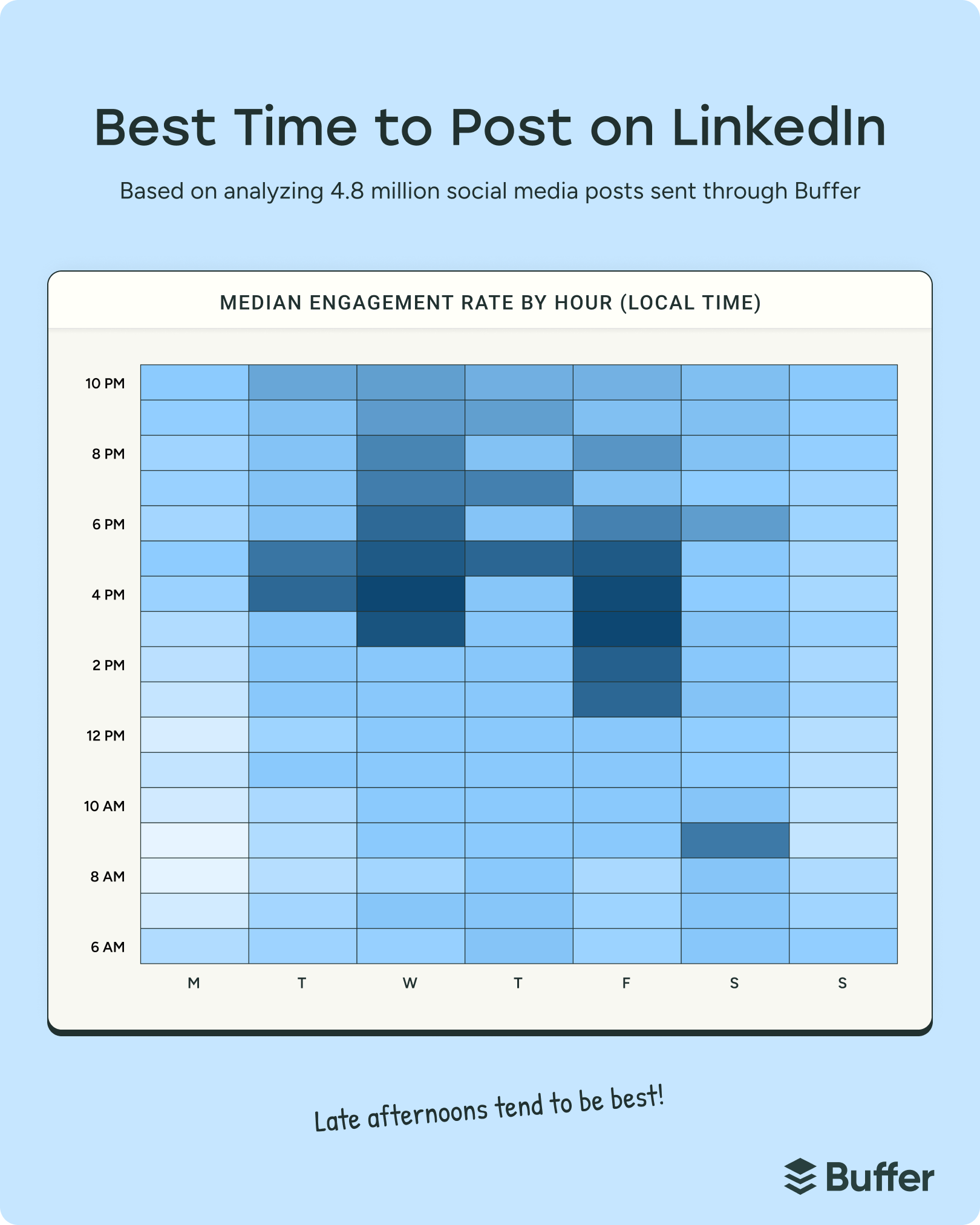
According to the analysis, the optimal window to capture professional attention spans weekdays from 3:00 p.m. to 8:00 p.m. Within this overarching timeframe, Wednesday at 4:00 p.m. stands out as the single strongest overall slot of the week. Friday afternoon also demonstrates exceptional strength, with high-performing engagement clusters recorded at 3:00 p.m. and 4:00 p.m.
Daily Breakdown of Peak Engagement Windows
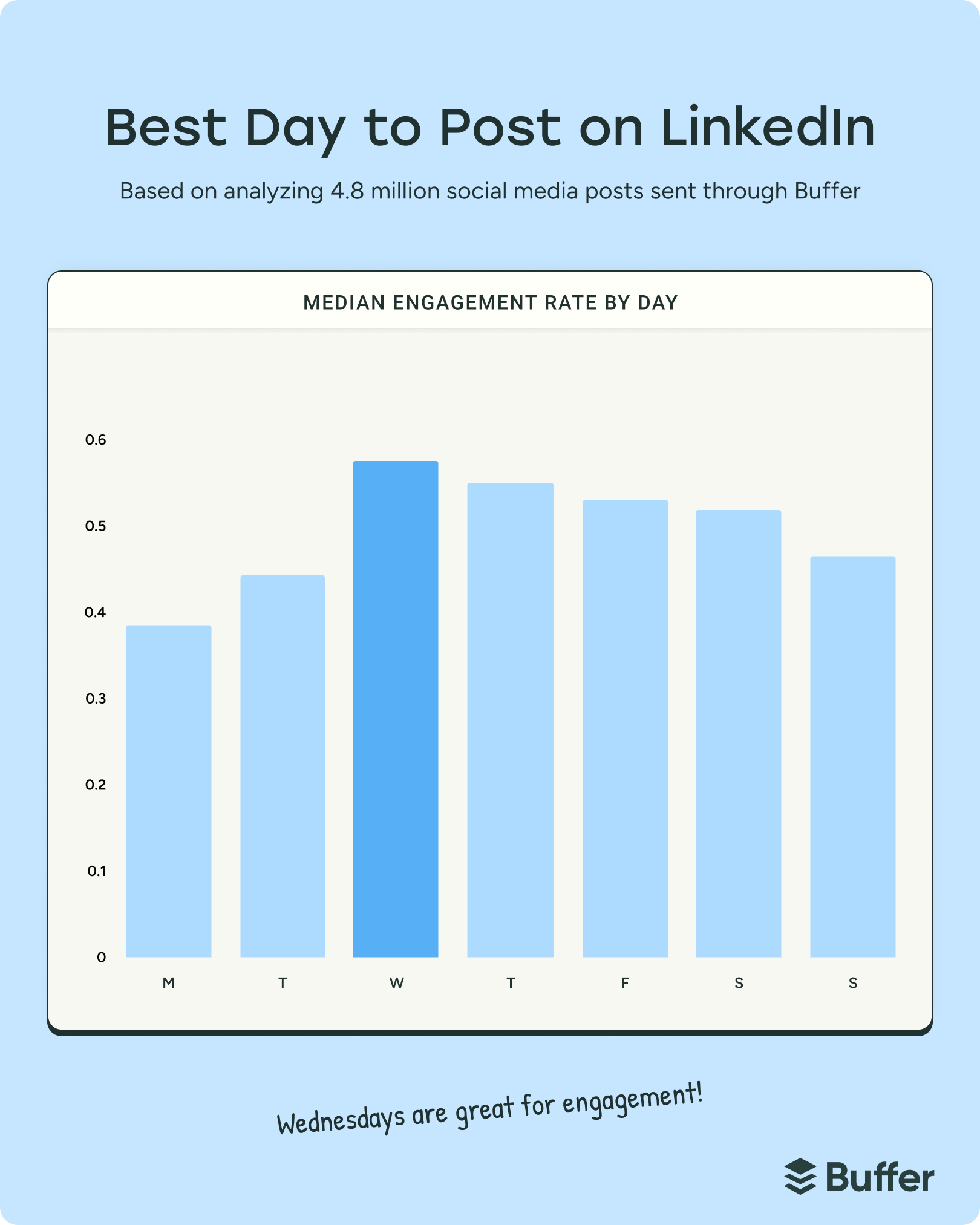
A granular examination of the weekly data reveals distinct variations in how users distribute their attention across different days. While mid-week slots command the highest overall interaction rates, specific windows emerge consistently across the board:
- Monday: Engagement generally lags behind the rest of the week as professionals process the initial influx of weekly tasks. However, late-day activity spikes significantly at 10:00 p.m., preceded by secondary peaks at 5:00 p.m. and 9:00 p.m.
- Tuesday: Similar to Monday, Tuesday shows tempered early-day engagement. The strongest interaction windows occur later in the day, specifically at 4:00 p.m., 5:00 p.m., and a late-night resurgence at 10:00 p.m.
- Wednesday: As the statistical peak of the working week, Wednesday yields the highest aggregate volume of engagement. The optimal publishing slot is firmly anchored at 4:00 p.m., supported by robust performance at 3:00 p.m. and 5:00 p.m.
- Thursday: Sustaining the momentum of the mid-week period, Thursday afternoon and evening performance peaks at 5:00 p.m., with sustained engagement continuing into the evening slots at 7:00 p.m. and 9:00 p.m.
- Friday: As the workweek concludes, professionals frequently check their feeds during the wind-down period. The standout time is 3:00 p.m., followed closely by 4:00 p.m. and 5:00 p.m.
- Saturday and Sunday: Weekend engagement remains substantially lower than weekday averages. For those required to publish on weekends, Saturday morning at 9:00 p.m. or Sunday evening at 10:00 p.m. capture isolated pockets of user activity, though weekdays remain the strongly recommended standard for high-priority announcements.
Implications for Marketers and Content Creators
The migration of peak engagement toward the end of the day carries strategic implications for corporate marketing teams and personal brand builders alike. Historically, advice centered around publishing early in the morning to catch users during their initial inbox triage. However, the 2026 data indicates that morning hours (6:00 a.m. to 11:00 p.m.) now experience comparatively lower interaction rates than their afternoon and evening counterparts.
Industry analysts suggest this shift reflects a change in how professionals consume information. Rather than passively scrolling during deep-focus work hours, users are increasingly turning to professional networks during their evening commutes or during post-work wind-down periods. This interaction is characterized not by mindless consumption, but by intentional engagement with analytical content, career-oriented solutions, and industry insights.
Despite these aggregate findings, industry experts emphasize that timing data should serve as a baseline rather than an absolute rule. Platform algorithms and audience demographics vary widely depending on niche, geography, and target persona. For instance, while Buffer’s extensive dataset points to mid-to-late week dominance, alternative industry analyses—such as those published by LinkedIn’s internal marketing team—occasionally highlight strong early-week participation depending on the specific vertical.
Strategic Recommendations for Content Strategy
To maximize return on investment for social media campaigns, experts recommend a multifaceted approach that combines optimized scheduling with rigorous performance tracking:
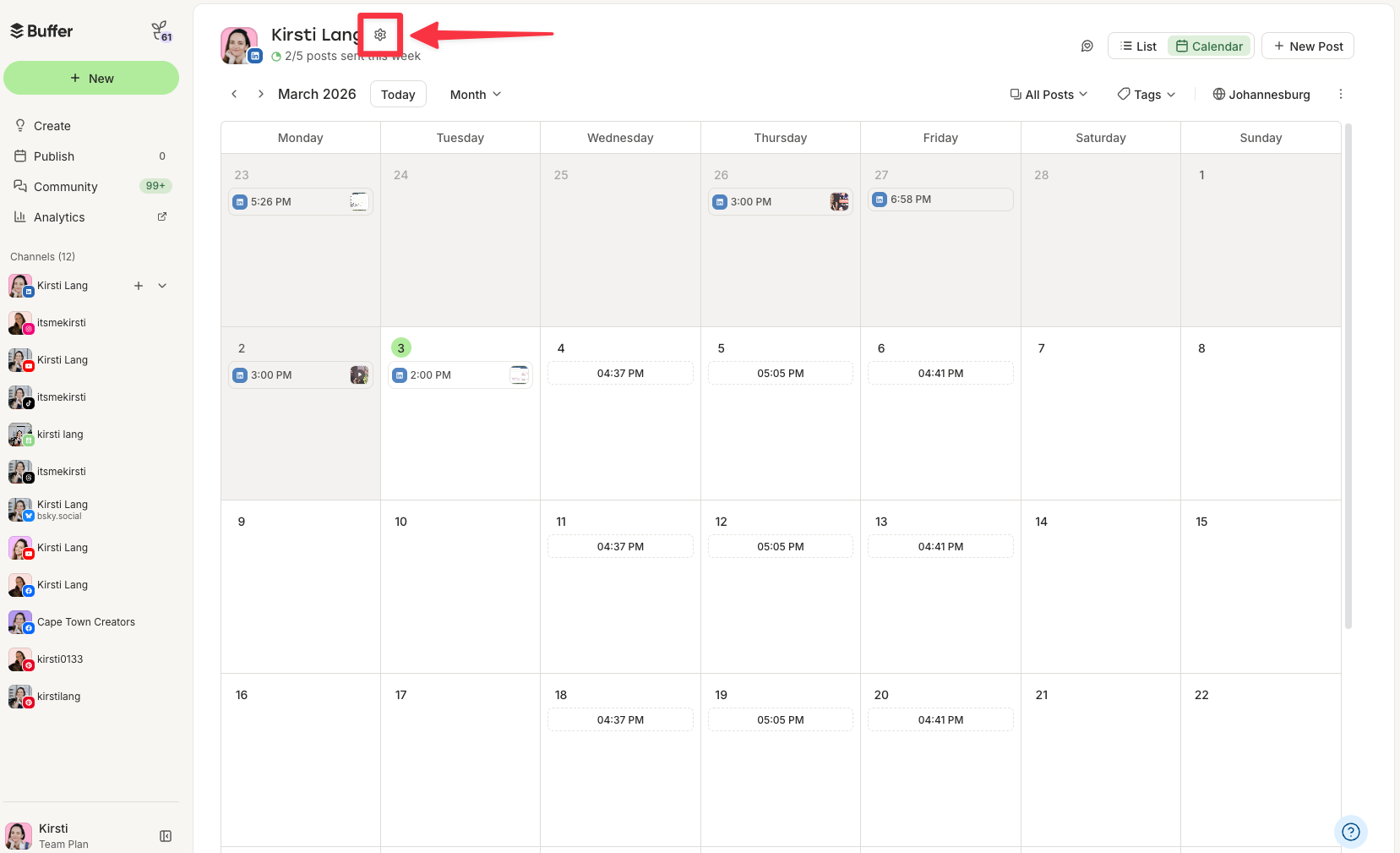
- Leverage Automation Tools: Utilizing social media management platforms allows creators to pre-populate content calendars using automated scheduling slots derived from empirical data, ensuring posts go live during peak attention windows without requiring manual intervention.
- Monitor Native Analytics: Creators should regularly review historical performance data through platform insights to identify unique audience behaviors that may deviate from global trends. Because native platforms often lack precise minute-by-minute historical timestamps for published content, integrating third-party tracking tools can streamline this auditing process.
- Prioritize Format and Quality: Timing is fundamentally a secondary amplifier. Industry data continues to demonstrate that high-value formats—such as multi-image document posts and carousels, which generate significantly higher engagement than plain-text updates—remain essential for capturing audience interest, regardless of the hour chosen for publication.
- Maintain Consistency: Establishing a sustainable cadence of two to five high-quality posts per week yields stronger algorithmic distribution over time than erratic, high-volume publishing schedules.
As digital habits continue to evolve, understanding the intersection of timing, audience psychology, and algorithmic design will remain a cornerstone of effective digital communication and professional branding.
Related posts: