Mastering Vibe Coding: A Complete Guide to Building the Classic Atari Breakout Game with AI Agents

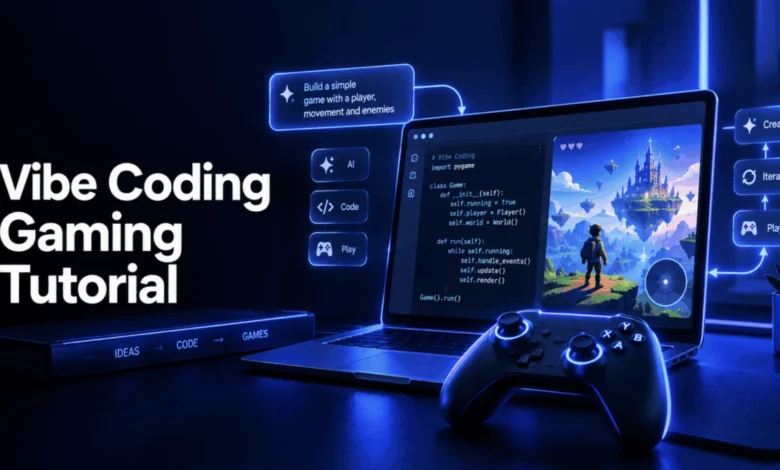
The landscape of software engineering has undergone a fundamental transformation with the mainstream adoption of generative artificial intelligence workflows. Coined by AI pioneer Andrej Karpathy in early 2025, the term "vibe coding" describes a paradigm where developers and creators articulate software requirements entirely in natural language, relying on autonomous AI agents to manage code generation, execution, and iterative debugging. The methodology gained widespread cultural and industrial validation when Collins English Dictionary named it the Word of the Year for 2025. Far from being a temporary novelty, vibe coding has matured into a standard operational framework across the technology sector. Major enterprise organizations, including enterprise hospitality leader Airbnb, have reported that AI agents now generate approximately 60 percent of their newly deployed code.
To understand the practical application of this methodology, this article examines a complete, end-to-end vibe coding project: recreating the classic arcade game Breakout. Every component—from foundational canvas rendering to collision physics and win-loss state management—was architected using an AI coding assistant, with all prompt workflows verified through automated testing before publication.
The Historical Genesis of Breakout
To construct an effective digital simulation, it is valuable to examine the origins of the original hardware architecture. Atari released Breakout on May 13, 1976, following a conceptualization by Nolan Bushnell and Steve Bristow. Designed as a single-player evolution of the foundational tennis simulator Pong, the game was physically engineered by a young Steve Wozniak, who collaborated closely with his friend Steve Jobs. Wozniak’s original hardware design was so aggressively minimized in its integrated circuit chip count that Atari’s manufacturing division reportedly struggled to replicate it on standard assembly lines, eventually shipping a revised iteration requiring significantly more electronic components. Both Wozniak and Jobs utilized the proceeds and technical insights from this project to co-found Apple later that same year, ensuring that Breakout’s core logic left a permanent imprint on the design of the original Apple II computer architecture.
The fundamental rule set of Breakout remains an ideal candidate for AI-assisted development: it is complex enough to require genuine mathematical logic, yet simple enough to comprehend entirely from source to finish. A horizontal matrix of rectangular bricks occupies the upper section of the playfield. A kinetic ball bounces dynamically across the coordinate space, controlled by a user-operated paddle situated along the bottom boundary. Deflecting the ball successfully destroys contacted bricks and accumulates score points, while failing to intercept a descending ball results in the loss of a designated life. Clearing the entire grid triggers a victory condition, whereas exhausting all available lives concludes the session.
Prerequisites and Tooling Landscape
Executing a modern vibe coding project requires minimal local infrastructure. Developers need only a modern web browser—such as Chrome, Firefox, or Safari—a basic text editor, and an AI coding assistant. This particular build utilizes zero external build tools, third-party frameworks, or complex package dependencies, relying instead on a single, self-contained HTML file executed directly within a browser environment.
For those utilizing command-line agents, Claude Code can be installed globally via Node Package Manager using the command npm install -g @anthropic-ai/claude-code, followed by initializing a claude session inside an empty project directory. Alternatively, developers may utilize integrated development environments and platforms such as Cursor, Replit, or GitHub Copilot. The natural-language prompts outlined below function consistently across all standard AI assistant platforms.
Step-by-Step Architecture and Implementation
Structuring an AI-assisted build requires incremental prompting rather than requesting an entire application in a single monolithic command. This granular approach prevents complex logic errors and simplifies the verification process.
Phase 1: Establishing the Visual Canvas and Document Skeleton
The initial development phase establishes the foundational HTML5 canvas element, which serves as the pixel-level rendering surface for the game environment.
Prompting the AI assistant:
"Create a single HTML file for a Breakout game. Set up an HTML5 canvas 480 pixels wide and 400 pixels tall, centered on the page, with a dark background. Add a heading, and placeholder text elements for score and lives above the canvas. Don’t add any game logic yet, just the skeleton."
The resulting structural markup provides the exact pixel boundaries required for subsequent graphical rendering and state tracking, ensuring the basic page layout renders correctly prior to script execution.
Phase 2: Implementing Player Paddle Mechanics
Controlling the horizontal movement of the paddle requires continuous event listening rather than discrete keystroke triggers to ensure fluid motion.
Prompting the AI assistant:
"Add a paddle: an 80×10 pixel rectangle near the bottom of the canvas. Make it move left and right with the arrow keys, and keep it from moving off either edge of the canvas."
The generated code incorporates keydown and keyup event listeners to monitor directional arrow states dynamically. Furthermore, mathematical clamping functions (Math.max and Math.min) are applied during the update cycle to restrict the paddle’s horizontal coordinates strictly within the interior dimensions of the canvas, preventing the asset from disappearing off-screen.
Phase 3: Physics Engine and Ball Trajectory
Simulating motion requires defining explicit velocity vectors for horizontal and vertical displacement across discrete animation frames.
Prompting the AI assistant:
"Add a small circle that starts near the bottom center of the canvas and moves diagonally. Make it bounce off the left, right, and top walls."
By updating the ball’s position coordinates (x and y) using velocity variables (dx and dy) on every frame, continuous motion is achieved. Wall-collision logic reverses the directional polarity by multiplying the respective velocity vector by negative one the exact moment the perimeter edge—rather than the geometric center—intersects the canvas boundary.
Phase 4: Constructing the Brick Grid Matrix
Rather than hardcoding individual coordinates for dozens of distinct target rectangles, algorithmic generation structures the target array efficiently.
Prompting the AI assistant:
"Add a grid of bricks: 4 rows of 7 bricks each, near the top of the canvas, with small gaps between them. Each brick should track whether it’s been destroyed."
A nested programmatic loop calculates precise pixel positions based on row and column indexes, factoring in object dimensions and padding intervals. Each generated brick object includes an explicit boolean state flag (destroyed: false), which underpins subsequent collision detection and victory evaluation algorithms.
Phase 5: Advanced Collision Detection and Boundary Resolution
Collision detection represents a critical juncture where hurried prompt engineering frequently introduces logical flaws, such as invisible ghost walls persisting after a target object is theoretically removed.
Prompting the AI assistant:
"Add collision detection: the ball should bounce off the paddle at an angle depending on where it hits (center bounces straight up, edges bounce at an angle), and destroy any brick it touches while bouncing away. A destroyed brick should never be hit again."
To make the paddle interactive rather than a flat reflective surface, the physics function calculates the relative impact point from the paddle’s horizontal center, normalizing the value between negative one and positive one. This calculation generates a variable deflection angle, allowing players to steer the ball intentionally. Crucially, the brick collision routine implements a strict guard clause (if (brick.destroyed) return false), ensuring that eliminated targets are immediately ignored by the physics engine.
Phase 6: Scoring Systems and Life Management
Integrating real-time event updates links physical interactions directly to user interface elements and game progression rules.
Prompting the AI assistant:
"Wire the collision logic into the main update loop: increase the score by 10 for each brick destroyed, and lose a life when the ball falls past the paddle. Reset the ball’s position after losing a life, unless lives reach zero."
An explicit break statement is implemented immediately following a successful brick collision, ensuring that if a high-velocity ball overlaps multiple adjacent bricks within a single animation frame, only one collision is processed at a time. This prevents conflicting directional reversals that would destabilize the physics simulation.
Phase 7: Managing Win and Loss Terminal States
Concluding the software lifecycle requires definitive state checks to transition the application from active gameplay to a static conclusion screen.
Prompting the AI assistant:
"Add a win condition when every brick is destroyed, and stop the game loop entirely once the game is won or lost, displaying a message either way."
Using JavaScript’s Array.every() method, the application continuously evaluates whether every individual brick object possesses a true destroyed property. Upon confirmation, the main animation loop halts updates while continuing to render the final frame, freezing the interface cleanly without crashing the browser session. The complete, verified source code is publicly accessible via the designated GitHub repository.
Deployment and Distribution Strategies
Once verified, static web applications can be deployed globally with minimal overhead. GitHub Pages provides a streamlined pathway for hosting static HTML files directly from a public repository without managing dedicated server infrastructure. Similarly, Netlify offers robust drag-and-drop deployment capabilities for rapid web distribution. For interactive applications categorized specifically as digital entertainment, specialized platforms like itch.io cater directly to indie developers seeking an engaged audience tailored to gaming content.
Broader Implications of Vibe Coding
The emergence of vibe coding does not eliminate the cognitive labor of software engineering; rather, it relocates that labor from manual syntax entry to architectural oversight and rigorous verification. While developers no longer need to write every mathematical formula character by character, they must maintain the technical competence to recognize edge cases—such as guard clauses for destroyed assets, boundary clamping for interactive elements, and rigorous validation of terminal game states.
Ultimately, the viability of AI-generated software depends entirely on human critical thinking. Vibe coding empowers creators to build functional applications with unprecedented speed, but maintaining long-term reliability requires the foundational discipline to inspect, question, and verify every line of code delivered by autonomous agents.