Hidden Gigabytes: How Google Chrome’s On-Device Gemini Nano AI Consumes Local Storage and How to Reclaim It

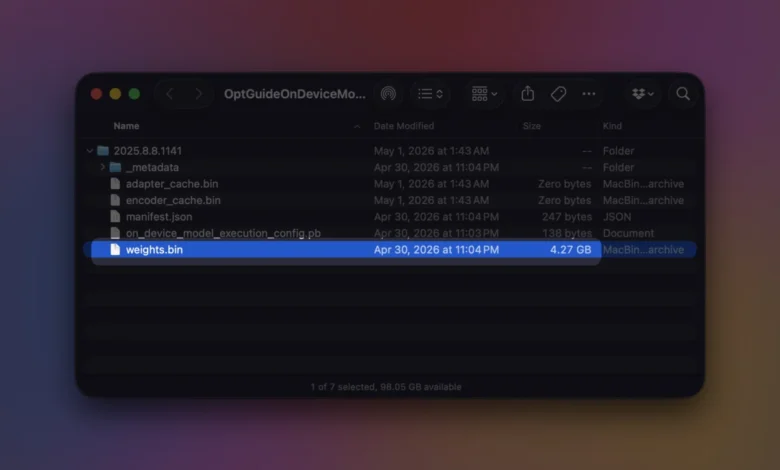
Google Chrome has long faced scrutiny from users and system administrators alike for its heavy consumption of hardware resources, frequently topping performance metrics for high random-access memory (RAM) usage, intensive CPU cycles, and aggressive battery drain. However, as artificial intelligence becomes deeply integrated into modern web browsers, a new resource consumption vector has emerged: local storage. Beyond temporary cache files, browsing history, and extension data, Chrome can quietly download and store several gigabytes of complex machine-learning model files directly onto a user’s local hard drive to power its native, on-device artificial intelligence features.
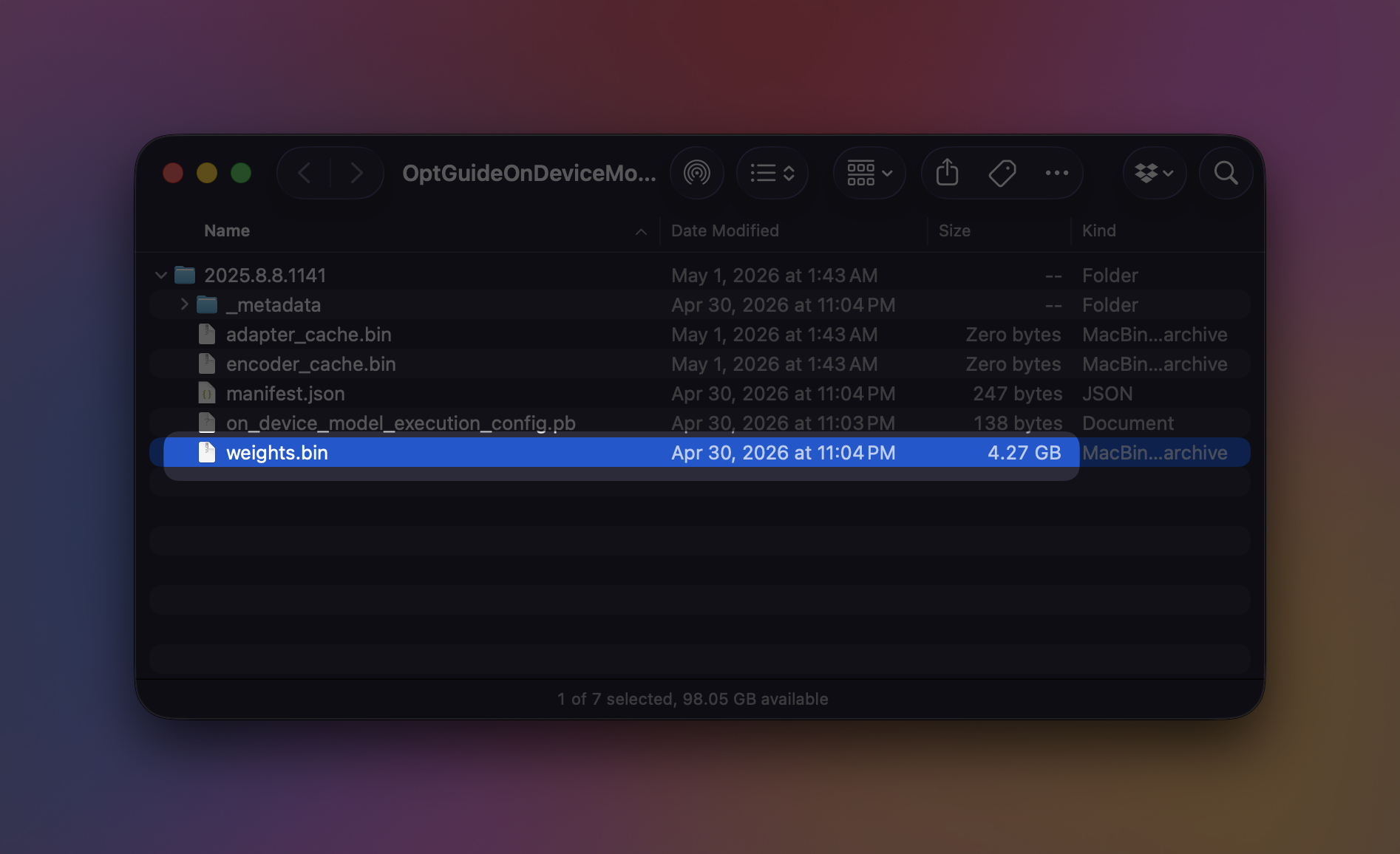
At the center of this silent storage footprint is a single file designated as weights.bin. Buried deep within Chrome’s local browser data architecture inside a specialized directory named OptGuideOnDeviceModel, this file houses the core parameters for Gemini Nano, Google’s lightweight, on-device generative artificial intelligence model designed to execute complex tasks locally rather than routing every user prompt through cloud-based servers. While this decentralized approach offers distinct privacy advantages by keeping certain data processing on the user’s personal machine, it introduces a significant storage overhead that can catch users off guard, particularly those operating devices with limited solid-state drive (SSD) capacities.
The Mechanics of Local AI Deployment
The transition from purely cloud-dependent artificial intelligence to hybrid and local processing models represents a fundamental shift in browser architecture. Historically, web-based AI tools relied on remote data centers to evaluate prompts, generate text, and synthesize information. While this kept local installation footprints minimal, it raised data privacy concerns and introduced latency dependent on network connectivity. By deploying Gemini Nano directly to the client machine, Google enables Chrome to execute instantaneous text generation, context-aware writing assistance, smart tab organization, automated webpage summaries, intelligent autofill, and advanced security interventions such as real-time scam warnings directly within the browser environment.
To ensure these features remain instantly accessible without perceptible loading delays, Chrome autonomously downloads the necessary generative AI models in the background. According to official developer documentation provided by Google, the exact file size and structural configuration of Gemini Nano are subject to dynamic changes as the browser receives routine updates, security patches, and algorithmic refinements. Consequently, a storage footprint that occupies a modest allocation upon initial installation can expand significantly over time as the underlying architecture evolves.
For users attempting to audit their local storage utilization, identifying the precise location of these AI assets requires navigating through specific directory paths determined by the host operating system. On Windows systems, the primary model weights file is typically located at:
C:UsersAppDataLocalGoogleChromeUser DataOptGuideOnDeviceModelweights.bin
For users operating within the macOS ecosystem, the corresponding directory structure is located at:
~/Library/Application Support/Google/Chrome/OptGuideOnDeviceModel//weights.bin
It is important to note that the segment of the file path represented by is dynamic; this directory designation frequently changes as Chrome updates the underlying machine learning model in the background, rendering manual file-deletion methods ineffective if the feature remains actively enabled within the browser settings.
Chronology and Evolution of Chrome’s AI Integration
The integration of on-device machine learning into consumer web browsers did not happen overnight; it represents the culmination of years of iterative hardware advancement and browser optimization. The timeline of this technological shift highlights how browser developers moved from rudimentary autocomplete algorithms to full-scale generative models operating locally:
- 2018–2020 (The Era of Predictive Heuristics): Early machine learning implementations in Chrome were largely superficial, relying on lightweight heuristics for autofill predictions, password safety checks, and basic spell-checking. These models operated on minimal computational overhead and required negligible local storage.
- 2021–2022 (The Rise of Client-Side Processing): As consumer hardware advanced—specifically with the widespread adoption of Neural Processing Units (NPUs) in modern central processing units and system-on-chip architectures—browser developers began exploring client-side execution to reduce server costs and improve response times for text translation and image processing tasks.
- Late 2023 (Introduction of Gemini Architecture): Google formally announced the Gemini model family, establishing a scalable framework capable of operating across diverse environments, from massive cloud data centers down to resource-constrained mobile devices and personal laptops.
- 2024 (Gemini Nano Integration in Chrome): Google began rolling out native integration for Gemini Nano within Chrome. Developers gained access to specialized APIs via Chrome DevTools, allowing web applications and internal browser features to leverage local AI assistance. Concurrently, background downloading of the weights.bin file commenced for eligible user profiles, marking the formal introduction of multi-gigabyte AI footprints in mainstream web browsing.
- 2025–Present (Ecosystem Expansion and Storage Management): As automated tab organization, real-time scam warnings, and advanced writing assistance became standard features, the storage implications of maintaining local models prompted increased scrutiny from users managing constrained disk space. Google responded by refining background cleanup protocols and introducing dedicated internal diagnostic tools.
System Diagnostics and Storage Verification
Because background downloads occur autonomously without prominent user notifications, many individuals discover the storage deficit only after experiencing sudden reductions in available disk space. To assist users and developers in monitoring the operational state of these local models, Google integrated a dedicated internal diagnostic dashboard directly into the browser.
By navigating to the internal URL:
chrome://on-device-internals
Users can access real-time telemetry regarding the status of local machine learning models. This diagnostic interface provides detailed metrics indicating whether Gemini Nano is currently installed, the exact version number of the active model weights, memory consumption statistics, and the precise storage volume occupied within the local user profile directory. For software developers and technical enthusiasts, this dashboard serves as a vital monitoring hub when evaluating how local web applications interact with Chrome’s native AI APIs.
Furthermore, Google has established strict hardware and resource prerequisites for devices slated to support on-device generative AI. According to official system requirements, utilization of Gemini Nano APIs necessitates compatible operating system environments, including Windows 10 or Windows 11, macOS 13 (Ventura) or later, supported Linux distributions, or specialized Chromebook Plus hardware. Additionally, Chrome enforces a strict local storage threshold: the volume hosting the active Chrome user profile must maintain a minimum of 22 gigabytes of free space to accommodate the initial download and operational overhead of the model files.
In instances where a system’s available disk space drops beneath this mandatory threshold following a model deployment, automated safeguards permit Chrome to purge the local AI files to prevent system instability. Once storage conditions improve and hardware requirements are once again met, the browser may autonomously initiate a re-download of the model assets in the background.
Official Responses, Privacy Implications, and Security Architecture
The architectural decision to process generative artificial intelligence tasks locally rather than relying exclusively on cloud infrastructure stems from a complex intersection of user privacy demands, operational cost management, and latency reduction. In official technical documentation and support publications, Google emphasizes that on-device processing mitigates several privacy risks inherent to cloud-based artificial intelligence models. When data remains on the local machine, personal prompts, drafting assistance inputs, and browsing context are not continually transmitted to remote servers, reducing the potential exposure surface for sensitive user data.
However, security researchers and privacy advocates have raised nuanced questions regarding the transparency of background data downloads. While the privacy benefits of local execution are clear, the automated procurement of multi-gigabyte binary files without explicit, prompt-driven user consent during initial setup has drawn criticism from administrators managing enterprise environments or bandwidth-capped networks.
To address corporate governance and institutional control, Google has built robust administrative overrides into Chrome’s enterprise policy framework. In managed browser environments—such as those overseen by corporate IT departments, educational institutions, or organizational administrators—on-device generative AI features can be centrally disabled via group policies or configuration profiles. This ensures that institutional devices constrained by strict software deployment protocols or limited local storage allocations do not inadvertently download unauthorized machine-learning payloads.
How to Reclaim Storage by Removing Local AI Models
For individual users who determine that the storage footprint of Gemini Nano outweighs its utility, Google provides a straightforward administrative toggle within the standard browser settings to completely purge the local models. Crucially, attempting to reclaim space by manually deleting the weights.bin file from the local file system is ineffective; if the associated AI features remain enabled within the browser’s configuration, Chrome will automatically recognize the missing file and reinitiate the multi-gigabyte download upon subsequent launch.
To permanently remove the on-device generative AI models and reclaim local storage space:
- Open Google Chrome and click the three-dot menu icon located in the upper-right corner of the browser window.
- Select Settings from the drop-down menu.
- Navigate to the section governing advanced features, artificial intelligence, or performance settings (depending on the specific Chrome release channel).
- Locate the toggle associated with On-device AI or generative AI integrations.
- Switch the toggle to the Off position.
Upon disabling this setting, Chrome initiates an automated cleanup protocol that safely removes the OptGuideOnDeviceModel directory and its associated model weight files from the local storage drive. Google notes that while features relying directly on the local generative model—such as advanced writing assistants, offline page summarization tools, and local context suggestions—will immediately cease functioning, the core browsing operations of Chrome will continue to run normally without disruption.
Broader Implications and Future Outlook
The integration of multi-gigabyte machine learning models directly into consumer web browsers marks a profound evolution in how software applications interact with local hardware. As web browsers transition from simple document-rendering engines into comprehensive operating environments capable of executing sophisticated artificial intelligence workloads locally, the boundary between traditional application software and browser-native infrastructure continues to dissolve.
This paradigm shift presents both opportunities and challenges for the broader technology ecosystem. On one hand, local AI processing empowers users with rapid, private, and offline-capable productivity tools that enhance everyday web navigation. On the other hand, it places an increasing burden on hardware resources, transforming the web browser into one of the most resource-intensive applications installed on modern personal computers.
For users operating high-end desktop workstations equipped with terabytes of rapid NVMe storage, the allocation of a few gigabytes for browser-based artificial intelligence is largely negligible. However, for the millions of consumers utilizing entry-level laptops, ultrabooks, or legacy hardware constrained by modest 256GB solid-state drives, every gigabyte of local storage remains a precious commodity. As browser-based artificial intelligence matures, balancing advanced functional capabilities with efficient resource stewardship will remain a central challenge for software developers and hardware manufacturers alike.