Dinky Redefines Local Mac File Compression With Zero Cloud Dependency and Advanced Media Optimization

The ecosystem of file compression software for macOS has long suffered from a distinct dichotomy. On one side of the spectrum are specialized image-only utilities that offer streamlined interfaces but fail to handle bloated video exports, multi-page document archives, or complex audio formats. On the opposing side are heavyweight, resource-intensive conversion suites that introduce unnecessary complexity, steep learning curves, and jarring subscription paywalls for tasks as simple as shrinking a single graphic. Bridging this functional gap, a free macOS utility named Dinky has emerged as a comprehensive local compression engine designed to process images, videos, audio files, and Portable Document Formats (PDFs) entirely on-device, circumventing the need for cloud-based servers and ensuring absolute user data privacy.
Developed to address the friction points inherent in daily digital workflows, Dinky operates on a straightforward drag-and-drop paradigm. Users can interface with the application by dragging files directly onto its primary window, interacting with its Dock icon, or utilizing a designated system-wide clipboard shortcut. Beyond basic manual interactions, the software allows users to input direct file URLs of up to 500 megabytes, which the application automatically downloads and compresses locally. By refusing to upload proprietary documents, personal photographs, or sensitive corporate records to external servers, Dinky aligns with modern cybersecurity best practices, appealing heavily to professionals handling confidential data within legal, medical, and creative sectors.
Evolution of the Utility and Core Architecture
Originally conceived as a lightweight utility dedicated exclusively to shrinking raster graphics, Dinky has undergone substantial architectural expansion. The modern iteration of the software treats distinct file formats with specialized compression logic, rejecting the flawed industry standard of applying a universal, one-size-fits-all algorithm.
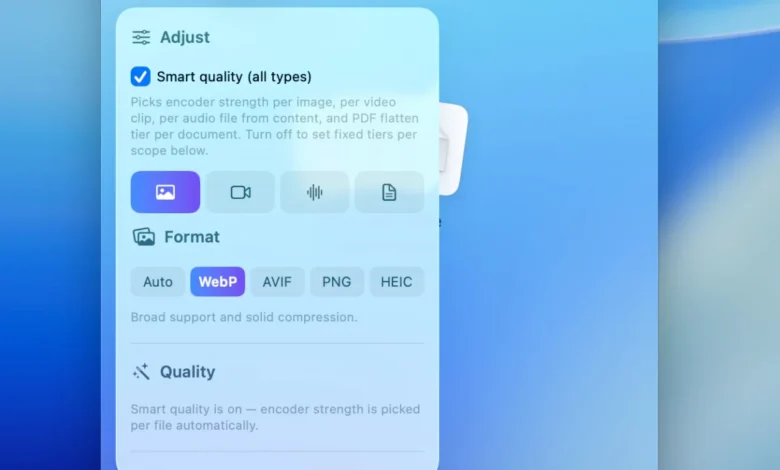
For static imagery, the application supports modern, highly efficient next-generation formats including WebP, AVIF, and HEIC, alongside traditional lossless PNG encoding. A standout feature within its image-processing pipeline is the proprietary "Smart Quality" algorithm. This system automatically analyzes the visual content of a given file, determining whether the graphic exhibits characteristics closer to a continuous-tone photograph or a flat-color vector illustration, and dynamically adjusts the compression parameters accordingly. For users requiring strict boundary parameters, the software permits manual maximum-width constraints and exact target file-size specifications.
In the realm of digital video, Dinky functions as a versatile transcoder, exporting files into the universally supported MP4 container utilizing either H.264 or HEIZ (HEVC) codecs paired with customizable quality presets. Furthermore, the application introduces an optional frame-rate (FPS) capping mechanism. This particular tool proves invaluable for content creators, software engineers, and educators who routinely record screen demonstrations or interface walkthroughs that do not necessitate the high frame-rate output typical of cinematic video production, thereby drastically reducing final file dimensions without sacrificing visual clarity.
Audio management within the application has similarly matured. The platform now facilitates seamless transcoding and compression across a robust array of industry-standard codecs, including AAC, MP3, FLAC, WAV, ALAC, and AIFF. This broad compatibility ensures that audio engineers and podcasters can quickly compress master files for web delivery or archival storage without opening dedicated, resource-heavy Digital Audio Workstations (DAWs).
Document optimization for PDFs is handled through two distinct operational pathways designed to accommodate varying user needs. For scanned documents or image-heavy architectural blueprints, users can deploy a flattening process that merges layers and significantly reduces overall file weight. Conversely, for text-heavy academic papers or corporate contracts, a lighter-touch rewriting algorithm preserves selectable text layers, internal hyperlinks, and vector graphics. Additionally, Dinky integrates an optional, on-device Optical Character Recognition (OCR) engine. This ensures that non-searchable, image-based PDF scans can be rendered fully searchable prior to the compression cycle, maintaining document utility while drastically improving storage efficiency.
Operational Efficiency, Automation, and Batch Processing
For knowledge workers, designers, and system administrators who process dozens of files daily, manual drag-and-drop routines can quickly become tedious. Recognizing this operational bottleneck, the developers of Dinky integrated advanced automation features designed to minimize repetitive tasks.
At the core of this automation suite is a robust preset configuration system. Users can bundle specific compression parameters—including target formats, quality thresholds, file-size limits, destination directories, watch-folder instructions, and automated filename behaviors—into cohesive, reusable profiles. For instance, a digital marketer can establish a permanent preset optimized for rapid web-blog uploads, a separate profile configured for strict client PDF delivery, and a third tailored for lightweight video exporting. Once configured, these presets eliminate the need to manually adjust sliders and drop-down menus for recurring tasks.
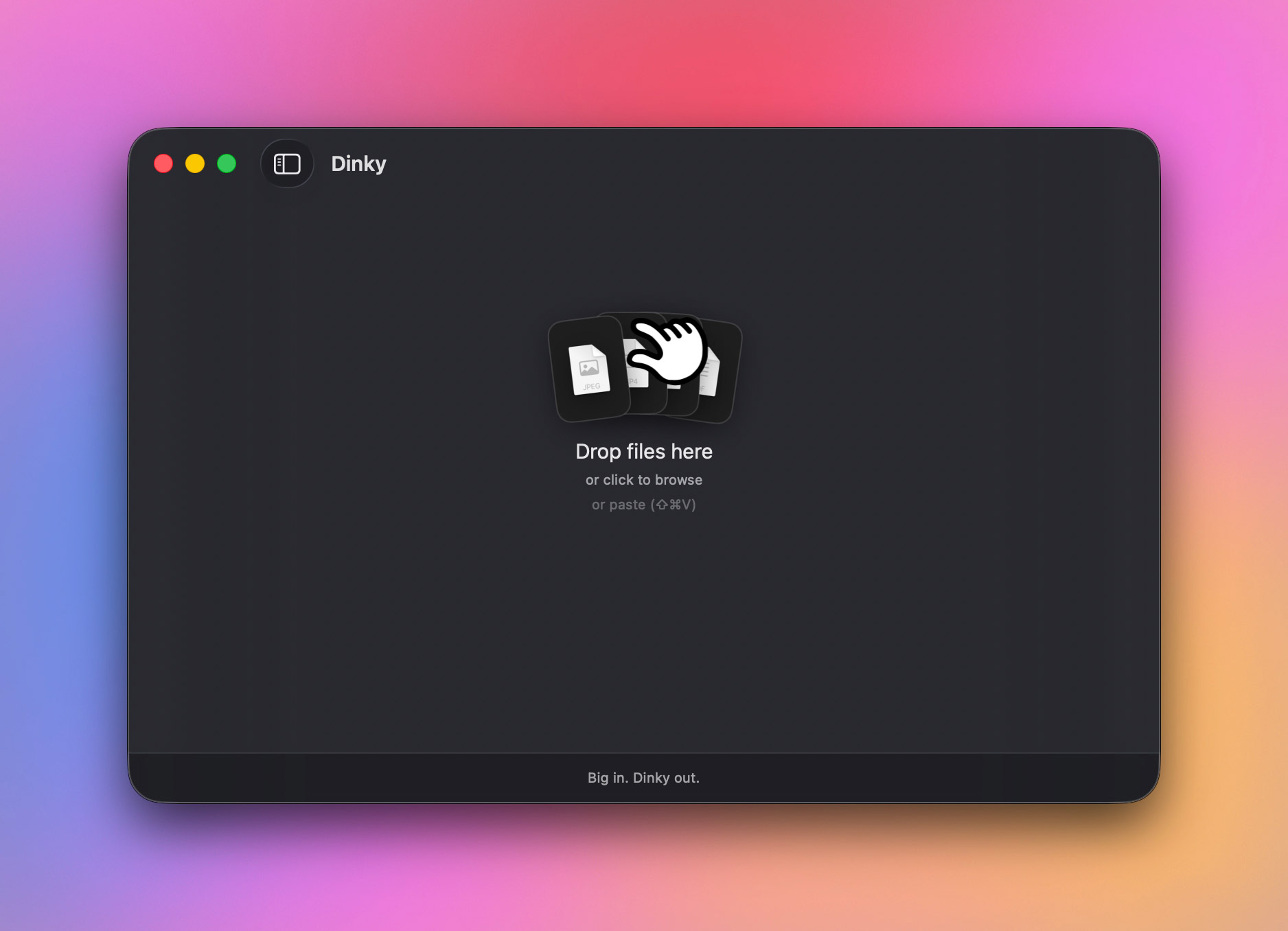
Building upon these profiles, the application’s watch-folder capability transforms the software into a background utility. By designating a specific directory on the macOS file system to be monitored by Dinky, users can simply drop raw assets into the folder, and the application will automatically execute the corresponding preset without requiring the main graphical user interface to be active.
To maximize hardware utilization, Dinky incorporates scalable batch-processing controls. Users can manually configure concurrency limits to dictate how many individual files the application processes simultaneously. By balancing CPU and GPU loads, this feature ensures that resource-intensive video or audio batch jobs do not freeze the host MacBook or desktop Mac, maintaining overall system responsiveness during heavy computational workloads.
Data Security and Original File Management
A perennial anxiety among digital asset managers and casual computer users alike is the accidental overwrite or permanent deletion of source material during batch-processing procedures. Compression utilities have historically garnered user friction when proprietary software silently discards high-resolution originals in favor of compressed derivatives.
Dinky addresses this concern by providing granular administrative control over original files post-compression. The application empowers users to dictate precisely how source materials are handled upon successful processing. Operators can elect to retain originals in their exact initial directories, automatically route them to the macOS Trash, or transfer them to a designated backup and archive folder. This deliberate safeguard ensures that creative professionals retain absolute oversight over their asset libraries, mitigating the risk of catastrophic data loss.
Integration Into Modern macOS Workflows
User experience design within the macOS ecosystem relies heavily on system-level integrations and keyboard shortcuts. Dinky leverages these native paradigms to reduce friction points. Beyond the standard window interface and Dock-icon drop targets, the application features a system-wide clipboard shortcut for static imagery. By copying any image to the system clipboard and executing the key combination Command + Shift + V, users can initiate immediate compression even when Dinky is running entirely in the background or minimized behind other active applications.
Furthermore, the software’s ability to ingest direct web URLs up to 500 MB streamlines the workflow of web developers and content curators who frequently need to compress media hosted remotely before integrating it into local project directories or content management systems.
Industry Implications and Market Position
The release and ongoing refinement of tools like Dinky reflect a broader shift in consumer software preferences away from subscription-locked cloud services and toward performant, privacy-first native applications. As file sizes for standard media continue to balloon—driven by the widespread adoption of 4K video recording, high-megapixel smartphone photography, and uncompressed audio formats—the demand for efficient local optimization tools remains persistently high.
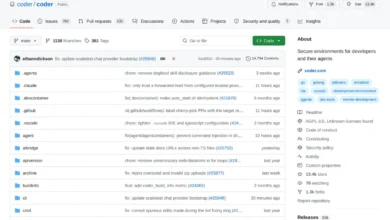
By offering an open-source codebase hosted on GitHub alongside free distribution via its official web portal, Dinky positions itself as a transparent, community-vetted alternative to commercial compression software. Its refusal to route user data through external servers addresses mounting corporate and individual concerns regarding data privacy, cloud surveillance, and unauthorized AI training scraping.
For professionals who routinely manage screenshots, optimize web assets, compress client deliverables, or archive extensive media libraries on macOS, Dinky provides a compelling, highly efficient solution. By combining granular format control, automated watch folders, zero-cloud privacy architecture, and thoughtful UX integrations, the application successfully redefines what users should expect from a free utility in the modern desktop software landscape.