Descript’s Strategic Ascent: How a Niche Player is Dominating AI Search

Descript, a video editing software company with fewer than 200 employees, has emerged as an unexpected powerhouse in the competitive landscape of AI-driven search. While not the largest or most feature-rich player, Descript is demonstrating remarkable efficacy in capturing attention within Large Language Model (LLM) search, a domain where it contends directly with giants like Adobe and CapCut. This analysis delves into Descript’s successful strategies for achieving prominent visibility in AI search results, offering actionable insights for other businesses aiming to enhance their own digital presence.
The AI Visibility Advantage: A New Frontier
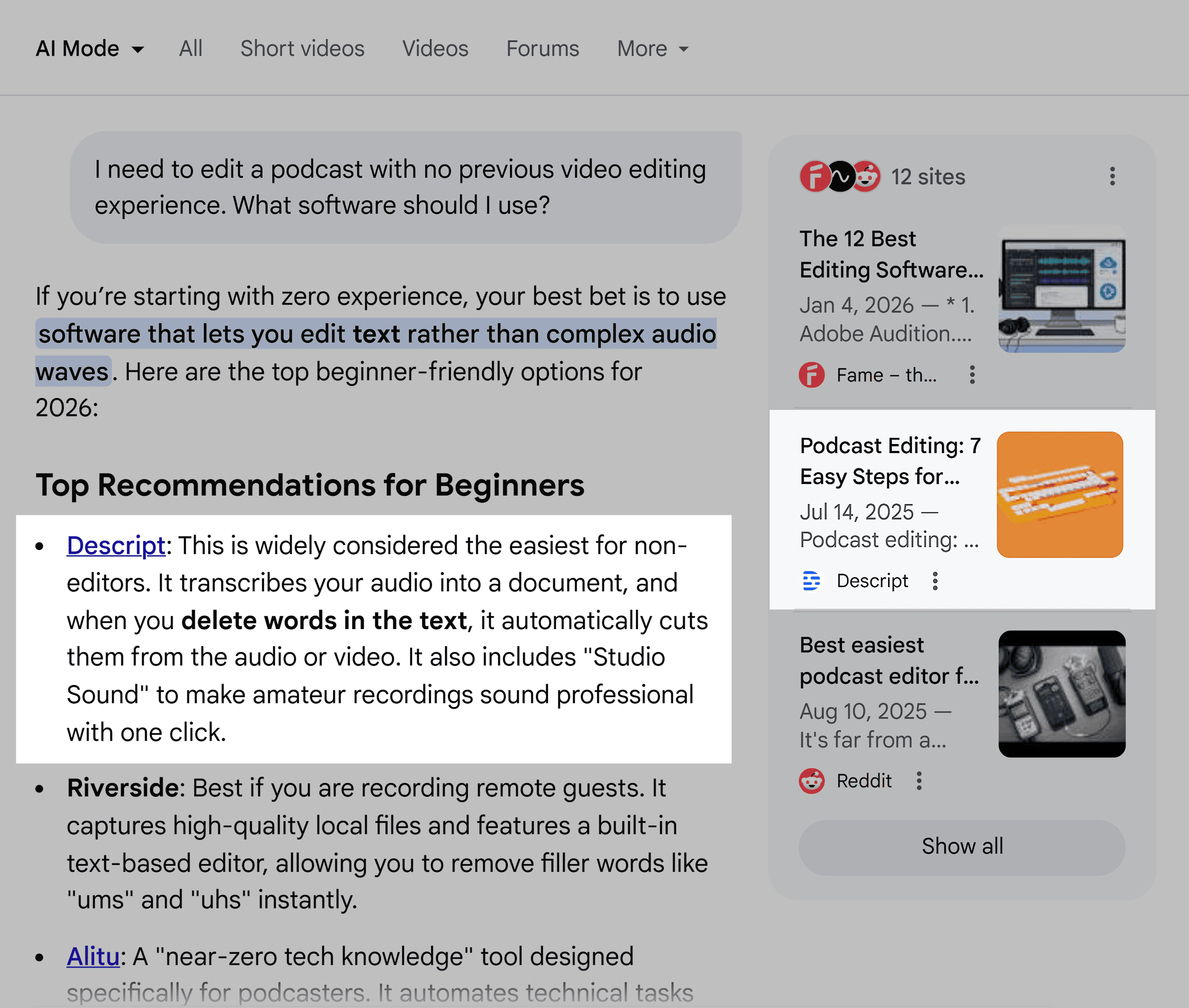
In the evolving digital marketing ecosystem, AI-powered search is rapidly reshaping how users discover information and products. Unlike traditional Search Engine Optimization (SEO), which primarily focuses on ranking web pages, AI search engines, such as Google’s AI Mode and ChatGPT, synthesize information from a vast array of sources to provide direct answers. This shift necessitates a new approach to content strategy and online visibility.
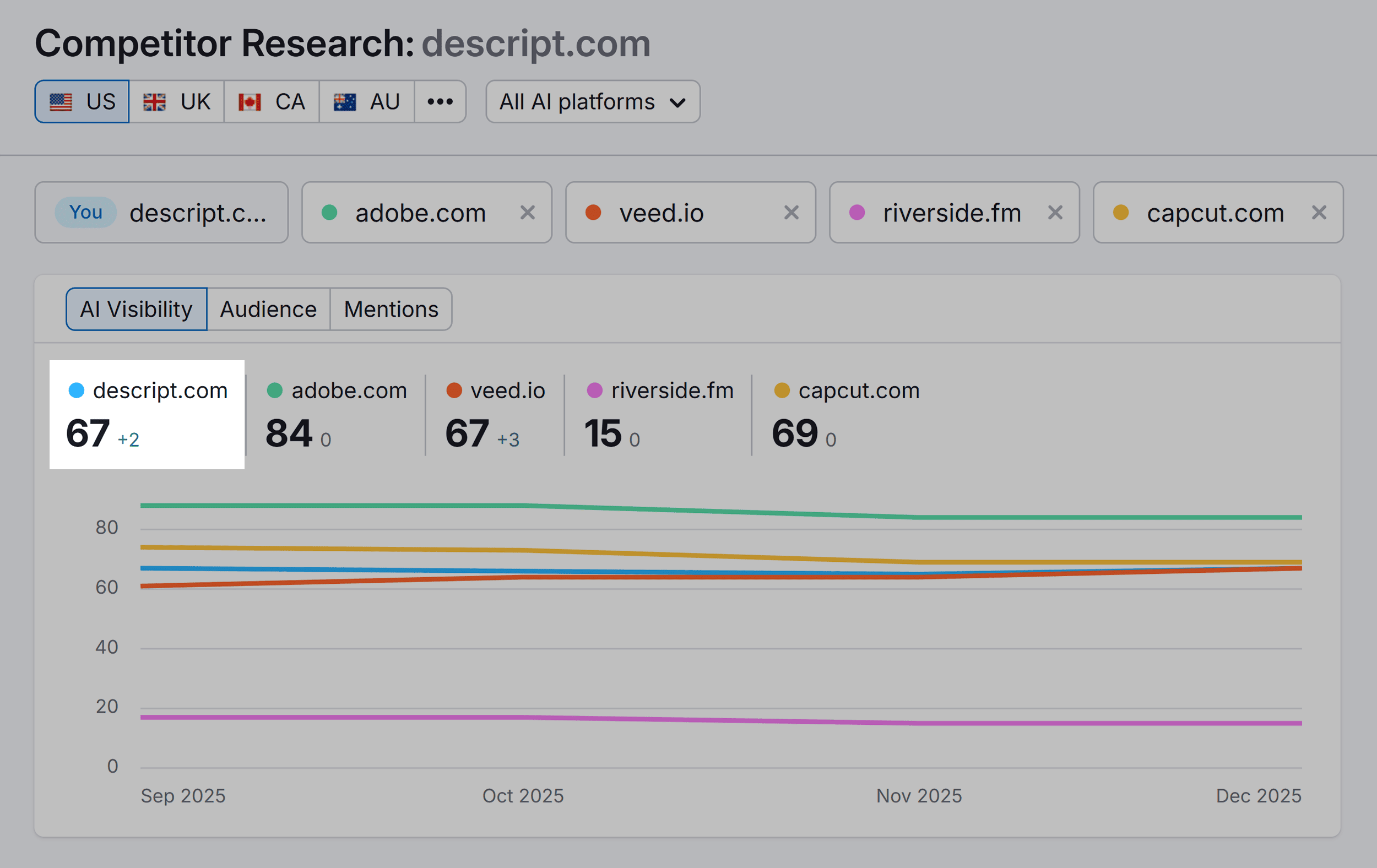
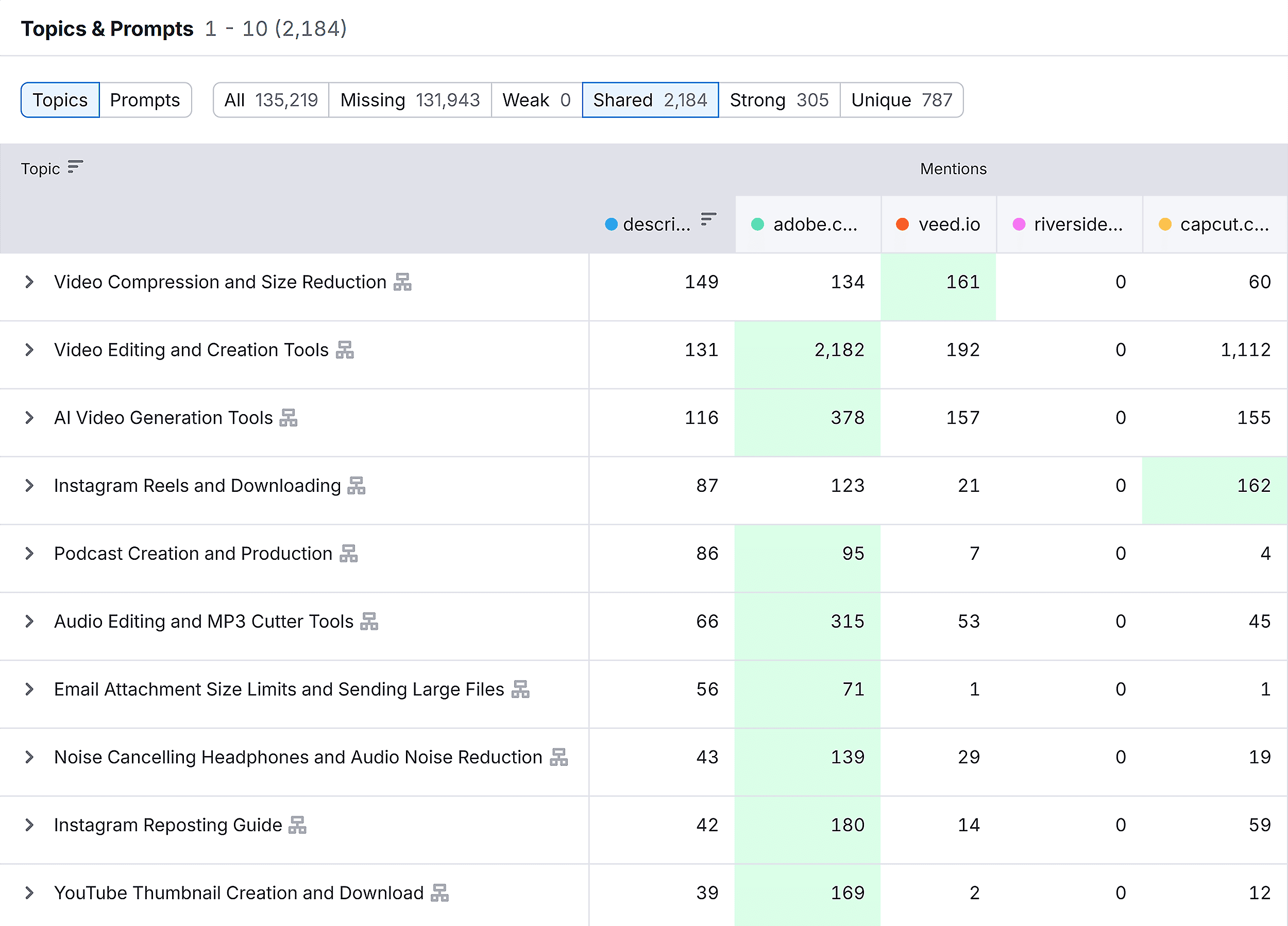
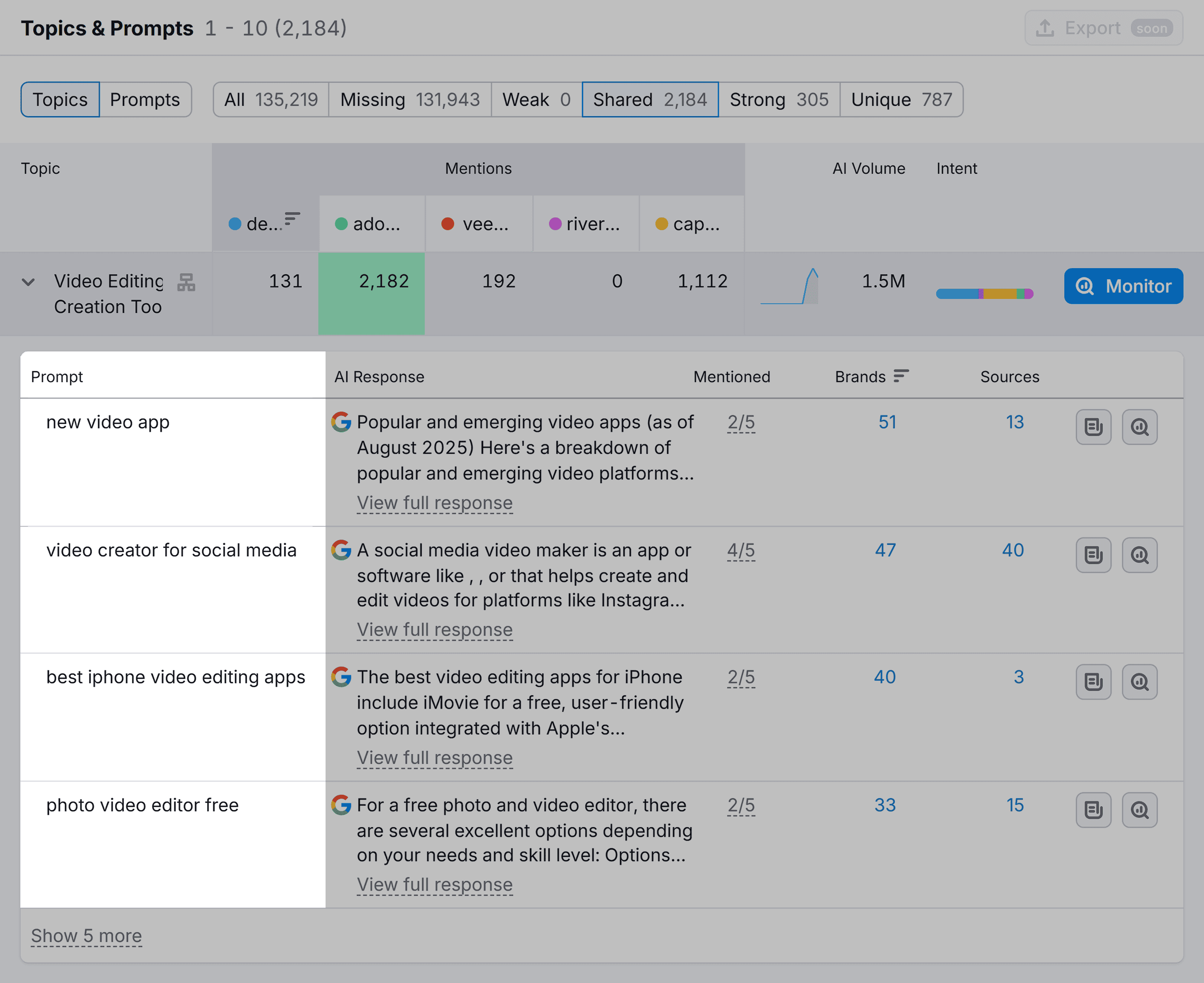
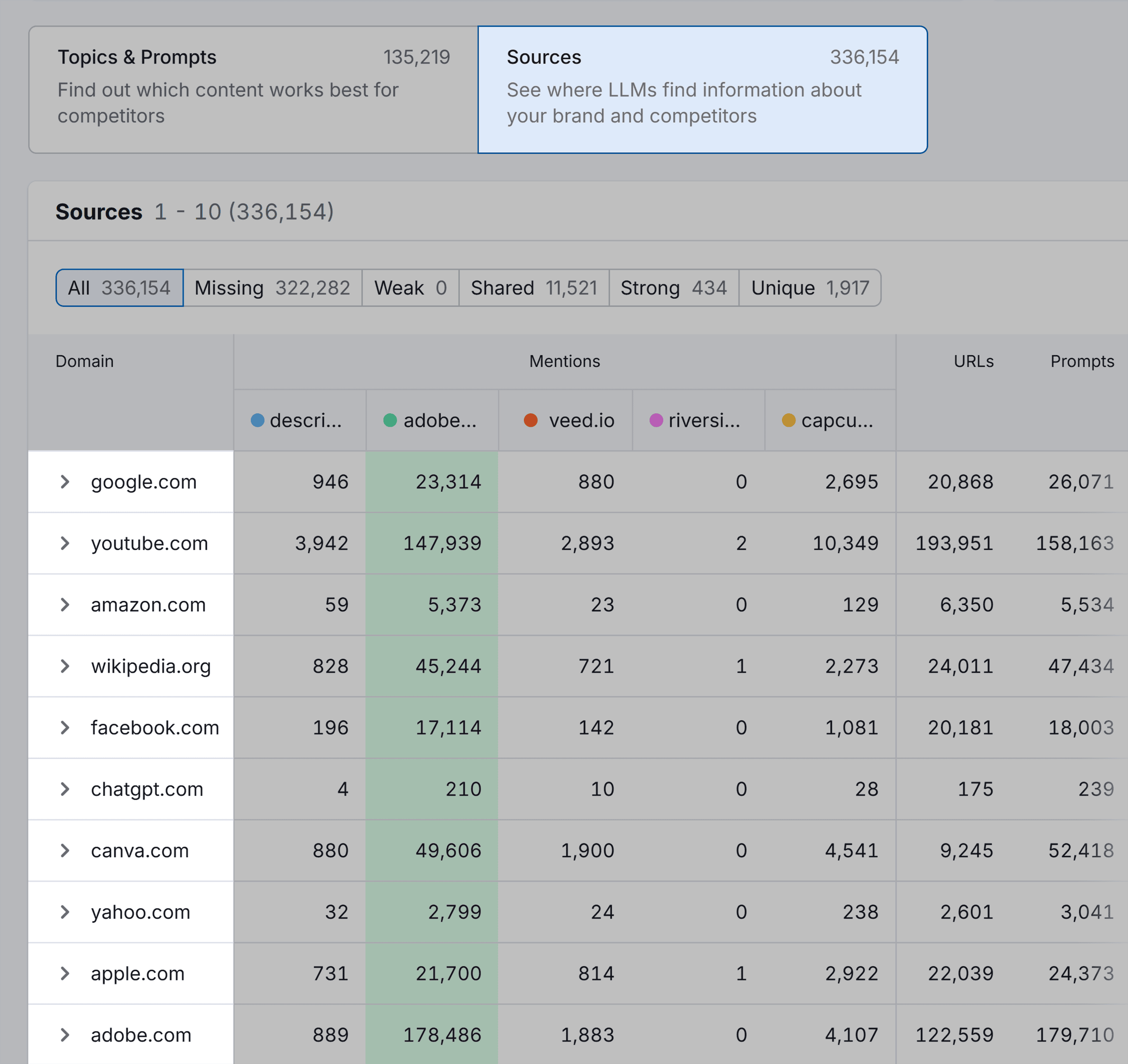
Semrush’s AI Visibility score, a key metric for assessing a brand’s presence in AI-generated answers, reveals Descript’s impressive performance. The data indicates that Descript is not only competing but often matching the visibility of established industry leaders like Adobe in this specific AI search context. This achievement is particularly noteworthy given Descript’s comparatively smaller scale and market share in the broader video editing software sector.
The Foundation of Descript’s Success: Niche Clarity and Audience Focus
Descript’s journey to AI search prominence is anchored in its strategic decision to hone in on a specific niche: podcast editing. For years, the company has cultivated a reputation as a go-to solution for podcasters, a focus that has naturally led to its consistent mention in discussions, forums, and, crucially, AI-generated answers related to podcast production.
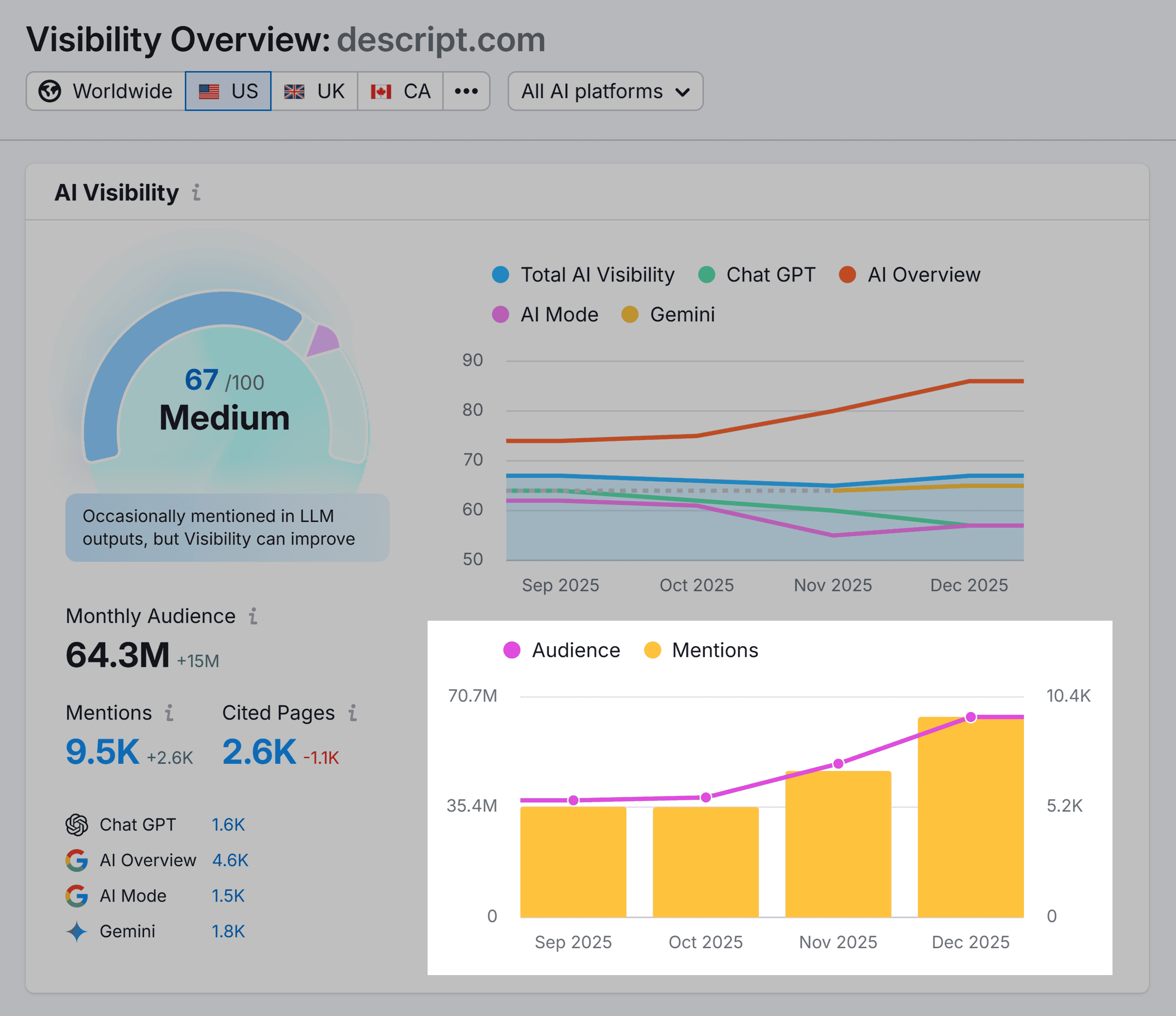
This deliberate positioning is not coincidental. Descript’s product pages, blog content, and overall marketing messaging consistently address the core needs of individuals seeking an accessible and user-friendly way to edit podcasts. This laser-like focus on a defined audience and use case is a critical differentiator in the AI search environment.

How Niche Messaging Translates to AI Recommendations
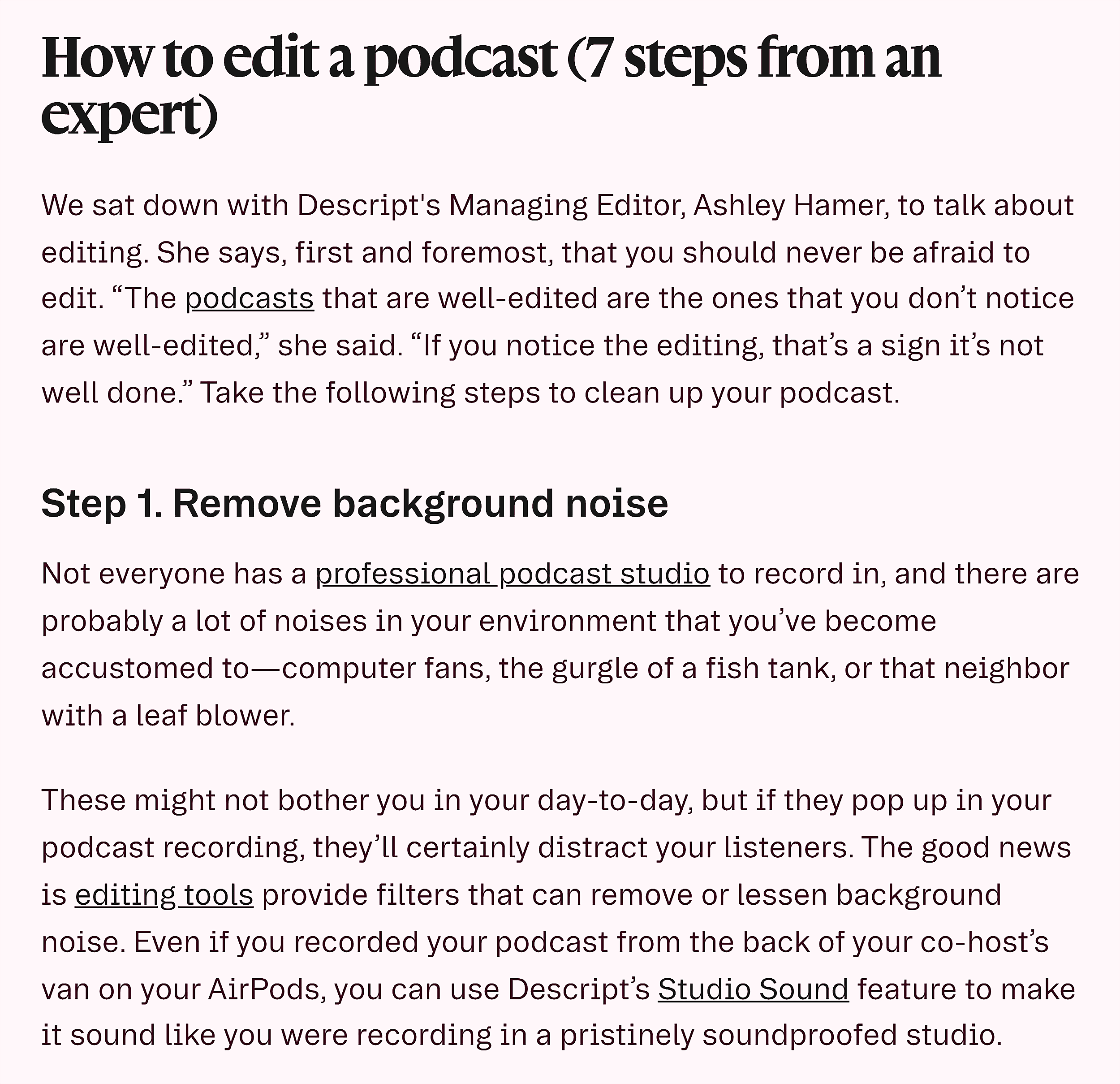
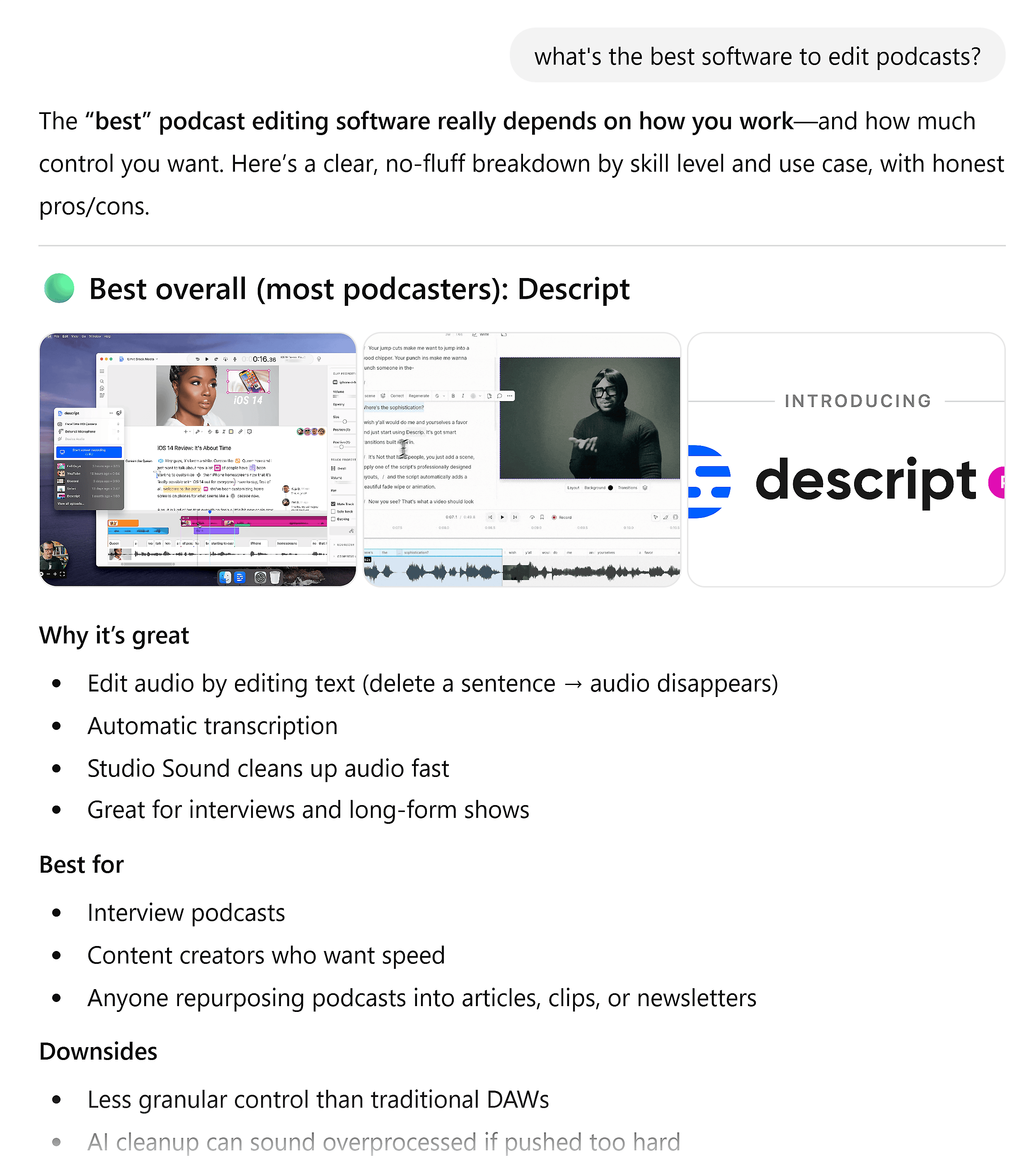
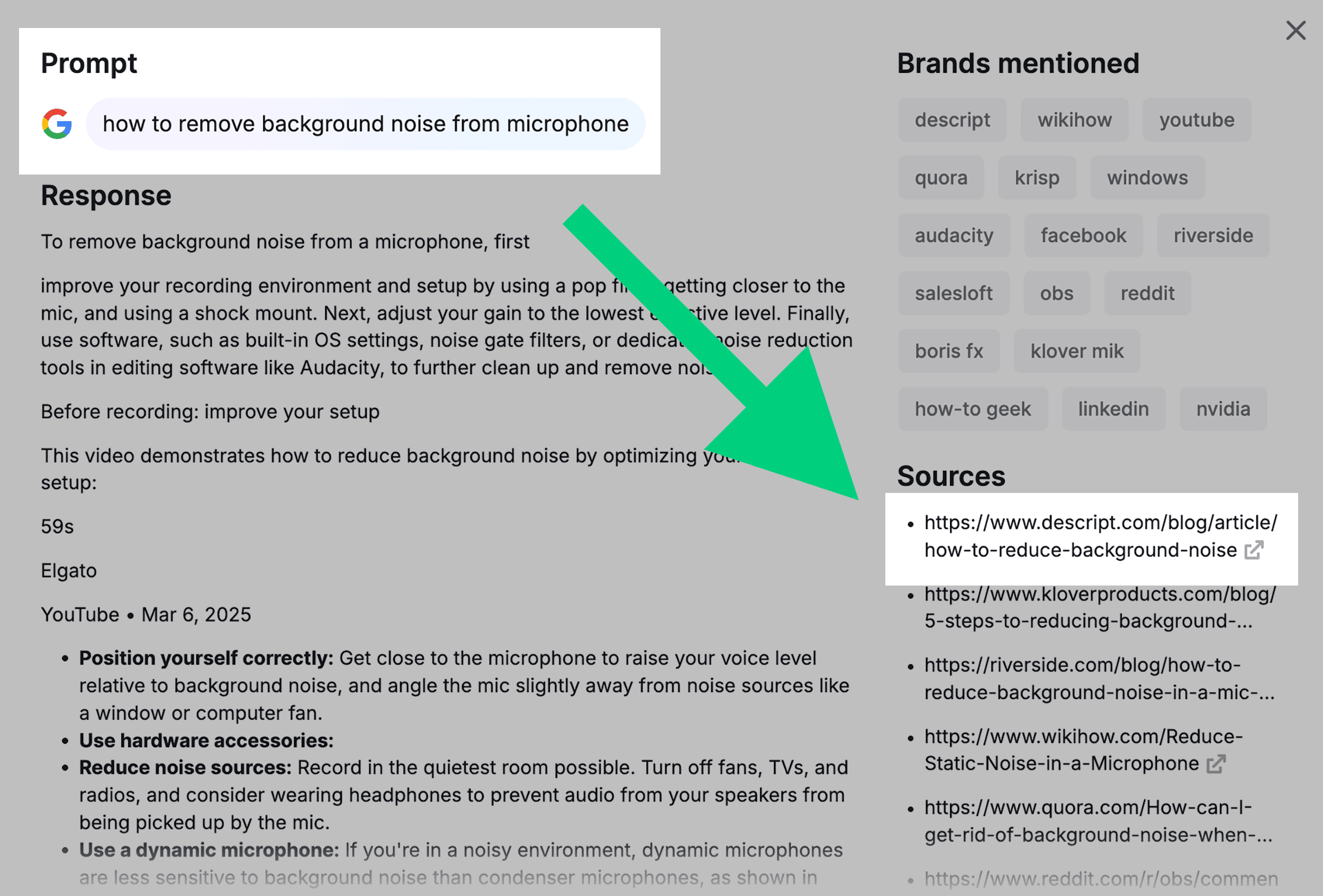
The effectiveness of Descript’s niche strategy was demonstrated when a query was posed to Google’s AI Mode: "best software to edit podcasts, specifically as someone with no video editing skills." Descript emerged as one of the first tools recommended. Even more telling, the second source cited in the AI’s response was a Descript blog post specifically about podcast editing. This highlights a fundamental difference between traditional SEO and AI search: LLMs are designed to provide direct, relevant answers based on query fan-outs.
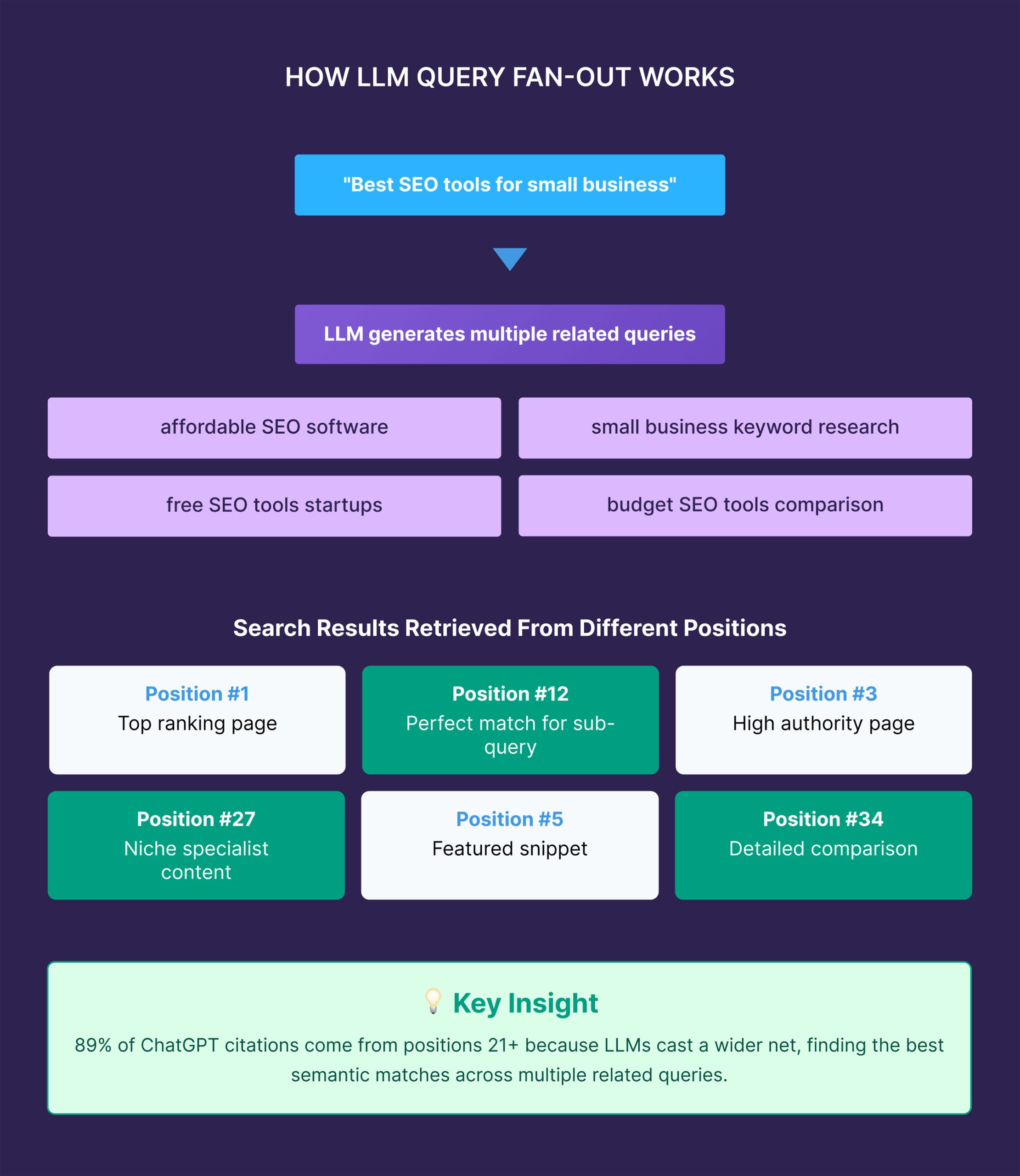
A query fan-out is the process by which an AI system, after an initial user query, generates multiple related searches to gather comprehensive information. The AI then synthesizes this data to provide the most direct and accurate answer. In this scenario, even if a piece of content doesn’t rank highly in traditional search results, it can still be surfaced by AI if it provides the most relevant and specific information for the user’s query. Descript’s tightly focused content, centered around podcast editing, maps directly to these AI-driven information-gathering processes.
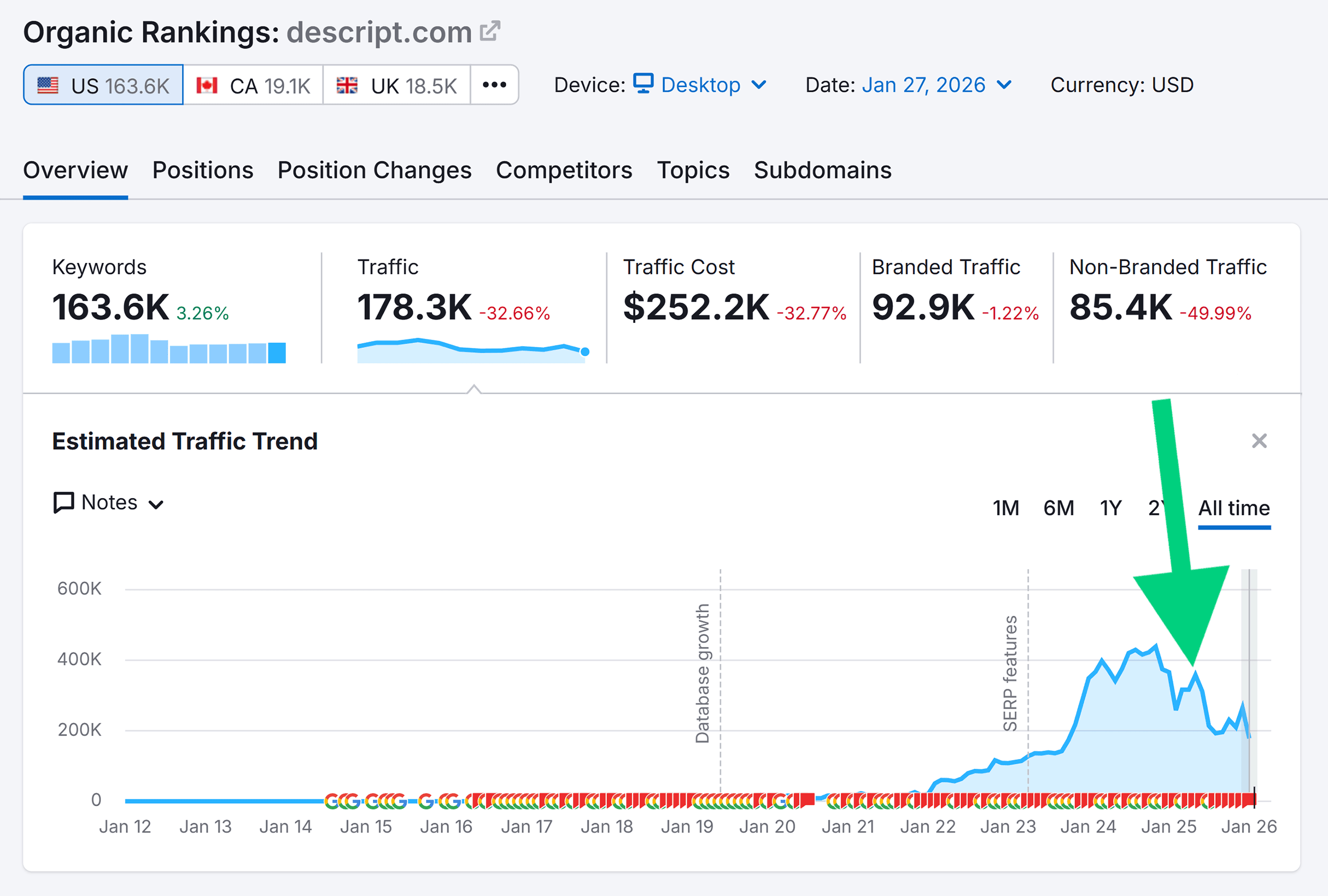
While Descript’s organic traffic from traditional SEO has seen fluctuations, its branded search traffic has reportedly increased. This surge is likely fueled, in part, by its amplified presence in AI search, which builds brand awareness and encourages direct searches for the brand name. The key takeaway is that Descript’s content and product positioning are not merely a checklist of features; they are a deliberate reflection of how their target audience communicates and what problems they are trying to solve.
Developing Content That Resonates and Informs
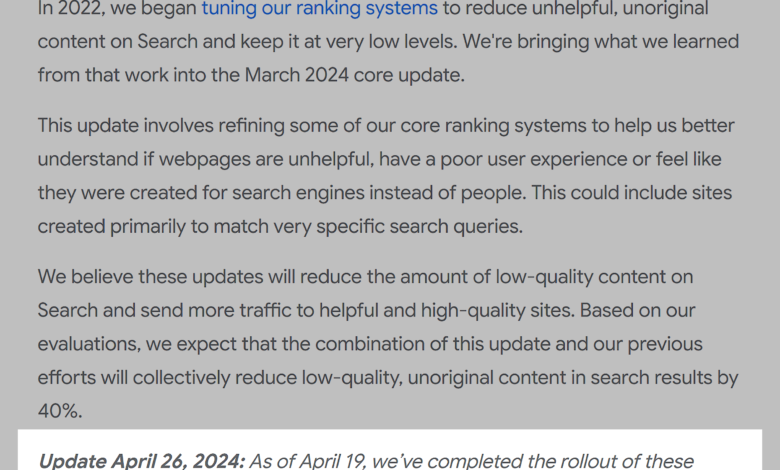
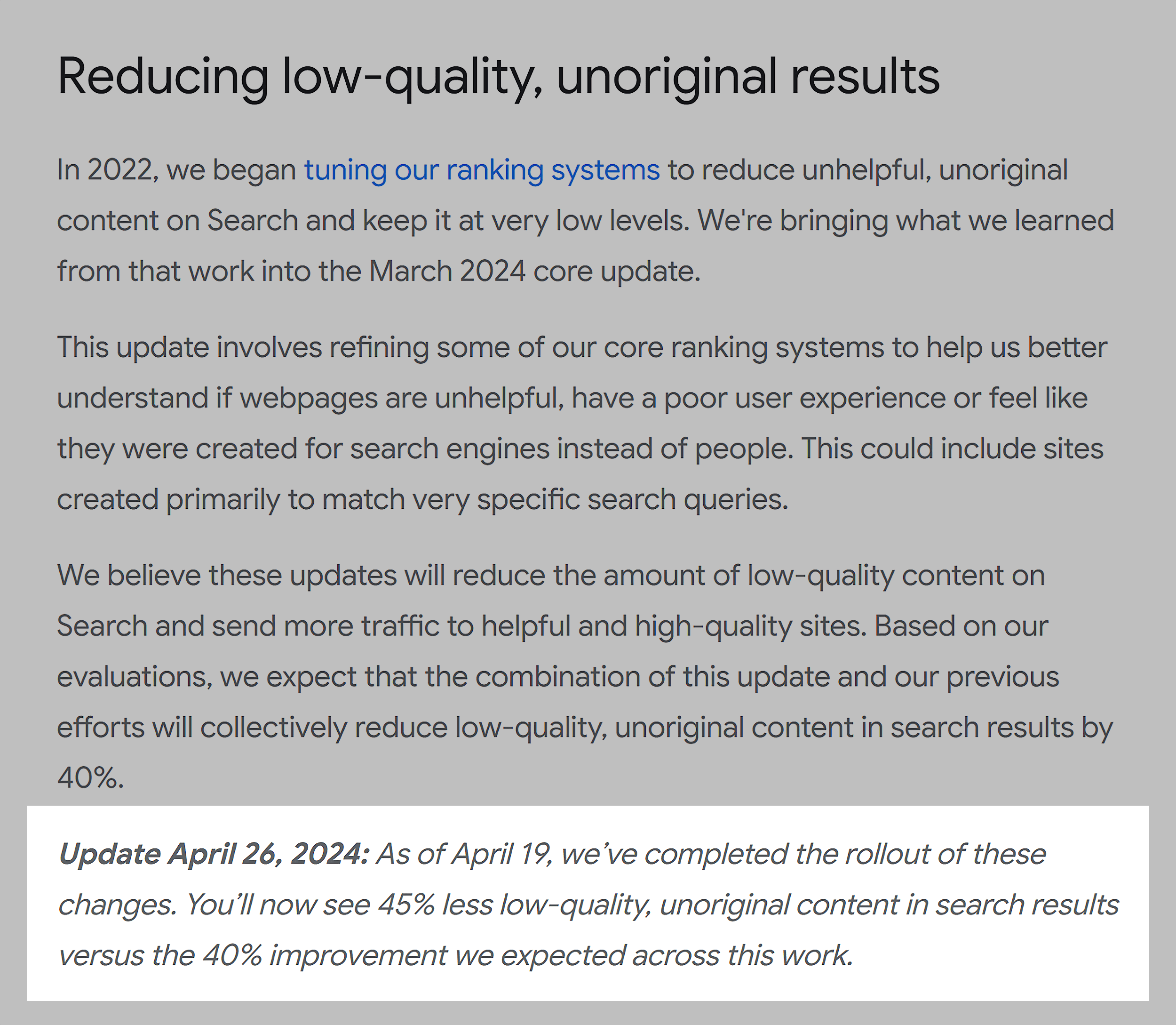
The second pillar of Descript’s strategy is the creation of "seriously helpful content." This approach, long recognized as a factor in traditional SEO, has become even more critical in the age of AI search. Google’s own algorithm updates have demonstrably reduced the prevalence of low-quality content, and AI models similarly prioritize informative, in-depth resources.
Descript avoids superficial content, instead producing:
- In-depth tutorials: Detailed guides that walk users through specific workflows and features.
- Comprehensive "how-to" articles: Content that addresses common problems and offers practical solutions.
- Expert insights: Articles that leverage internal knowledge and external perspectives to provide valuable information.
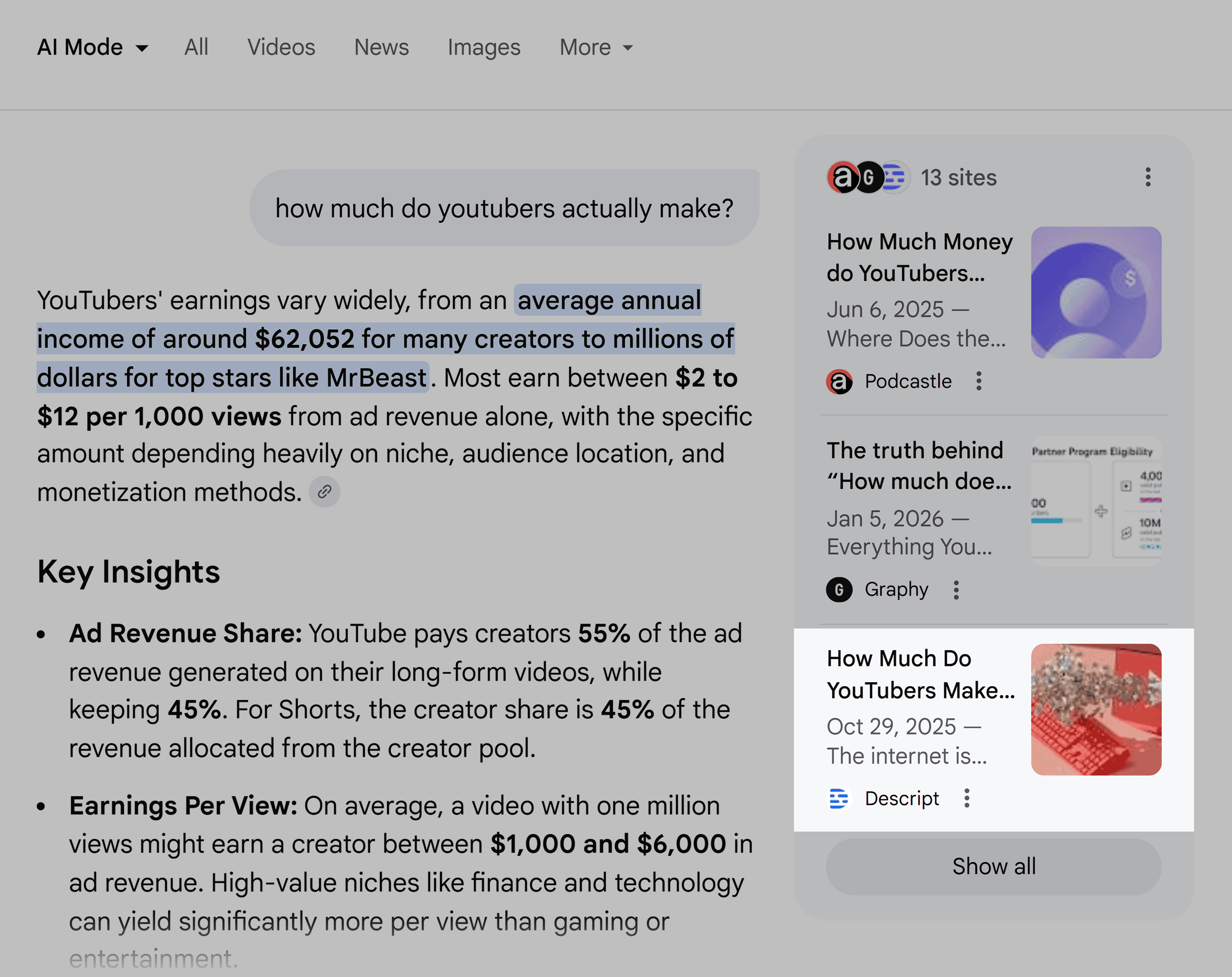
Furthermore, Descript extends its helpful content strategy beyond direct product promotion. For instance, when asked about "how much YouTubers actually make," Google’s AI Mode cited a Descript blog post on the subject. This article was not a direct sales pitch but a detailed exploration of creator earnings, including:
- Revenue streams: An overview of how YouTubers monetize their content.
- Cost breakdowns: An analysis of expenses involved in running a YouTube channel.
- Industry benchmarks: Data and insights into typical earnings.
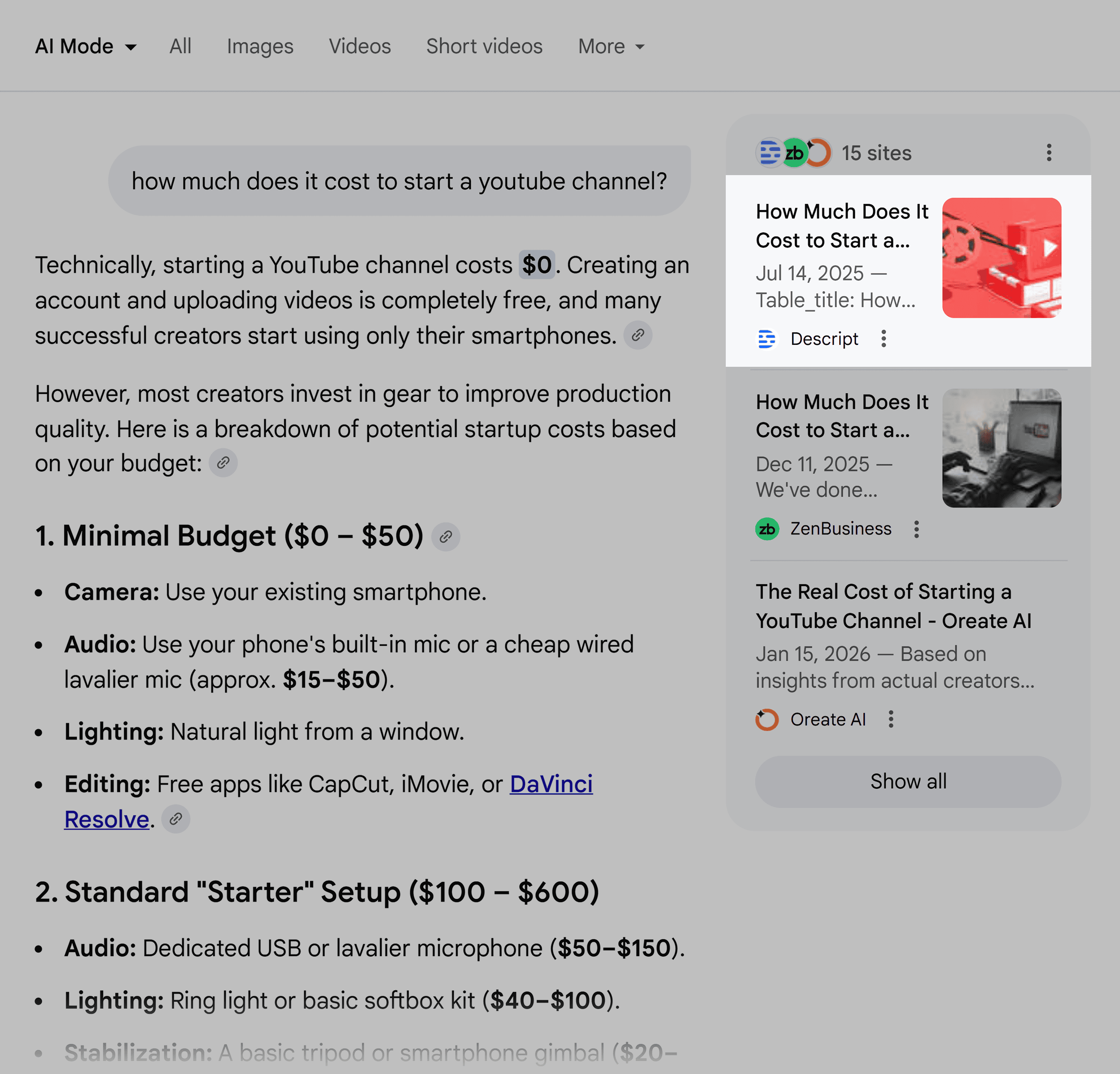
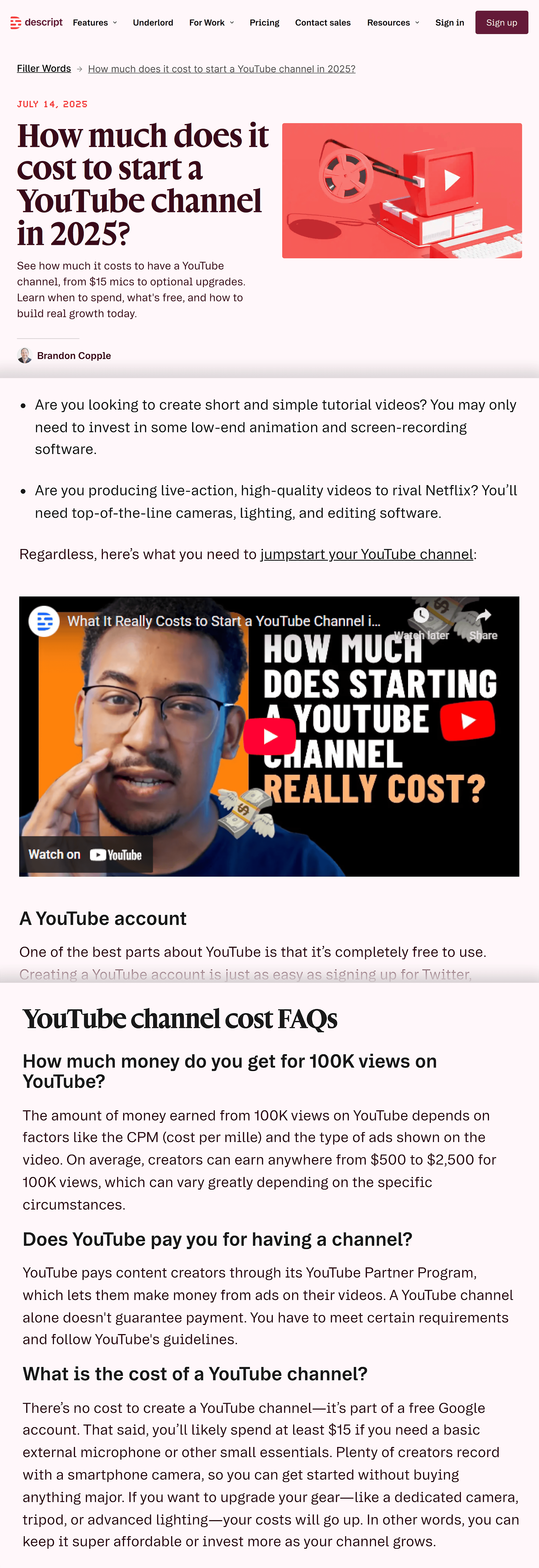
Similarly, a query about "how much it costs to start a YouTube channel" also led to a Descript article, which featured an extensive FAQ section and embedded video content from Descript’s own YouTube channel. This demonstrates a commitment to providing comprehensive, expert-level information that AI systems find valuable and trustworthy. The pattern is clear: depth and utility drive AI citations.
Actionable Advice: Focus on Audience Needs and Content Depth
For businesses aiming to replicate Descript’s success, the imperative is to shift content strategy towards genuine helpfulness and audience understanding.
- Identify Your Niche: Descript’s success hinges on its clear focus on podcast editing. Businesses should strive to define their core audience and tailor their messaging accordingly. Trying to appeal to everyone often results in being recommended for nothing specific by AI.
- Create Deep, Valuable Content: Avoid shallow content. Focus on creating comprehensive guides, tutorials, and articles that thoroughly address audience needs and pain points. AI models are more likely to cite in-depth, well-researched content that provides concrete solutions.
- Leverage Data and Research: Utilize tools like Semrush’s AI Visibility Toolkit to understand what prompts and topics are driving AI interest. This data can inform content creation and ensure that efforts are aligned with AI search trends.
The Visual Element: Showcasing Product in Action
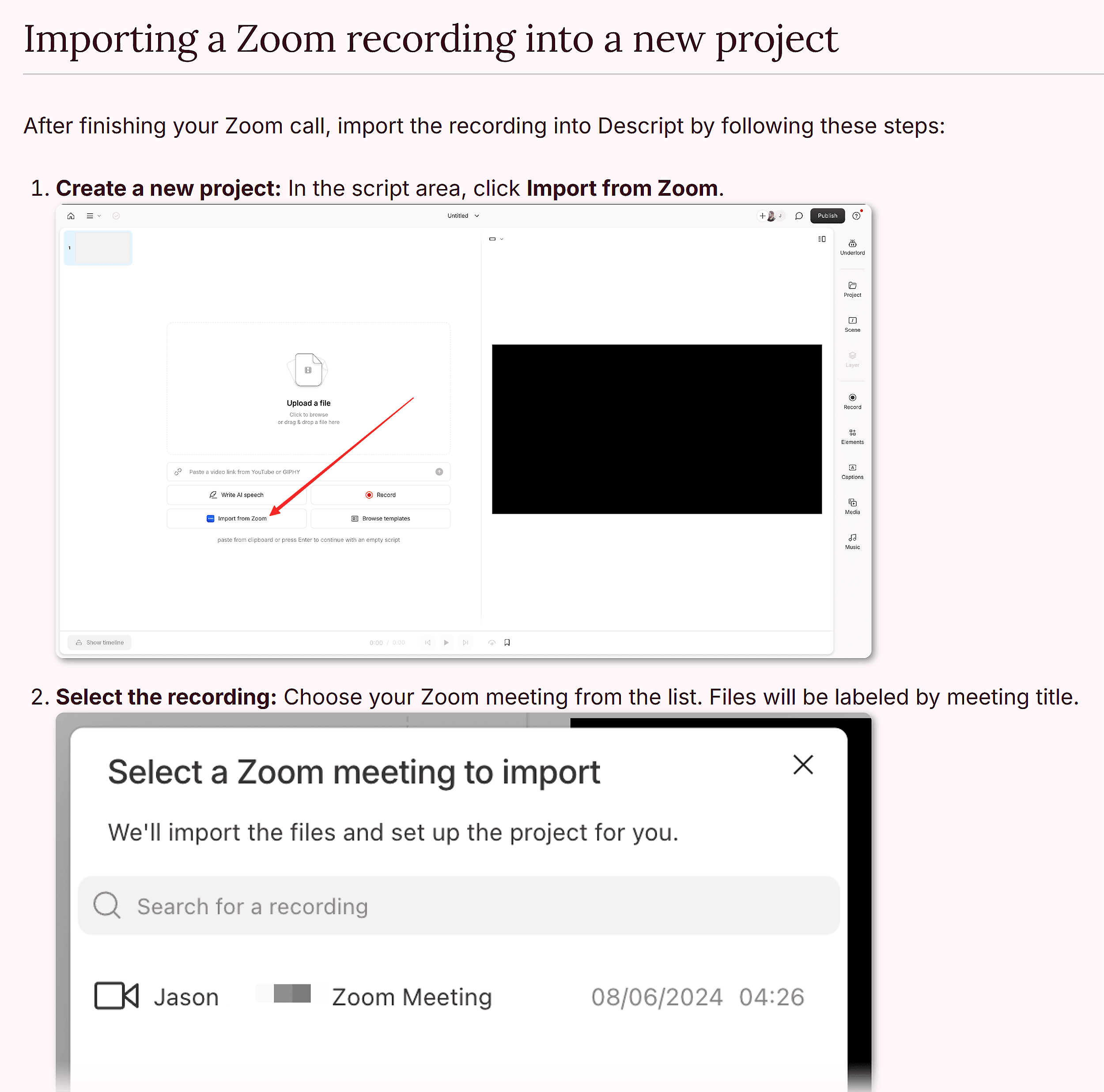
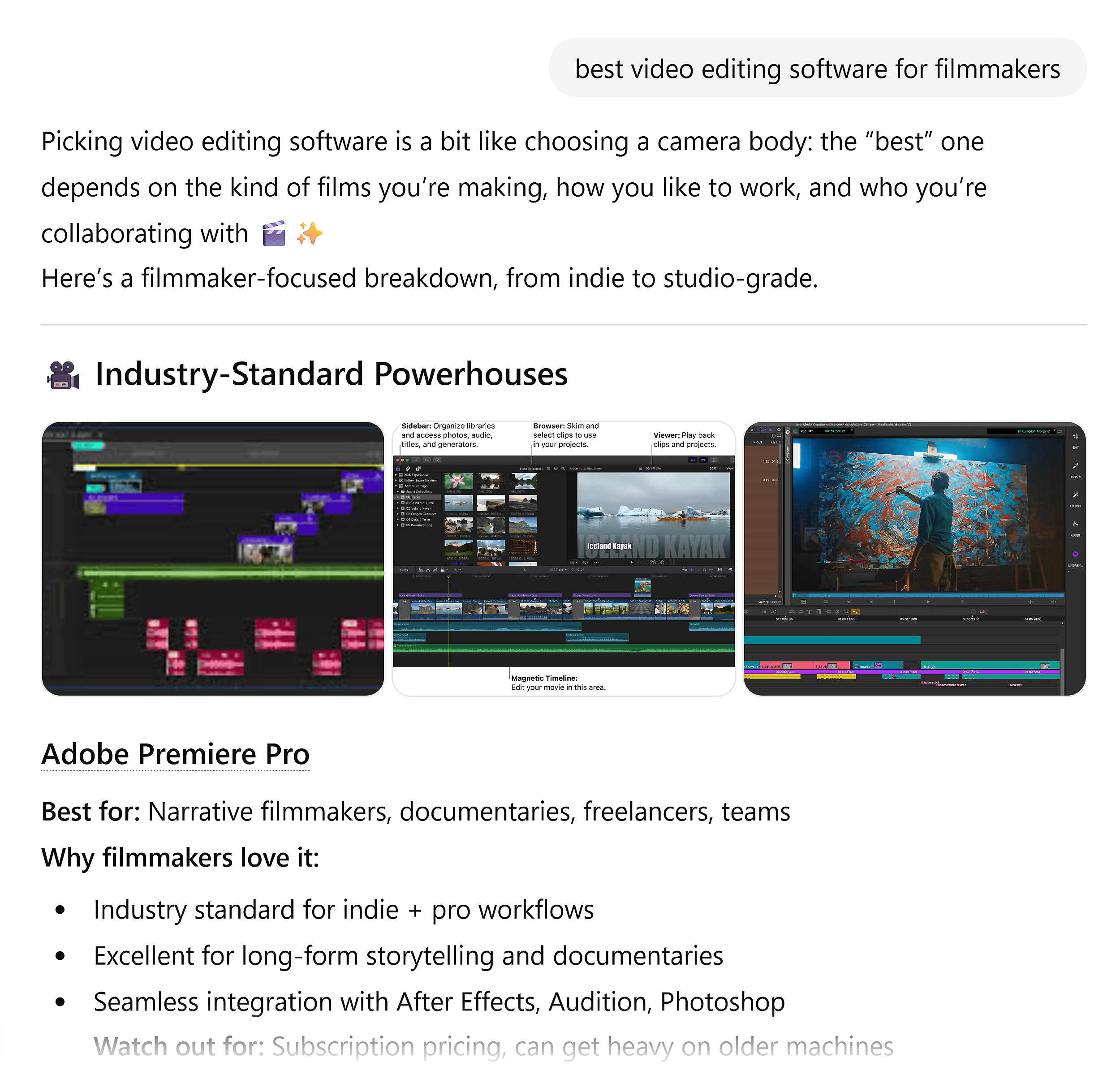
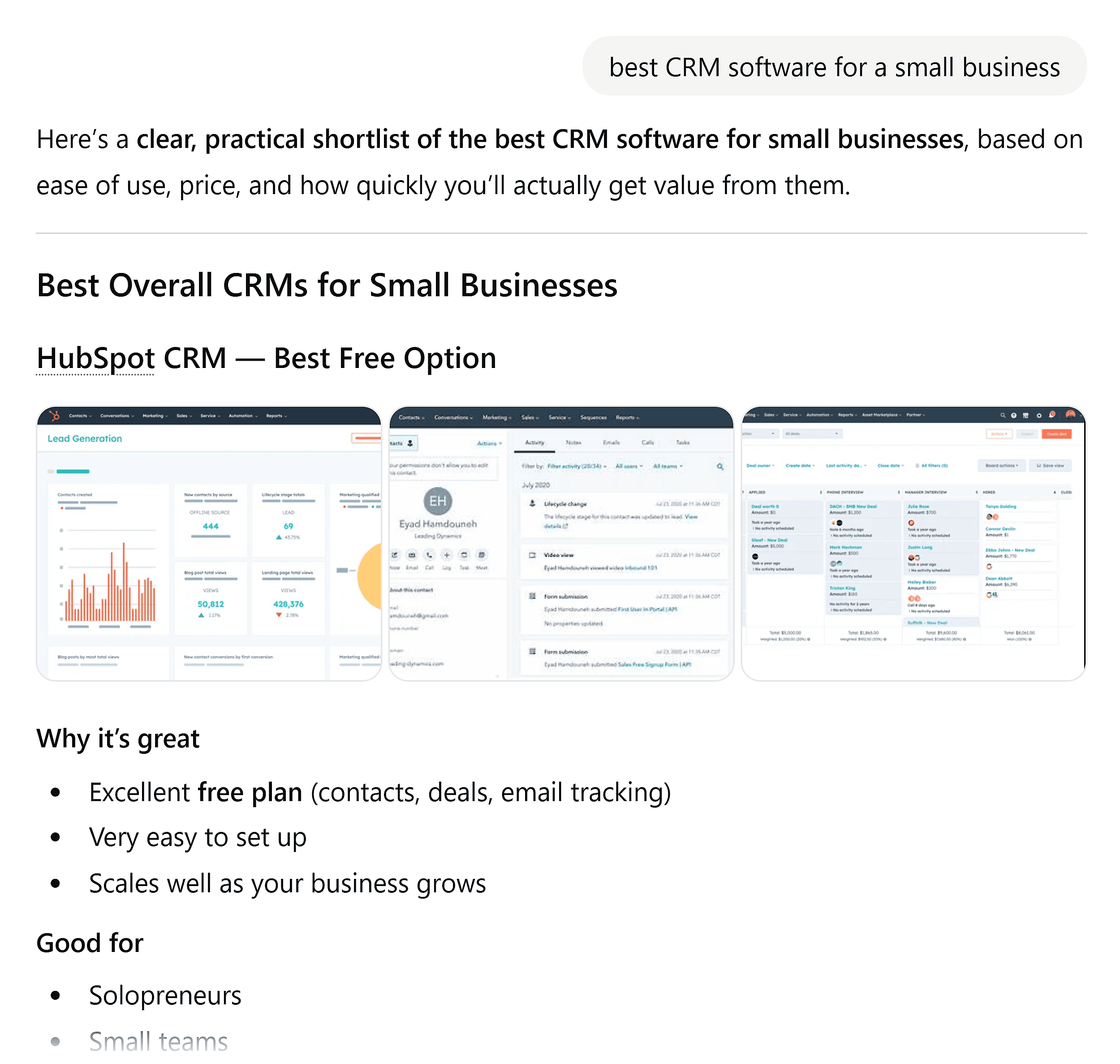
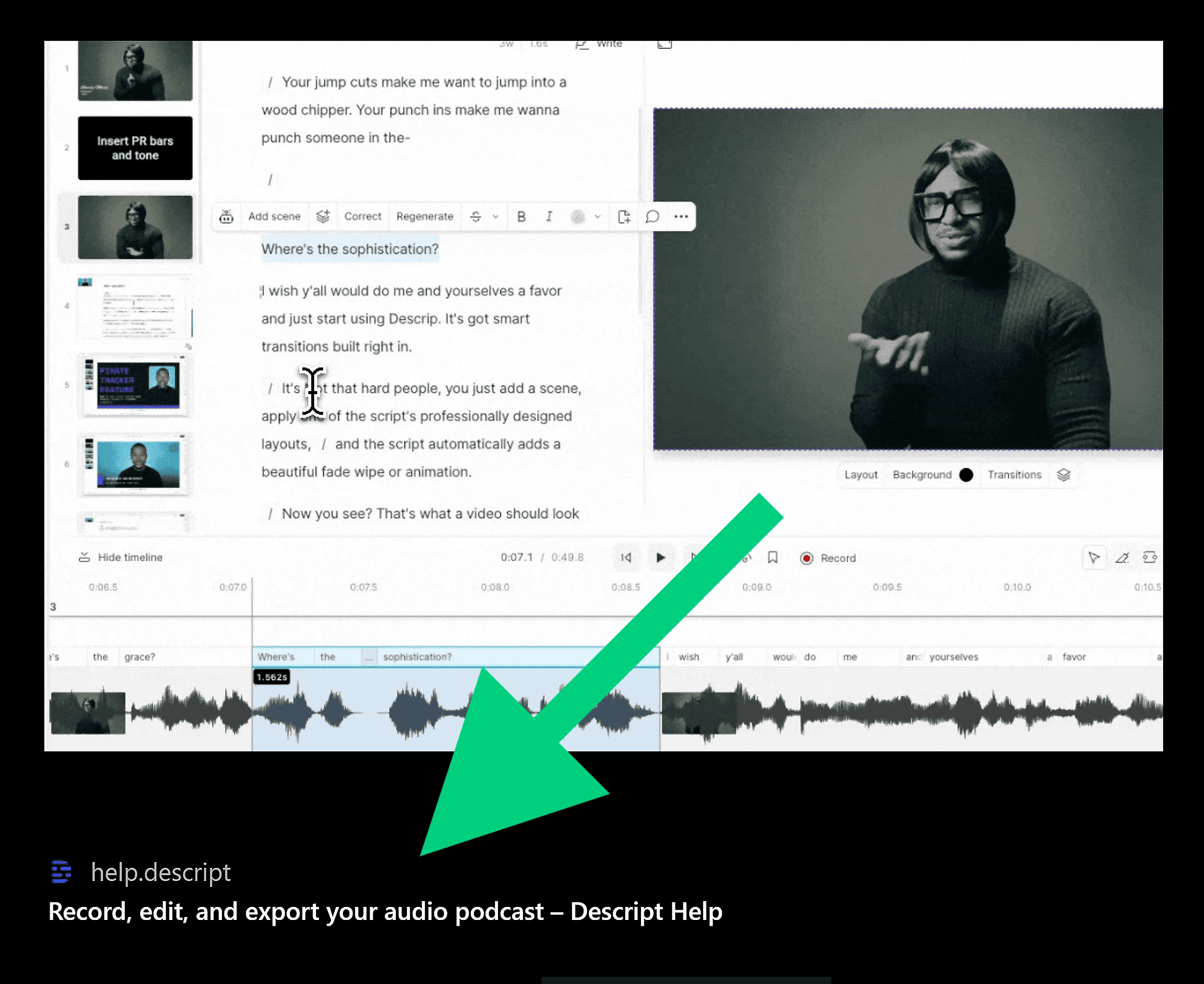
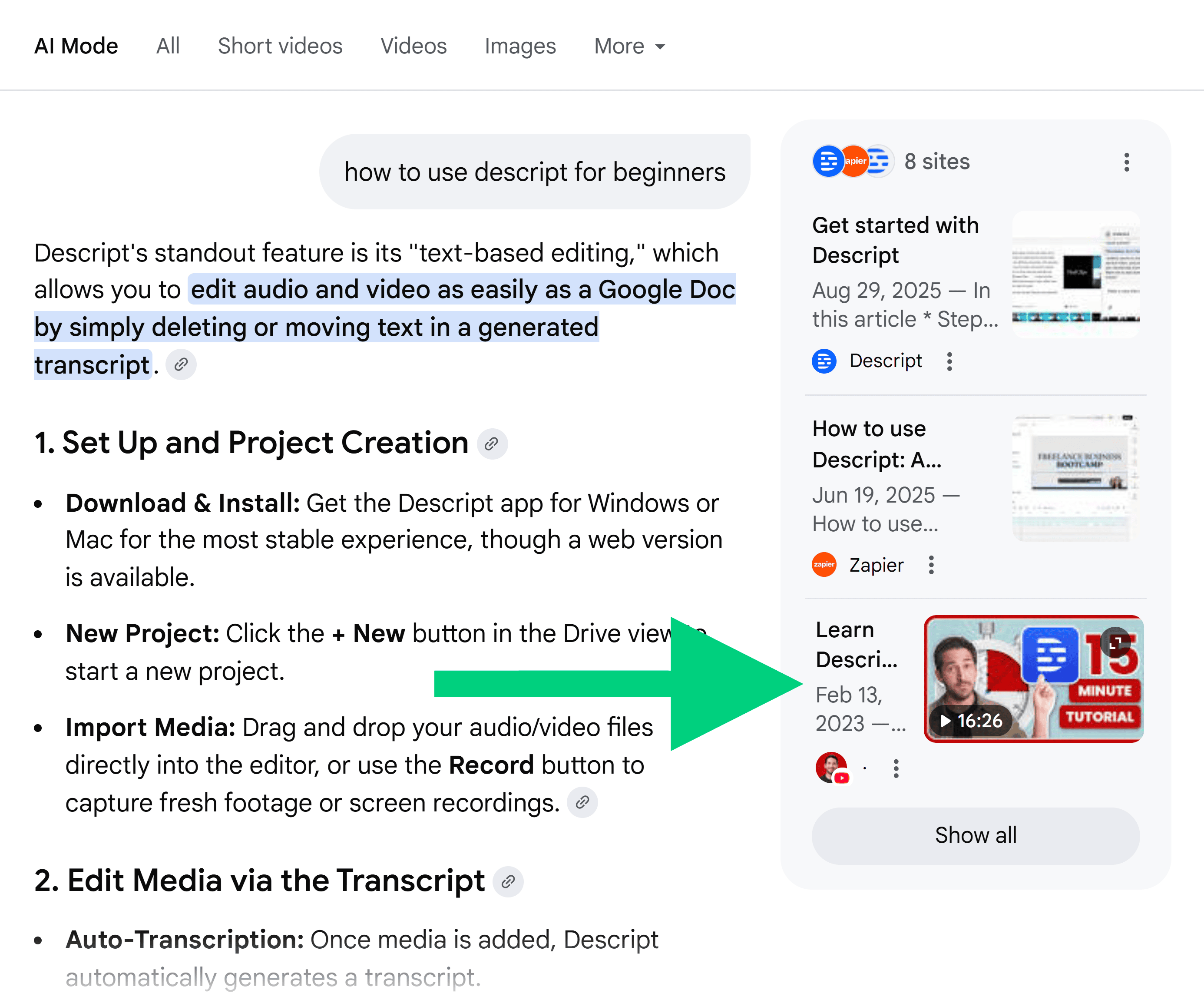
AI models are increasingly capable of interpreting visual information, not just text. Image and video processing models like CLIP allow AI systems to understand the content of screenshots and videos, leading to their inclusion in AI-generated answers, particularly for SaaS product queries.
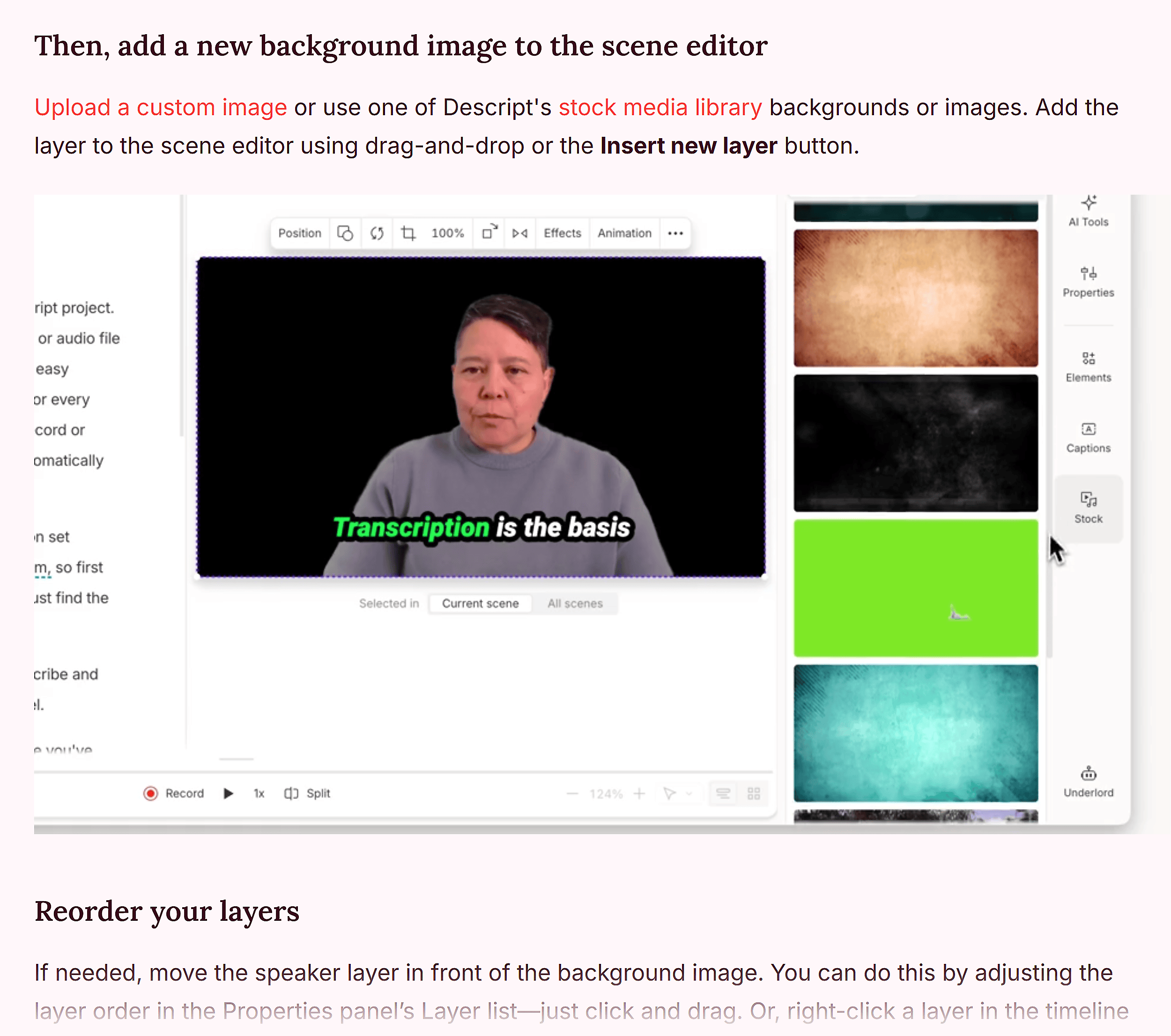
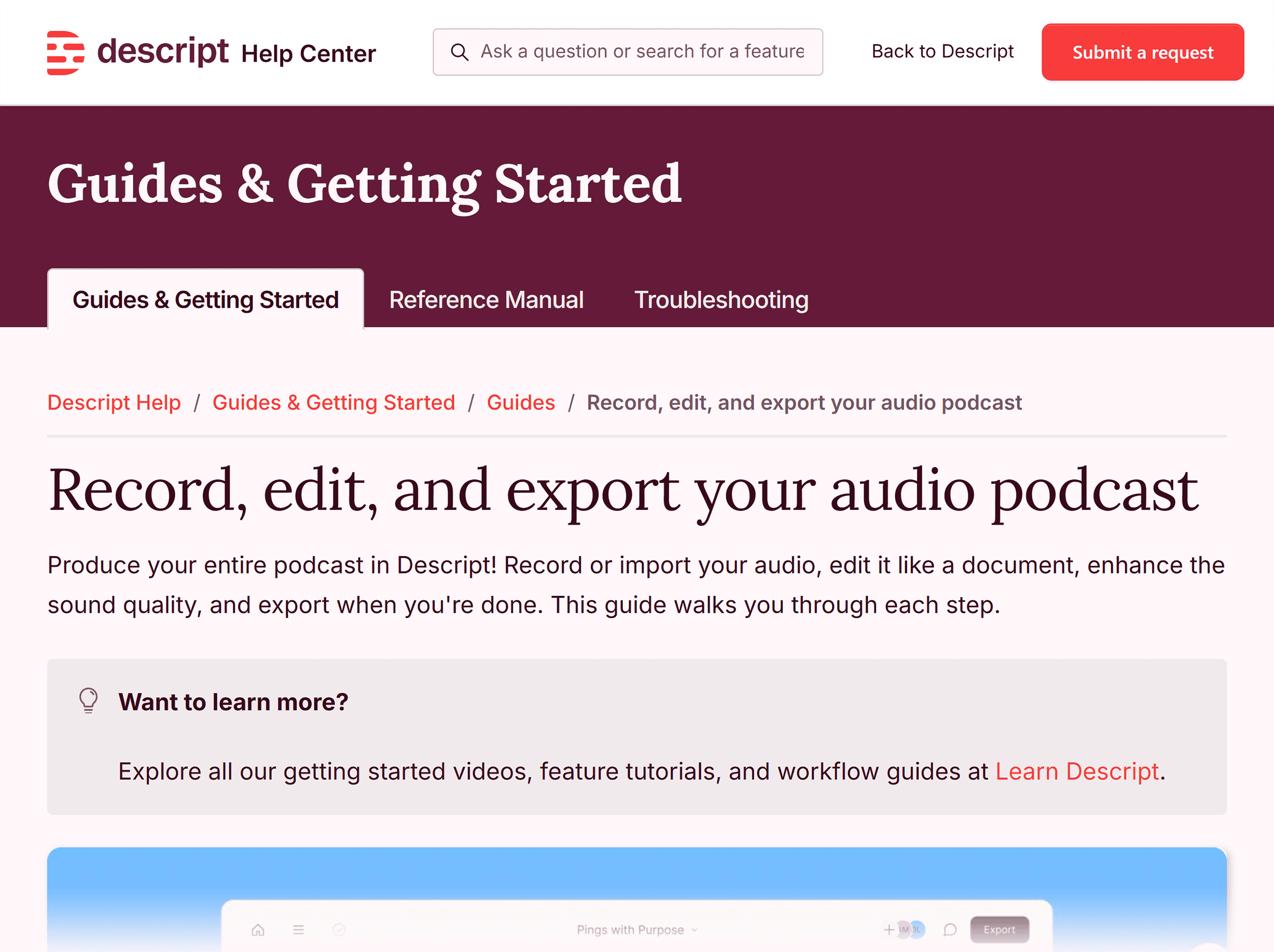
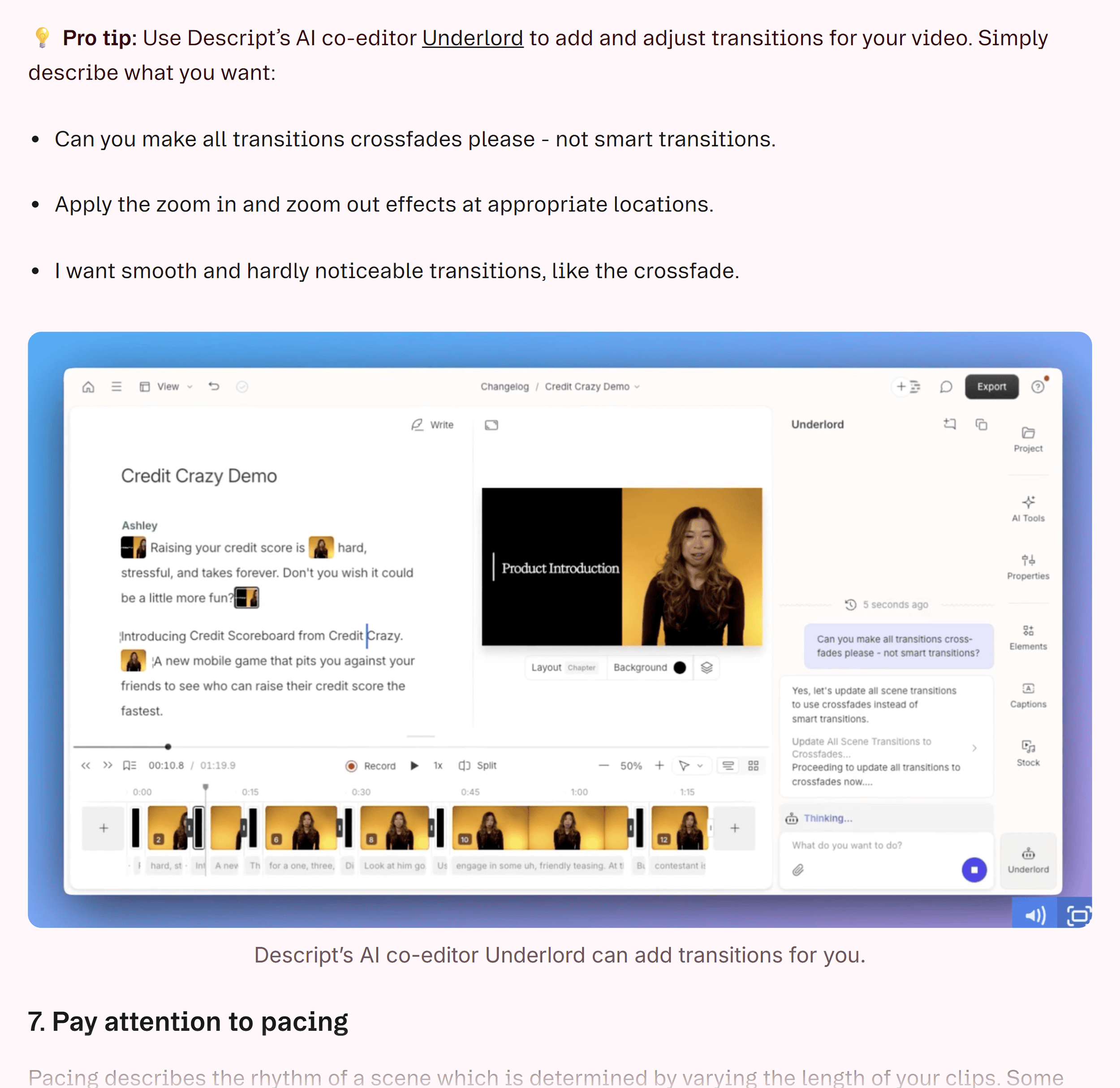
Descript consistently incorporates real product visuals – screenshots and videos – across its website, help center, and blog. These visuals are not merely decorative; they serve to:
- Illustrate Features: Visually demonstrate how specific functionalities work.
- Explain Workflows: Provide step-by-step visual guidance for using the product.
- Build Credibility: Showcase the actual user interface, enhancing user trust and understanding.
When AI systems search for information on video editing or podcasting tools, these embedded visuals are often extracted and displayed within AI answers, frequently linked back to Descript’s original content. This direct visual representation makes the product more tangible and recommendable for AI.

Actionable Advice: Integrate Visuals Strategically
- Prioritize In-Product Visuals: Replace generic stock photos or abstract diagrams with actual screenshots and video clips of your product in use. This provides concrete evidence of your product’s capabilities.
- Visuals in All Content: Ensure that any feature mentioned in a blog post or help article is accompanied by a relevant visual. For tutorial content, short screen recordings can be significantly more effective than text alone.
- Clarity is Key: The goal of visuals is to enhance understanding. Make sure screenshots are clear, well-annotated, and directly illustrate the point being made.
Content Mapping: Addressing the Full Customer Journey
Descript’s content strategy effectively addresses users at various stages of awareness, from initial problem recognition to solution evaluation. This includes creating content for:
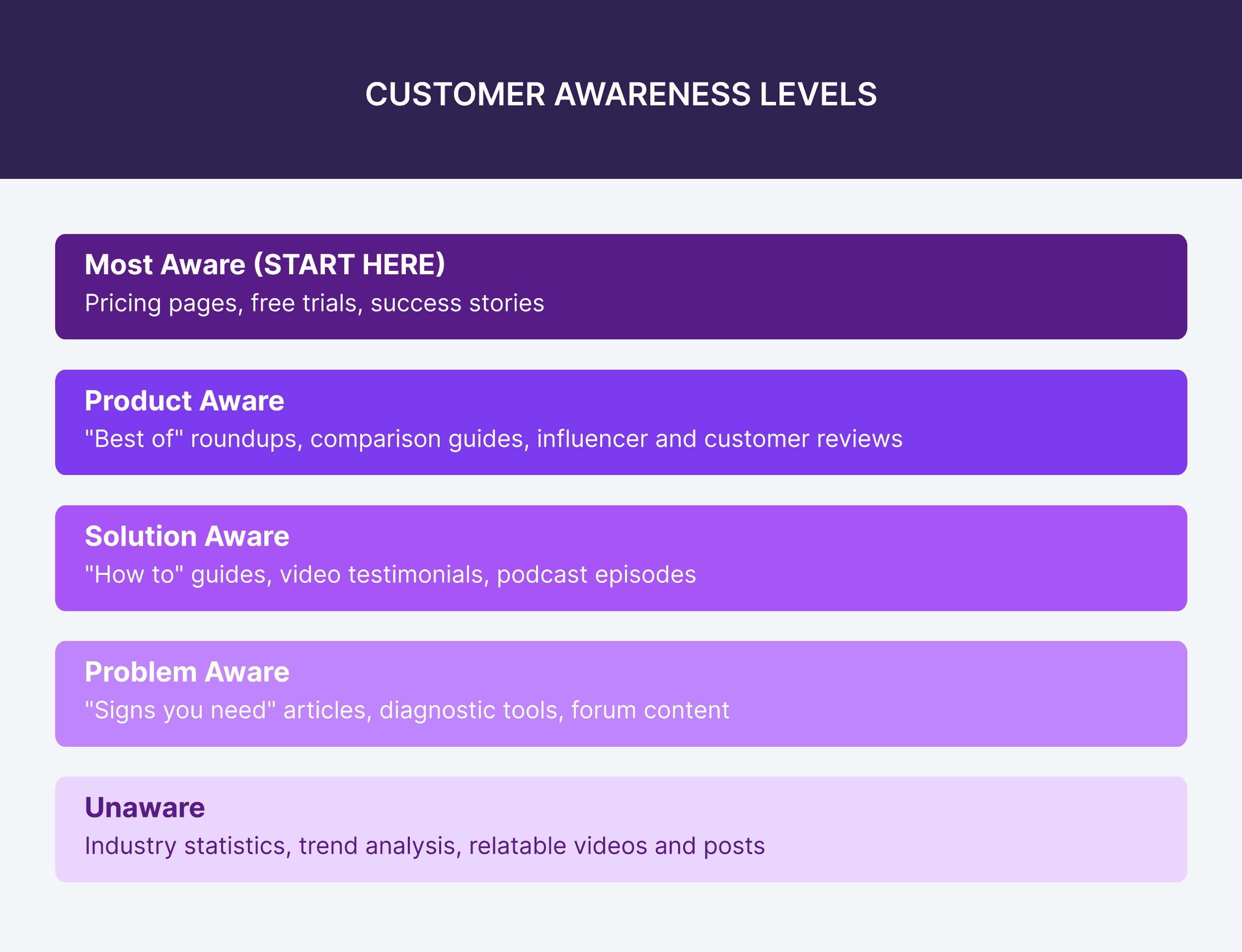
- Top-of-Funnel (ToFu): Broad informational content that introduces potential users to problems and general solutions.
- Middle-of-Funnel (MoFu): Content that compares solutions and helps users evaluate their options (e.g., "best of" lists, competitor comparisons).
- Bottom-of-Funnel (BoFu): Content that directly showcases product features, benefits, and implementation details.
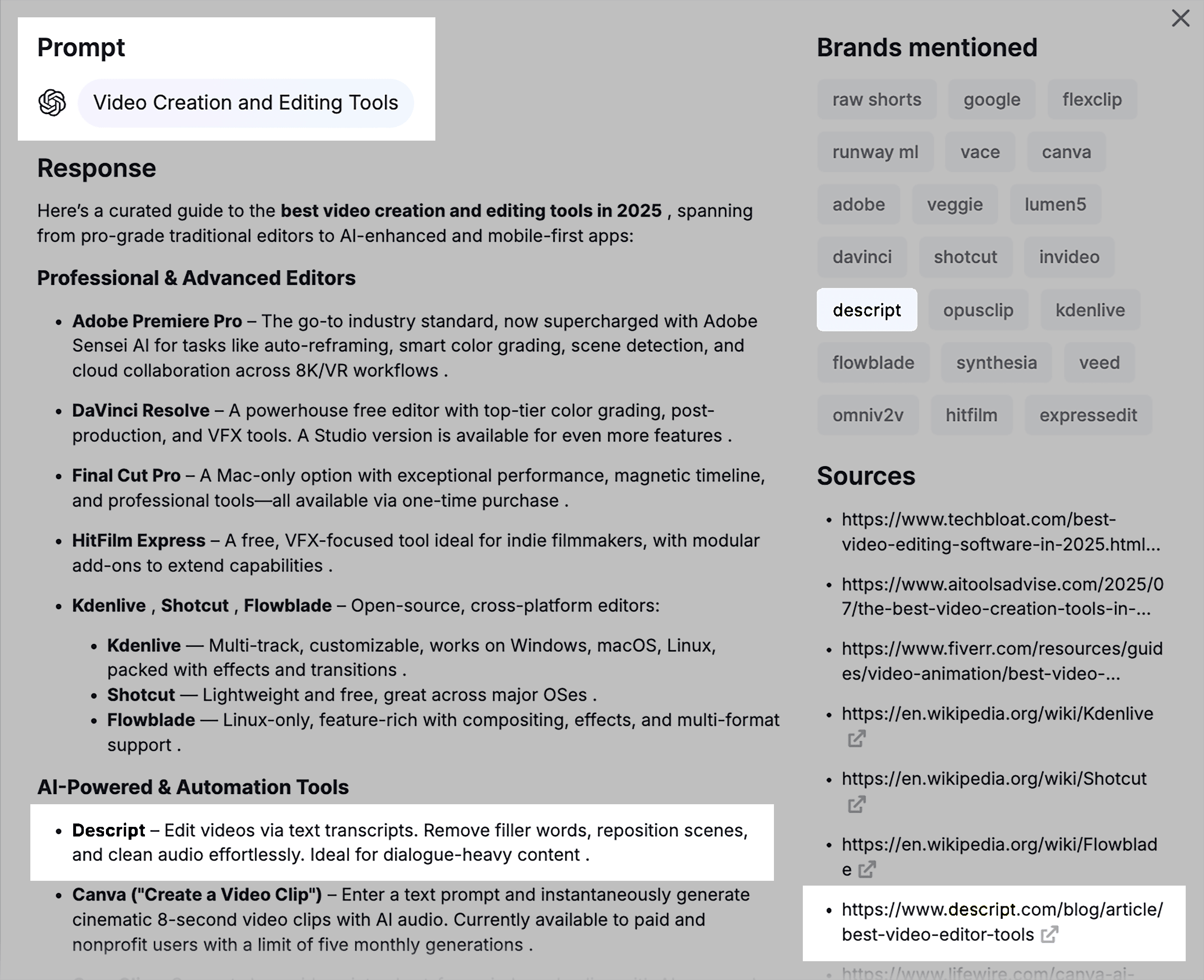
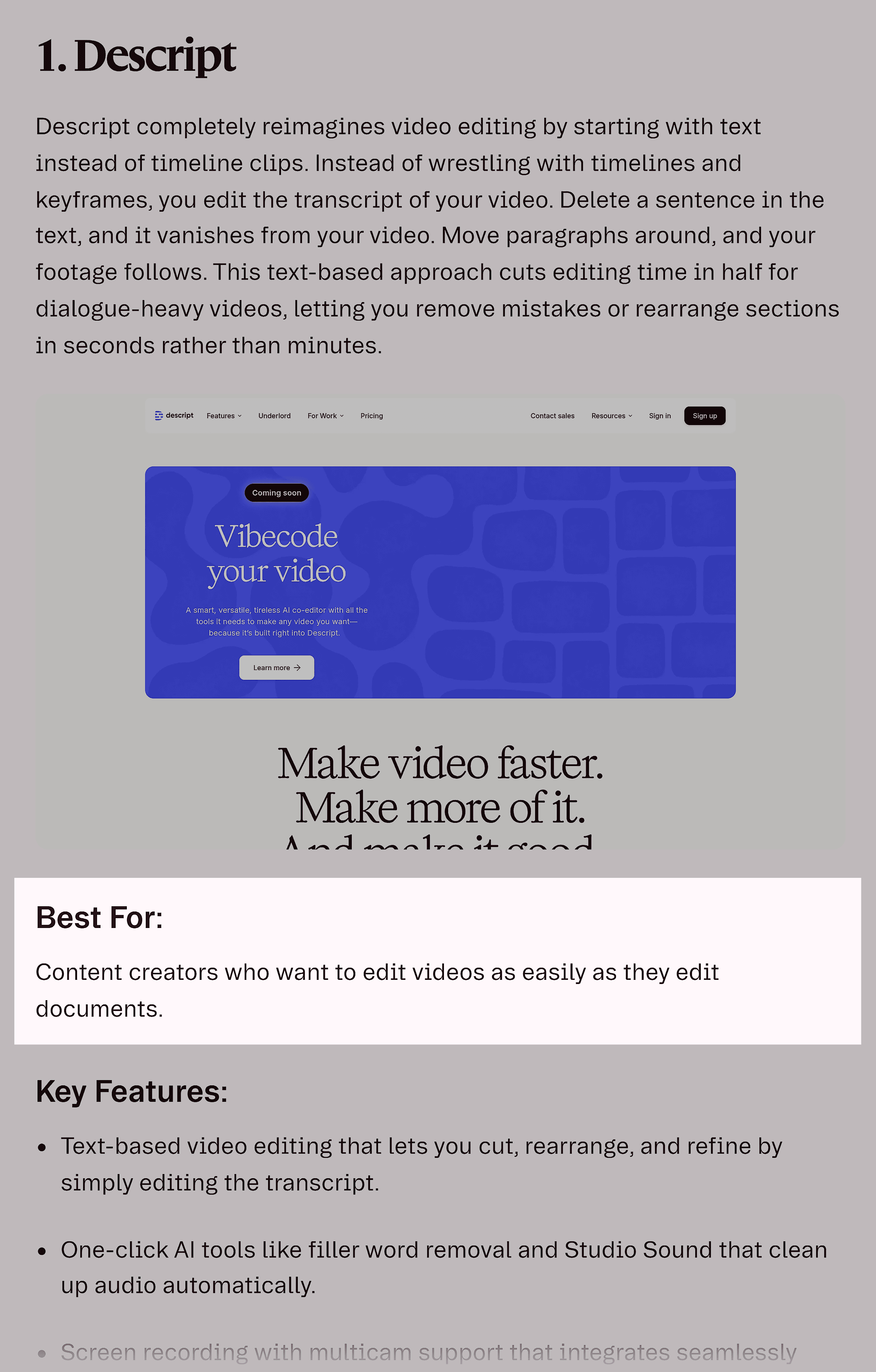
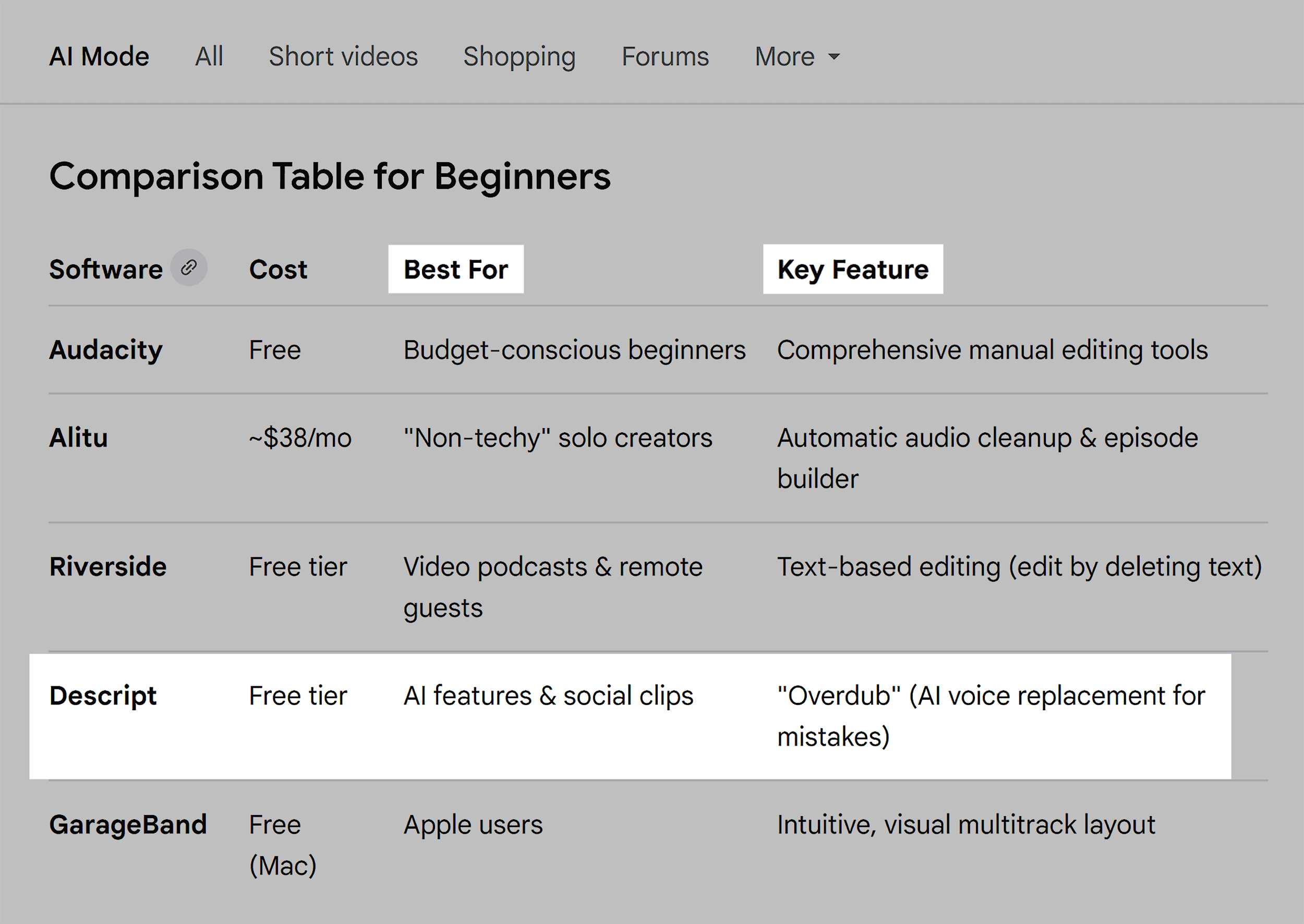
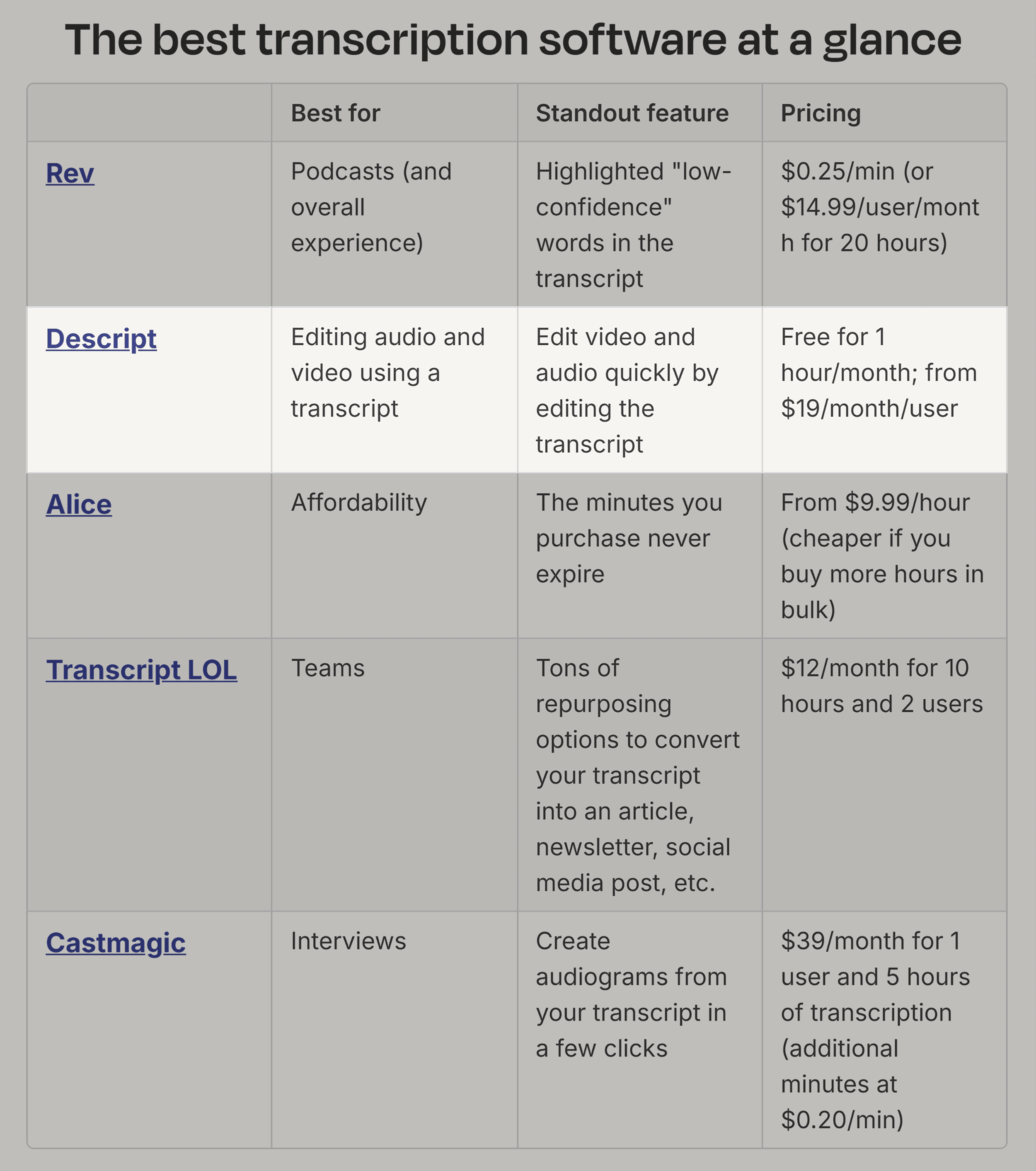
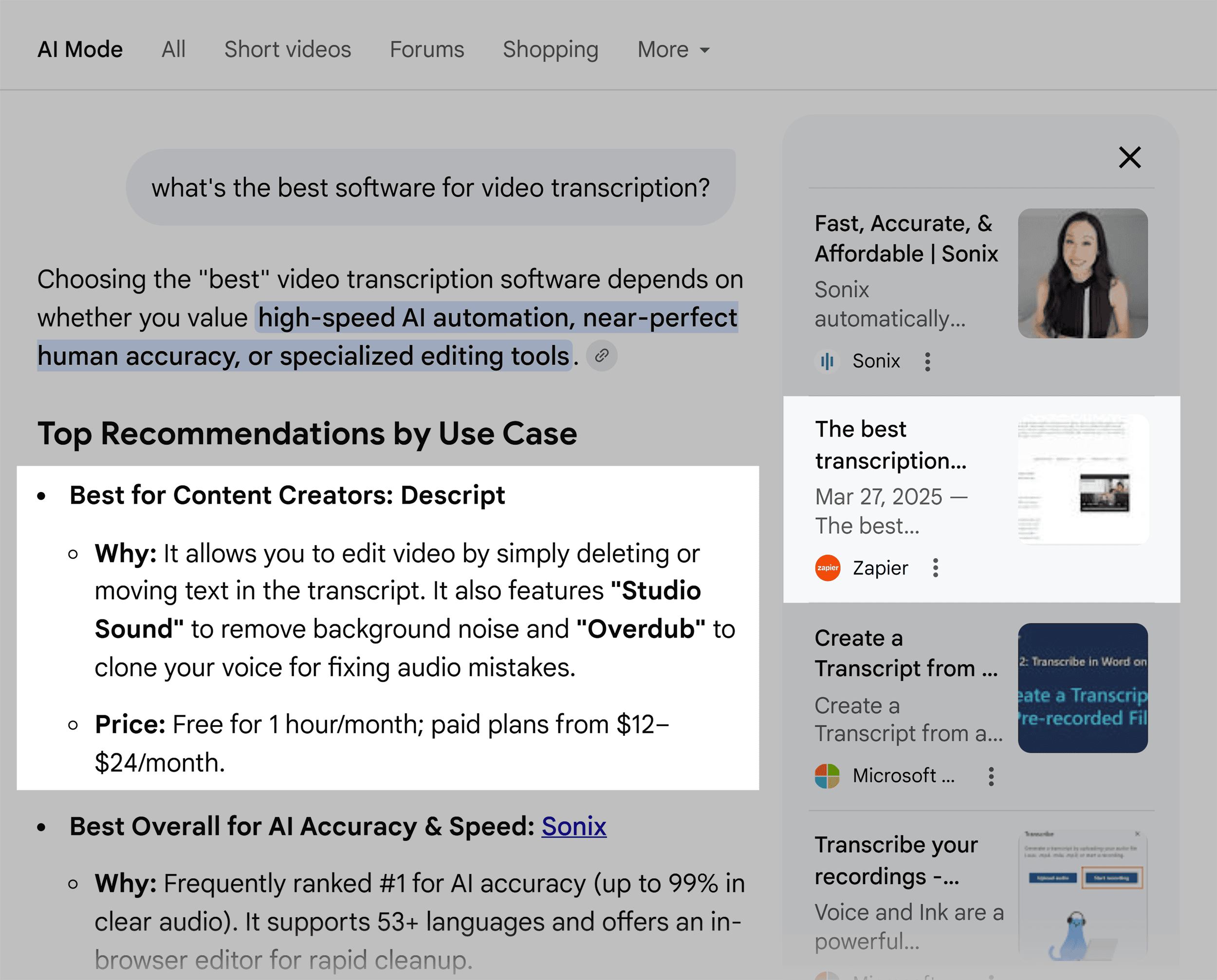
When AI models query for video creation or editing tools, Descript often appears not just as a recommendation but as a cited source within AI answers. Their "best of" articles, which compare Descript against competitors with detailed feature breakdowns and clear "best for" categorizations, are particularly effective. For example, an AI comparison of podcast video editing tools might highlight Descript with specific labels like "Best for ease of use," "Best for beginners," and "Best for transcription-based editing." This level of detail allows AI to confidently recommend Descript to the most appropriate users, rather than broadcasting a generic recommendation to everyone.
Actionable Advice: Create Citable MoFu and BoFu Content
- Targeted Content Creation: Develop content that specifically addresses "Product Aware" and "Solution Aware" queries. For Product Aware audiences, this might involve detailed feature breakdowns, case studies, and pricing comparisons.
- Leverage Sales Intelligence: Engage with sales teams to identify common questions about product features, benefits, and competitive advantages. This information is invaluable for creating comparison content that AI can leverage.
- "How-To" Content with Product Integration: Focus on creating instructional content that naturally integrates your product as the solution to a specific problem. For example, a guide on reducing background noise should explain the process and demonstrate how Descript achieves this.
Building Authority Through External Mentions: Digital PR and Affiliate Marketing
AI visibility is not solely dependent on content published on a company’s own website. LLMs consider a broader web of signals, including mentions and citations across third-party platforms. This concept of "consensus" highlights the importance of external validation.
Descript employs two key strategies to build this external presence:
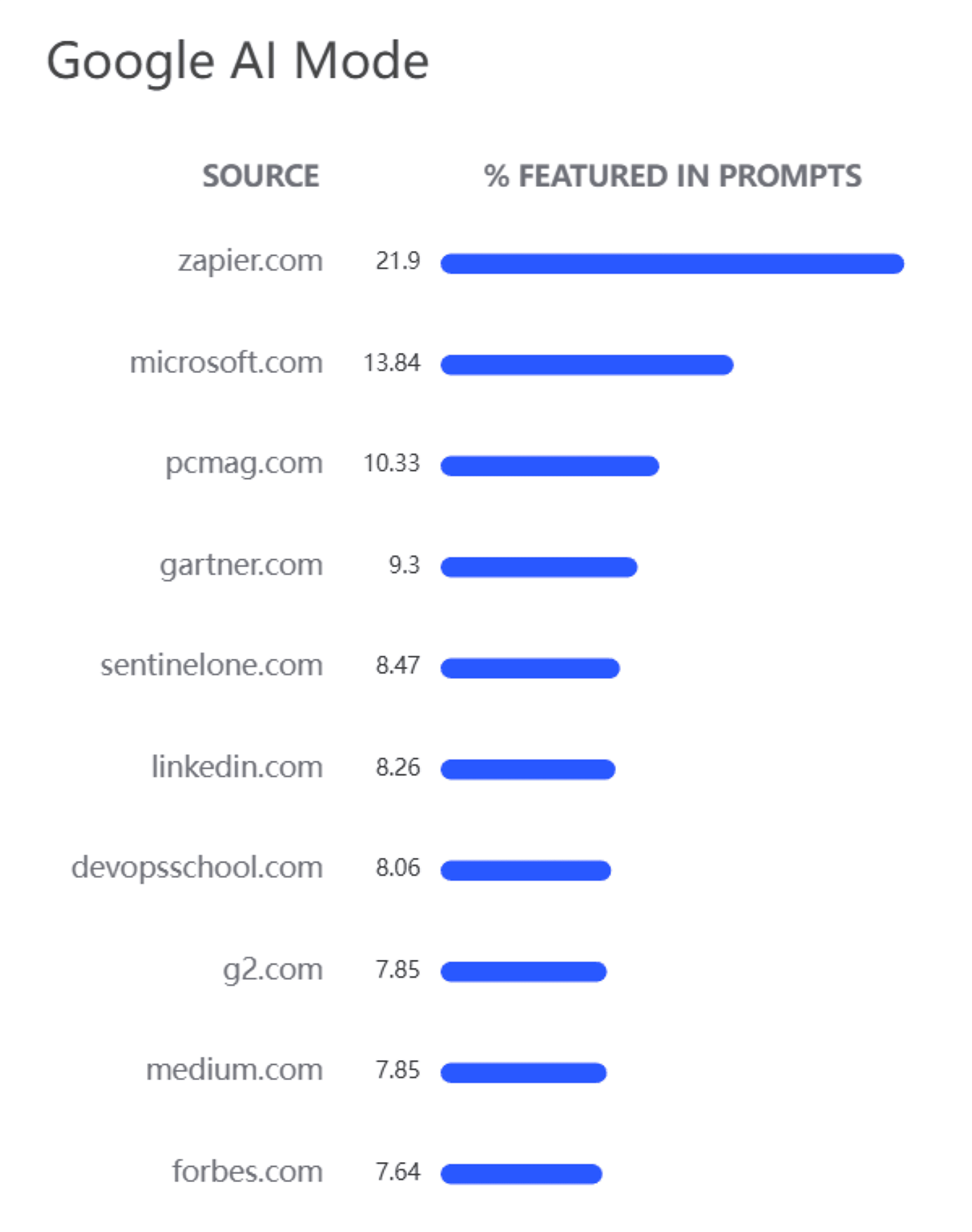
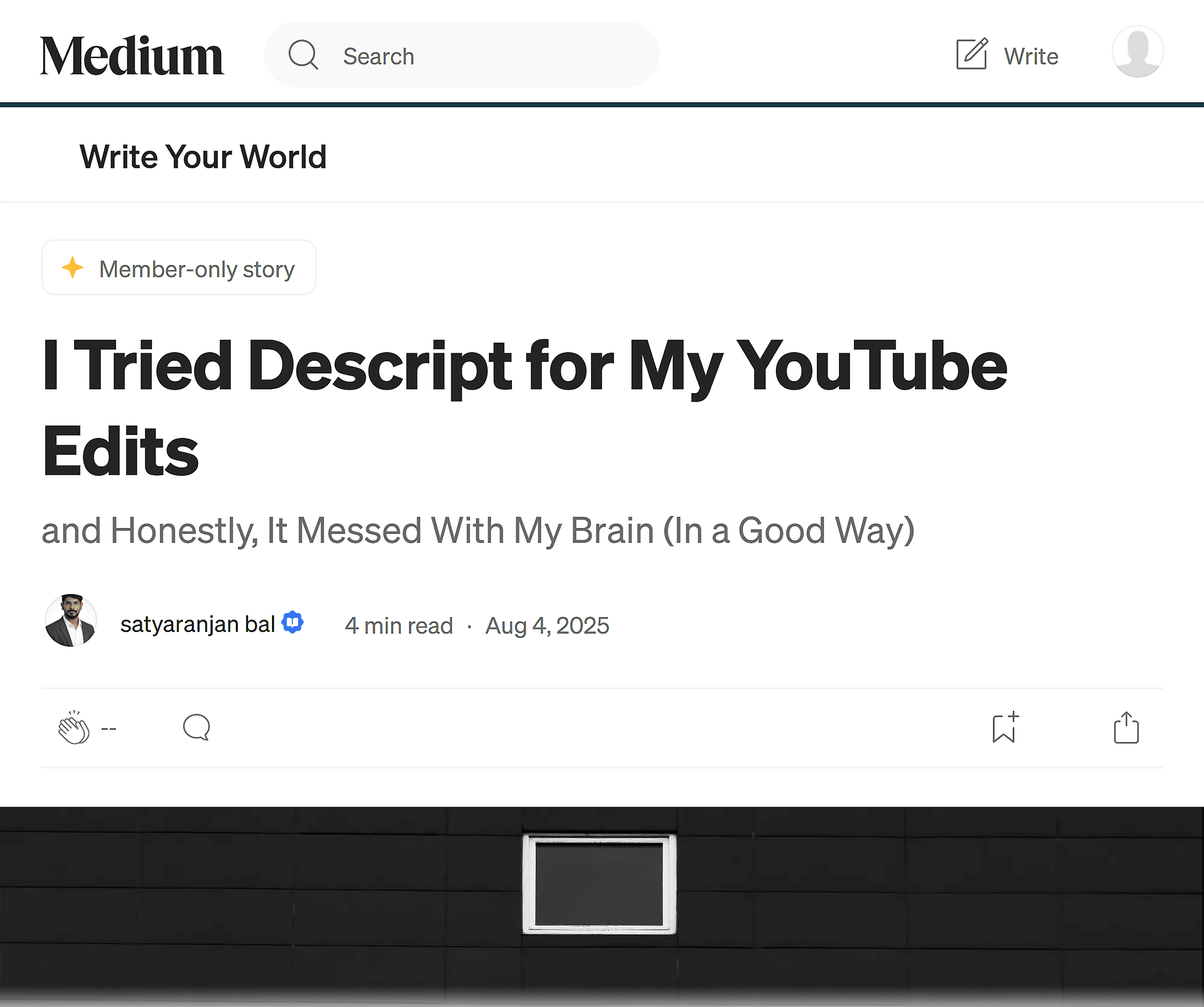
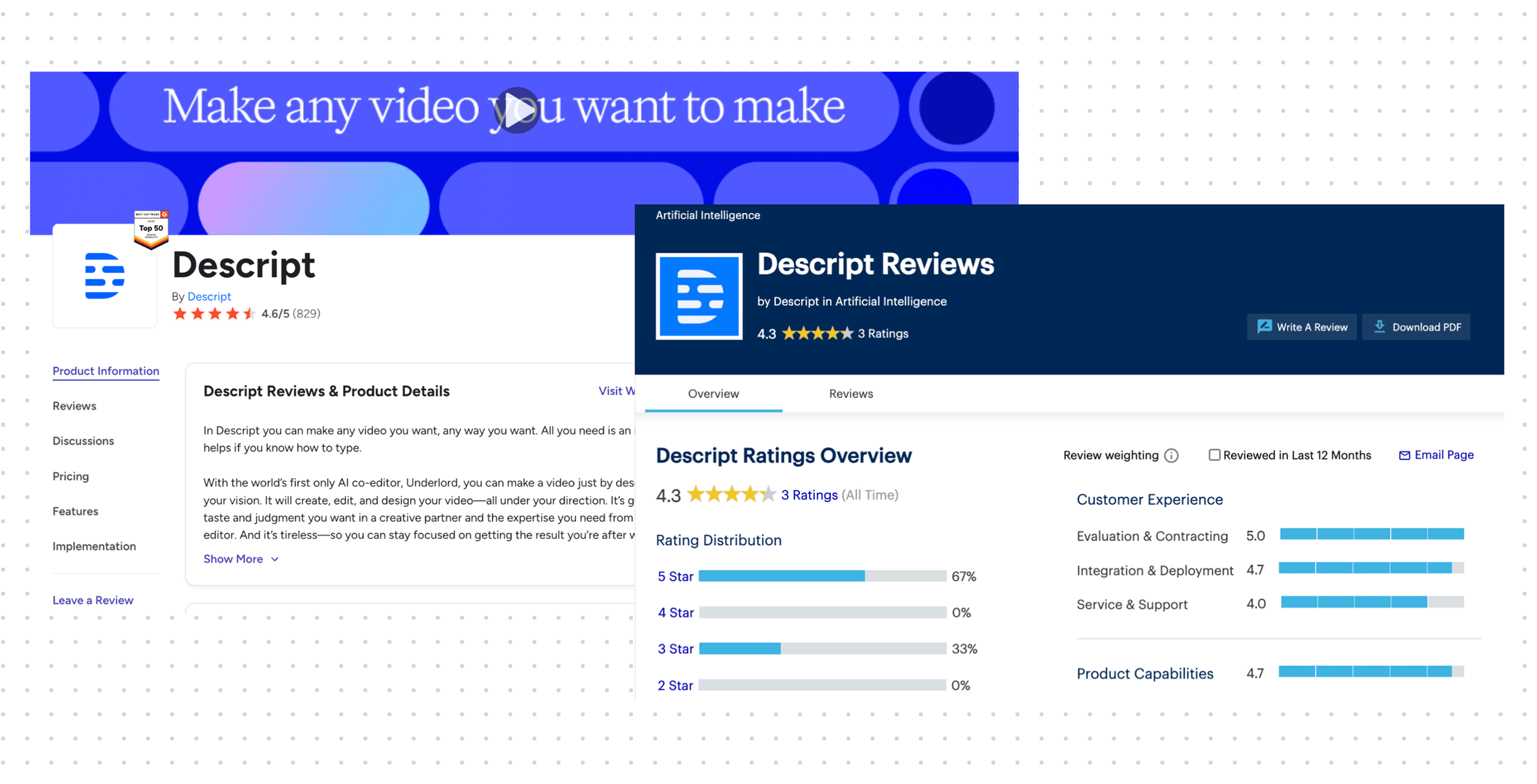
- Digital PR and Publisher Relationships: Descript actively seeks mentions on authoritative websites that AI models frequently cite. Semrush’s research on AI visibility in SaaS indicates that certain platforms, such as Zapier, Medium, and major review sites like Gartner and G2, are heavily favored by AI for software-related queries. Descript’s presence on these platforms, often in the form of product reviews, listicles, or case studies, ensures it is part of the information pool AI draws from.
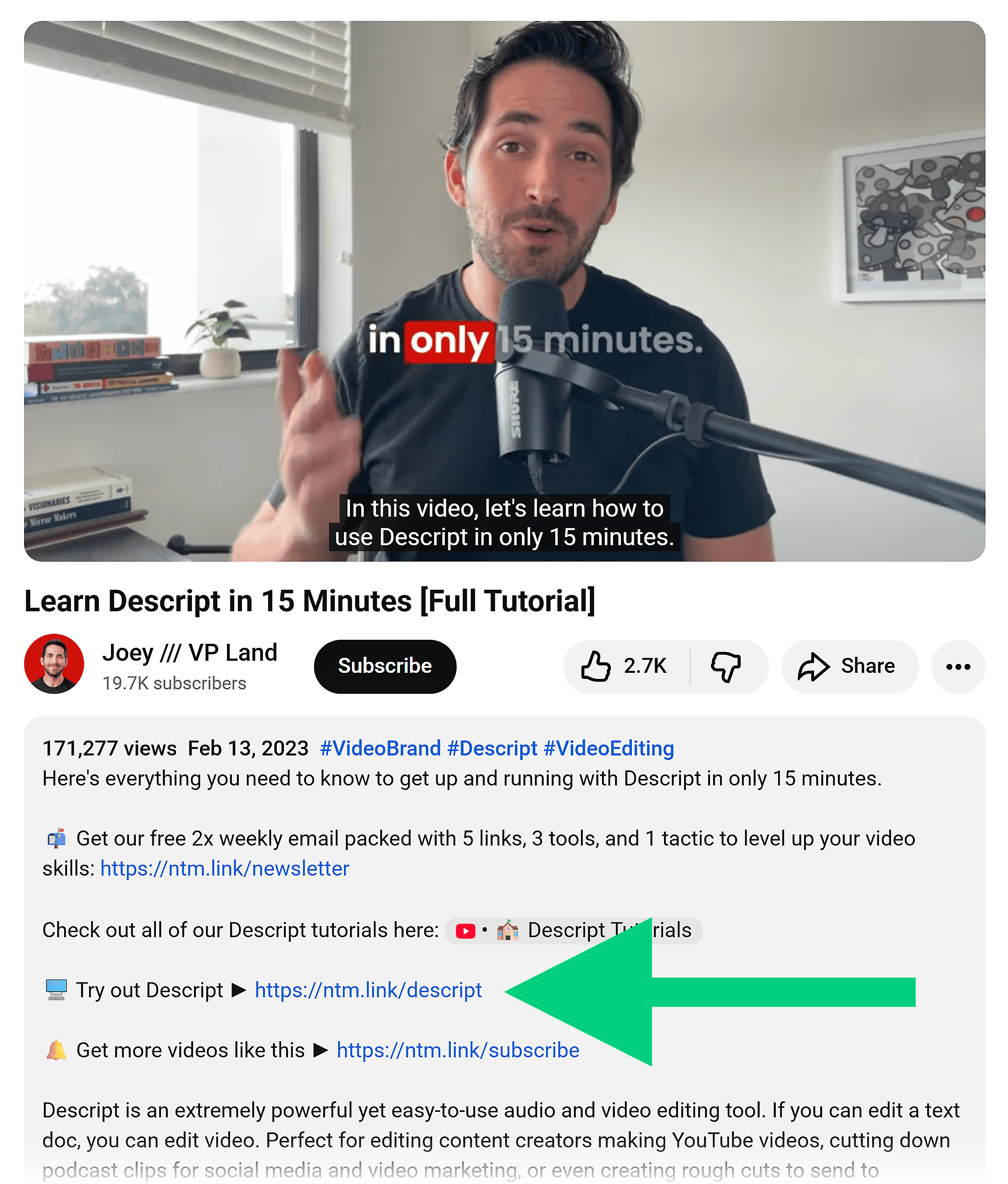
- Affiliate Marketing: Descript operates a robust affiliate program that incentivizes creators and publishers to recommend its product. By offering commissions for successful referrals, Descript encourages the creation of third-party content, such as YouTube tutorials and blog reviews, that feature Descript. These affiliate links often lead back to detailed product pages or helpful guides, further reinforcing Descript’s presence and authority. For example, a YouTube video walkthrough by a creator like VP Land might include an affiliate link, and this video could then be cited by AI when answering queries about using Descript.
Actionable Advice: Cultivate Third-Party Mentions and an Effective Affiliate Program
- Identify Trusted Sources: Use tools like Semrush’s AI Visibility Toolkit to identify websites and publishers that AI systems frequently cite for your industry.
- Build Publisher Relationships: Proactively engage with these trusted sources through outreach. Offer valuable content, unique insights, or partnership opportunities that align with their editorial focus.
- Develop a Compelling Affiliate Program: Design an affiliate program that offers attractive incentives and clear terms for partners. Provide affiliates with comprehensive marketing materials, such as product positioning guides, demo workflows, and reusable visuals.
- Treat Affiliates as Partners: Foster strong relationships with affiliates, recognizing them as crucial distribution channels. Equip them with the resources they need to effectively promote your product.
- Track and Analyze: Monitor the impact of external mentions and affiliate activities on AI visibility and branded search traffic. Use this data to refine your strategies and double down on successful initiatives.
An Area for Growth: Leveraging Reddit Effectively
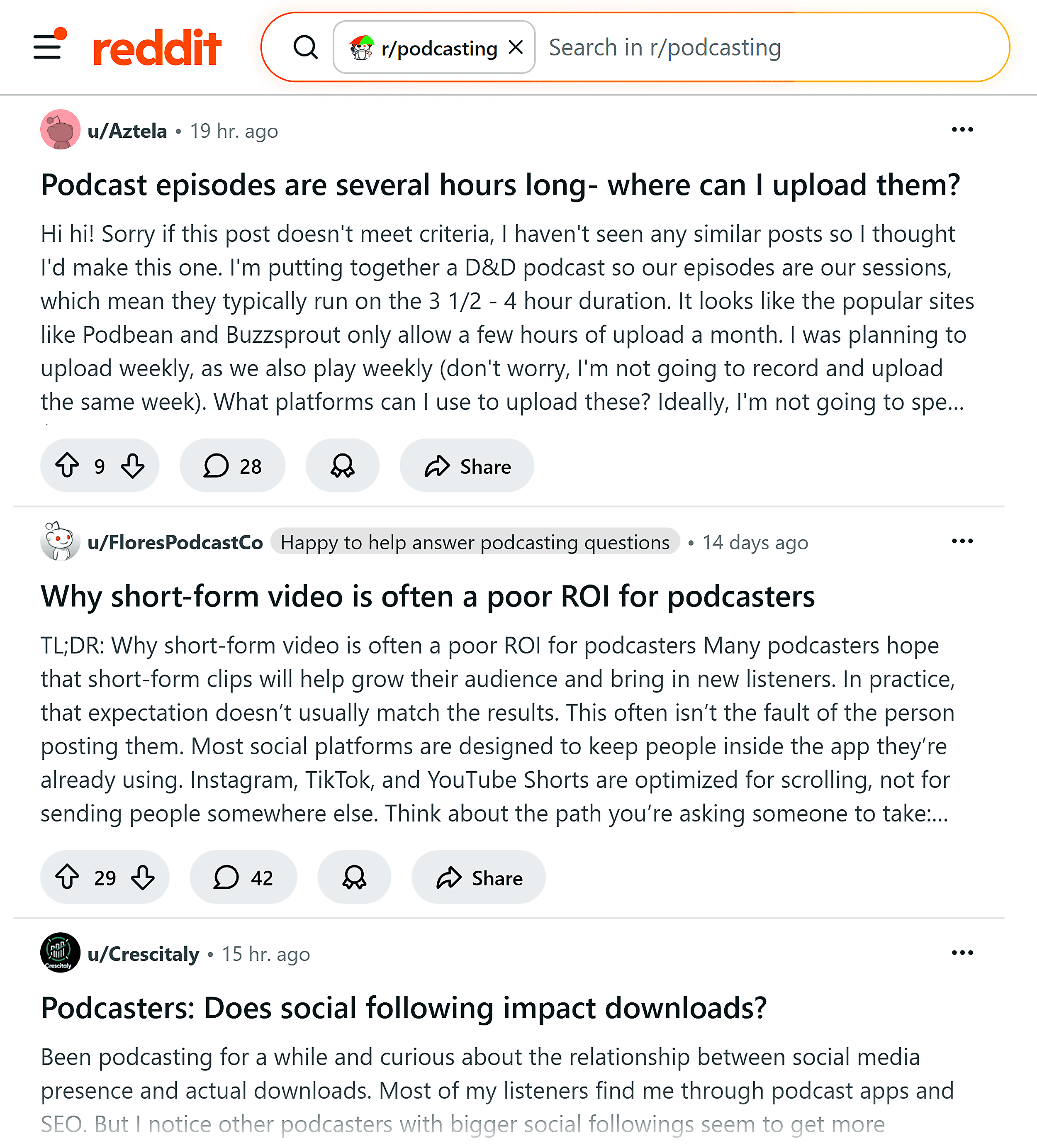
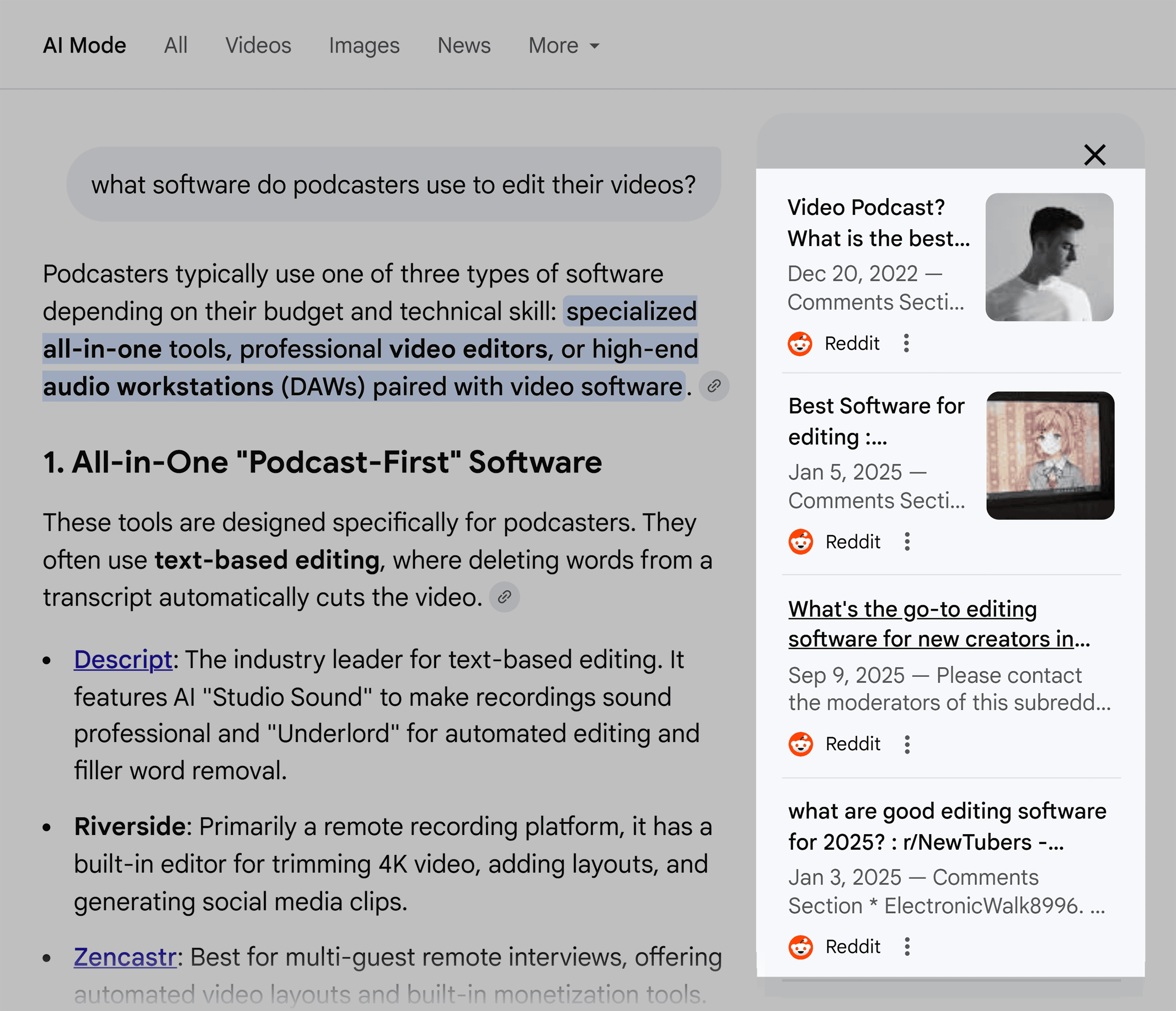
While Descript excels in many areas of AI visibility, there is a notable opportunity for improvement on Reddit. Despite its significant presence as a source for AI-generated answers, Descript’s engagement on Reddit appears to be a missed opportunity.
Current observations suggest that while Descript is mentioned on popular subreddits like r/podcasting, these mentions are often interspersed with negative feedback or lack substantial engagement from the brand itself. While Descript has established a dedicated subreddit, interactions outside of this branded community seem limited.

The implications of this are significant:
- Sentiment Imbalance: Negative sentiment on platforms like Reddit can dilute a brand’s overall positive association in the eyes of AI systems, potentially leading to weaker recommendations or the surfacing of alternative solutions.
- Missed Consensus Building: AI models strive for consensus. A lack of active, positive engagement on influential platforms like Reddit means Descript is missing a crucial avenue for reinforcing its positive attributes and building trust.
Actionable Advice: Revitalize Reddit Strategy
- Proactive Engagement: Actively participate in relevant subreddits. Respond to user questions, offer genuine assistance, and address concerns with transparency and helpfulness, avoiding overly promotional language.
- Sentiment Monitoring and Response: Regularly monitor brand mentions on Reddit. Address negative feedback constructively and publicly when appropriate, demonstrating a commitment to customer satisfaction.
- Share Value, Not Just Links: Contribute valuable insights, tips, and resources related to your industry, rather than simply dropping links to product pages.
- Consider AMAs (Ask Me Anything): If feasible, organize AMAs with product experts or company leaders to foster direct engagement and address user queries comprehensively.
- Leverage User-Generated Content: Encourage and highlight positive user-generated content and testimonials found on Reddit, showcasing real-world satisfaction with the product.
Conclusion: The Path Forward for AI Visibility
Descript’s success in AI search is a testament to the power of strategic focus, deep content creation, and effective external engagement. While the company has achieved impressive results without being the largest player, there remain opportunities for further growth, particularly in cultivating a more robust presence on platforms like Reddit.
The core lesson from Descript’s journey is that winning in AI search is not about exploiting algorithmic loopholes but about making a product inherently understandable, trustworthy, and recommendable. By prioritizing niche clarity, developing truly helpful content, showcasing products visually, and building a strong external reputation, businesses of all sizes can significantly enhance their AI visibility and drive meaningful growth. Tools like Semrush’s AI Visibility Toolkit offer invaluable data-driven insights to guide these efforts, enabling companies to identify key action areas and optimize their strategies for the evolving landscape of AI-powered discovery.