A Comprehensive Guide to Integrating xAI Grok with Hermes Agent via OAuth Authentication

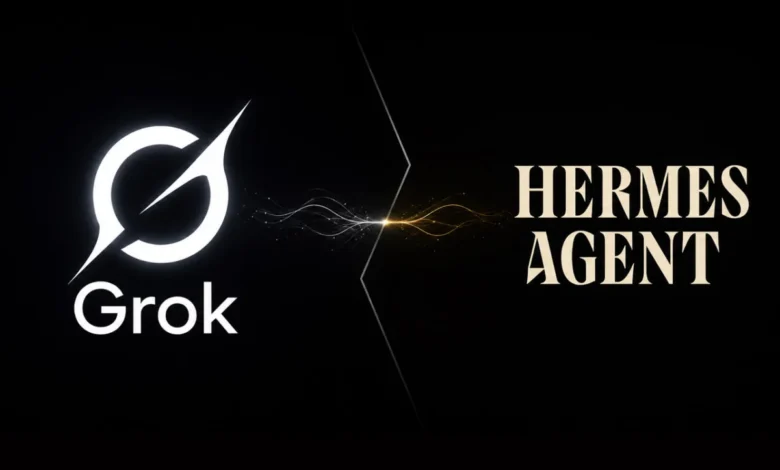
The landscape of artificial intelligence tooling has evolved to prioritize developer convenience, shifting away from cumbersome, manual configurations toward unified subscription models. A prime example of this paradigm shift is the integration between Hermes Agent and xAI’s suite of advanced artificial intelligence models. Developers and power users no longer need to generate and manage discrete API keys to leverage xAI’s technology within Hermes. Instead, the platform now supports direct browser-based OAuth authentication via existing SuperGrok or X Premium+ subscriptions. This native integration streamlines access not only to text-based models like Grok 4.3, but also to a diverse array of native media generation utilities, including text-to-speech, image synthesis, video generation, and audio transcription tools.
Background Context and Industry Evolution
For years, utilizing advanced language models within command-line agents and independent development frameworks required obtaining dedicated developer keys from model providers. While effective, this fragmented approach created friction for power users who were already paying for consumer-facing or premium tier subscriptions like ChatGPT Plus, Claude Pro, or SuperGrok. Managing separate billing streams for API consumption alongside monthly subscription fees often proved inefficient and costly.
Recognizing this friction, platforms like Hermes Agent have begun adopting OAuth-driven workflows that bridge consumer subscriptions with developer tooling. By allowing authentication through established accounts—specifically X accounts tied to SuperGrok or X Premium+ tiers—the barrier to entry for building local agents drops significantly. This approach mirrors a broader industry movement toward credential consolidation, where user authentication mechanisms are leveraged to authorize downstream API calls and model inference without requiring a secondary, developer-specific billing ledger.
Technical Architecture and Integration Mechanics
Under the hood, the integration is governed by a dedicated provider identifier within Hermes known as xai-oauth. Rather than requiring an XAI_API_KEY environment variable, Hermes routes requests through xAI’s Responses-style API endpoint located at https://api.x.ai/v1.
To maintain compatibility and robust feature support without requiring custom adapters, Hermes repurposes its established codex_responses transport layer. This architectural decision ensures that complex functionalities—such as real-time token streaming, multi-step tool calling, chain-of-thought reasoning, and prompt caching—operate natively with Grok models. The default model initialized upon successful authentication is currently set to grok-4.3, positioned prominently at the top of the platform’s interactive model selector.
Furthermore, the authentication tokens secured during the initial browser-based handshake are stored locally within the user’s environment at ~/.hermes/auth.json. Hermes handles token lifecycle management autonomously, refreshing credentials in the background before expiration to ensure uninterrupted long-running sessions.
Step-by-Step Setup Guide for Local Environments
Configuring the xAI OAuth provider locally is designed to be straightforward. Users can initiate the process through either an interactive model selection menu or a direct command-line invocation.
To configure through the model picker, users execute:
hermes modelFrom the presented list of providers, selecting xAI Grok OAuth (SuperGrok / X Premium+) triggers a browser window opening to accounts.x.ai. Upon granting permissions, the browser handshake completes, and local tokens are securely written to disk.
Alternatively, users who wish to bypass the interactive menu can add the provider directly via the terminal:
hermes auth add xai-oauthOnce authentication is verified, setting Grok as the default inference engine requires updating the configuration file or utilizing the configuration utility:
hermes config set model.default grok-4.3
hermes config set model.provider xai-oauth
For scripters and advanced operators, Hermes also recognizes several canonical provider aliases, including --provider grok-oauth, --provider x-ai-oauth, and --provider xai-grok-oauth, though xai-oauth remains the recommended standard for documentation and shell scripts.
Deploying on Remote Servers and Headless Containers
While local authentication is seamless, running Hermes Agent on remote Linux servers, SSH sessions, or containerized cloud development environments introduces networking hurdles due to the browser-dependent OAuth flow.
Because the local callback listener runs on a designated port (127.0.0.1:56121) within the remote machine, standard browser redirects will fail if accessed from a local laptop without proper port forwarding. To circumvent this, administrators must establish an SSH tunnel prior to initiating the login sequence.
The standard procedure involves executing a port-forwarding command from a local terminal:
ssh -N -L 56121:127.0.0.1:56121 user@remote-hostFollowing this, on the remote server where Hermes is active, the administrator executes the authentication command with the headless flag:
hermes auth add xai-oauth --no-browserThe terminal will output a unique authorization URL. Opening this link in a local web browser allows the authentication request to route securely back through the SSH tunnel to the remote agent instance. For environments utilizing jump hosts, appending the -J jump-user@jump-host parameter ensures proper routing.
In scenarios where SSH tunneling is restricted or impossible—such as within browser-based remote consoles like GitHub Codespaces, AWS Cloud Shell, or Gitpod—users can rely on manual paste mode:
hermes auth add xai-oauth --manual-pasteThis mode bypasses the local callback listener entirely, allowing the user to copy the resulting callback URL from their browser and paste it directly back into the terminal prompt.
Expanding Capabilities: Media Tools and X Search
A major advantage of the xai-oauth integration is its expansive scope. The authenticated session is not artificially restricted to text generation; it extends authorization to Hermes’s suite of direct xAI multimedia and search tools.
These integrated capabilities include:
- Text-to-Speech synthesis (
tts) - Advanced Image Generation (
image-generation) - Video Generation (
video-generation) - Audio Transcription (
transcription) - Real-time X Platform Search (
x-search)
To manage these features, users access the tool selection menu:
hermes toolsWhile features like X search automatically initialize when valid xAI credentials are detected, heavy utility functions such as video generation may require explicit activation within the tool configuration menu. Model catalogs, including text engines like grok-4.3 and media generators like grok-image or grok-tts, are synchronized via Hermes’s local models.dev caching mechanism, ensuring new xAI releases populate automatically upon cache refreshes.
Troubleshooting Common OAuth and Subscription Hurdles
Despite streamlined automation, users may occasionally encounter friction points during deployment. Diagnostic checks can be performed at any time using:
hermes doctorInspecting the Auth Providers section reveals whether the xai-oauth token is valid and active.
Common issues and their resolutions include:
- Token Expiration or Revocation: If a refresh token is invalidated or rotated externally, Hermes will trigger a 401 unauthorized response. Resolving this requires re-authenticating via
hermes auth add xai-oauth. - Callback Timeouts: The local listener stays active for a limited time window. If browser authorization is delayed, the session times out and must be restarted.
- HTTP 403 Forbidden Errors: A successful browser login that subsequently yields 403 errors during inference typically indicates a subscription tier restriction enforced by xAI’s backend infrastructure. If OAuth access is denied for a specific subscription level, users must fall back to traditional API key billing by exporting an
XAI_API_KEYand switching providers:export XAI_API_KEY=xai-... hermes config set model.provider xai
To completely purge saved credentials and reset the authentication state, users can execute:
hermes auth logout xai-oauthBroader Implications and Future Outlook
The integration of OAuth authentication for AI agent tooling represents a significant maturity milestone in how software developers and consumers interact with proprietary large language models. By decoupling raw API key management from utility usage, platforms like Hermes Agent lower the barrier to advanced multi-modal orchestration.
For developers, this reduces the administrative overhead of maintaining multiple prepaid developer accounts. For platform providers like xAI, offering subscription-backed API and agent integration fosters deeper ecosystem lock-in, encouraging users to maximize the utility of services like SuperGrok across diverse third-party applications. As authentication standards continue to unify, the boundary between consumer-facing AI subscriptions and developer tooling will likely continue to blur, paving the way for more interconnected and frictionless artificial intelligence workflows.