
Securing modern web applications during development, staging, or internal deployment phases remains a fundamental requirement for web engineers and project stakeholders alike. As web architectures shift toward component-driven frameworks and serverless runtimes, developers frequently seek lightweight, dependable mechanisms to restrict unauthorized access without introducing complex dependency trees or burdensome third-party libraries. This challenge is particularly acute within the Astro ecosystem, a popular static and hybrid site builder known for its zero-JS-by-default philosophy and performance-first architecture.
When engineers build pre-production environments, client review sites, or internal corporate tooling using Astro, safeguarding these assets from public indexing and unauthorized viewing is paramount. Traditionally, developers have relied on external proxies, network-level configurations like Nginx authentication blocks, virtual private networks (VPNs), or heavy npm packages to enforce access control. However, these traditional methods often add infrastructural complexity, increase maintenance overhead, and introduce additional points of failure into the deployment pipeline.
Fortunately, Astro features a robust, built-in middleware execution pipeline capable of intercepting and processing requests on-demand. By leveraging this native feature in combination with HTTP Basic Authentication—a standardized, universally supported browser protocol—developers can implement secure access restrictions natively. This approach requires no external software packages, relying purely on runtime capabilities, a concise middleware function, and two environment variables. Examining the technical prerequisites, implementation steps, configuration requirements, and broader implications of this method provides a comprehensive roadmap for securing modern Astro deployments.
Technical Architecture and Prerequisites
To successfully deploy HTTP Basic Authentication within an Astro application, the project architecture must support on-demand server-side rendering (SSR). Because Astro defaults to generating static HTML files at build time, traditional static hosting targets lack the live request-response cycle required to evaluate authentication headers dynamically. Consequently, implementing route-level or global middleware authentication necessitates an appropriate server adapter—such as those available for Node.js, Vercel, Netlify, Cloudflare Pages, or AWS—that enables dynamic execution environments.
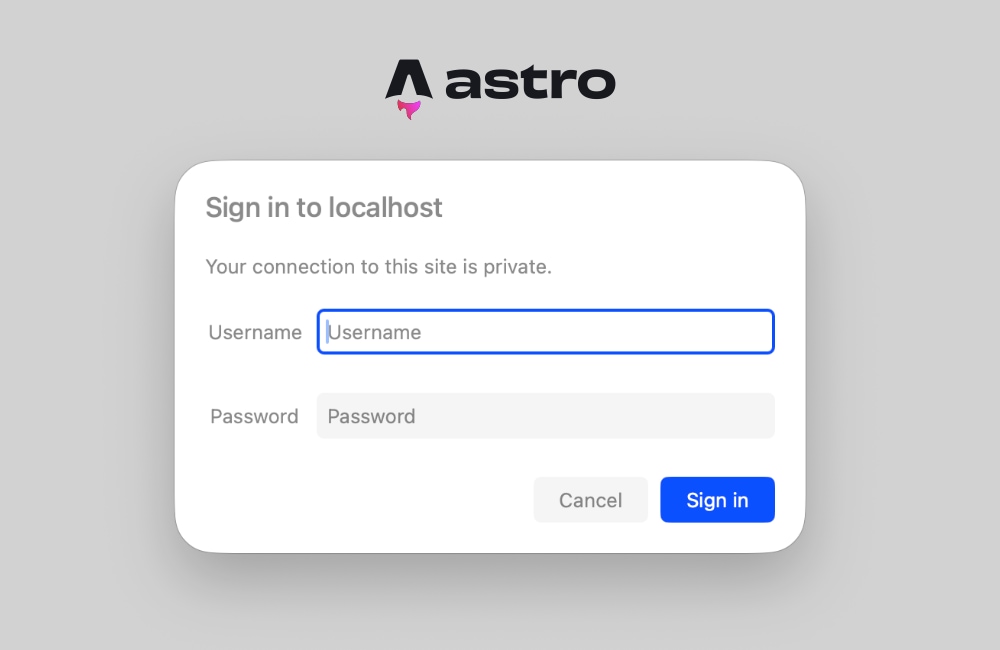
The underlying mechanism relies on the HTTP protocol’s native challenge-response framework. When a client issues a request to a protected resource without valid credentials, the server intercepts the transaction via its middleware layer, evaluates the missing or invalid authorization state, and responds with a specific status code accompanied by a challenge header. Modern web browsers recognize this specific protocol signature and automatically render a native, secure login dialog box without requiring developers to write custom authentication user interfaces or client-side form validation logic.
Constructing the Middleware Foundation
Astro manages request interception through a standardized middleware structure located within the project directory. Specifically, developers define this logic inside a src/middleware.ts file (or src/middleware.js for JavaScript environments). The core operational unit within this file is the onRequest handler, which wraps incoming traffic using the defineMiddleware utility provided by the framework.
import  defineMiddleware  from 'astro:middleware';

export const onRequest = defineMiddleware(async (context, next) =>
  // Authentication logic executes here prior to rendering
  return next();
);
This structural wrapper grants code execution access to the full request context, including query parameters, cookies, and HTTP headers, while providing a next() callback function to seamlessly continue the request pipeline if authentication succeeds. By positioning this logic at the global middleware level, every incoming request passes through the security gatekeeper before reaching page components or API endpoints.
Evaluating Credentials and Parsing Authorization Headers
The core evaluation routine depends on reading runtime environment variables and cross-referencing them against the Base64-encoded credentials transmitted by the browser. Standard HTTP Basic Authentication transmits credentials within the Authorization request header, prefixed by the authentication scheme descriptor and a space.
function isAuthenticated(request: Request): boolean The execution flow of this verification function is systematic and efficient. First, the application checks whether the required administrative environment variables (BASIC_AUTH_USER and BASIC_AUTH_PASS) have been defined. If these variables are omitted, the system defaults to an open state, preventing accidental lockouts in unconfigured local development environments. Next, the function inspects the incoming request headers for the presence of an Authorization string.
If the header exists and utilizes the correct Basic schema, the underlying Base64 payload is extracted, decoded using the global atob utility, and split into its constituent username and password components using the colon delimiter (:). Finally, a secure string comparison confirms whether the provided credentials match the authorized environment variables. For legacy server environments or specialized Node.js runtimes lacking global atob support, developers can alternatively utilize Node’s native Buffer.from(encoded, 'base64').toString() method to achieve identical decoding results.
Handling the Unauthorized Response and Browser Integration
When the credential evaluation function returns a negative result, the server must reject the transaction by returning a precise HTTP status code accompanied by specific directive headers. Specifically, the middleware returns a 401 Unauthorized response status paired with a WWW-Authenticate header.
export const onRequest = defineMiddleware(async (context, next) =>
  if (!isAuthenticated(context.request))
    return new Response('Unauthorized',
      status: 401,
      headers:
        'WWW-Authenticate': 'Basic realm="Staging Environment", charset="UTF-8"',
      ,
    );


  return next();
);
The realm parameter embedded within the WWW-Authenticate header serves as a descriptive label that modern web browsers display directly inside their native authentication dialog boxes. Developers can customize this string—such as designating it as "Staging," "Client Review," or "Internal Tools"—to provide clear contextual information to users attempting to access the restricted domain.
Upon encountering the 401 Unauthorized response code and the accompanying authentication challenge header, the web browser intercepts the response before rendering any page content. Instead of displaying the raw text payload, the browser automatically generates a clean, platform-native modal prompt asking the user for valid credentials. Once the user inputs their designated username and password, the browser securely encodes those credentials and automatically appends them to the Authorization header of all subsequent HTTP requests. This native browser handling eliminates the need to build custom login forms, handle session state management cookies, or write auxiliary client-side authentication scripts.
Configuration and Environment Variable Management
Operational security relies heavily on the proper management of runtime credentials. Within the Astro framework, server-side environment variables are accessed securely via the import.meta.env object. To configure these variables for local development, engineers establish a standard .env file located at the root of the project workspace.
BASIC_AUTH_USER=secure-admin-user
BASIC_AUTH_PASS=complex-staging-password
When deploying the application to production hosting providers, cloud platforms, or serverless environments, identical environment variables must be registered within the platform’s control panel or site settings dashboard. Major web hosting platforms—including Vercel, Netlify, Cloudflare Pages, and AWS Amplify—provide dedicated environment variable management sections within their deployment configuration interfaces. Ensuring these keys match across both local development files and production deployment configurations prevents runtime authentication failures.
Diagnostic Troubleshooting and Handling Prerendering Conflicts
Deploying server-side middleware in static-first frameworks occasionally introduces architectural conflicts, particularly when mixing server-rendered logic with statically prerendered routes. A common error encountered by developers implementing request header checks in Astro involves attempting to access Astro.request.headers inside static page components, triggering build-time or runtime exceptions indicating that headers are unavailable on prerendered pages.
This exception occurs because Astro optimizes static pages by generating them during the build phase, at which point no live HTTP request exists, and consequently, no request headers are present. Even if the global middleware is functioning correctly and blocking unauthorized requests at the network edge, individual page components configured for static prerendering will still attempt to evaluate request data during static generation sweeps.
To resolve this architectural conflict, developers utilize two primary mitigation strategies. The first approach involves explicitly opting individual pages out of static generation by declaring a prerender directive within the frontmatter section of the affected page component:
---
export const prerender = false;
---
This directive instructs the Astro build engine to render the specific page dynamically on every incoming request rather than prebuilding it into static HTML. Consequently, the page gains full access to runtime request headers, cookies, and authentication states.
Alternatively, if the entire application requires strict authentication and server-side execution, developers can configure the project-wide output mode within the core configuration file (astro.config.mjs) to operate entirely in server mode:
// astro.config.mjs
import  defineConfig  from 'astro/config';
import node from '@astrojs/node';

export default defineConfig(
  output: 'server',
  adapter: node(
    mode: 'standalone'
  )
);
Enabling global server output ensures that every route within the application is rendered on-demand by default, guaranteeing that request headers remain perpetually accessible across the entire project footprint. Developers maintaining select static pages within a predominantly server-rendered application can selectively re-enable static generation on individual routes by setting export const prerender = true where necessary.
Industry Implications and Operational Efficiency
The implementation of native HTTP Basic Authentication via middleware represents a significant evolution in how frontend engineering teams approach lightweight security enforcement. By utilizing native web standards and framework-provided middleware primitives, development teams can secure staging environments, preview deployments, and internal tools in under thirty lines of code without incurring performance penalties or adding external dependencies.
Industry analysts and senior systems architects note that reducing external dependency counts directly correlates with enhanced software supply chain security, lower vulnerability exposure, and reduced long-term maintenance overhead. As modern build tools like Astro continue to mature, empowering developers to solve infrastructure-level challenges using native runtime features exemplifies a broader industry movement toward lean, high-performance web engineering practices. Whether deployed on distributed edge networks like Cloudflare Pages or traditional Node.js server instances, native middleware authentication provides a robust, zero-dependency security baseline for modern web applications.
Related posts: