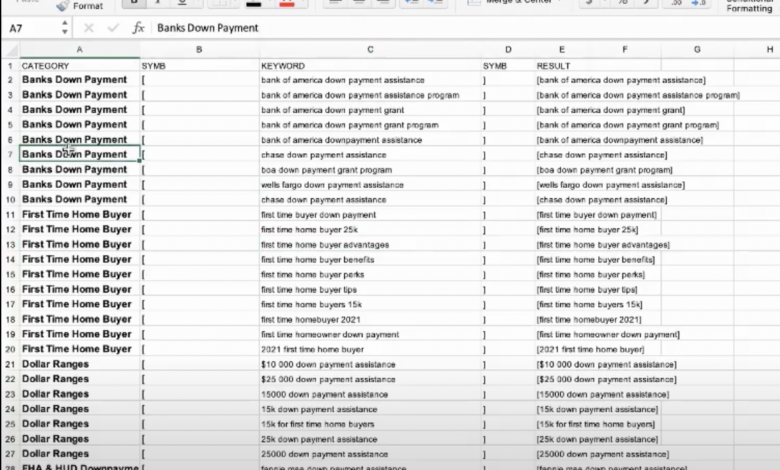
Google Ads Data Manager Your Data, Your Advantage
Google Ads Data Manager empowers marketers with a powerful tool to manage and leverage data for optimal ad performance. It streamlines data collection, analysis, and reporting, ultimately boosting campaign effectiveness. By integrating with various Google services, marketers gain a comprehensive view of their advertising data, leading to better informed decisions and improved ROI.
This in-depth exploration of Google Ads Data Manager covers everything from its core functionalities to advanced strategies for using the platform effectively. We’ll delve into its data management capabilities, reporting and analysis features, integrations, best practices, data security, and future trends. Get ready to unlock the full potential of your advertising data.
Introduction to Google Ads Data Manager
Google Ads Data Manager is a powerful tool that helps advertisers access, manage, and leverage data from various sources to improve their advertising campaigns. It acts as a central hub for integrating diverse data sets, enabling more insightful targeting, better campaign optimization, and ultimately, enhanced ROI. This central platform provides a streamlined approach to managing data from various sources, leading to more informed decision-making.This platform transcends traditional advertising approaches by providing a comprehensive view of customer behavior and market trends.
By connecting diverse data sources, it allows advertisers to build more targeted campaigns and personalize their messaging, leading to greater efficiency and higher conversion rates. This comprehensive data management solution is designed to help businesses in various sectors improve their advertising performance.
Core Functionalities and Benefits
Data Manager offers a wide range of functionalities that extend beyond simple data storage. These include data integration, cleansing, and analysis, ultimately driving better ad performance. Key benefits include enhanced campaign targeting, improved ad relevance, and ultimately, increased conversion rates. The seamless integration with other Google services makes data analysis and campaign management more efficient.
Types of Data Managed
Data Manager can handle a variety of data types, enabling a holistic view of customer behavior and market trends. This includes customer demographics, purchase history, website activity, and more. This broad range of data sources allows for a more complete picture of the target audience, which in turn enables more effective and personalized marketing campaigns. Integrating various data types provides a comprehensive view of customer behavior and preferences.
This enables advertisers to tailor their messaging and targeting strategies more effectively, leading to better campaign performance.
Integration with Other Google Services
Data Manager seamlessly integrates with other Google services, creating a unified platform for managing and analyzing data. This integration enhances efficiency and allows for a more holistic view of customer behavior. This synergy streamlines the entire advertising process, from data acquisition to campaign optimization. The seamless integration with other Google products, like Google Analytics and Google Marketing Platform, allows advertisers to access and utilize data from various sources, improving campaign effectiveness.
Comparison to Other Similar Tools
| Feature | Data Manager | Tool A | Tool B |
|---|---|---|---|
| Data Sources | Diverse, including CRM, website, and third-party data | Limited to CRM and website data | Focuses primarily on social media data |
| Data Management Capabilities | Comprehensive data integration, cleansing, and analysis | Basic data integration and reporting | Strong on data visualization, but limited in data manipulation |
| Integration with Other Platforms | Seamless integration with Google Ads, Analytics, and other Google services | Limited integration options | Some integration, but not as extensive as Data Manager |
| Pricing | Variable, based on usage and features | Fixed monthly fee, based on user count | Pay-as-you-go model, with varying pricing tiers |
This table provides a concise comparison of Data Manager to other tools, highlighting its broader data source support, advanced management capabilities, and seamless Google ecosystem integration. Different tools cater to various needs and budgets, and Data Manager stands out with its comprehensive capabilities and integration potential.
Data Management Capabilities
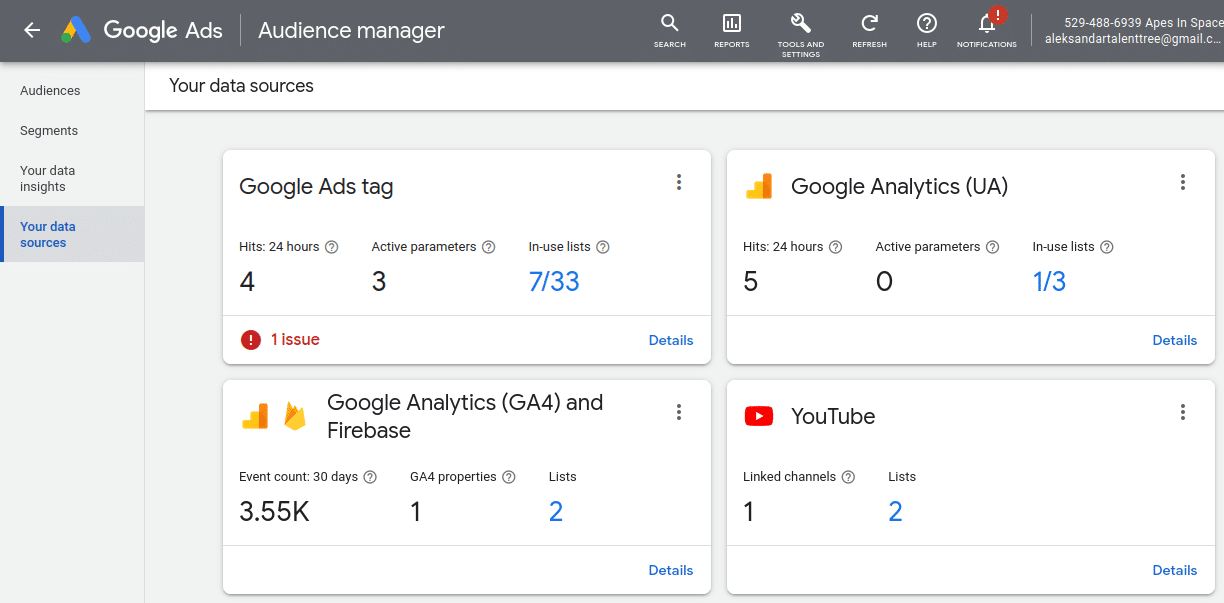
Google Ads Data Manager empowers advertisers to leverage data from various sources for enhanced campaign performance. It’s a powerful tool for consolidating and analyzing diverse data sets, allowing for a more holistic view of customer behavior and market trends. This translates to more targeted ad campaigns and ultimately, improved return on investment (ROI).Data Management Capabilities go beyond simply collecting data.
They encompass the transformation, segmentation, and analysis of this data, making it actionable intelligence for marketing strategies. This streamlined process allows advertisers to understand their audiences better and create more effective campaigns.
Data Sources Supported
Google Ads Data Manager supports a wide array of data sources, enabling advertisers to combine diverse information into a single platform. This includes CRM data, website analytics, marketing automation platforms, and more. This integrated approach allows for a comprehensive view of customer interactions across various touchpoints.
Data Transformation and Preparation
Data transformation and preparation is crucial for effective analysis. Data Manager offers tools to cleanse, standardize, and enrich the data. This process ensures data accuracy and consistency, which are essential for reliable insights. For example, if a customer database has inconsistent data formats (e.g., different spellings for the same city), Data Manager can automatically standardize the data, preventing errors in analysis and reporting.
Data Segmentation and Filtering
Data Manager provides various segmentation and filtering options, allowing advertisers to precisely target specific customer groups. Segmentation can be based on demographics, behavior, purchase history, and more. These sophisticated filtering capabilities enable advertisers to isolate specific segments for tailored ad messaging and campaigns. For example, an advertiser might segment customers based on their purchase history to create targeted ads for products they’ve shown interest in.
Metrics and Dimensions Available
A wide range of metrics and dimensions are available for analysis within Data Manager. This includes website visits, conversions, customer lifetime value, and more. These provide a rich understanding of campaign performance and customer behavior. Advertisers can analyze how various customer segments interact with their ads and products, providing valuable insights into optimizing campaigns. For example, understanding the conversion rates for different customer segments can help identify areas for improvement.
Google Ads Data Manager is a powerful tool for managing your ad campaigns across multiple platforms. But what if you’ve got multiple Instagram accounts that you’d like to consolidate? Learning how to merge Instagram accounts can streamline your social media presence, which in turn helps your data flow into Google Ads Data Manager more efficiently. Check out this guide on how to merge Instagram accounts for a step-by-step approach.
Once your accounts are merged, you’ll have a more unified view of your Instagram data, allowing you to better target your Google Ads campaigns.
Data Import Options
The following table Artikels the various data import options available in Google Ads Data Manager:
| Data Source | Import Method | Data Format |
|---|---|---|
| CRM Systems | API Integration | CSV, JSON, XML |
| Marketing Automation Platforms | API Integration | CSV, JSON, XML |
| Website Analytics Platforms | API Integration | CSV, JSON, XML |
| Other Data Sources | Upload | CSV, Excel |
Import methods vary depending on the source data’s structure and complexity. API integration is generally preferred for larger volumes of data due to its efficiency and automation. Uploads are suitable for smaller data sets or those with less complex structures. Data Manager’s flexibility ensures compatibility with a broad range of data sources.
Reporting and Analysis
Unleashing the power of your data requires effective reporting and analysis. Google Ads Data Manager empowers you to transform raw data into actionable insights. This section delves into how to generate, customize, and interpret reports, ultimately driving informed decision-making for your campaigns.
Report Generation and Customization
Data Manager’s reporting engine provides a streamlined process for generating insightful reports. Reports are built using pre-defined templates or custom configurations. Pre-built templates offer quick access to standard metrics, while custom reports allow for a deeper dive into specific data points. Users can filter data by date range, campaign, ad group, and other relevant criteria, enabling precise analysis.
Furthermore, you can modify report layouts, including adding or removing columns and charts. This customization ensures the reports accurately reflect your specific needs and objectives.
Visualization Options
Data Manager provides a variety of visualization options to present your data clearly and concisely. These options include bar charts, line graphs, pie charts, and tables. Each visualization type offers a unique perspective on the data. For instance, bar charts effectively compare different campaign performance metrics, while line graphs illustrate trends over time. Pie charts provide a clear representation of the distribution of data across various categories.
Tables are excellent for detailed numerical analysis. The flexibility of these options allows you to identify patterns and trends more efficiently.
Google Ads Data Manager is a powerful tool for managing your ad campaigns, but it’s even more effective when you’re looking at the bigger picture of enterprise SEO. A key part of that strategy is understanding how your online presence performs across the board. Learning the intricacies of enterprise SEO will give you a more comprehensive understanding of how to optimize your entire digital footprint, ultimately improving your ad performance within Google Ads Data Manager.
Key Performance Indicators (KPIs)
Tracking key performance indicators (KPIs) is crucial for optimizing campaign performance. Data Manager allows you to monitor metrics such as clicks, conversions, cost-per-click (CPC), and return on ad spend (ROAS). These metrics offer a comprehensive overview of your campaign’s effectiveness. Understanding how these KPIs interact can help you fine-tune your strategies and improve campaign ROI.
Actionable Insights from Data Manager Reports
The following table presents examples of actionable insights derived from Data Manager reports, demonstrating the transformative power of data-driven decision-making.
| Data Point | Insight | Action |
|---|---|---|
| Significant decrease in conversions from mobile devices. | Mobile campaign optimization is required. | Improve mobile ad experience, consider A/B testing different ad creatives. |
| High cost-per-acquisition (CPA) for a specific campaign. | Campaign targeting or bidding strategies need adjustment. | Analyze target audience and adjust bidding strategy, refine targeting parameters. |
| High click-through rate (CTR) for a particular ad group. | Creative is resonating with the target audience. | Duplicate successful ad copy across other ad groups or campaigns. |
Creating a Custom Report
Creating a custom report in Data Manager is straightforward. First, navigate to the reporting section and select “Create Custom Report.” Then, define the metrics you want to track, including dimensions like date, campaign, and ad group. Next, choose the desired visualization type (e.g., bar chart, line graph). Finally, apply filters and segment the data based on specific criteria.
Save the report for future use and schedule regular updates to monitor key performance indicators (KPIs).
Integrations and Applications: Google Ads Data Manager
Google Ads Data Manager (DMM) isn’t an island; it’s a powerful bridge connecting your data to a vast network of marketing tools. This section explores how DMM seamlessly integrates with other platforms, highlighting its advantages and practical applications across various industries. Understanding these integrations is crucial for maximizing the value of your marketing efforts and achieving your business goals.
Data Manager’s Cross-Platform Integrations
Data Manager’s strength lies in its ability to act as a central hub for your data, making it readily accessible to multiple marketing tools. This central repository streamlines workflows, enabling better coordination between different platforms. Effective integration significantly enhances campaign performance and provides a unified view of your marketing activities.
Advantages of Using Data Manager with Different Advertising Platforms
Using Data Manager with platforms like Google Ads, YouTube Ads, and Display & Video 360 offers several advantages. Firstly, it eliminates the need for manual data transfers, automating the process and reducing errors. Secondly, it provides a consistent view of customer data across different platforms, leading to more targeted and effective campaigns. Thirdly, it allows for more sophisticated analysis, enabling marketers to identify patterns and insights from a unified data source.
- Improved campaign performance: Data Manager allows for more granular targeting, based on a holistic view of customer data. This enables more personalized messaging and improves campaign ROI. For instance, a retailer using Data Manager can segment customers based on purchase history and demographics, creating targeted ad campaigns that resonate with specific customer groups.
- Reduced data silos: Data Manager eliminates the need for manual data transfers between platforms, reducing errors and streamlining workflows. This is crucial for businesses with multiple marketing channels and teams, ensuring data consistency and avoiding inconsistencies in reporting.
- Enhanced cross-channel attribution: DMM allows for a clear understanding of how different marketing channels contribute to conversions, leading to optimized campaign strategies. This holistic view provides marketers with a clear picture of the effectiveness of various marketing channels.
Use Cases for Data Manager in Various Industries
Data Manager’s applications extend across various industries. In the e-commerce sector, it helps tailor product recommendations and display ads based on individual customer browsing and purchase history. In the financial sector, it enables more targeted financial product offerings and personalized investment advice. Furthermore, it aids in the creation of targeted lead nurturing campaigns across multiple channels in the B2B sector.
- E-commerce: Data Manager empowers e-commerce businesses to personalize product recommendations and advertising, improving conversion rates and customer satisfaction. For example, a clothing retailer can use data from Data Manager to show specific clothing items to customers based on their past purchases and browsing history.
- Financial services: Financial institutions can use Data Manager to target potential customers with tailored financial product offerings and personalize investment advice based on individual financial profiles. This enhances customer engagement and drives sales.
- B2B marketing: Data Manager facilitates the creation of targeted lead nurturing campaigns across multiple channels, optimizing lead qualification and conversion rates. For example, a software company can use Data Manager to identify potential customers based on their industry, company size, and job titles, then create targeted messaging and nurture those leads effectively.
Potential Challenges When Integrating with Third-Party Tools
While Data Manager offers numerous benefits, integration with third-party tools can present challenges. Data format inconsistencies, lack of API documentation, and compatibility issues between platforms are common hurdles. Thorough testing and careful planning are essential to mitigate these risks and ensure a smooth transition.
- Data format inconsistencies: Different third-party tools may use varying data formats, requiring data transformation and mapping to ensure compatibility with Data Manager.
- API limitations: Limited or inadequate API access from third-party tools can restrict the ability to pull or push data, hindering integration and data flow.
- Integration complexity: The technical complexity of integrating Data Manager with other tools can pose a challenge, requiring specialized expertise and potentially higher development costs.
Enhancing Cross-Platform Campaigns with Data Manager
Data Manager significantly enhances cross-platform campaigns by providing a unified view of customer data across different channels. This unified data allows for more personalized messaging, improved targeting, and enhanced campaign performance, ultimately leading to better ROI.
“A unified view of customer data across platforms is crucial for delivering personalized experiences and maximizing campaign ROI.”
Best Practices and Strategies
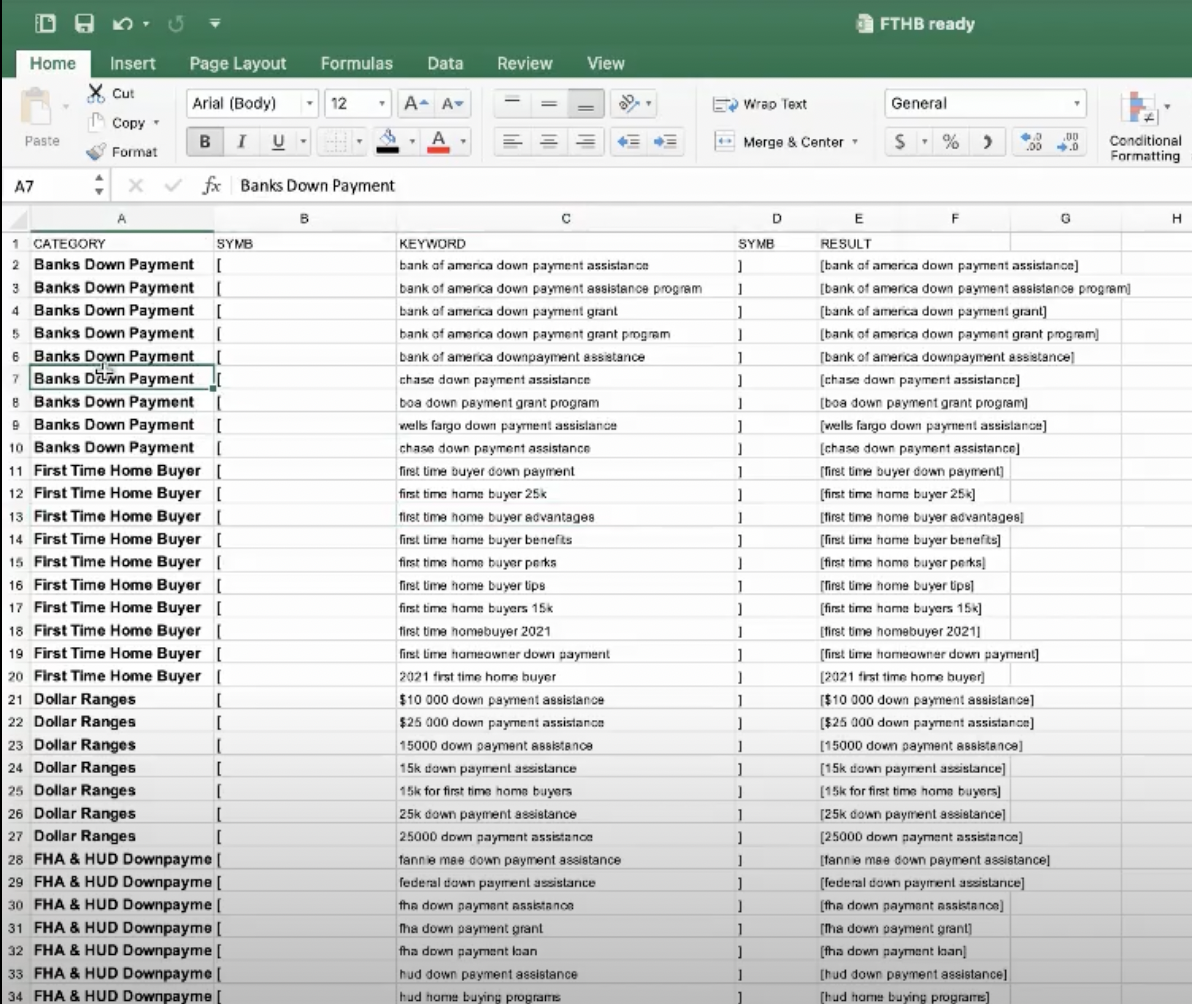
Mastering Google Ads Data Manager requires a strategic approach beyond simply importing data. Effective use involves meticulous data collection, smart management, and a keen eye for quality control. This section delves into best practices for optimizing your Data Manager implementation to maximize ad performance.
Data Collection and Management Best Practices
Careful data selection and organization are crucial for a successful Data Manager campaign. Import data only if it directly supports your ad objectives. Ensure the data is structured and formatted correctly to prevent errors during import. Use data validation tools to identify and correct any inconsistencies before uploading. Establish clear naming conventions for data fields to maintain data integrity and facilitate future analysis.
Efficient Strategies for Improving Ad Performance
Data Manager empowers you to tailor your campaigns to specific customer segments. Segment your audience based on valuable data points like demographics, purchase history, or website behavior. Use these insights to create highly targeted ad groups and campaigns. Personalize ad messaging based on these segments to improve engagement and conversions. Continuously monitor campaign performance and adjust your strategies based on real-time data.
Consider using machine learning models to further refine your targeting strategies and predict future behavior.
Data Quality Control and Accuracy
Data accuracy is paramount in Data Manager. Implement data validation checks during import to ensure the accuracy and completeness of your data. Establish clear data ownership and responsibility to ensure data integrity. Regularly review data sources for any changes or updates to maintain data freshness and avoid discrepancies. Use data quality metrics to assess the overall reliability of your data, and address any identified issues promptly.
Establish a data governance framework that Artikels data usage policies and procedures.
Troubleshooting Common Data Manager Issues
Effective troubleshooting is key to a smooth Data Manager implementation. Here’s a table outlining common issues and their solutions:
| Issue | Possible Cause | Solution |
|---|---|---|
| Import Errors | Incorrect data format, missing fields, or inconsistencies | Validate data format, ensure all required fields are present, and address inconsistencies. Use data cleaning tools. |
| Data Discrepancies | Changes in data sources, outdated information, or errors in mapping | Regularly review data sources, identify outdated information, and update mappings. Verify data accuracy using comparison tools. |
| Slow Performance | Large datasets, complex queries, or inefficient data pipelines | Optimize queries, break down large datasets, or streamline data pipelines. Use caching strategies for frequently accessed data. |
| Lack of Reporting Clarity | Poorly defined metrics or missing data visualizations | Establish clear metrics, define KPIs, and use visualization tools for better reporting clarity. Utilize dashboards for comprehensive summaries. |
Setting Up Automated Reporting Processes, Google ads data manager
Streamlining reporting through automation significantly improves efficiency and provides valuable insights. Integrate Data Manager with reporting platforms to automatically generate reports. Establish specific reporting schedules and customize the metrics to focus on key performance indicators (KPIs). Schedule alerts for significant changes in metrics to proactively address potential issues. Use dashboards to display key data points and trends in a visually accessible format.
Data Security and Privacy
Google Ads Data Manager prioritizes the security and privacy of your data. This section details the robust measures in place to protect your sensitive information and ensure compliance with relevant regulations. Data governance is crucial for maintaining trust and confidence in the platform.Data security in Google Ads Data Manager involves multiple layers of protection, including encryption in transit and at rest, access controls, and regular security audits.
The platform employs industry-standard security protocols to safeguard your data from unauthorized access, breaches, and misuse.
Data Security Measures
Google Ads Data Manager utilizes a multi-layered security approach to protect data. This includes encryption technologies to safeguard data both during transmission and when stored. Rigorous access controls manage who can access specific data, restricting it to authorized personnel only. Regular security audits are conducted to identify and address any vulnerabilities, ensuring the ongoing integrity of the system.
These measures collectively minimize risks and maintain the highest level of data protection.
Data Privacy Regulations and Compliance
Adherence to data privacy regulations is paramount. Google Ads Data Manager complies with regulations like the GDPR (General Data Protection Regulation) and CCPA (California Consumer Privacy Act). This compliance ensures that data handling practices meet the highest standards for user privacy. This involves transparent data handling practices, user consent mechanisms, and data minimization strategies.
Google Ads Data Manager is a powerful tool for managing ad campaigns across various platforms. It’s great for pulling together data from different sources, but sometimes a more holistic approach is needed. That’s where companies like Ignite Visibility come in. Their recent acquisition of integrated digital strategies ignite visibility acquires integrated digital strategies shows a commitment to providing comprehensive solutions.
Ultimately, tools like Google Ads Data Manager benefit from a wider range of strategies and expertise, especially when integrated with broader marketing campaigns.
Data Governance
Data governance in Google Ads Data Manager is crucial for maintaining data integrity and security. Clear policies and procedures govern how data is collected, stored, used, and shared. This framework ensures data accuracy, consistent data management, and regulatory compliance. Data governance also includes establishing accountability for data-related activities.
Data Privacy Options
- Data Minimization: Only the necessary data is collected and stored, reducing the potential for misuse. This is a key principle of data privacy, as it limits the amount of data that could be exposed if a breach occurs. This helps maintain the balance between using data for effective marketing and safeguarding user privacy.
- Data Anonymization: Techniques are employed to remove identifying information from data, making it difficult to link data back to specific individuals. Anonymization helps protect user privacy without sacrificing the value of the data for marketing insights. For example, replacing customer names with unique identifiers helps maintain confidentiality.
- Data Encryption: Data is encrypted both in transit and at rest to prevent unauthorized access. This is a fundamental security measure, safeguarding sensitive information from potential breaches. Strong encryption protocols are employed to safeguard data from unwanted access attempts.
Steps to Ensure Data Compliance
- Establish Clear Policies: Create comprehensive data handling policies and procedures that are easily accessible and understood by all stakeholders. These policies should Artikel the specific steps to take when handling data, ensuring consistency and adherence to regulations.
- Implement Access Controls: Restrict access to data based on the principle of least privilege. This means that only authorized personnel with a legitimate need to access data can do so. Strong access controls help mitigate risks of unauthorized access and data breaches.
- Regular Audits: Conduct regular security audits to identify and address any vulnerabilities in data handling processes. Regular audits help identify potential weaknesses and enhance the overall security posture of the system.
- Data Breach Response Plan: Develop a detailed data breach response plan that Artikels the steps to take in the event of a security incident. A robust response plan helps to minimize the impact of a breach and maintain user trust.
Data Privacy Options Table
| Privacy Option | Description | Benefits |
|---|---|---|
| Data Minimization | Collect only necessary data. | Reduces risk of misuse, enhances privacy. |
| Data Anonymization | Remove identifying information. | Protects user identities, facilitates analysis. |
| Data Encryption | Encrypt data in transit and at rest. | Prevents unauthorized access, enhances security. |
Future Trends and Developments
The digital marketing landscape is constantly evolving, and Google Ads Data Manager is poised to adapt to these changes. Future improvements will likely center around enhanced data integration, more sophisticated reporting capabilities, and a greater emphasis on automation and personalization. Staying ahead of these trends is crucial for marketers to maximize their ROI and maintain a competitive edge.
Potential Updates and Improvements
Google Ads Data Manager is expected to incorporate more advanced data cleansing and transformation tools. This will enable users to handle a wider range of data types and formats with greater accuracy and efficiency. Furthermore, improved API integration capabilities will allow seamless data exchange with other platforms, expanding the scope of data sources available. Enhanced data visualization features will provide users with more intuitive and actionable insights from their collected data.
A focus on AI-powered insights is also anticipated, enabling automated trend analysis and predictive modeling for improved campaign performance.
Emerging Trends in Data Management
The rise of privacy-focused data management is shaping the industry. Tools that comply with regulations like GDPR and CCPA will become increasingly important. This necessitates a focus on ethical data handling and transparent data policies. Furthermore, real-time data processing is another significant trend. The ability to analyze and act on data as it’s generated will be vital for businesses seeking to optimize their campaigns in real time.
This includes advanced machine learning algorithms that identify trends and anomalies quickly and automatically.
Potential Integrations with Emerging Technologies
Data Manager’s future will likely involve tighter integration with emerging technologies like AI and machine learning. This will enable more sophisticated analysis and automated decision-making processes. Furthermore, blockchain technology could play a role in enhancing data security and transparency. This could potentially lead to greater trust and reliability in the data used for campaign optimization. Enhanced integrations with other Google products, like Google Analytics 4, will also be critical for seamless data flow and comprehensive reporting.
Predicted Changes to the Data Manager Interface
The interface is expected to evolve towards a more intuitive and user-friendly design. This will include simplified navigation, improved filtering options, and enhanced visualization tools for data exploration. Furthermore, more interactive dashboards and personalized reporting options will be available, enabling users to tailor their experience based on specific needs and objectives. Automation of routine tasks will be a key feature, freeing up marketers’ time for more strategic activities.
Evolution of Data Management in Digital Marketing
Data management in digital marketing is moving beyond simple reporting to predictive modeling and personalized experiences. Businesses will need to move beyond basic analytics to leverage data to personalize customer interactions and predict future behaviors. This will involve the use of sophisticated algorithms and the integration of diverse data sources. Focus on privacy and ethical data handling will become paramount, with a clear emphasis on user consent and transparency.
Ultimately, data will become an integral part of every digital marketing strategy, driving efficiency and profitability.
Wrap-Up
In conclusion, Google Ads Data Manager is a sophisticated data management solution designed to optimize your advertising strategies. By understanding its capabilities, best practices, and future developments, you can leverage this powerful tool to achieve greater success. From data collection to actionable insights, Data Manager provides a robust platform for maximizing ROI and achieving your marketing goals.